How to Use PancakeSwap in 2026: Beginner Setup and Safe Swaps
— By Tony Rabbit in Tutorials
Learn how to use PancakeSwap in 2026, including wallet connection, safe swaps, slippage basics, and the beginner workflow before trying liquidity or farms.
PancakeSwap is a decentralized exchange (DEX) operating as an automated market maker (AMM) that allows users to trade cryptocurrencies directly from their wallets. It launched on BNB Smart Chain in September 2020 and has since expanded to multiple other blockchains, enabling peer-to-peer token swaps without a centralized intermediary.
PancakeSwap is the largest decentralized exchange (DEX) on BNB Chain, processing billions in daily trading volume. This page is the broad beginner guide for connecting a wallet, understanding the interface, and making safer swaps before moving into more specialized DeFi actions.
What you will learn: how to connect your wallet, swap tokens safely, manage slippage, understand the main screens, and avoid the beginner mistakes that usually happen before someone starts experimenting with liquidity or farms.
What is PancakeSwap?
PancakeSwap is an automated market maker (AMM) DEX that lets you trade cryptocurrencies directly from your wallet without a centralized intermediary. Launched in September 2020 on BNB Smart Chain, it has since expanded to Ethereum, Arbitrum, Base, zkSync, Polygon, and other networks.
Key advantages over centralized exchanges:
- Self-custody - your tokens stay in your wallet until you trade
- No KYC - trade any token without identity verification
- Low fees - 0.25% per swap on BNB Chain (gas fees typically $0.05-0.30)
- Earn yield - provide liquidity and farm CAKE rewards
- Multichain - trade across 9+ blockchains from one interface
Intent split
- This page owns the general PancakeSwap beginner setup and safe-swap intent.
- For liquidity provision, CAKE rewards, APR quality, and LP risk management, read How to Farm on PancakeSwap.
- If you need slippage help that applies across DEXs, read How to Set Slippage Tolerance on Any DEX.
Prerequisites: What You Need Before Starting
Before using PancakeSwap, you need three things:
- A Web3 wallet - MetaMask, Trust Wallet, or Rabby are recommended. Install the browser extension or mobile app.
- BNB for gas fees - Every transaction on BNB Chain requires a small BNB fee (usually $0.05-0.30). Buy BNB on Coinbase, Binance, or any major exchange and send it to your wallet.
- Tokens to trade - Send the tokens you want to swap to your wallet address. Make sure they are on the correct network (BNB Chain, Ethereum, etc.).
Pro tip: Start with BNB Chain for the lowest fees. A single swap costs around $0.10 in gas, compared to $5-50 on Ethereum.
Step 1: Connect Your Wallet
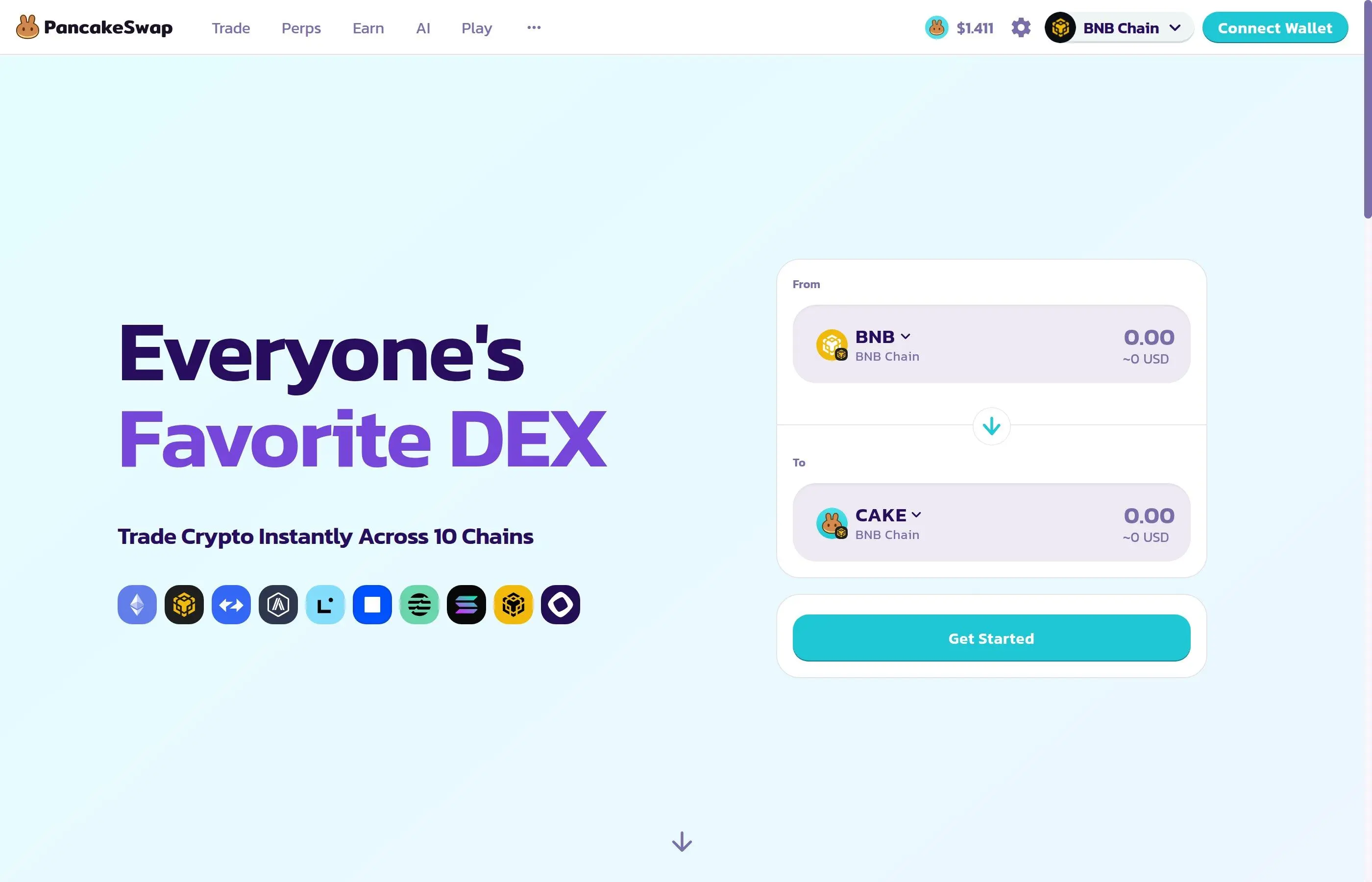
Head to pancakeswap.finance and click the Connect Wallet button in the top right corner.
- Select your wallet provider (MetaMask, Trust Wallet, WalletConnect, etc.)
- Approve the connection request in your wallet popup
- Make sure you are connected to the correct network (BNB Smart Chain for the cheapest fees)
- Your wallet address will appear in the top right, confirming the connection
Security warning: Always verify you are on pancakeswap.finance - not a phishing site. Bookmark the official URL and never click swap links from DMs or emails.
Step 2: How to Swap Tokens
Swapping is PancakeSwap's core feature. Here is how to trade one token for another:
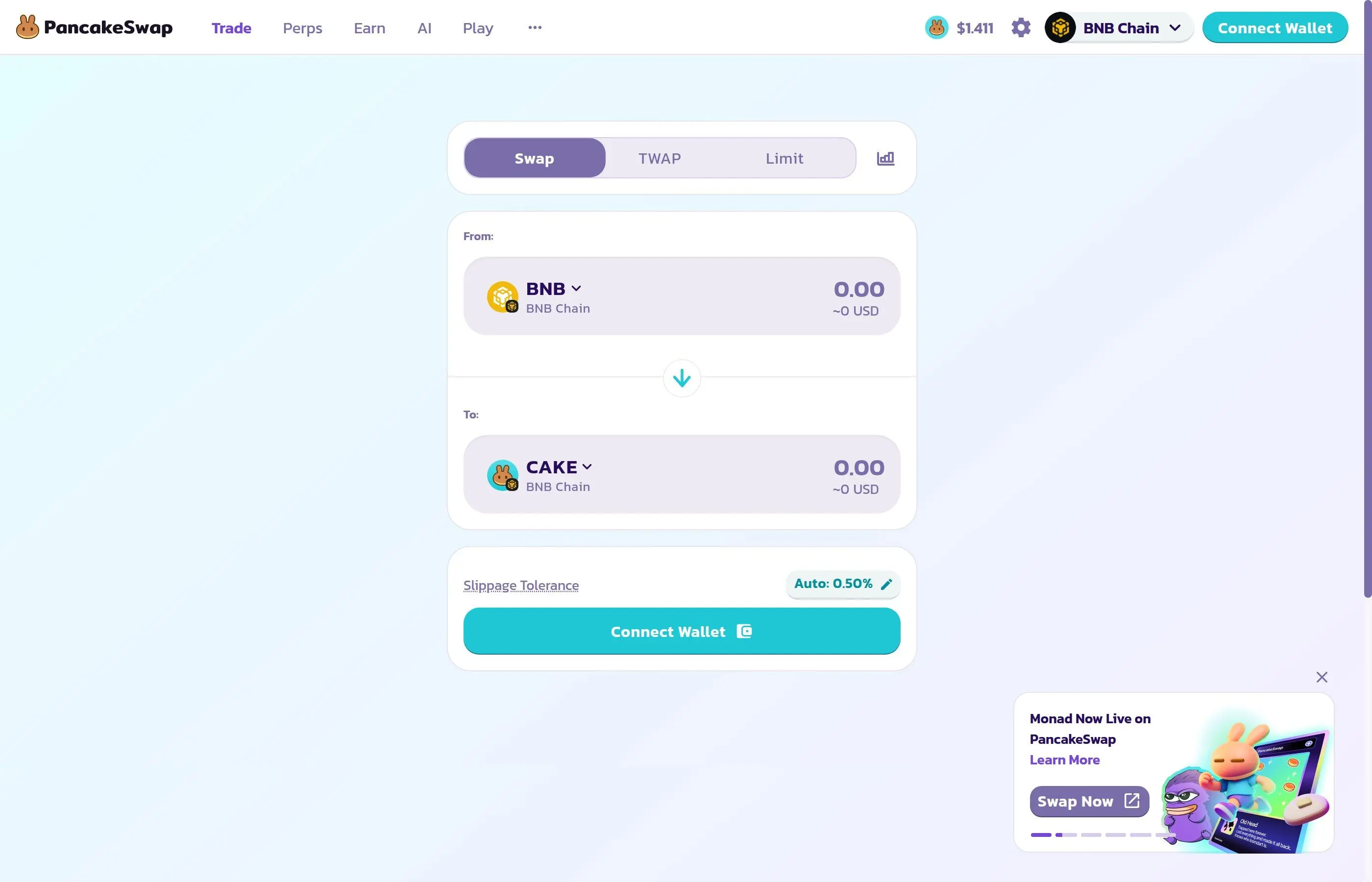
- Click Trade in the top navigation bar, then select Swap
- In the top field ("From"), select the token you want to sell and enter the amount
- In the bottom field ("To"), select the token you want to buy
- Review the exchange rate, price impact, and minimum received
- Set your slippage tolerance (Auto 0.50% works for most trades; increase to 1-5% for volatile tokens)
- Click Swap and confirm the transaction in your wallet
Understanding Swap Settings
- Slippage tolerance - The maximum price change you will accept. Set too low and transactions fail; set too high and you may get a worse price.
- Price impact - How much your trade moves the pool price. Keep this under 1% for large trades by splitting them.
- Minimum received - The worst-case amount you will get after slippage. You will never receive less than this.
- TWAP orders - For large trades ($10K+), use the TWAP tab to split your order over time and reduce price impact.
- Limit orders - Set a target price and PancakeSwap executes automatically when the market reaches it.
Step 3: How to Add Liquidity
Providing liquidity earns you a share of all trading fees (0.17% of every swap). Here is how:
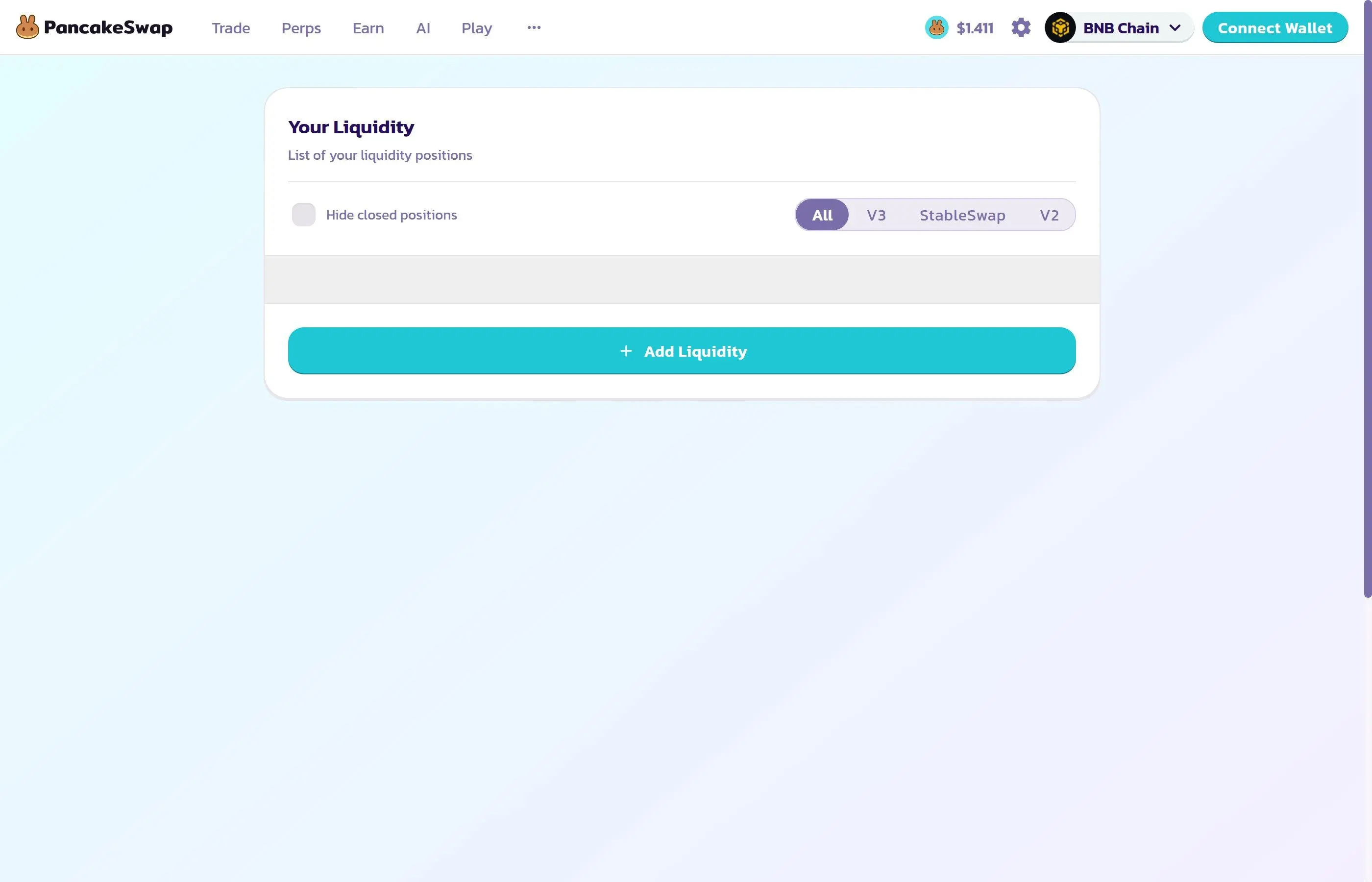
- Go to Earn in the navigation, then click Liquidity
- Click Add Liquidity
- Select the two tokens for your pair (e.g., BNB/CAKE)
- Choose your fee tier (0.01%, 0.05%, 0.25%, or 1%) - lower fees for stable pairs, higher for volatile
- Set your price range (or select "Full Range" for simplicity)
- Enter the amount for one token - the other auto-calculates
- Click Add and approve both token spending + the liquidity transaction
Impermanent loss warning: When you provide liquidity, the ratio of your two tokens changes as prices move. If one token's price changes significantly, you may end up with less total value than if you had simply held. This risk is called impermanent loss. Stick to correlated pairs (like stablecoin pairs) to minimize it.
Step 4: How to Farm CAKE
Farming lets you earn CAKE rewards on top of trading fees by staking your liquidity position (LP tokens). Here is how:
- First, add liquidity to a supported pair (see Step 3)
- Go to Earn and click Farms
- Find your pair in the farm list (use the search bar)
- Click Stake LP
- Enter the amount of LP tokens to stake
- Confirm the transaction in your wallet
- Your CAKE rewards accrue in real time - click Harvest anytime to collect
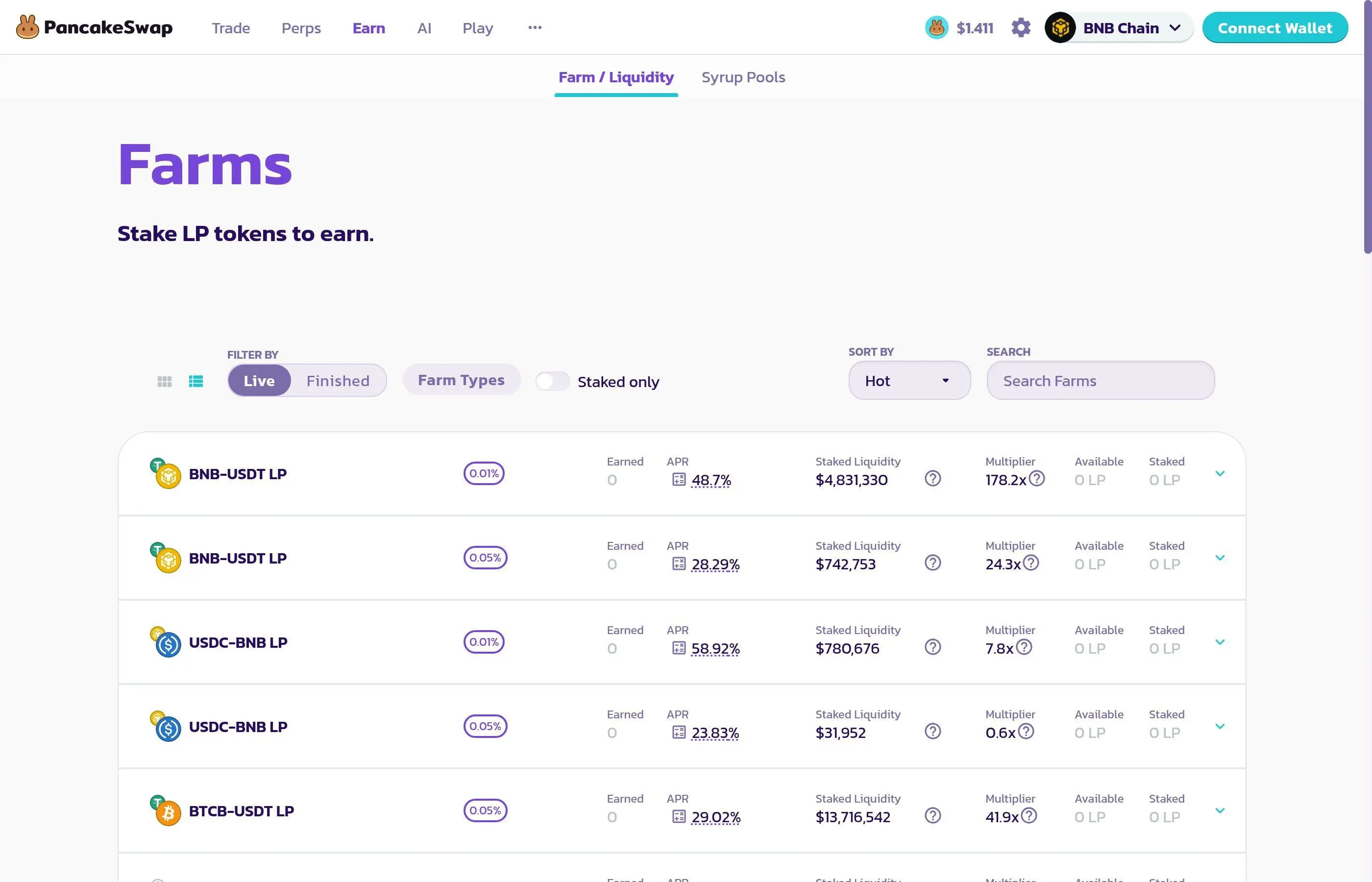
Farm Tips
- Sort farms by APR to find the highest-yielding opportunities
- Higher APR usually means higher risk (smaller, more volatile token pairs)
- Compound your rewards regularly - harvest CAKE and restake for compound growth
- Factor in gas costs: if your position is small ($100), frequent harvesting may cost more in gas than you earn
Step 5: How to Stake CAKE
Staking CAKE is the simplest way to earn passive income on PancakeSwap. You lock your CAKE tokens and earn more CAKE (and sometimes other tokens) as rewards.
- Go to Earn and click CAKE Staking
- Click Stake CAKE
- Choose your lock duration (longer lock = higher APR)
- Enter the amount of CAKE to stake
- Confirm the transaction
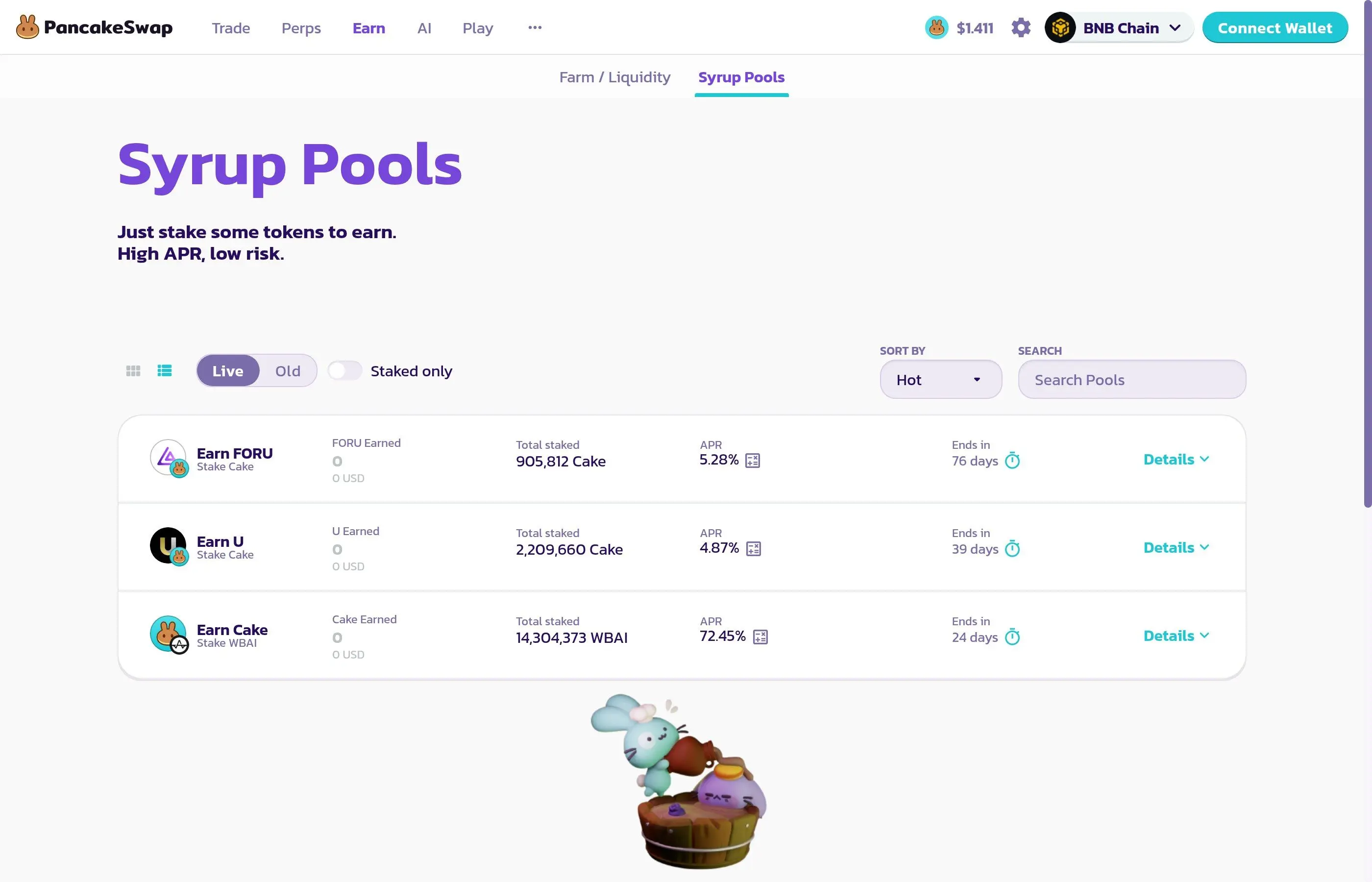
Staking Options
- Flexible staking - withdraw anytime, lower APR
- Fixed-term staking - lock for 1 week to 52 weeks, higher APR the longer you lock
- veCAKE - staked CAKE gives you voting power for governance proposals and farm boost multipliers
Step 6: How to Bridge Assets
PancakeSwap's built-in bridge lets you move tokens between blockchains without leaving the platform:
- Go to the bridge page (find it under the menu or navigate to bridge.pancakeswap.finance)
- Select the source chain (where your tokens are) and destination chain (where you want them)
- Choose the token and enter the amount
- Review the bridge fee and estimated time
- Click Transfer and confirm in your wallet
- Wait for the bridge to complete (usually 2-15 minutes depending on chains)
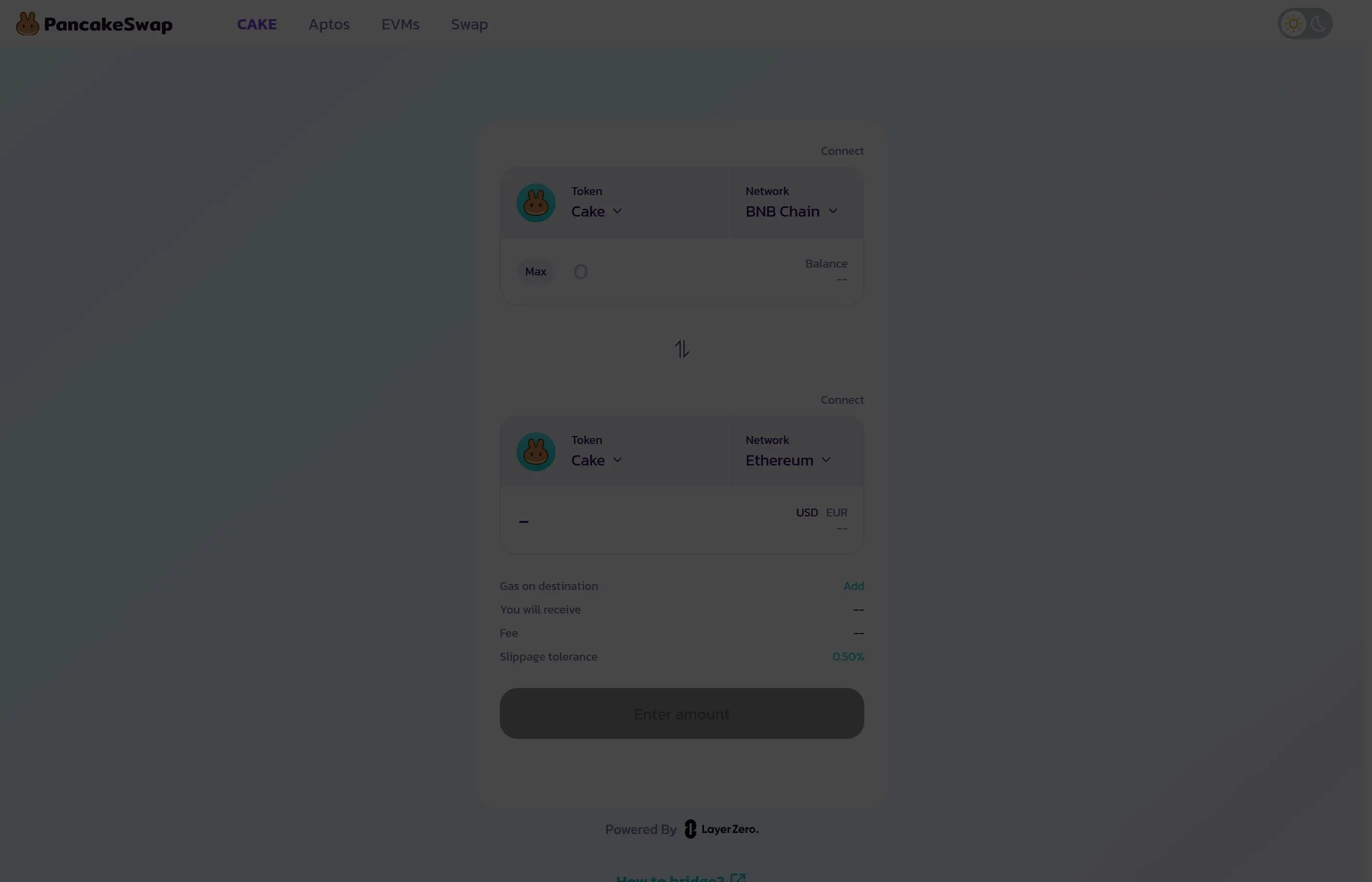
PancakeSwap Fees Breakdown
Detailed Fee Breakdown
- Swap fee: 0.25% per trade on BNB Chain (varies by chain and fee tier)
- Gas fees: $0.05-0.30 on BNB Chain, $2-20 on Ethereum, $0.01-0.10 on L2s
- Bridge fee: Varies by route, typically 0.04% + gas on destination chain
- Liquidity: No fee to add/remove (only gas)
- Staking: No fee (only gas to stake/unstake)
Security Best Practices
DeFi comes with unique risks. Follow these practices to protect your funds:
- Bookmark pancakeswap.finance - never Google it (phishing ads are common)
- Revoke unused approvals - use revoke.cash to remove old token approvals
- Start small - test with a small amount before committing larger positions
- Use a hardware wallet - Ledger or Trezor adds an extra layer of security
- Check contract addresses - always verify token contract addresses on BscScan before swapping
- Never share your seed phrase - PancakeSwap will never ask for it
Common Mistakes to Avoid
- Swapping into scam tokens - Anyone can create a token on BNB Chain. Verify contracts on BscScan and check liquidity depth before trading.
- Ignoring slippage - Setting slippage too high (10%+) makes you vulnerable to sandwich attacks. Use Auto or 0.5-1% for standard tokens.
- Forgetting about gas - Always keep some BNB in your wallet for gas. Running out of BNB means you cannot unstake or sell.
- FOMO into high-APR farms - 10,000% APR sounds amazing until the token drops 99%. High APR = high risk. Always research the underlying tokens.
- Not harvesting rewards - CAKE rewards do not auto-compound. Harvest and restake regularly for maximum returns.
PancakeSwap vs Other DEXs
- PancakeSwap vs Uniswap: PancakeSwap is cheaper (BNB Chain gas vs Ethereum), supports more chains, and offers farms/staking. Uniswap has deeper Ethereum liquidity.
- PancakeSwap vs SushiSwap: PancakeSwap has higher TVL and trading volume. Both offer farms and cross-chain support.
- PancakeSwap vs Jupiter: Jupiter dominates Solana; PancakeSwap dominates BNB Chain. Different ecosystems, both excellent for their respective chains.
How to Read Slippage, Price Impact and Token Taxes Before You Swap
The biggest gap in many PancakeSwap guides is not wallet setup. It is trade quality. Beginners often focus on whether the swap button works, but the real question is whether the trade terms are acceptable. On PancakeSwap, you should always look at slippage tolerance, price impact, liquidity depth, and whether the token has a transfer tax or anti-bot mechanic. A trade can execute successfully and still be a bad trade.
High slippage is not automatically dangerous, but it usually means one of three things: the pool is thin, the token is volatile, or the token contract has extra rules. If the trade is on a well-known asset pair and slippage looks abnormally high, stop and investigate. If the trade is on a new token, treat that friction as a warning rather than a nuisance. Small pools can move violently, and tax tokens can leave you with far less than the preview suggested.
- Check the token contract and ticker carefully
- Look at price impact, not just slippage tolerance
- Ask whether the pool is deep enough for your size
- Assume new tokens can have taxes, restrictions, or honeypot behavior until proven otherwise
- Use a test buy if the token is new or obscure
Should Beginners Provide Liquidity or Just Swap?
Another place where ranking content often feels too shallow is liquidity provision. Many articles present LPing as the natural next step after a swap, but for most beginners it is not. Providing liquidity introduces a completely different risk profile because you are no longer just holding one asset. You are holding a position that rebalances between two assets as price moves, which creates impermanent loss.
That does not mean liquidity provision is bad. It means it should be intentional. If your main goal is simple execution, just learn swaps first. If your goal is yield and you understand pair behavior, then liquidity can make sense. For a deeper walkthrough on that risk model, read our impermanent loss guide. If you are not ready to explain impermanent loss in your own words, you are probably not ready to LP meaningful size.
PancakeSwap Token Safety Checklist
PancakeSwap is easy to use, which is great for onboarding and terrible for impulsive decisions. New users often land on BNB Chain because gas is cheap and transactions are fast, but those same advantages also make low-quality launches more common. A clean safety routine will save you more money than any fee optimization trick.
- Prefer established pairs over freshly launched tokens
- Use wallets you control, such as Trust Wallet or MetaMask
- Cross-check new assets on DEXTools before trading
- Be extra careful when a token needs unusually high slippage
- If you are unsure, use our rug pull checklist before buying
When to Use PancakeSwap vs 1inch vs Uniswap
PancakeSwap is strongest when you are trading on BNB Chain or exploring Pancake's native liquidity, farms, and staking products. If your main priority is route optimization across supported chains, an aggregator such as 1inch may give you better execution. If your capital mostly lives on Ethereum and the deepest liquidity for the pair is on Uniswap, then Uniswap may be the better starting venue.
The right mental model is not PancakeSwap versus the world. It is matching the tool to the job. Use PancakeSwap when you want BNB Chain-native functionality and low-fee trading. Use an aggregator when route quality matters more than staying inside one interface. Use Uniswap when Ethereum or broad multi-chain blue-chip liquidity is the center of your workflow.
Conclusion
PancakeSwap is one of the most complete DeFi platforms available, offering swaps, liquidity, farming, staking, and bridging all in one place. Its multichain support and low fees on BNB Chain make it an excellent entry point for DeFi beginners.
Start by connecting your wallet and making a small test swap. Once comfortable, explore liquidity provision and farming for additional yield. Always prioritize security - bookmark the site, use a hardware wallet, and never invest more than you can afford to lose.
Video Tutorial
Watch a step-by-step walkthrough of PancakeSwap for beginners:
Related Tutorials
- How to Use Coinbase: Complete Beginner Guide 2026
- How to Use Binance: Complete Beginner Guide 2026
- What Is Staking in Crypto? How It Works and Best Practices
- Uniswap v4: The Modular Revolution
- Ethereum Yield: Liquid Staking vs Restaking
- Fix the Execution Reverted Error
Related PancakeSwap Infinity guide
If you want the deeper LP comparison, read PancakeSwap Infinity CLAMM vs LBAMM: Which Pool Type Is Better for LPs in 2026?.
Related Guides
- Uniswap vs Jupiter vs PancakeSwap: Best DEX Comparison 2026
- PancakeSwap Infinity CLAMM vs LBAMM: Which Pool Type Is Better for LPs in 2026?
- How to Farm on PancakeSwap: Liquidity, CAKE Rewards and LP Risks (2026)
- What Is an Atomic Swap? How Cross-Chain Swaps Work
- Whale Buy or Exit Liquidity? How to Read Big Swaps Without Blindly Copying Whales
Frequently Asked Questions
Is PancakeSwap safe to use?
PancakeSwap is one of the most audited DEXs in crypto, with smart contracts reviewed by CertiK, Slowmist, and Peckshield. However, as with any DeFi protocol, there are inherent smart contract risks. Always verify you are on the official site (pancakeswap.finance) and never share your seed phrase.
What are PancakeSwap fees?
PancakeSwap charges a 0.25% fee per swap on BNB Chain (0.17% to LPs, 0.03% to treasury, 0.05% burned). Gas fees on BNB Chain are typically $0.05-0.30 per transaction.
How do I connect my wallet to PancakeSwap?
Click Connect Wallet on PancakeSwap, select your wallet (MetaMask, Trust Wallet, or WalletConnect), approve the connection, and make sure you are on BNB Smart Chain network.
Can I use PancakeSwap on Ethereum?
Yes. PancakeSwap is multichain - it supports BNB Chain, Ethereum, Arbitrum, Base, zkSync, Polygon, Monad, and other networks. Use the chain selector in the top right to switch.