How to Use Coinbase in 2026: Complete Beginner Guide to Buy Sell and Trade Crypto
— By Tony Rabbit in Tutorials
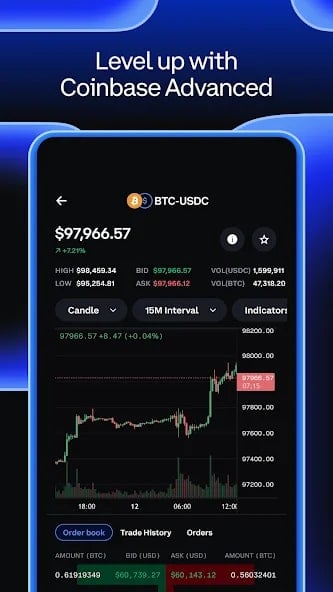
How to use Coinbase in 2026 with the right beginner workflow, lower-fee buying routes, safer self-custody transfers, and a practical explanation of Coinbase App, Advanced Trade, and Coinbase Wallet.
What Is Coinbase and Why Use It?
Coinbase is the largest cryptocurrency exchange in the United States and one of the most trusted platforms worldwide. Founded in 2012 and publicly listed on NASDAQ (ticker: COIN), Coinbase serves over 110 million verified users across 100+ countries.
Whether you want to buy Bitcoin, trade Ethereum, earn passive income through staking, or explore advanced trading - Coinbase provides everything in one platform. This guide walks you through every step, from creating an account to making your first trade.
Step 1: Create a Coinbase Account
- Go to coinbase.com or download the Coinbase app (iOS/Android)
- Click "Get started" and enter your email address
- Create a strong password (use a password manager)
- Verify your email by clicking the link Coinbase sends you
- Add your phone number for 2-factor authentication (2FA)
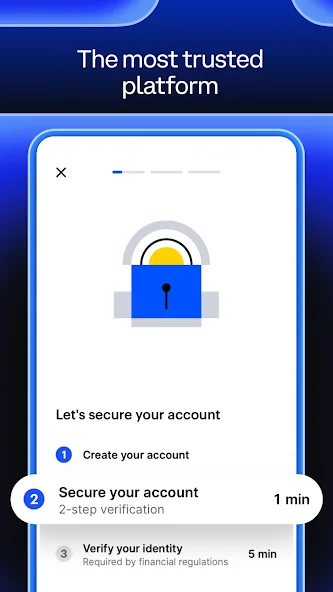
Step 2: Verify Your Identity (KYC)
Coinbase is a regulated exchange, so identity verification is required:
- Government-issued ID - passport, driver's license, or national ID card
- Selfie verification - Coinbase will ask you to take a photo to match your ID
Step 3: Add a Payment Method
| Payment Method | Buy Fee | Speed | Limits |
|---|---|---|---|
| 🏦 Bank Account (ACH) | 1.49% | 3-5 business days | Up to $25,000/day |
| 💳 Debit Card | 3.99% | Instant | Up to $7,500/week |
| 🔄 Wire Transfer | $10 fee | 1-3 business days | Up to $250,000 |
| 💰 PayPal | 3.99% | Instant | Varies by account |
| 🪙 Crypto Deposit | Free | Network speed | Unlimited |
Step 4: Buy Your First Crypto
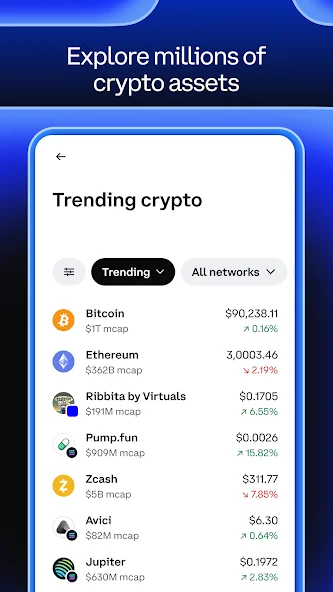
- Click the "Buy / Sell" button (top right on desktop, center bottom on mobile)
- Select the cryptocurrency - Bitcoin (BTC), Ethereum (ETH), Solana (SOL), or 350+ others
- Enter the amount in USD - you can buy as little as $1
- Select your payment method
- Review the preview - exchange rate, fees, and total cost
- Click "Buy" to confirm
Step 5: Explore Your Portfolio
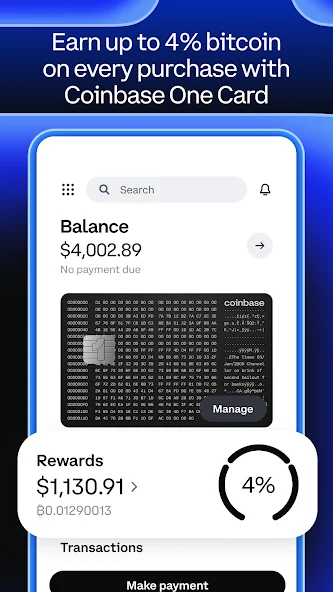
The Portfolio tab shows:
- Total balance - your portfolio value in USD
- Performance chart - 1D, 1W, 1M, 1Y, and all-time views
- Individual assets - each coin with value, amount, and % change
- Watchlist - track coins without buying
Step 6: Sell or Convert Crypto
To sell: Buy/Sell → Sell tab → choose asset → enter amount → confirm.
To convert between cryptos (e.g., BTC to ETH): Buy/Sell → Convert → select assets → confirm.
For real-time rates: BTC to USD | ETH to USD | SOL to USD
Step 7: Send and Receive Crypto
Send crypto to external wallets like MetaMask or Phantom:
Coinbase Advanced Trade: Lower Fees for Active Traders
| Feature | Coinbase Simple | Coinbase Advanced |
|---|---|---|
| Trading Fee | 1.49% - 3.99% | 0.05% - 0.6% |
| Order Types | Market only | Market, Limit, Stop-Limit |
| Charts | Basic price line | Full candlestick + indicators |
| Order Book | ❌ | ✅ Real-time |
| Best For | Beginners | Active traders |
Earn and Stake on Coinbase
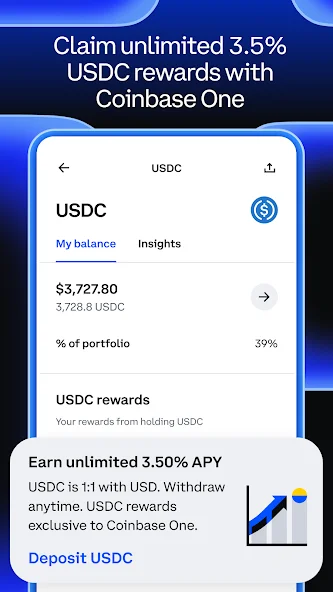
| Asset | Gross APY | Coinbase Cut | Your Net APY |
|---|---|---|---|
| Ethereum (ETH) | ~3.5% | 25% | ~2.6% |
| Solana (SOL) | ~7% | 25% | ~5.25% |
| Cardano (ADA) | ~3.5% | 25% | ~2.6% |
| Cosmos (ATOM) | ~17% | 25% | ~12.75% |
Coinbase Wallet vs Coinbase Exchange
| Feature | Coinbase Exchange | Coinbase Wallet |
|---|---|---|
| Type | Custodial (Coinbase holds keys) | Self-custody (you hold keys) |
| DeFi Access | ❌ Limited | ✅ Full (Uniswap, Aave) |
| Recovery | Email password reset | 12-word seed phrase only |
| Best For | Buying, selling, holding | DeFi, NFTs, dApps |
Coinbase Fees Explained
Fee Comparison by Method
Coinbase vs Other Exchanges
| Feature | Coinbase | Binance | Kraken |
|---|---|---|---|
| US Available | ✅ Fully regulated | ⚠️ Limited | ✅ Yes |
| Simple Trade Fee | 1.49% | 0.1% | 0.26% |
| Advanced Fee | 0.05-0.6% | 0.02-0.1% | 0.01-0.26% |
| Insurance | ✅ FDIC on USD | ❌ | ❌ |
| Beginner Friendly | ⭐⭐⭐⭐⭐ | ⭐⭐⭐ | ⭐⭐⭐⭐ |
Security Best Practices
- Use authenticator app 2FA - not SMS
- Enable Vault - 48-hour withdrawal delay for long-term holdings
- Whitelist withdrawal addresses - limit where crypto can be sent
- Use a unique email - dedicated to Coinbase only
- Check active sessions - review Settings → Activity regularly
- For large holdings, use a hardware wallet
Using DEXTools With Coinbase
Use DEXTools to research tokens before buying on Coinbase:
- Check market cap, liquidity, and holder distribution
- Track real-time prices across DEXes
- Find new tokens early
- Verify token safety with DYOR tools
To bridge crypto to DeFi: cross-chain bridging guide.
Coinbase App vs Advanced Trade vs Coinbase Wallet
Many Coinbase articles under-explain the product split, and that creates confusion for new users. The regular Coinbase app is designed for easy onboarding, bank linking, and simple buys. Advanced Trade is the lower-fee environment with proper charts and order types. Coinbase Wallet is different again. It is a self-custody wallet, not the exchange account itself. If you mix those three up, the whole platform feels more complicated than it actually is.
| Product | What it is | Best for | Main caution |
|---|---|---|---|
| Coinbase app | Exchange and simple brokerage interface | Buying and holding for beginners | Fees can be higher if you use the easiest flow every time |
| Advanced Trade | Lower-fee trading interface inside Coinbase | Active buyers, sellers, and limit orders | More buttons means more room for user error |
| Coinbase Wallet | Self-custody wallet | Onchain apps and self-custody transfers | You are responsible for the seed phrase and security |
If you are just starting, the strongest workflow is simple: open the main account, learn the basic buy flow, then move to Advanced Trade as soon as you care about execution quality. Use Wallet only when you actually need self-custody or onchain access. At that point, it also helps to compare wallet choices such as MetaMask or the exchange-versus-wallet breakdown in Coinbase vs MetaMask.
The Cheapest Way to Buy Crypto on Coinbase
The most important improvement angle for Coinbase content is cost clarity. Many users know Coinbase is easy, but they do not realize how much the route matters. Buying through the simple brokerage flow is convenient, but it can be noticeably more expensive than using Advanced Trade. For larger or repeated buys, that difference compounds quickly.
A practical beginner rule is this: use the standard app to get set up and verified, but use Advanced Trade when you want tighter execution and lower fees. Limit orders are especially helpful when the market is moving fast. The best ranking guides usually explain this in plain language, because it solves the main pain point users search for after account creation: why did my purchase cost more than expected?
How to Move Funds From Coinbase to Self-Custody Safely
Buying on Coinbase is easy. Moving funds safely is where discipline matters. Before any withdrawal, confirm the destination chain, check whether the receiving wallet supports the asset natively, and send a small test first. This is especially important when sending SOL, USDC, or ETH to wallets that support multiple networks.
If your goal is to move into a wallet for onchain activity, do it in a staged way. Withdraw a test amount, confirm the funds arrive, then move the rest. If you are sending Solana assets out, our Coinbase to Phantom guide gives a more specific walkthrough. If you are staying on an exchange, compare Coinbase with Binance before deciding where recurring buys should live.
Common Coinbase Mistakes Beginners Make
The most common Coinbase mistake is treating the easiest route as the best route forever. Many users create the account, make a few successful buys, and never move to Advanced Trade, which means they keep paying more than necessary. The second mistake is confusing exchange custody with self-custody. Assets on Coinbase are still on an exchange. Assets in Coinbase Wallet are under your control, which also means they are your responsibility.
Another common problem is using Coinbase for everything. Coinbase is excellent for beginner onboarding, bank connectivity, and a clean user experience. It is not always the cheapest or best tool for every workflow. That is normal. Good crypto users match the platform to the job. Use Coinbase when regulated onboarding and clean fiat rails matter most. Use self-custody when you want onchain freedom. Use DEXTools when you need faster visibility into pairs, pools, and token activity.
Coinbase Security Stack for Beginners
The best Coinbase guides do more than explain the buy button. They also explain how to harden the account. Start with a strong unique password, turn on authenticator-based 2FA, enable address allowlisting if available, and be cautious with email links. Coinbase is large and widely trusted, which also makes it a constant phishing target. Security is not just about whether Coinbase is regulated. It is about whether your own account hygiene is strong enough.
A second layer of safety is behavioral. Do not leave large balances on the exchange just because the interface feels safe. Use Coinbase for what it does best, namely onboarding, simple purchases, and regulated fiat rails, then move long-term holdings to self-custody once you are ready. That habit alone reduces a large share of exchange-specific risk.
When Coinbase Is the Best Choice and When It Is Not
Coinbase is usually the best choice when you value clean UX, strong brand trust, and easier bank connectivity. It is often the easiest platform for a first crypto purchase, especially for users who are still learning wallets and onchain networks. It is also a strong fit for users who care about compliance, tax documents, and a more mainstream account experience.
Coinbase is not always the best fit for traders who want the absolute lowest costs, the broadest product range, or more advanced derivatives. In those cases, another exchange or a self-custody plus DEX workflow may be better. The important point is not that Coinbase must do everything. It is that it can be the cleanest first step into crypto if you use it with the right expectations.
A Clean Coinbase Workflow for Your First 30 Minutes
If you want the simplest possible first session, do not try everything at once. Create the account, finish verification, add one payment method, make one small buy, then review Advanced Trade before placing a second order. After that, decide whether the asset should stay on Coinbase or move to self-custody. This sequence keeps the learning curve manageable and reduces the odds of making an expensive transfer mistake on day one.
That practical order of operations is what many generic competitor pages miss. Beginners do not just need feature lists. They need the right sequence. Coinbase works best when you use the easy onboarding flow first, then graduate into cheaper execution and stronger custody habits as your confidence grows.
What to Review Before Every Coinbase Withdrawal
Before you send funds out, review the destination address, network, memo requirements, and whether the receiving wallet actually supports the asset on that chain. One small test withdrawal is usually the cheapest insurance you can buy in crypto. That habit matters more than speed.
The best Coinbase users treat the platform as a clean starting point, then keep upgrading their process with lower-fee execution, stronger account security, and better self-custody habits over time.
If you follow that progression, Coinbase stays what it is best at being: a low-friction bridge between fiat, major crypto assets, and your next step into self-custody or onchain activity.
In practice, that means starting small, understanding the fee route before placing bigger orders, and building the habit of testing withdrawals before moving meaningful size. Those three habits alone make Coinbase dramatically more useful for a beginner.
That is the kind of process that scales as your confidence grows.
For most people, that is a much better foundation than chasing every feature at once.
Key Takeaways
- Coinbase is the safest and most beginner-friendly crypto exchange in the US
- Account setup takes ~5 minutes: sign up → verify ID → link bank → buy
- Use bank account (ACH) for 1.49% fees - avoid 3.99% debit card
- Switch to Advanced Trade to cut fees to 0.05-0.6%
- Enable authenticator 2FA and address whitelisting for security
- Coinbase staking takes 25% commission - compare with direct staking
- Use DEXTools to research tokens before buying
Disclaimer: This tutorial is for educational purposes only. Coinbase is a third-party platform not affiliated with DEXTools. Always DYOR before investing.