How to Use Binance: Complete Beginner's Guide (2026)
— By Tony Rabbit in Tutorials

A complete beginner's guide to using Binance in 2026: sign up, deposit, buy, trade and withdraw safely. Everything you need to start on Binance.
What Is Binance?
Binance is the world's largest cryptocurrency exchange by trading volume, processing over $15 billion in daily trades. Founded in 2017 by Changpeng Zhao (CZ), Binance offers spot trading, futures, staking, lending, launchpad, copy trading, and an NFT marketplace - all in one platform.
This guide is the broad beginner path for using Binance safely: account setup, KYC, deposits, first spot buys, simple transfers, and where the main features live. If your main goal is active execution inside the trading interface, use the dedicated Binance trading guide.
Intent split
- This page owns the broad beginner setup and platform-navigation intent for Binance.
- For spot order types, futures basics, and active execution workflow, read How to Trade on Binance.
- For an exchange choice decision, compare Binance vs Coinbase vs Kraken.
Step 1: Create a Binance Account
- Go to binance.com or download the Binance app (iOS/Android)
- Click "Register" - sign up with email or phone number
- Create a strong, unique password
- Enter the email/SMS verification code
- Complete the identity verification (KYC)
Step 2: Identity Verification (KYC)
Binance requires KYC for deposits, withdrawals, and trading. You'll need:
- Government-issued ID - passport, national ID, or driver's license
- Facial verification - a selfie matched to your ID
- Proof of address - required for some countries and higher-tier limits
Verification levels determine your limits:
| Level | Requirements | Daily Withdrawal | Fiat Access |
|---|---|---|---|
| Verified | ID + selfie | 2 BTC (~$200K) | ✅ Yes |
| Verified Plus | + proof of address | 100 BTC (~$10M) | ✅ Full |
Step 3: Secure Your Account
Binance is a major target for hackers. Secure your account immediately:
- Google Authenticator 2FA - go to Security -> 2FA -> Google Authenticator
- Anti-phishing code - set a custom word that appears in all Binance emails (Settings -> Security -> Anti-Phishing Code)
- Withdrawal address whitelist - only allow withdrawals to pre-approved addresses
- Device management - regularly check and remove unknown devices
Step 4: Deposit Funds
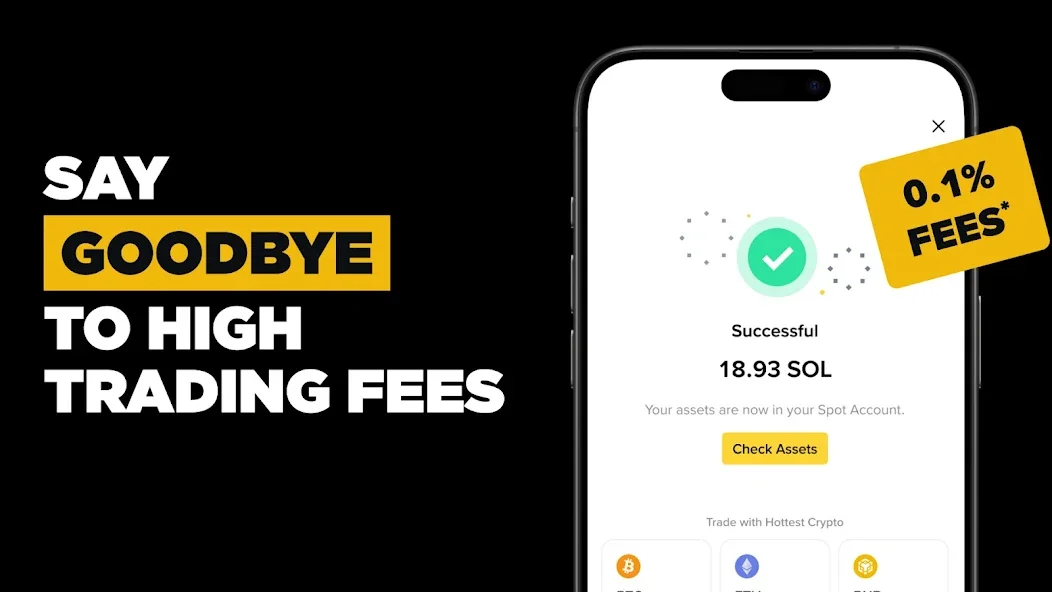
Deposit Crypto
- Go to Wallet -> Spot -> Deposit
- Select the coin and network (e.g., BTC on Bitcoin network, USDT on TRC20 for cheapest fees)
- Copy your deposit address or scan QR code
- Send from your wallet or another exchange
Deposit Fiat (EUR, GBP, BRL, etc.)
| Method | Fee | Speed | Availability |
|---|---|---|---|
| 🏦 Bank Transfer (SEPA) | Free - €1 | 1-2 business days | Europe |
| 💳 Credit/Debit Card | 1.8% - 2% | Instant | Most countries |
| 🔄 P2P Trading | Free (0% fee) | Minutes | Global |
| 🏧 Advcash / PIX | Varies | Instant - 1 hour | Regional |
Step 5: Buy Crypto on Binance
There are several ways to buy crypto on Binance:
Option A: Quick Buy (Simplest)
- Click "Buy Crypto" on the homepage
- Select the coin (BTC, ETH, BNB, SOL, etc.)
- Enter amount and payment method
- Confirm purchase
Option B: Spot Trading (Recommended)
- Deposit USDT (or another stablecoin) first
- Go to Trade -> Spot
- Search for the trading pair (e.g., BTC/USDT)
- Use a Limit order for the best price: set your target price and amount
- Click Buy BTC
Understanding Binance Fees
Binance has the lowest fees of any major exchange:
| Action | Maker Fee | Taker Fee | With BNB Discount |
|---|---|---|---|
| Spot Trading | 0.10% | 0.10% | 0.075% |
| Futures (USDT-M) | 0.02% | 0.05% | 0.015% / 0.0375% |
| Futures (COIN-M) | 0.01% | 0.05% | 0.0075% / 0.0375% |
How to Reduce Fees Further
Binance Futures: Leveraged Trading
Binance Futures allows trading with up to 125x leverage. This is an advanced feature for experienced traders:
| Feature | USDT-Margined | COIN-Margined |
|---|---|---|
| Settlement | USDT (stablecoin) | Crypto (BTC, ETH, etc.) |
| Max Leverage | 125x | 125x |
| Contract Type | Perpetual + Quarterly | Perpetual + Quarterly |
| Best For | Most traders | Hedging crypto holdings |
To get started with futures:
- Go to Trade -> Futures
- Transfer USDT from Spot to Futures wallet
- Select the trading pair (e.g., BTCUSDT)
- Set leverage (start LOW - 2x-3x)
- Choose Long (bet price goes up) or Short (bet price goes down)
- Set a stop-loss to limit potential losses
Copy Trading: Follow Top Traders
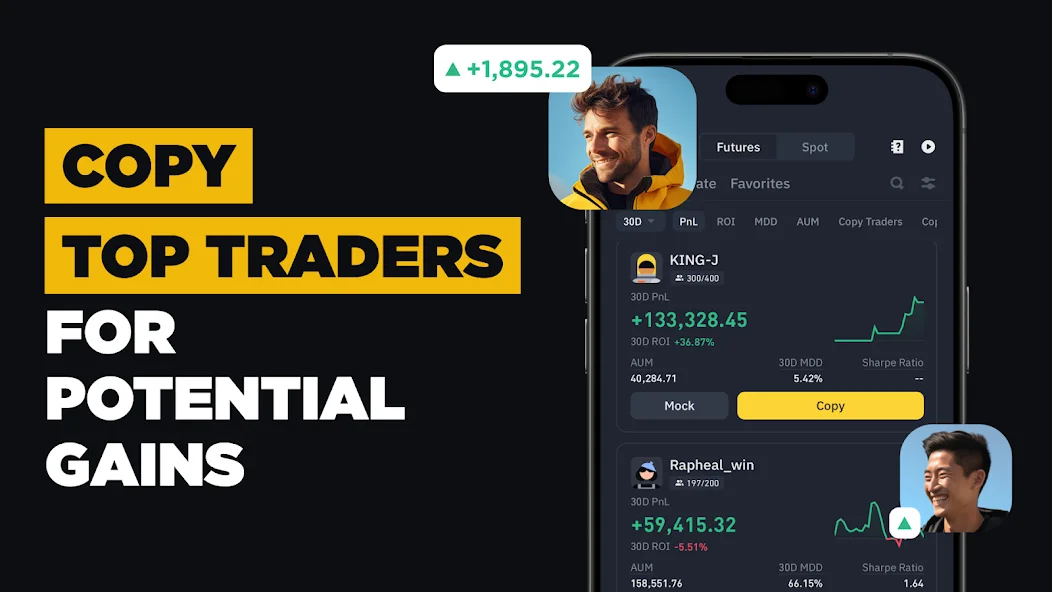
Binance Copy Trading lets you automatically replicate the trades of successful traders:
- Go to Trade -> Copy Trading
- Browse the leaderboard - filter by ROI, PnL, drawdown (MDD), and AUM
- Review a trader's history, strategy, and risk metrics
- Click "Copy" and set your investment amount
- Choose Spot or Futures copy trading
Binance Earn: Passive Income
Binance offers multiple ways to earn passive income on your crypto:
| Product | Typical APY | Lock Period | Risk Level |
|---|---|---|---|
| Simple Earn (Flexible) | 1-5% | None (withdraw anytime) | Low |
| Simple Earn (Locked) | 3-15% | 30-120 days | Low-Medium |
| ETH Staking | ~3-4% | Variable | Low |
| SOL Staking | ~6-8% | Variable | Low |
| Launchpool | Variable (often 20-100%+) | Flexible | Medium |
| Dual Investment | 5-50%+ | 1-30 days | High |
For a deeper understanding of staking, read our complete staking guide.
Price Alerts: Never Miss a Move
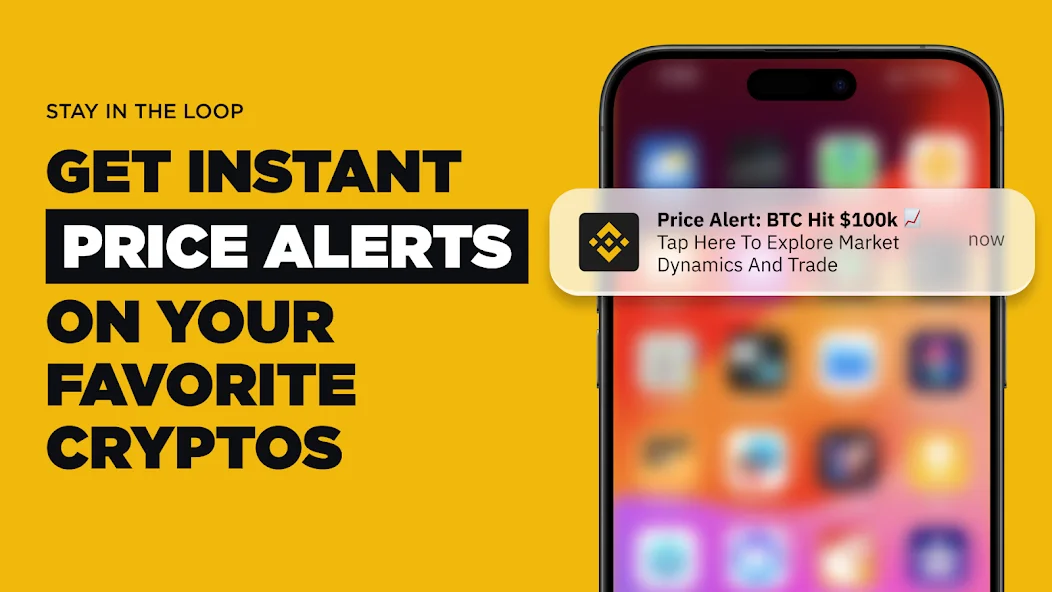
Set up price alerts to get notified when coins hit your target prices:
- Open any coin's page -> tap the 🔔 bell icon
- Set your target price (above or below current)
- Choose notification method - push notification, email, or SMS
- Get alerted instantly when the price triggers
Combine alerts with TradingView charts for comprehensive technical analysis.
Binance Launchpad and Launchpool
Binance Launchpad gives you early access to new token launches:
- Launchpad - buy new tokens at discounted prices using BNB (lottery-based)
- Launchpool - stake BNB, USDT, or FDUSD to earn new tokens for free
- Megadrop - complete Web3 quests + lock BNB to earn new tokens
Historically, Launchpad tokens have averaged 10x-100x returns from listing price, though past performance doesn't guarantee future results. Use DEXTools to track new tokens after they launch on DEXes.
Security Best Practices
- Enable Google Authenticator 2FA - never rely on SMS only
- Set Anti-Phishing Code - your #1 defense against fake Binance emails
- Whitelist withdrawal addresses - prevents hackers from draining your account
- Use a hardware wallet for large holdings - Ledger setup guide
- Never share your seed phrase - Binance will never ask for it
- Verify URLs - always check you're on binance.com, not a phishing clone
Binance vs Other Exchanges
| Feature | Binance | Coinbase | Bybit | Kraken |
|---|---|---|---|---|
| Global Volume | #1 | #3 | #2 | #5 |
| Spot Fee | 0.10% | 0.05-0.6% | 0.10% | 0.01-0.26% |
| Futures | ✅ 125x | ❌ | ✅ 100x | ✅ 50x |
| Cryptos | 400+ | 350+ | 600+ | 200+ |
| Copy Trading | ✅ | ❌ | ✅ | ❌ |
| Launchpad | ✅ | ❌ | ✅ | ❌ |
| US Available | ⚠️ Binance.US | ✅ Full | ❌ | ✅ |
| Best For | Active traders | Beginners | Futures traders | Privacy-conscious |
For a detailed Coinbase comparison, read our Coinbase tutorial.
Using DEXTools With Binance
Binance lists tokens after they've already been discovered on DEXes. Use DEXTools to find them early:
- Track BNB Chain tokens - most Binance listings start on BNB Chain DEXes like PancakeSwap
- Verify token safety with DYOR research
- Check liquidity and holder distribution before investing
- Bridge between CEX and DeFi - cross-chain bridge tutorial
Common Issues and Troubleshooting
Withdrawal Suspended
Binance may suspend withdrawals for risk control after a password change or new device login. Wait 24 hours or contact support.
Deposit Not Appearing
Check the blockchain explorer for your transaction. Some networks require multiple confirmations. BTC needs 2 confirmations (~20 min), ETH needs 12 (~3 min).
Account Restricted in Your Country
Binance has restricted services in several countries. Check Binance's restricted countries list. If affected, use Coinbase or a DEX like Uniswap.
Convert vs Spot vs Futures: Which Binance Screen Should You Actually Use?
Many Binance tutorials list every product, but they do not tell beginners which screen is appropriate for which task. That is where confusion starts. Binance Convert is best when you want the simplest possible asset swap and do not care about precision execution. Spot is better for most users who want limit orders, clearer pricing, and more control. Futures is not the next logical step after Spot. It is a separate high-risk product that deserves a much higher safety threshold.
| Binance feature | Best for | Why people use it | Main risk |
|---|---|---|---|
| Convert | Very simple swaps | Fast and easy | Less price control |
| Spot | Most beginners and investors | Better pricing tools and order types | Still easy to market buy impulsively |
| Futures | Advanced traders only | Leverage and shorting | Liquidation risk can wipe the position fast |
| Earn | Idle balances | Passive yield inside the app | Yield can change and custody remains with Binance |
A clean beginner sequence is: fund the account, buy through Spot when possible, move long term holdings off the exchange, and only touch Futures after you fully understand liquidation, funding, and leverage math. If your goal is self-custody after purchase, pair Binance with a wallet guide like MetaMask or review broader wallet options in our crypto wallet comparison.
Binance Fee Optimization Playbook
Top ranking Binance pages usually win by being practical on fees. The fastest way to improve your real outcome on Binance is not finding one hidden trick. It is stacking the obvious ones consistently. Use Spot instead of the quick-buy flow when you want lower friction pricing, pay fees with BNB if you are comfortable holding a small balance for that purpose, prefer limit orders when liquidity is healthy, and avoid overtrading just because the interface makes it easy.
Another overlooked issue is spread versus fee. Beginners often compare fee percentages and forget that bad execution can cost more than the fee itself. If you are buying a major coin, a patient limit order on Spot can be materially better than a rushed market buy in a volatile moment. That matters even more if you plan to transfer out immediately, because withdrawal fees and network choices add another layer to your total cost.
How to Withdraw From Binance Without Costly Mistakes
Withdrawing is where many beginners get hurt. The three most common errors are choosing the wrong network, sending without a small test, and failing to understand exchange-specific requirements such as tags, memos, or travel-rule prompts. Binance makes withdrawals flexible, but flexibility is only good if you understand the destination wallet and network you are sending to.
- Confirm the destination chain and address format
- Send a small test amount first
- Check whether the receiving platform needs a memo or tag
- Keep screenshots or transaction IDs until the transfer is confirmed
- For long term holdings, move funds to self-custody after the test succeeds
Beginner Mistakes That Usually End in Losses
The biggest Binance mistake is using products out of sequence. New users fund an account, see Futures or Copy Trading highlighted in the interface, and assume those are appropriate next steps. They usually are not. A safer progression is to learn deposits, Spot, withdrawals, and basic order types first. Another frequent mistake is leaving too much capital on the exchange for convenience rather than moving it to self-custody.
Copy Trading also deserves a harder warning than many competitor pages give it. A green 30-day performance chart does not tell you how much leverage the trader used, how they behave during volatility, or how deep the drawdowns get. Treat it as a speculative product, not a passive income tool. If you want simpler exchange onboarding with stronger fiat rails and a cleaner beginner experience, compare this guide with our Coinbase tutorial.
Key Takeaways
- Binance is the world's largest exchange with 400+ cryptos and the lowest fees (0.10% base, 0.075% with BNB)
- Use Limit orders on Spot for the best prices - avoid Quick Buy for large amounts
- P2P trading has 0% fees and supports dozens of payment methods
- Pay fees with BNB for an automatic 25% discount
- Copy Trading lets you replicate top traders - start with Mock mode
- Futures trading is extremely risky - never use more than 2-3x leverage as a beginner
- Set your Anti-Phishing Code immediately to prevent email scams
- Use DEXTools to discover tokens before they list on Binance
Disclaimer: This tutorial is for educational purposes only. Binance is a third-party platform not affiliated with DEXTools. Crypto trading carries significant risk - especially leveraged futures. Always DYOR.
Related Guides
- Binance vs Coinbase vs Kraken 2026: Fees, Features & Winner
- Crypto Phishing Email Patterns: 10 Core Red Flags
- What Is Funding Rate in Crypto? Complete 2026 Guide
- What Is a Funding Wallet in Crypto? Explained 2026
- Coinglass Tutorial 2026: Liquidations & OI Master Guide
- What Is a Crypto Exchange? CEX vs DEX
Frequently Asked Questions
What are Binance trading fees?
Binance charges 0.10% for spot trading (maker and taker). Pay with BNB for a 25% discount, reducing fees to 0.075%. Futures fees start at 0.02% maker / 0.05% taker.
Is Binance available in the US?
Binance.com is not available in the US. American residents must use Binance.US, which has fewer features and trading pairs. Coinbase and Kraken are popular US alternatives.
How do I reduce fees on Binance?
Pay fees with BNB (25% discount), use limit orders instead of market orders (lower maker fee), increase your VIP level through trading volume, and use a referral code at signup for 10% off.
Is Binance safe?
Binance is the largest exchange with robust security features including 2FA, anti-phishing codes, withdrawal whitelisting, and a $1B SAFU insurance fund. However, always enable all security features and use a hardware wallet for large holdings.
What is Binance Copy Trading?
Copy Trading lets you automatically replicate trades from successful traders. You can copy spot or futures traders, set investment amounts, and use Mock mode to paper-trade first. Look for traders with low drawdown and consistent 90-day returns.
How does Binance Launchpad work?
Binance Launchpad offers early access to new token launches. You commit BNB to participate in a lottery-based token sale. Launchpool lets you stake BNB/USDT/FDUSD to earn new tokens for free. Historically, Launchpad tokens have seen significant returns at listing.