How to Use MEXC Exchange: Trading Guide 2026
— By Tony Rabbit in Tutorials

How to use MEXC exchange for spot and futures trading in 2026: account setup, fee structure, Launchpad, security settings, and more in one guide.
MEXC is one of the fastest-growing cryptocurrency exchanges in the world, serving over 30 million users across 170+ countries. Known for its zero maker fees on spot trading and an aggressive listing policy that brings new tokens to market faster than any competitor, MEXC has become a go-to platform for traders seeking low costs and early access to trending projects. In this complete tutorial, we will walk you through every feature of MEXC - from account creation and verification to spot trading, futures, the Launchpad, security settings, and more.
Table of Contents
- What Is MEXC Exchange?
- Creating and Verifying Your MEXC Account
- Navigating the MEXC Dashboard
- Spot Trading Step by Step
- Futures Trading on MEXC
- Launchpad and MX Token
- Deposit and Withdrawal Guide
- Security Settings
- Fees Comparison
- Pros and Cons of MEXC
- Frequently Asked Questions
- Related Tutorials
1. What Is MEXC Exchange?
MEXC (formerly MEXC Global) is a centralized cryptocurrency exchange founded in 2018 and headquartered in Seychelles. The platform has earned a reputation as one of the most accessible and cost-effective exchanges available, particularly for traders looking to get early access to newly listed tokens. With over 2,700 trading pairs and a zero-fee structure for spot maker orders, MEXC consistently ranks among the top 15 exchanges globally by trading volume.
What truly sets MEXC apart from competitors like Binance, KuCoin, or Bybit is its listing speed. MEXC routinely lists new tokens days or even weeks before they appear on other major platforms. This gives traders a significant first-mover advantage on trending projects. Combined with an intuitive interface, support for futures trading with up to 200x leverage, and a thriving Launchpad ecosystem powered by its native MX Token, MEXC offers a comprehensive trading experience for both beginners and advanced users.
The exchange supports a wide range of services including spot trading, perpetual futures contracts, ETF products, staking, savings accounts, and peer-to-peer (P2P) trading. MEXC is available as a web platform, a desktop application, and mobile apps for both iOS and Android devices. The platform supports multiple languages and offers 24/7 customer support through live chat and a detailed help center.
2. Creating and Verifying Your MEXC Account
Getting started on MEXC is straightforward. The platform allows you to begin trading with just an email or phone number, though completing KYC (Know Your Customer) verification unlocks higher withdrawal limits and access to certain features.
Step-by-Step Account Registration
- Visit the MEXC website - Go to mexc.com and click the "Sign Up" button in the top-right corner of the homepage.
- Choose your registration method - You can register with your email address or mobile phone number. Email registration is recommended for most users.
- Create a strong password - Use at least 8 characters with a mix of uppercase letters, lowercase letters, numbers, and special characters.
- Enter the verification code - MEXC will send a 6-digit verification code to your email or phone. Enter it within the time limit to confirm your identity.
- Optional: Enter a referral code - If you have a referral code, enter it during signup to receive a fee discount or bonus rewards.
- Complete the registration - Click "Sign Up" to finalize your account. You will be redirected to the dashboard.
KYC Verification Levels
To complete KYC Level 1, navigate to your account settings, click "Identity Verification," and upload a government-issued photo ID (passport, national ID, or driver's license) along with a selfie. Verification typically completes within 10 to 30 minutes. For Level 2, you will also need to provide proof of address, such as a utility bill or bank statement dated within the last three months.
3. Navigating the MEXC Dashboard
Once you log in, the MEXC dashboard provides quick access to all major features. The main navigation bar at the top of the screen includes links to Spot Trading, Futures, ETFs, Earn products, the Launchpad, and more. Here is a breakdown of the key areas you will interact with:
- Markets Overview - Displays real-time prices, 24-hour price changes, and trading volumes for all listed assets. You can filter by categories such as New Listings, DeFi, Layer 1, Meme tokens, and more.
- Trade Menu - Access spot trading, margin trading, and the trading bot features. Each section opens a dedicated trading interface with order books, price charts, and trade execution panels.
- Derivatives - Contains futures trading (USDT-M and Coin-M perpetual contracts) and leveraged ETFs for simplified leveraged exposure.
- Earn - Includes staking, savings, and Launchpool features where you can earn passive income on your holdings.
- Assets - Your wallet overview showing balances across spot, futures, margin, and funding accounts. Deposit and withdrawal functions are accessible here.
- Orders - View your open orders, order history, and trade history for both spot and futures markets.
The dashboard also features a customizable watchlist where you can save your favorite trading pairs for quick access. The search bar at the top allows you to find any listed token instantly by name or ticker symbol. On mobile, the bottom navigation bar provides one-tap access to Markets, Trade, Futures, Assets, and your profile settings.
4. Spot Trading Step by Step
Spot trading on MEXC is where you buy and sell cryptocurrencies at the current market price. With zero maker fees and a taker fee of just 0.05%, MEXC offers the lowest spot trading fees of any major centralized exchange. Here is exactly how to place your first trade:
How to Buy Crypto on MEXC (Spot)
- Fund your account - Deposit USDT, USDC, or another supported asset to your Spot wallet. You can deposit from an external wallet or use the Buy Crypto feature to purchase with a credit card.
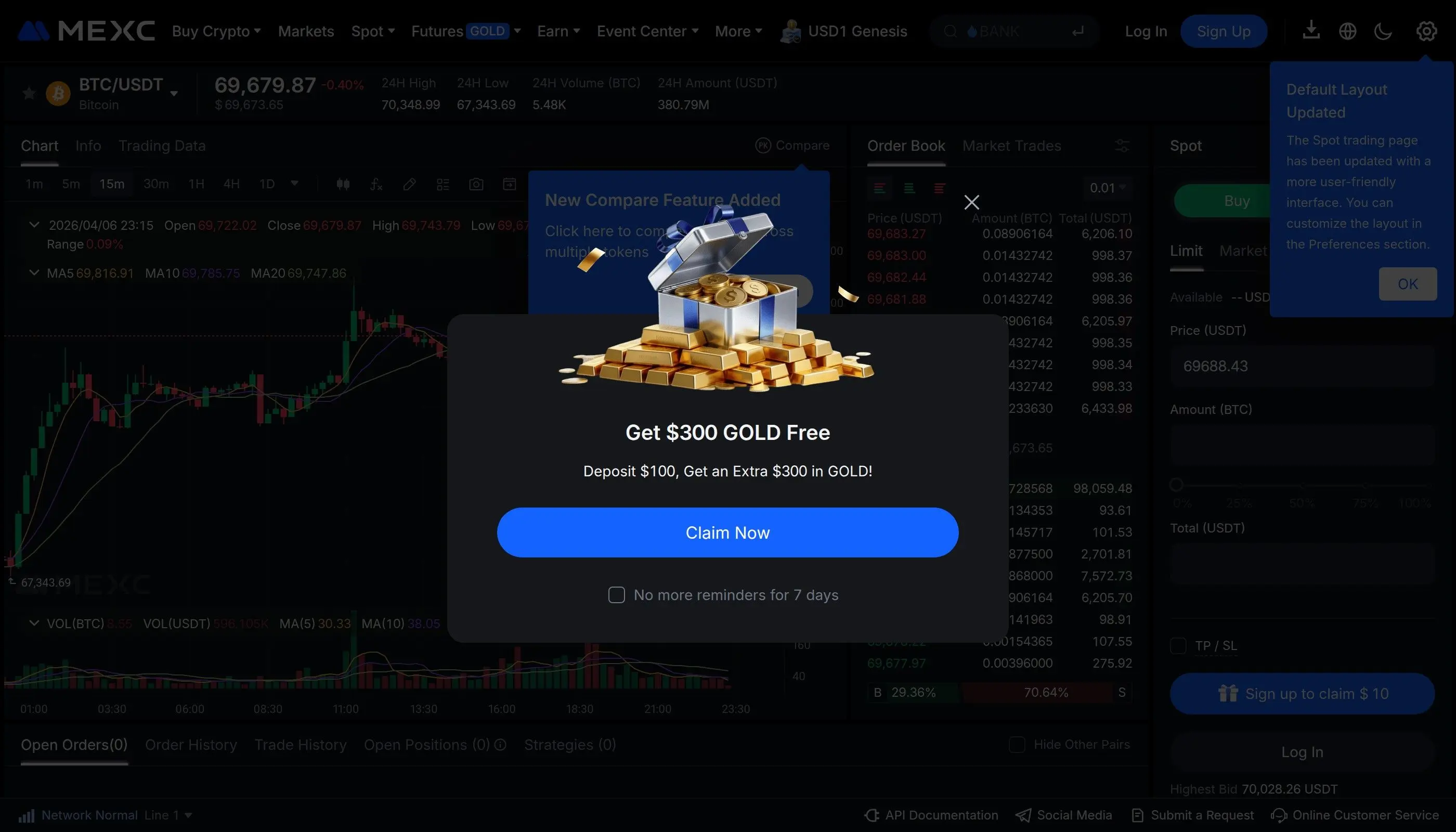
- Navigate to Spot Trading - Click "Trade" in the top menu and select "Spot." This opens the full trading interface.
- Select a trading pair - Use the search bar on the left sidebar to find the token you want to buy. For example, search "BTC" and click "BTC/USDT" to open the Bitcoin trading pair.
- Choose your order type - Select from Limit, Market, or Stop-Limit orders. For beginners, a Market order is the simplest - it executes immediately at the current market price.
- Enter the amount - Type the amount of USDT you want to spend, or use the percentage slider to allocate a portion of your available balance (25%, 50%, 75%, or 100%).
- Click "Buy" - Confirm the order details and click the green "Buy BTC" button. For market orders, the trade fills instantly. For limit orders, it will fill once the price reaches your specified level.
- Check your balance - After the trade executes, your purchased tokens will appear in your Spot wallet under Assets.
Understanding Order Types
Pro tip: Always use limit orders on MEXC whenever possible. Since maker fees are 0%, every limit order you place that adds liquidity to the order book is completely free. This is a significant advantage over other exchanges where maker fees typically range from 0.01% to 0.10%.
5. Futures Trading on MEXC
MEXC offers perpetual futures contracts that allow you to trade with leverage of up to 200x on select pairs. Futures trading lets you profit from both rising and falling markets by opening long (buy) or short (sell) positions. MEXC supports two types of futures contracts:
- USDT-M Futures - Settled in USDT. This is the most popular option and supports over 400 trading pairs. Profits and losses are calculated in USDT.
- Coin-M Futures - Settled in the underlying cryptocurrency (e.g., BTC for BTC/USD contracts). Preferred by holders who want to maintain exposure to the base asset.
How to Open a Futures Position
- Transfer funds - Move USDT from your Spot wallet to your Futures wallet via Assets > Transfer. This is instant and free.
- Open the Futures interface - Click "Derivatives" in the top menu, then select "USDT-M Futures" or "Coin-M Futures."
- Select your trading pair - Choose a contract such as BTC/USDT Perpetual from the list on the left side.
- Set your leverage - Click the leverage indicator (e.g., "20x") and adjust it using the slider. Higher leverage amplifies both gains and losses. Beginners should start with 5x or lower.
- Choose margin mode - Select "Cross" (uses your entire futures balance as collateral) or "Isolated" (limits risk to the margin allocated to this specific trade).
- Place your order - Enter the order size, choose Limit or Market, and click "Open Long" (if you expect the price to rise) or "Open Short" (if you expect the price to fall).
- Set stop-loss and take-profit - After opening the position, set a stop-loss and take-profit to manage risk automatically. You can do this by clicking on your open position and entering the desired price levels.
- Monitor and close - Watch your position in the "Positions" tab. You can close it manually at any time or let your TP/SL orders trigger automatically.
Risk Warning
Futures trading with leverage carries significant risk. You can lose your entire margin if the market moves against your position. Never trade with money you cannot afford to lose, and always use stop-loss orders. Start with low leverage (2x-5x) until you develop a consistent strategy.
MEXC Futures Fees
MEXC futures fees are competitive within the industry. The standard rate is 0% maker / 0.02% taker for USDT-M perpetual contracts. This is significantly lower than most major exchanges, where futures taker fees typically range from 0.04% to 0.06%. Zero maker fees on futures mean that placing limit orders that rest on the order book costs nothing, making MEXC one of the cheapest platforms for high-frequency and algorithmic futures trading.
6. Launchpad and MX Token
The MEXC Launchpad is a platform feature that allows users to participate in token sales for new projects before they are listed on the open market. It is one of the most active launchpads in the industry, frequently hosting events for promising early-stage crypto projects. To participate, you typically need to hold MX Token or USDT and complete KYC verification.
How the MEXC Launchpad Works
- Check upcoming events - Visit the Launchpad section from the main menu. Upcoming token sales are listed with details about the project, token allocation, and participation requirements.
- Meet the requirements - Most events require you to hold a minimum amount of MX tokens in your spot wallet for a specified period before the sale. Some events use a lottery system, while others allocate tokens proportionally based on your MX holdings.
- Subscribe during the event window - When the subscription period opens, commit your MX or USDT to the event. The system will calculate your allocation based on total participation.
- Receive tokens - After the event concludes, the new tokens are distributed to your spot wallet. Trading usually opens within hours of distribution.
What Is MX Token?
MX Token is the native utility token of the MEXC platform. It serves multiple purposes within the MEXC ecosystem:
- Launchpad participation - Holding MX tokens is often required to join Launchpad events and receive new token allocations.
- Fee discounts - MX holders can receive reduced trading fees across the platform.
- Staking rewards - Stake MX tokens in MEXC Earn products to receive additional yield.
- Governance - MX token holders participate in voting on new token listings and platform governance decisions.
- Regular burns - MEXC conducts periodic token burns, reducing the total supply and potentially increasing the value of remaining tokens over time.
MEXC also runs Kickstarter events, where users can vote with MX tokens on which new projects should be listed. If the vote reaches a minimum threshold, the token gets listed and voters receive free airdrops of the new token. This is a low-risk way to accumulate small positions in new projects while supporting the listing process.
7. Deposit and Withdrawal Guide
MEXC supports deposits and withdrawals for hundreds of cryptocurrencies across multiple blockchain networks. Understanding how to move funds in and out of the exchange is essential for every trader.
How to Deposit Crypto
- Navigate to Assets > Deposit from the top menu or your wallet page.
- Search for the cryptocurrency you want to deposit (e.g., USDT, BTC, ETH).
- Select the correct network - This is critical. For USDT, you might choose between ERC-20 (Ethereum), TRC-20 (Tron), BEP-20 (BSC), or other networks. Always ensure the network matches the one you are sending from. Sending on the wrong network can result in permanent loss of funds.
- Copy the deposit address displayed on screen and use it in your sending wallet or exchange.
- Wait for the required number of blockchain confirmations. Deposit times vary by network: TRC-20 deposits typically confirm within 1-2 minutes, while ERC-20 may take 5-15 minutes.
How to Withdraw Crypto
- Navigate to Assets > Withdraw.
- Select the cryptocurrency and the network you want to use for withdrawal.
- Enter the destination wallet address. Double-check this address carefully - crypto transactions are irreversible.
- Enter the withdrawal amount. The interface will display the network fee and the final amount the recipient will receive.
- Complete 2FA verification (email code, Google Authenticator, or both) to confirm the withdrawal.
- Track the withdrawal status in your transaction history under Assets > History.
Buy Crypto with Fiat
MEXC supports purchasing crypto directly with fiat currency through multiple channels. You can use a credit or debit card (Visa, Mastercard) via third-party providers, bank transfers through P2P trading, and Apple Pay or Google Pay in supported regions. The "Buy Crypto" section on the homepage presents all available options based on your location and KYC level.
8. Security Settings
Protecting your MEXC account is critical. Crypto exchange accounts are prime targets for hackers, and a compromised account can result in total loss of funds. MEXC provides several layers of security that you should configure immediately after registration.
Essential Security Features
Google Authenticator (2FA)
Download Google Authenticator or Authy, then link it to your MEXC account in Security Settings. This adds a time-based one-time password (TOTP) requirement for logins, withdrawals, and security changes. This is the single most important security step.
Anti-Phishing Code
Set a custom anti-phishing code that will appear in every official email from MEXC. If an email does not contain your code, it is a phishing attempt. Set this under Security Settings > Anti-Phishing Code.
Withdrawal Whitelist
Enable the withdrawal address whitelist to restrict withdrawals only to pre-approved wallet addresses. Even if your account is compromised, funds cannot be sent to unknown addresses.
Login Notifications
Enable email and SMS notifications for every login attempt. You will be alerted immediately if someone tries to access your account from an unrecognized device or IP address.
Security Best Practices
- Use a unique, strong password that you do not reuse on any other website or service.
- Enable all available 2FA methods (Google Authenticator + email verification + SMS if available).
- Never share your 2FA recovery keys, seed phrases, or passwords with anyone, including people claiming to be MEXC support.
- Bookmark the official MEXC URL and always access the site through your bookmark, never through links in emails or search results.
- Regularly check your account activity and login history for any unauthorized access attempts.
- Consider using a dedicated email address solely for your exchange accounts.
9. Fees Comparison: MEXC vs Other Exchanges
One of the strongest selling points of MEXC is its industry-leading fee structure. With zero maker fees on both spot and futures trading, MEXC undercuts virtually every major competitor. Here is how MEXC stacks up against the most popular exchanges in 2026:
As the table shows, MEXC is the only major exchange offering zero maker fees on both spot and futures markets. For active traders placing limit orders, this translates to substantial savings. A trader executing $100,000 in monthly volume using limit orders would pay $0 in maker fees on MEXC, compared to $100 on Binance or KuCoin. Over a year, that is $1,200 in savings on maker fees alone. MEXC also leads in the number of listed tokens with over 2,700 available pairs, giving traders access to a far wider range of projects than any competitor.
10. Pros and Cons of MEXC
Pros
- Zero maker fees on spot and futures trading - the lowest in the industry
- Fastest new listings - tokens appear on MEXC days or weeks before other exchanges
- 2,700+ trading pairs - the largest selection of any major exchange
- Up to 200x leverage on futures contracts
- No mandatory KYC for basic trading with up to 10 BTC daily withdrawals
- Active Launchpad with frequent token sale events
- Intuitive interface suitable for beginners and professionals
- Multi-language support and 24/7 customer service
- Mobile apps available for iOS and Android with full feature parity
Cons
- Not available in the US - MEXC does not serve residents of the United States
- Lower liquidity on some pairs - smaller altcoins may have wider spreads compared to Binance
- Limited regulatory transparency - less established regulatory framework compared to Coinbase or Kraken
- Some low-cap listings are risky - the aggressive listing policy means more speculative and unvetted tokens are available
- No fiat withdrawal options in many regions - you may need to use P2P or transfer to another exchange
- Customer support response times can be slow during peak periods
11. Frequently Asked Questions
12. Related Tutorials
Want to learn how to use other popular cryptocurrency exchanges or expand your trading strategy? Check out these related tutorials:
How to Use Binance Exchange
Complete trading tutorial for the world's largest crypto exchange by volume. Covers spot, futures, and DeFi features.
How to Use KuCoin Exchange
Step-by-step guide to KuCoin, known for its wide altcoin selection and trading bot features.
How to Use Bybit Exchange
Full walkthrough of Bybit's derivatives platform, copy trading, and Web3 wallet integration.
How to Copy Trade Crypto
Complete strategy guide to copy trading across multiple platforms. Learn to follow top traders automatically.
MEXC continues to evolve as one of the most trader-friendly exchanges in the cryptocurrency space. Its combination of zero maker fees, the widest token selection, and rapid new listings makes it a top choice for traders who want to minimize costs and maximize access. Whether you are just getting started with crypto or looking for a secondary exchange to complement your existing setup, MEXC offers a robust and accessible platform to meet your needs.
Frequently Asked Questions
How do I create an account on MEXC?
Visit the MEXC website or download the app. Click 'Sign Up,' enter your email or phone number, create a password, and verify your account.
How do I deposit funds into my MEXC account?
After logging in, go to 'Wallet' or 'Assets,' select 'Deposit,' choose the cryptocurrency and network, and send funds to the displayed address.
How do I trade on MEXC?
Navigate to the 'Spot' or 'Futures' section. Select a trading pair, choose your order type (e.g., limit, market), enter the amount, and confirm the trade.
What is KYC on MEXC and do I need it?
KYC (Know Your Customer) is an identity verification process. While some features may be available without it, completing KYC often unlocks higher withdrawal limits and more services.
How do I withdraw funds from MEXC?
Go to 'Wallet' or 'Assets,' select 'Withdraw,' choose the cryptocurrency, enter the recipient's address and network, specify the amount, and confirm the transaction.