How to Use Coinbase: Complete Beginner's Guide (2026)
— By Tony Rabbit in Tutorials

A complete beginner's guide to Coinbase in 2026: sign up, verify, buy, sell and withdraw crypto safely. A step-by-step Coinbase tutorial.
What is Coinbase and Why Start Here?
Coinbase is one of the most beginner-friendly cryptocurrency exchanges in the world, serving as the entry point for millions of new crypto investors. Founded in 2012 and publicly traded on NASDAQ since 2021, Coinbase has built its reputation on regulatory compliance, security, and ease of use.
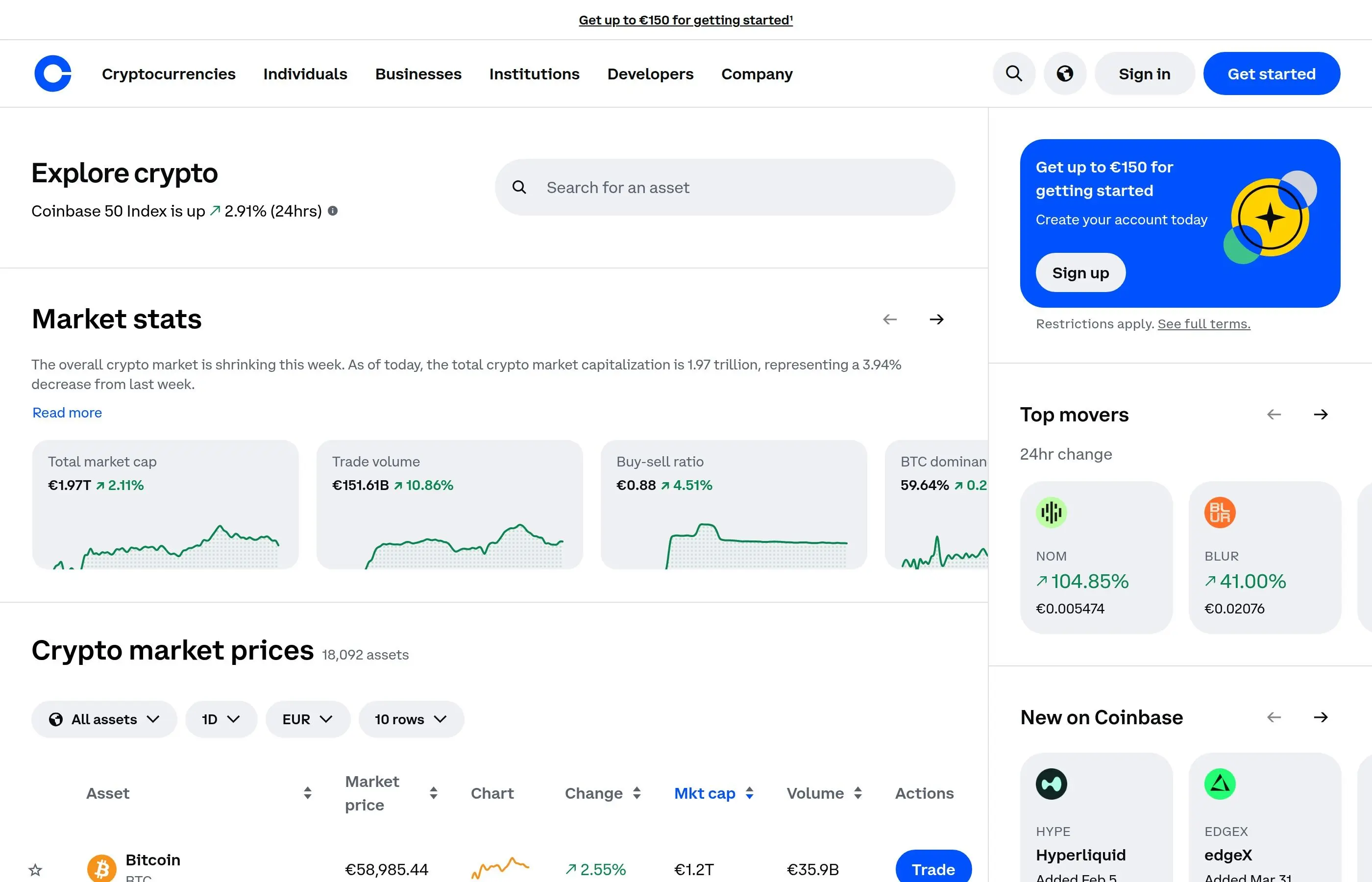
Unlike many crypto platforms that can overwhelm beginners, Coinbase focuses on simplicity while still offering advanced features for experienced users. The platform supports over 100 cryptocurrencies and serves customers in more than 100 countries.
Why Coinbase is Perfect for Beginners
- User-Friendly Interface: Clean, intuitive design that's easy to navigate
- Educational Resources: Coinbase Earn lets you learn while earning crypto
- Regulatory Compliance: Fully licensed and regulated in major markets
- Insurance Protection: FDIC insurance for USD balances, crypto insurance for platform funds
- Customer Support: Comprehensive help center and support team
- Mobile App: Full-featured iOS and Android applications
Getting Started: Sign Up and Verification
Creating a Coinbase account is straightforward, but proper verification is essential for accessing all features and higher limits.
Step-by-Step Account Creation
- Visit Coinbase.com - Always use the official website or download the official app
- Click "Sign Up" in the top right corner
- Enter Your Information:
- First and last name (must match your ID)
- Email address (use a secure email you control)
- Strong password (12+ characters with mixed case, numbers, symbols)
- Verify Email Address: Check your inbox and click the verification link
- Add Phone Number: Provide a mobile number for SMS verification
- Verify Phone: Enter the SMS code sent to your phone
Identity Verification Process
Coinbase requires identity verification to comply with regulations and unlock full platform features:
- Personal Information:
- Full legal name (must match government ID)
- Date of birth
- Home address
- Social Security Number (US users) or equivalent
- Government ID Upload:
- Driver's license (most common)
- State ID card
- Passport
- Photo Verification:
- Take a clear photo of the front of your ID
- Take a selfie holding your ID (if requested)
- Ensure good lighting and all text is readable
- Wait for Approval: Usually takes minutes to hours, occasionally 1-2 business days
Verification Levels and Limits
Coinbase operates with different verification levels that determine your transaction limits:
- Level 1 (Email + Phone): $1,000 daily purchase limit
- Level 2 (Full Verification): $25,000 daily limit, $250,000 instant deposits
- Level 3 (Enhanced): Higher limits for institutional users
Setting Up Security: 2FA and Safety Measures
Security is paramount when dealing with cryptocurrency. Coinbase provides several layers of protection, but users must take additional steps.
Enabling Two-Factor Authentication (2FA)
- Navigate to Security Settings:
- Click your profile icon
- Select "Settings"
- Choose "Security" from the left menu
- Choose 2FA Method:
- Authenticator App (recommended): Google Authenticator, Authy, or 1Password
- SMS (less secure): Text message codes
- Set Up Authenticator App:
- Download authenticator app on your phone
- Scan the QR code shown on Coinbase
- Enter the 6-digit code from your app
- Save backup codes securely
- Test Your Setup: Log out and back in to verify 2FA works
Additional Security Measures
- Strong Password: Use a unique password not used elsewhere
- Security Questions: Set up security questions with non-obvious answers
- Device Authorization: Approve new device logins via email
- Address Whitelisting: Pre-approve withdrawal addresses
- Privacy Settings: Control what information is publicly visible
Coinbase Security Features
- Cold Storage: 98% of customer funds stored offline
- Insurance: FDIC protection for USD, crypto insurance for platform funds
- Biometric Login: Fingerprint and Face ID on mobile apps
- Real-time Monitoring: AI-powered fraud detection
- Vault Storage: Multi-signature wallets for extra security
How to Buy Cryptocurrency on Coinbase
Coinbase offers several methods to purchase cryptocurrency, each with different fees and processing times.
Payment Methods Available
- Bank Account (ACH): Lowest fees, 3-5 business day processing
- Debit Card: Higher fees, instant purchase
- Wire Transfer: Large amounts, same-day processing
- PayPal: Convenient for existing PayPal users
- Apple Pay / Google Pay: Mobile wallet integration
Step-by-Step Purchase Process
- Navigate to Buy/Sell: Click "Buy / Sell" button on homepage
- Choose "Buy" Tab: Select the buy option
- Select Cryptocurrency:
- Enter Purchase Amount:
- Enter dollar amount OR
- Enter crypto amount
- Review exchange rate and fees
- Select Payment Method: Choose from your added payment methods
- Review Order:
- Verify cryptocurrency and amount
- Check fees and total cost
- Confirm payment method
- Complete Purchase: Click "Buy Now" and confirm transaction
Understanding Fees
Coinbase uses a tiered fee structure based on transaction amount and payment method:
Coinbase Fee Structure (2026)
- Bank Account (ACH): 1.49% + $0.15
- Debit Card: 3.99% + variable fees
- Instant Purchase: Higher fees for immediate availability
- Large Transactions: Graduated fees, lower percentages for larger amounts
Fees subject to change and vary by region
Coinbase vs Coinbase Advanced (Pro)
Coinbase offers two distinct trading interfaces designed for different user experience levels.
Coinbase (Standard Interface)
The standard Coinbase interface is designed for simplicity and ease of use:
- Target Users: Beginners and casual investors
- Interface: Clean, simple buy/sell buttons
- Features: Basic portfolio tracking, price alerts, recurring buys
- Fees: Higher spread and transaction fees
- Order Types: Market orders only
Coinbase Advanced (Formerly Coinbase Pro)
Coinbase Advanced provides professional trading tools with lower fees:
- Target Users: Experienced traders and active investors
- Interface: Advanced charts, order books, trade history
- Features: Technical analysis tools, detailed market data
- Fees: Lower maker/taker fees (0.5% maximum, decreasing with volume)
- Order Types: Limit orders, stop orders, advanced order types
How to Switch to Coinbase Advanced
- Access Advanced Trading: Click "Advanced Trade" in the top navigation
- No Separate Account: Uses the same login and funds as regular Coinbase
- Learn the Interface:
- Order book shows current buy/sell orders
- Price charts include technical indicators
- Portfolio view shows detailed position information
- Start Trading: Use limit orders for better price control
When to Use Each Interface
- Use Standard Coinbase When:
- Making simple buy and hold investments
- Setting up recurring purchases
- You're new to cryptocurrency
- You want maximum simplicity
- Use Coinbase Advanced When:
- You want to minimize trading fees
- You need precise price control with limit orders
- You want to analyze charts and market data
- You're making frequent trades
Coinbase Staking and Earning Rewards
Coinbase makes it easy to earn passive income through cryptocurrency staking and other earn programs.
What is Staking?
Staking involves locking up your cryptocurrency to support blockchain network operations in exchange for rewards:
- Network Support: Your staked tokens help validate transactions
- Earning Rewards: Receive additional tokens as compensation
- Lock-up Periods: Some assets require commitment periods
- Compound Interest: Rewards can be automatically re-staked
Available Staking Options
Popular Staking Assets on Coinbase (2026)
- Ethereum (ETH): 3-4% APY, no lock-up
- Cardano (ADA): 3-5% APY, no lock-up
- Polkadot (DOT): 11-14% APY, no lock-up
- Solana (SOL): 5-8% APY, no lock-up
- Algorand (ALGO): 4-6% APY, no lock-up
- Cosmos (ATOM): 10-15% APY, 21-day unbonding
Rates vary based on network conditions and demand
How to Start Staking
- Navigate to Earn: Go to "Earn" section in your portfolio
- Browse Staking Options: View available assets and current reward rates
- Select Asset: Choose the cryptocurrency you want to stake
- Review Terms:
- Annual percentage yield (APY)
- Lock-up periods if any
- Minimum staking amounts
- How often rewards are distributed
- Stake Your Assets:
- Enter the amount to stake
- Confirm the transaction
- Monitor your earning progress
Coinbase Wallet: Your Self-Custody Solution
Coinbase Wallet is a separate, self-custody wallet that gives you complete control over your private keys and cryptocurrency.
Coinbase Exchange vs Coinbase Wallet
- Coinbase Exchange:
- Custodial service - Coinbase holds your keys
- FDIC insurance and platform protections
- Easy to use, integrated trading
- Limited to supported cryptocurrencies
- Coinbase Wallet:
- Self-custody - you control your private keys
- Support for thousands of tokens
- DeFi integration and dApp browser
- No insurance, full personal responsibility
Setting Up Coinbase Wallet
- Download the App: Available on iOS and Android app stores
- Create New Wallet: Choose "Create a new wallet"
- Secure Your Recovery Phrase:
- Write down all 12 words in correct order
- Store in a secure, offline location
- Never share or store digitally
- This phrase restores your wallet if phone is lost
- Verify Recovery Phrase: Enter words in correct order to confirm backup
- Set Up Security: Enable biometric authentication and passcode
Transferring Between Coinbase and Coinbase Wallet
- From Exchange to Wallet:
- Open Coinbase Wallet app
- Tap "Receive" and select cryptocurrency
- Copy the wallet address
- Go to Coinbase exchange, send to copied address
- From Wallet to Exchange:
- Open Coinbase Wallet app
- Tap "Send" and select cryptocurrency
- Scan QR code from Coinbase exchange deposit page
- Confirm transaction details and send
Coinbase One: Premium Membership Benefits
Coinbase One is a premium subscription service that offers enhanced benefits for frequent users.
Coinbase One Benefits
- No Trading Fees: Commission-free trading on most assets
- Priority Customer Support: Faster response times and dedicated support
- Advanced Trading Features: Additional chart tools and market data
- Higher Staking Rewards: Bonus yields on select staking assets
- Exclusive Offers: Early access to new features and promotions
Coinbase One Pricing
Coinbase One Subscription (2026)
- Monthly Plan: $29.99/month
- Annual Plan: $299.99/year (save 2 months)
- Break-even Point: ~$2,000+ monthly trading volume
- Free Trial: 30 days for new subscribers
Is Coinbase One Worth It?
Consider Coinbase One if you:
- Trade Frequently: Make multiple trades per month
- Trade Large Amounts: Fees savings exceed subscription cost
- Value Premium Support: Need faster customer service
- Use Multiple Features: Combine trading, staking, and other services
Skip Coinbase One if you:
- Buy and Hold Only: Make occasional purchases for long-term holding
- Trade Small Amounts: Fee savings don't justify the monthly cost
- Use Coinbase Advanced: Already have access to lower fees
Understanding Coinbase Fees
Coinbase's fee structure can be complex, varying by transaction type, amount, and payment method.
Fee Types Explained
Spread Fees
- What it is: Difference between market price and Coinbase's buy/sell price
- Typical Amount: 0.5% built into displayed prices
- When Applied: All standard Coinbase transactions
- Visibility: Not separately shown, included in quoted prices
Transaction Fees
- Bank Account: 1.49% of transaction amount
- Debit Card: 3.99% of transaction amount
- Wire Transfer: $10 for deposits, $25 for withdrawals
- Cryptocurrency Withdrawal: Varies by network (Bitcoin ~$2-5, Ethereum ~$5-20)
Advanced Trading Fees
- Maker Fee: 0.5% (adds liquidity to order book)
- Taker Fee: 0.5% (removes liquidity from order book)
- Volume Discounts: Lower fees for high-volume traders
- No Spread: True market pricing without built-in spread
How to Minimize Fees
- Use Bank Account for Purchases: Lowest fees for buying cryptocurrency
- Use Coinbase Advanced for Trading: Lower fees than standard interface
- Consider Coinbase One: Eliminates most trading fees for active traders
- Choose Efficient Networks: Use lower-cost blockchains for transfers
- Batch Transactions: Combine multiple small trades into larger ones
- Hold Instead of Trading: Reduce frequency of transactions
Mobile App Features and Tips
The Coinbase mobile app provides full functionality with some mobile-specific advantages.
Mobile-Exclusive Features
- Biometric Login: Face ID and fingerprint authentication
- Price Alerts: Push notifications for price movements
- Photo Verification: Take ID photos directly in the app
- QR Code Scanning: Easy sending to crypto addresses
- Location-Based Security: Restrict access by geographic location
Mobile Security Best Practices
- Enable App Lock: Require authentication to open the app
- Use Strong Device Security: Lock your phone with secure passcode
- Enable Auto-Lock: Automatic app timeout after inactivity
- Update Regularly: Keep the app updated for latest security features
- Avoid Public WiFi: Don't access your account on unsecured networks
Mobile Trading Tips
- Price Alerts: Set notifications to monitor markets without constant checking
- Quick Buy Widget: Add home screen widget for fast purchases
- Dark Mode: Easier viewing in low light conditions
- Recurring Buys: Set up automatic investments from the mobile app
Tax Considerations and Reporting
Cryptocurrency transactions have tax implications that Coinbase helps users manage.
Tax Documents Available
- 1099-MISC: For users who earned $600+ in staking rewards or Coinbase Earn
- Transaction History: Complete record of all buys, sells, and transfers
- Cost Basis Information: Purchase prices for calculating capital gains
- Tax Center: Educational resources and guidance
How to Access Tax Documents
- Navigate to Settings: Click profile > Settings
- Select "Tax Center": Find tax-related information and documents
- Download Reports: Generate and download transaction histories
- Review 1099 Forms: Available in January for previous tax year
Tax Planning Tips
- Keep Detailed Records: Track all transactions throughout the year
- Understand Holding Periods: Long-term vs short-term capital gains rates
- Consider Tax-Loss Harvesting: Offset gains with losses where appropriate
- Consult Professionals: Work with tax advisors familiar with cryptocurrency
Customer Support and Help Resources
Coinbase provides comprehensive support through multiple channels, though response times can vary during busy periods.
Available Support Options
- Help Center: Extensive FAQ and troubleshooting guides
- Ticket System: Submit requests for account-specific issues
- Phone Support: Limited to account security issues
- Social Media: @CoinbaseSupport on Twitter for general updates
- Community Forum: User discussions and community solutions
When to Contact Support
- Account Access Issues: Cannot log in or verify identity
- Transaction Problems: Failed deposits, withdrawals, or missing funds
- Security Concerns: Unauthorized access or suspicious activity
- Verification Issues: Problems with ID verification process
- Technical Bugs: App or website functionality problems
How to Get Faster Support
- Use Help Center First: Many issues have instant solutions in the FAQ
- Provide Complete Information: Include relevant transaction IDs and timestamps
- Choose Correct Category: Select the most specific issue type when submitting tickets
- Consider Coinbase One: Premium support for subscribers
- Escalate Security Issues: Mention potential security threats for priority handling
Advanced Features for Experienced Users
As you become more comfortable with Coinbase, several advanced features can enhance your experience.
API Access for Developers
- REST API: Programmatic access to trading and account functions
- WebSocket API: Real-time market data streams
- Sandbox Environment: Test API integrations without real money
- Rate Limits: Generous limits for most use cases
Advanced Order Types
Coinbase Advanced offers sophisticated order types for professional trading:
- Stop Orders: Trigger market orders when price reaches specified levels
- Stop Limit Orders: Trigger limit orders at specified prices
- Fill or Kill: Execute entire order immediately or cancel
- Immediate or Cancel: Execute partial fills, cancel remainder
Portfolio Management Tools
- Performance Tracking: Detailed profit/loss analytics
- Asset Allocation: Visualize portfolio distribution
- Recurring Investments: Automate dollar-cost averaging
- Price Targets: Set goals and receive notifications
Conclusion
Coinbase remains the gold standard for cryptocurrency beginners, offering a perfect balance of simplicity, security, and functionality. From your first Bitcoin purchase to advanced trading strategies, Coinbase provides tools that grow with your experience level.
The platform's emphasis on regulatory compliance, user education, and security makes it an ideal starting point for new crypto investors. While fees are higher than some alternatives, the peace of mind and user experience often justify the cost for many users.
As you become more experienced, features like Coinbase Advanced, staking rewards, and the self-custody Coinbase Wallet provide pathways to more sophisticated cryptocurrency management. The key is starting with the basics, understanding the fundamentals, and gradually exploring more advanced features as your knowledge grows.
Remember that cryptocurrency investing carries significant risks, and regulations continue evolving. Stay informed about market developments, maintain strong security practices, and never invest more than you can afford to lose. Coinbase provides the tools and education to help you navigate the crypto world safely and effectively.
Related Guides
- Coinbase Advanced Trade vs Coinbase App: Wallet and Fee Guide (2026)
- Top 5 Crypto Exchanges in 2026: Which One Should You Use?
- Base Chain dApp Guide: Bridge, Swap, Lend and Use Base App (2026)
- TON Terminal: Complete Guide to Not.Trade - The Fastest TON Trading App (2026)
- When Not to Trade: 12 Red Flags Every DeFi Trader Should Know
Keep exploring
Frequently Asked Questions
What is the difference between the Coinbase app and Advanced Trade?
The standard Coinbase app offers a simple interface for quick buys and sells, while Advanced Trade provides order books, chart tools, and typically lower fees for active traders. Advanced Trade suits users who want more control over orders.
What is Coinbase Wallet and how is it different?
Coinbase Wallet is a self-custodial wallet where you control your own private keys, separate from the custodial exchange accounts. It lets you interact with DeFi and hold assets without the exchange holding them for you.
Which Coinbase product has lower fees?
Advanced Trade generally offers lower fees than the simple buy flow in the standard app, because it uses a maker-taker fee structure. Fee schedules can change, so it is best to check current rates before trading.
Is Coinbase Wallet the same as a Coinbase account?
No, a Coinbase exchange account is custodial and managed by Coinbase, while Coinbase Wallet is self-custodial and controlled by your own seed phrase. Losing the seed phrase of a self-custodial wallet means losing access to those funds.