Best Cold Wallets 2026: Top Hardware Wallets Compared
— By Tony Rabbit in Tutorials
The best cold wallets in 2026 compared by security, supported coins, price and ease of use. Find the right hardware wallet to self-custody your crypto.
If you hold more than a few hundred dollars in crypto and you are keeping it on an exchange or in a browser wallet, you are gambling with your money. Every single year, billions of dollars vanish from hot wallets, exchange hacks, and phishing attacks. A cold wallet is the single most important purchase you can make as a crypto holder. This guide compares every major hardware wallet on the market in 2026, with real specs, real tradeoffs, and zero fluff.
Intent check: This page is the buyer-oriented ranking for hardware and cold wallets. If you first want the concept-level trade-off between hot and cold storage, read Hot Wallet vs Cold Wallet
Table of Contents
- What Is a Cold Wallet (and Why It Matters)
- How Cold Wallets Protect Your Crypto
- Best Cold Wallets in 2026 - Detailed Reviews
- Complete Comparison Table
- How to Set Up a Cold Wallet (Step by Step)
- Cold Wallet Security Best Practices
- Cold Wallet vs Hot Wallet vs Exchange
- When Do You Actually Need a Cold Wallet
- Pros and Cons of Cold Storage
- Common Mistakes That Get Cold Wallet Users Hacked
- Frequently Asked Questions
- Related Tutorials
1. What Is a Cold Wallet (and Why It Matters)
A cold wallet is a physical device that stores your cryptocurrency private keys completely offline, disconnected from the internet at all times. Unlike hot wallets (MetaMask, Trust Wallet, Phantom, exchange accounts), your private keys never touch an internet-connected device. This is not a minor distinction. It is the difference between a vault and a cardboard box.
Cold Wallet vs Hot Wallet - The Core Difference
A hot wallet stores your private keys on a device connected to the internet - your phone, your browser, your laptop. Every second those keys exist on a connected device, they are vulnerable to malware, phishing attacks, clipboard hijackers, remote access trojans, and supply chain attacks on browser extensions.
A cold wallet stores your private keys on a dedicated chip inside a purpose-built hardware device. When you want to make a transaction, the transaction data is sent to the device, signed internally using the private key, and only the signed transaction (not the key) is sent back to your computer. Your private key never leaves the device. Ever.
How Hardware Wallets Work Technically
Here is the actual flow when you send crypto from a hardware wallet:
- You create a transaction in the companion app (Ledger Live, Trezor Suite, etc.)
- The unsigned transaction data is sent to the hardware wallet via USB, Bluetooth, or QR code
- The hardware wallet displays the transaction details on its own screen for you to verify
- You physically press a button or confirm on the device screen
- The secure element chip signs the transaction using your private key, internally
- Only the signed transaction (a hash) is sent back to the companion app
- The companion app broadcasts the signed transaction to the blockchain
At no point in this process does your private key leave the secure chip. Even if your computer is fully compromised with malware, the attacker cannot extract your keys. They would need physical access to the device itself, your PIN, and in some cases your biometric data.
2. How Cold Wallets Protect Your Crypto
Secure Element Chips
The core security component in modern hardware wallets is the Secure Element (SE) chip. This is the same class of chip used in credit cards, passports, and military-grade security devices. These chips are rated on the Common Criteria EAL (Evaluation Assurance Level) scale from 1 to 7:
- EAL5+ (Ledger): The ST33J2M0 chip used in Ledger devices. Resistant to fault injection, side-channel attacks, power analysis, and physical probing. This is the same security level as most bank cards.
- EAL6+ (Trezor Safe 3): The Optiga Trust M chip from Infineon. Higher assurance than EAL5+, with formal verification of the security architecture.
- EAL7 (NGRAVE ZERO): The highest achievable certification. Formally verified design and implementation. This is military and government grade.
A secure element chip is designed so that even if an attacker physically opens the device, decaps the chip, and probes it with electron microscopes, extracting the private key is practically impossible. The chip will self-destruct or scramble data if it detects tampering.
Air-Gapped Signing
Some wallets go even further by eliminating all wired and wireless connections entirely. Devices like the Keystone Pro, NGRAVE ZERO, and Ellipal Titan use QR code communication exclusively. Transaction data is displayed as a QR code on your phone, scanned by the wallet's camera, signed offline, and the signed result is displayed as a QR code that your phone scans back. There is zero electronic data transfer between the device and any network-connected device.
Seed Phrases and Recovery
When you initialize a hardware wallet, it generates a seed phrase - typically 12 or 24 words derived from a cryptographically random number using the BIP-39 standard. This seed phrase is the master key from which all your private keys for all blockchains are derived. If your hardware wallet is lost, stolen, or destroyed, you can restore all your wallets and funds on a new device using this seed phrase.
Some wallets support advanced recovery mechanisms. Trezor devices offer Shamir Backup (SLIP-39), which splits your seed into multiple shares (for example, 3 of 5), so you need a minimum number of shares to recover but no single share is enough on its own. This protects against a single backup being compromised.
3. Best Cold Wallets in 2026 - Detailed Reviews
Ledger Nano X
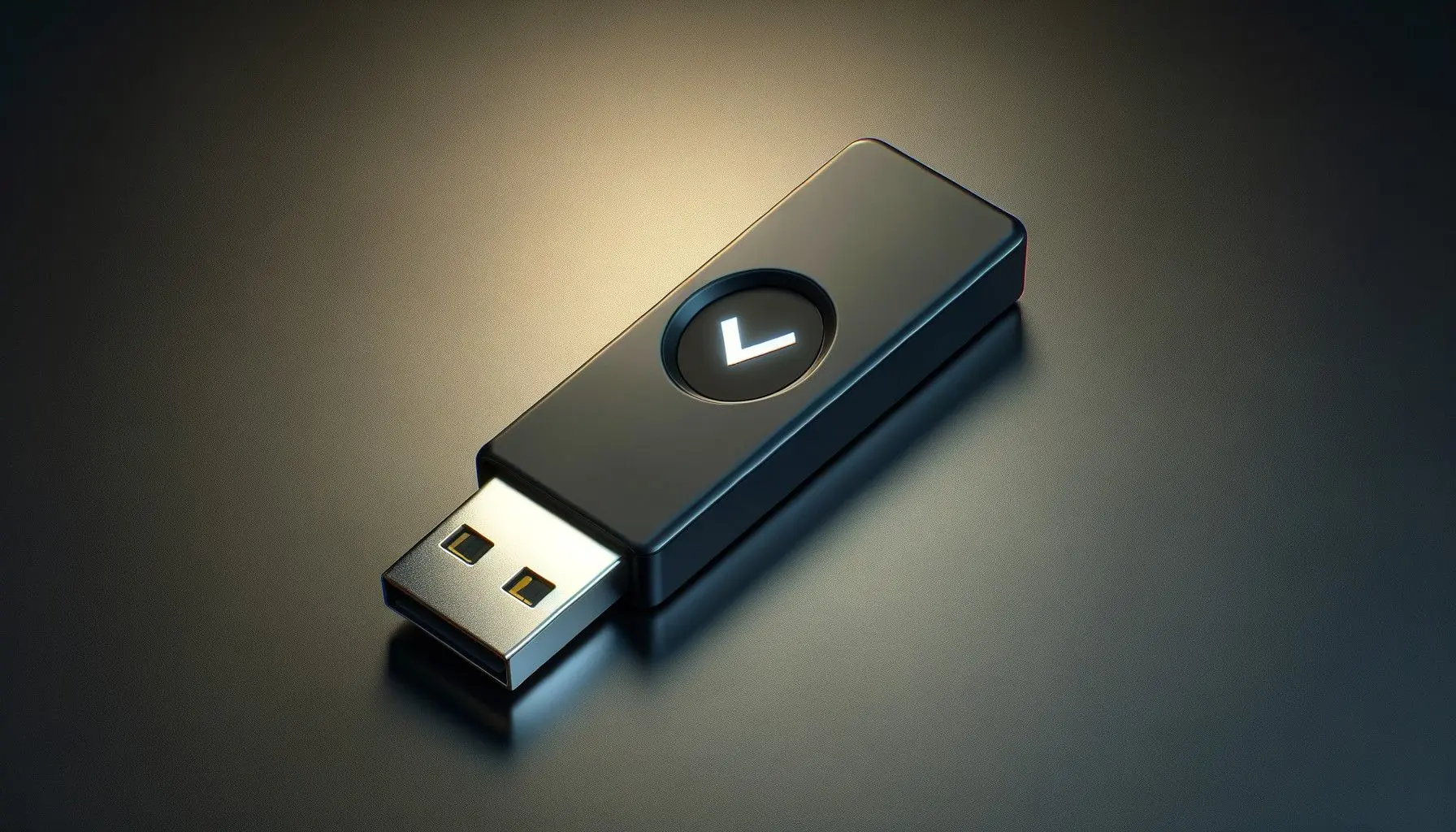
The Ledger Nano X remains the most popular hardware wallet in the world heading into 2026, and for good reason. It combines Bluetooth connectivity, a certified secure element chip (CC EAL5+), and support for over 5,500 coins and tokens through the Ledger Live companion app. At around $149, it hits the sweet spot between security and usability.
The Bluetooth feature is a double-edged sword. It enables mobile management of your crypto through Ledger Live on iOS and Android without needing a cable. Critics argue Bluetooth introduces attack surface, but Ledger's implementation ensures that private keys never transit over Bluetooth - only transaction data and signed hashes are transmitted. The secure element handles all cryptographic operations locally.
Key Specs: Bluetooth + USB-C, 128x64 pixel screen, battery life up to 8 hours, CC EAL5+ secure element (ST33J2M0), supports 5,500+ coins/tokens, up to 100 apps installed simultaneously, dimensions 72mm x 18.6mm x 11.75mm, weight 34g.
Pros
- Bluetooth for mobile use without cables
- Largest coin/token support of any hardware wallet
- Ledger Live is a polished, full-featured app
- Built-in battery for portable use
- Strong track record and large user base
- Regular firmware updates
Cons
- Closed-source firmware (you cannot audit the code)
- Bluetooth adds theoretical attack surface
- Small screen makes verifying addresses difficult
- Ledger Recover controversy shook user trust
- Plastic build feels less premium than competitors
- Battery degrades over time
Ledger Nano S Plus
The Nano S Plus is Ledger's budget option at around $79, and honestly, for most people it is all you need. It has the exact same CC EAL5+ secure element chip as the Nano X, supports the same 5,500+ coins, and runs the same firmware. The differences: no Bluetooth (USB-C only), no battery, and a slightly smaller form factor. If you only manage your crypto from a desktop or laptop, there is very little reason to pay extra for the Nano X.
It supports up to 100 apps simultaneously, which is more than enough for even the most diversified portfolios. The USB-C connection is actually preferred by security purists since it eliminates the wireless attack surface entirely.
Key Specs: USB-C only, 128x64 pixel screen, no battery, CC EAL5+ secure element, supports 5,500+ coins/tokens, up to 100 apps, dimensions 62.39mm x 17.40mm x 8.24mm, weight 21g.
Pros
- Best value hardware wallet on the market
- Same security chip as the Nano X
- No Bluetooth means smaller attack surface
- Extremely compact and portable
- USB-C connection (no dongles needed)
Cons
- No Bluetooth or mobile support
- No battery (must be plugged in)
- Closed-source firmware
- Same small screen limitation
- Plastic build quality
Ledger Stax
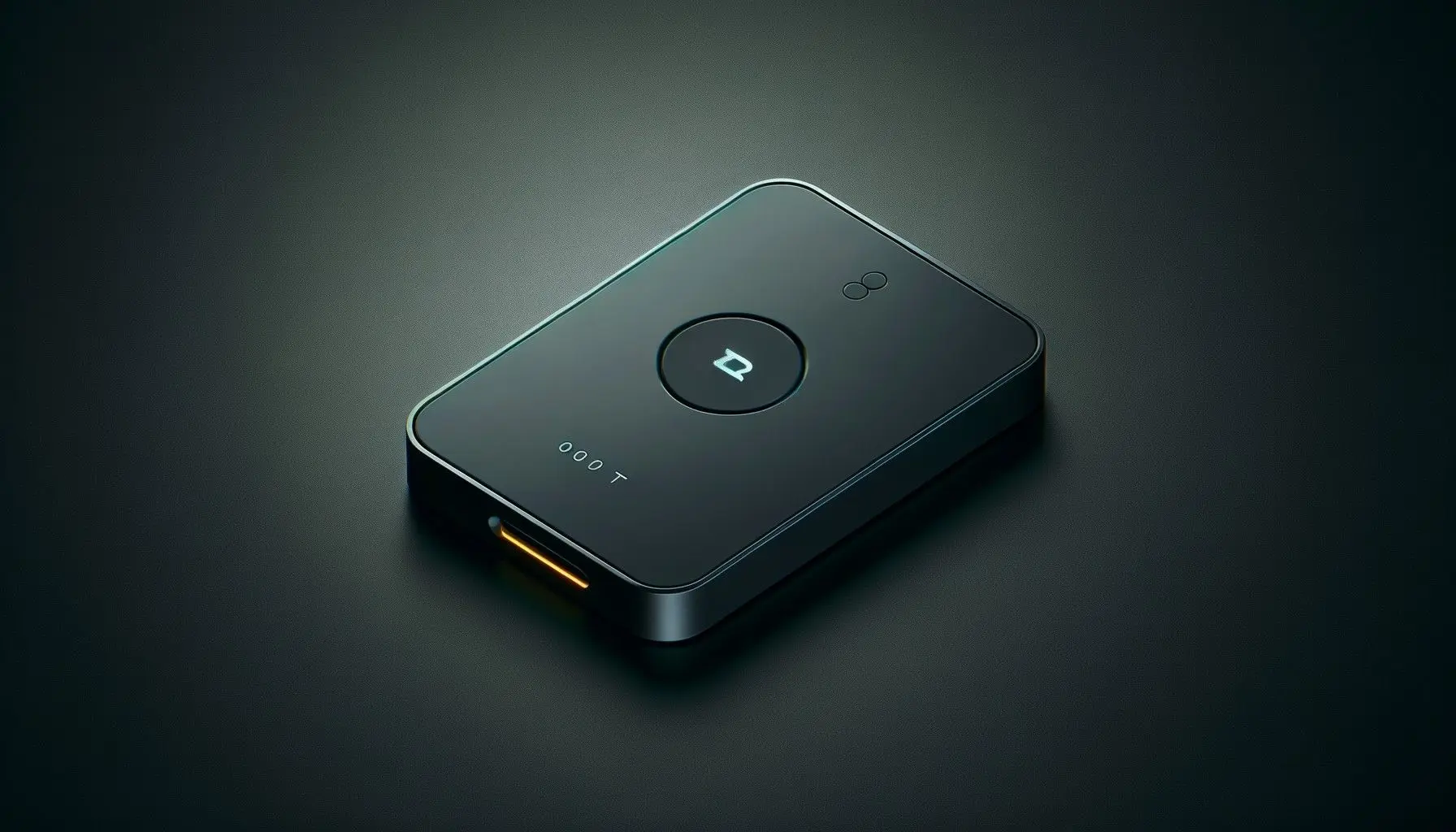
The Ledger Stax is Ledger's premium offering, designed by Tony Fadell (the creator of the iPod). At around $279, it features a curved E Ink touchscreen that covers the entire front face of the device, making transaction verification dramatically easier than the tiny screens on the Nano models. The E Ink display also means it can show a custom lock screen image even when powered off, using zero battery.
Under the hood, it runs the same CC EAL5+ secure element and supports the same 5,500+ coins. The touchscreen replaces the two-button navigation with swipe and tap controls. It has wireless charging, Bluetooth, and NFC. The build quality is a massive step up from the Nano line - it feels like a premium consumer device rather than a USB stick.
Key Specs: Bluetooth + USB-C + NFC, 3.7" curved E Ink touchscreen (400x672), wireless charging, CC EAL5+ secure element, 5,500+ coins/tokens, dimensions 85mm x 54mm x 6mm, weight 45g.
Pros
- Large touchscreen makes address verification easy
- Premium build quality and design
- E Ink display visible in direct sunlight
- Wireless charging is convenient
- Customizable lock screen
Cons
- Expensive at $279
- Closed-source firmware
- Bluetooth + NFC adds attack surface
- Larger form factor, less pocket-friendly
- E Ink refresh rate is slow for UI navigation
Trezor Model T
The Trezor Model T is the gold standard for open-source hardware wallets. Unlike Ledger, Trezor's firmware is fully open source - every line of code is publicly auditable on GitHub. For security researchers and anyone who believes in "don't trust, verify," this matters enormously. The Model T features a 1.54" color LCD touchscreen, USB-C connectivity, and support for over 1,800 coins and tokens.
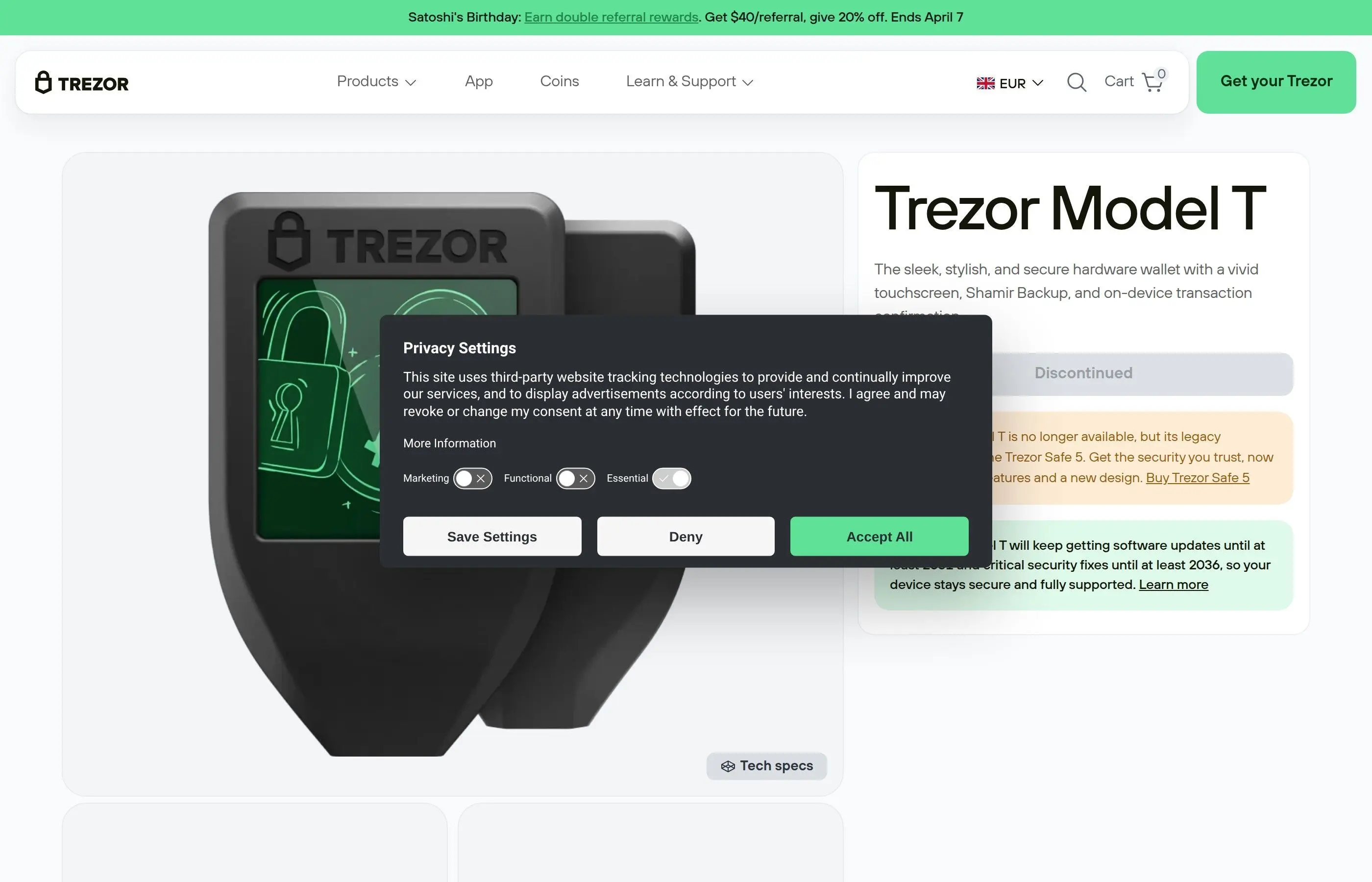
The Model T's standout feature is Shamir Backup (SLIP-39). Instead of a single 24-word seed phrase that represents a single point of failure, Shamir Backup splits your recovery seed into multiple shares. You define a threshold - for example, 3 of 5 shares required to recover. You can store shares in different geographic locations, give them to trusted family members, or put them in separate safe deposit boxes. No single share can reconstruct your wallet.
One important note: the original Trezor Model T did not have a dedicated secure element chip. It used a general-purpose microcontroller (STM32F427). This means it is theoretically more vulnerable to physical extraction attacks than devices with dedicated secure elements. However, Trezor mitigates this with strong PIN protection, a passphrase feature, and the fact that firmware is verified on every boot.
Key Specs: USB-C only, 1.54" color LCD touchscreen (240x240), no battery, open-source firmware, STM32 microcontroller, Shamir Backup support, 1,800+ coins/tokens, dimensions 64mm x 39mm x 10mm, weight 22g.
Pros
- Fully open-source firmware (auditable)
- Color touchscreen for easy verification
- Shamir Backup for distributed recovery
- Trezor Suite is clean and functional
- Strong community and developer ecosystem
- PIN entry on device touchscreen (not computer)
Cons
- No dedicated secure element chip
- Fewer supported coins than Ledger (1,800 vs 5,500)
- No Bluetooth or mobile support
- More expensive than Ledger Nano S Plus
- Plastic build feels fragile
Trezor Safe 3
The Trezor Safe 3 is Trezor's answer to the "no secure element" criticism. Released in late 2023 and refined through 2024-2025, it combines Trezor's open-source philosophy with a dedicated Infineon Optiga Trust M secure element (EAL6+). This is the best of both worlds: auditable code and hardware-level key protection. At around $79, it is also competitively priced against the Ledger Nano S Plus.
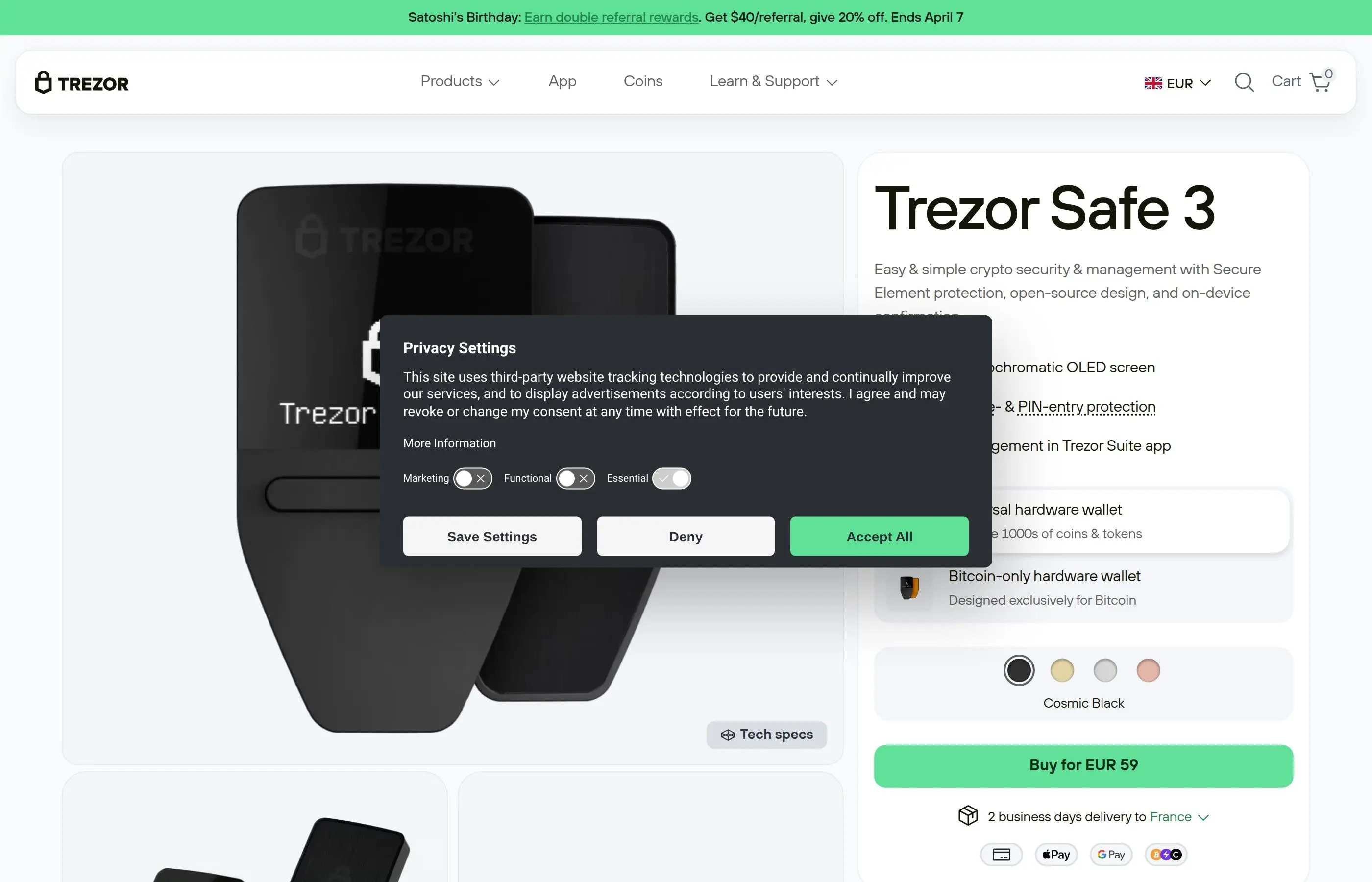
The form factor is compact, similar to the original Trezor One but with a slightly larger monochrome OLED screen and USB-C. It supports Shamir Backup, passphrase protection, and all the security features of the Trezor ecosystem. The secure element is used specifically for key storage and signing operations, while the main microcontroller runs the open-source firmware.
Key Specs: USB-C only, OLED monochrome screen, EAL6+ secure element (Optiga Trust M), open-source firmware, Shamir Backup, 1,800+ coins/tokens, dimensions 59mm x 32mm x 7.4mm, weight 14g.
Pros
- Open source + secure element (best combo)
- EAL6+ certification (higher than Ledger)
- Very affordable at $79
- Extremely lightweight and compact
- Shamir Backup support
Cons
- Smaller screen than Model T
- No touchscreen (button-based navigation)
- Fewer coins than Ledger
- No Bluetooth or wireless connectivity
- Newer product with less track record
Keystone Pro
Keystone Pro takes air-gapped security to the next level. It has absolutely zero ports - no USB, no Bluetooth, no WiFi, no NFC. All communication happens through QR codes. You scan a QR code from your phone to send transaction data to the device, it signs the transaction offline, and displays a QR code that your phone scans back. The attack surface is as minimal as physically possible.
The device features a 4-inch touchscreen, a fingerprint sensor, a rechargeable battery (charged via a separate power-only USB-C cable with no data lines), and an EAL5+ secure element. It runs open-source firmware and supports a wide range of DeFi applications through its integration with MetaMask, Rabby, OKX Wallet, and other popular interfaces via QR-based connection. It supports over 5,500 tokens and is particularly popular with Ethereum DeFi users.
Key Specs: Air-gapped (QR code only), 4" touchscreen, fingerprint sensor, EAL5+ secure element, open-source firmware, rechargeable battery, 5,500+ tokens, camera for QR scanning, microSD for firmware updates, price around $169.
Pros
- Fully air-gapped, zero electronic data ports
- Large 4" touchscreen for easy verification
- Fingerprint authentication
- Open-source firmware
- Excellent DeFi/MetaMask integration via QR
- Self-destruct mechanism if tampered
Cons
- QR code workflow is slower than USB
- Larger device, not very pocketable
- Battery needs occasional charging
- Firmware updates via microSD can be cumbersome
- Smaller brand recognition than Ledger/Trezor
NGRAVE ZERO
The NGRAVE ZERO markets itself as the most secure hardware wallet ever made, and the specs back that claim up. It is the only hardware wallet with EAL7 certification - the highest level on the Common Criteria scale. It is fully air-gapped (QR code communication only), includes a biometric fingerprint sensor, and generates its master seed using a combination of the hardware random number generator and light sensor input from your environment, ensuring true randomness.
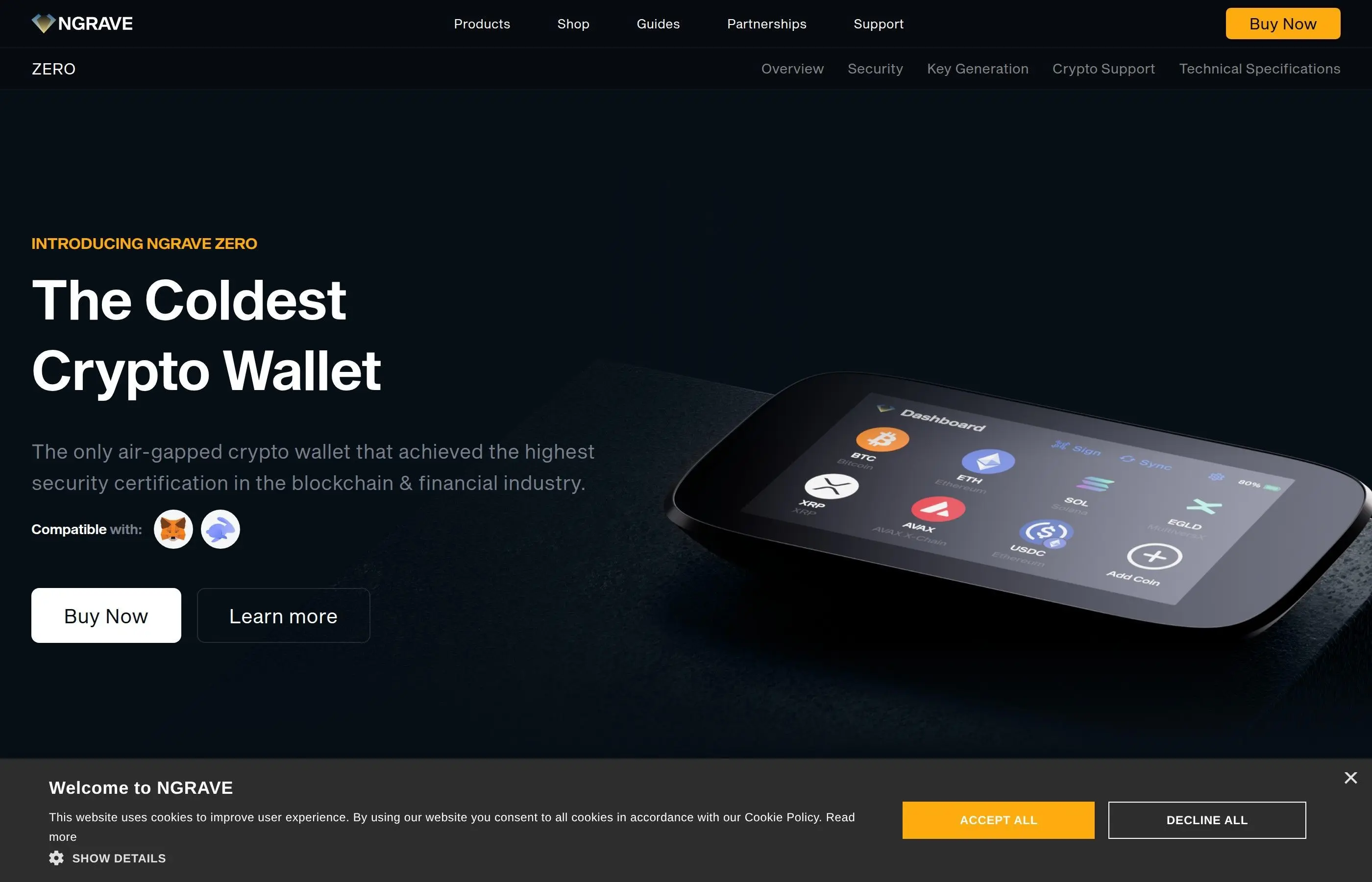
The NGRAVE ecosystem includes the GRAPHENE - a stainless steel recovery solution that uses two separate steel plates. Your recovery key is split cryptographically so that neither plate alone reveals your seed. This addresses the common problem of metal seed backups being a single point of failure if discovered. The ZERO itself has a 4" touchscreen, runs a custom OS, and supports major blockchains including Bitcoin, Ethereum, and their respective token ecosystems.
Key Specs: Air-gapped (QR code only), 4" touchscreen, fingerprint sensor, EAL7 secure element, light-based key generation, rechargeable battery (USB-C power only), custom OS, price around $398.
Pros
- Highest security certification of any wallet (EAL7)
- Fully air-gapped with zero data ports
- Biometric authentication
- Unique light-based seed generation
- GRAPHENE steel backup system is clever
- Premium build quality
Cons
- Most expensive wallet at $398
- Limited coin/token support compared to Ledger
- Closed-source custom OS
- Smaller ecosystem and community
- GRAPHENE backup sold separately
- Overkill for most users
Ellipal Titan
The Ellipal Titan is a fully air-gapped hardware wallet with a rugged metal body designed to resist physical tampering. Like Keystone and NGRAVE, it communicates exclusively through QR codes. The entire device is sealed - if someone attempts to physically open it, the anti-tamper mechanism wipes all stored data. It has a 4-inch touchscreen, supports 10,000+ tokens across 51 blockchains, and runs around $169.
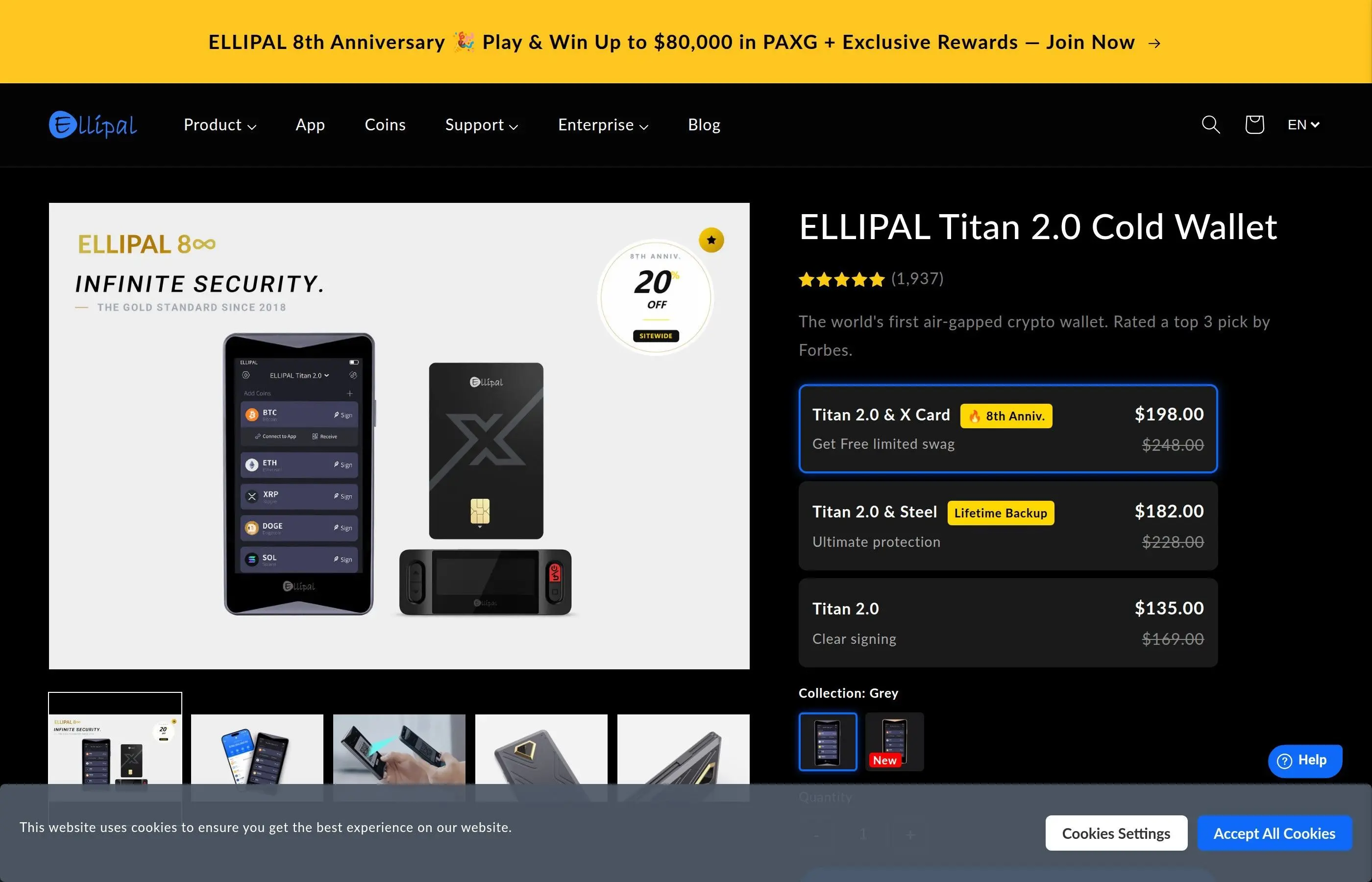
The Titan's metal construction sets it apart from the plastic builds of Ledger and Trezor. It feels substantial and durable. The companion app supports staking, swapping, and DApp browsing. However, the firmware is not open source, and the company is based in Hong Kong, which may be a concern for some users depending on their threat model.
Key Specs: Air-gapped (QR code only), 4" touchscreen, anti-tamper metal body, supports 51 blockchains and 10,000+ tokens, rechargeable battery, camera for QR scanning, price around $169.
Pros
- Metal body with anti-tamper self-destruct
- Fully air-gapped
- Large touchscreen
- Wide blockchain/token support
- Built-in staking and swap features
Cons
- Not open source
- No secure element certification listed
- Hong Kong based company (jurisdiction concerns)
- QR code workflow is slower
- Bulky compared to Ledger/Trezor
SafePal S1
The SafePal S1 is the budget king of hardware wallets. At around $49, it is the cheapest credible cold wallet on the market. It is backed by Binance Labs, supports over 30,000 tokens across 100+ blockchains, and communicates via QR codes (air-gapped). It has a small screen, a camera for scanning, and uses an EAL5+ secure element.
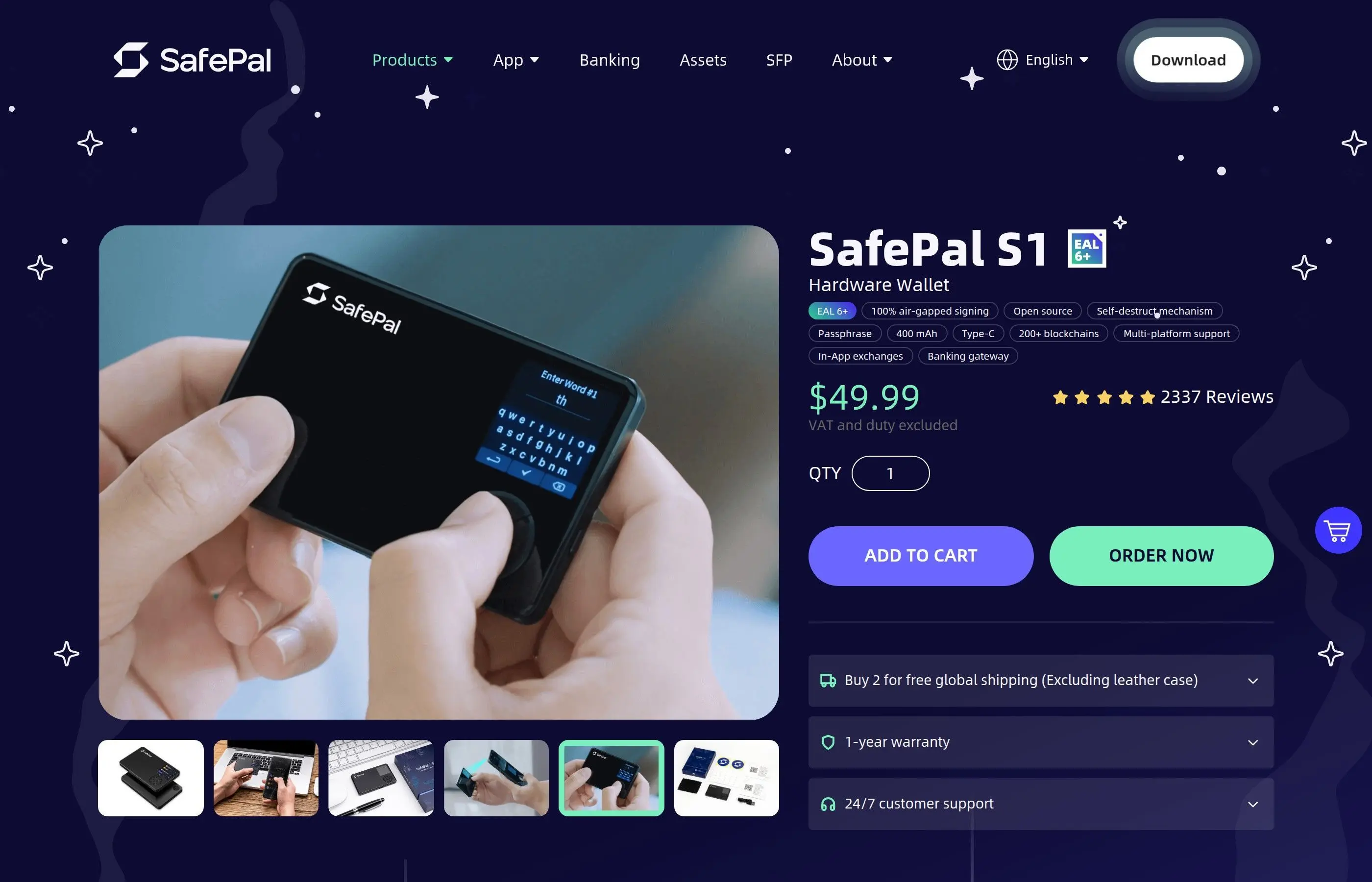
The tradeoff for the low price is build quality and user experience. The screen is small, the interface is not as polished as Ledger Live or Trezor Suite, and the device feels like what it is - a $49 piece of hardware. But the security fundamentals are solid. For someone who needs cold storage for a modest portfolio and does not want to spend $150+, the SafePal S1 is a legitimate option.
Key Specs: Air-gapped (QR code only), 1.3" IPS screen, EAL5+ secure element, camera for QR scanning, supports 100+ blockchains and 30,000+ tokens, battery powered, self-destruct mechanism, dimensions 86mm x 54mm x 6mm, price around $49.
Pros
- Cheapest hardware wallet worth buying ($49)
- Air-gapped with QR code communication
- Massive token support (30,000+)
- Binance Labs backed
- EAL5+ secure element
- Self-destruct if tampered
Cons
- Small screen makes verification difficult
- Companion app is less polished
- Not open source
- Feels cheap in hand
- Limited DeFi integrations compared to Keystone
4. Complete Hardware Wallet Comparison Table
Our Pick for Most Users: The Trezor Safe 3 at $79 offers the best balance of security (EAL6+ secure element), transparency (open-source firmware), and price. If you want Bluetooth and maximum coin support, the Ledger Nano X is the way to go. If security is your absolute top priority regardless of cost, the NGRAVE ZERO is unmatched.
5. How to Set Up a Cold Wallet (Step by Step)
The setup process is similar across all hardware wallets. Here is a universal step-by-step guide:
Step 1: Buy From the Official Source Only
Never buy a hardware wallet from Amazon, eBay, or any third-party reseller. Only buy directly from the manufacturer's official website (ledger.com, trezor.io, keyst.one, ngrave.io, ellipal.com, safepal.com). Tampered devices sold through third parties have been used to steal millions of dollars. When the device arrives, verify the tamper-evident packaging is intact.
Step 2: Download the Official Companion App
Download Ledger Live, Trezor Suite, or the relevant companion app directly from the manufacturer's website. Do not search for it on Google - phishing sites impersonating wallet manufacturers rank in ads constantly. Verify the download URL character by character.
Step 3: Initialize and Set Your PIN
Connect the device and follow the on-screen setup. You will create a PIN code (4-8 digits on most devices). Choose a strong PIN that you have not used anywhere else. Some devices like Trezor allow PINs up to 50 digits. The PIN protects against someone who physically obtains your device.
Step 4: Write Down Your Seed Phrase
The device will generate and display a 12 or 24-word seed phrase. Write this down on the paper card included in the box. Write clearly and double-check every word. Never take a photo of your seed phrase. Never type it into a computer. Never store it digitally in any form. This is the number one rule of cold storage security.
Step 5: Verify Your Seed Phrase
Most wallets will ask you to confirm your seed phrase by selecting the words in order. Take this step seriously. If you wrote a word down wrong, this is your chance to catch it.
Step 6: Install Blockchain Apps
Install the apps for the blockchains you want to use (Bitcoin, Ethereum, Solana, etc.) through the companion software. Each blockchain requires its own app on the device.
Step 7: Create Accounts and Receive Crypto
Generate your receiving addresses through the companion app. Always verify the address on the hardware wallet's screen before sharing it with anyone. Send a small test transaction first before transferring large amounts.
Step 8: Store Your Seed Phrase Securely
Move your seed phrase from the paper card to a more permanent storage solution. Consider a metal seed backup plate (Cryptosteel, Billfodl, or similar) that can survive fire and water damage. Store it in a safe, safety deposit box, or other secure location separate from where you keep the hardware wallet itself.
For detailed device-specific setup instructions, see our dedicated tutorials: How to Use a Ledger Hardware Wallet and How to Use a Trezor Hardware Wallet.
6. Cold Wallet Security Best Practices
Seed Phrase Storage
- Use metal backup: Paper degrades. A house fire, flood, or even high humidity can destroy a paper seed backup. Invest $20-50 in a stainless steel or titanium seed plate.
- Store in multiple locations: Keep at least two copies of your seed phrase in separate physical locations. If one location is compromised (fire, theft, natural disaster), you still have a backup.
- Never digitize your seed: Do not take photos, do not type it into a notes app, do not email it to yourself, do not store it in a password manager, do not put it in cloud storage. Any digital copy is a vulnerability.
- Consider Shamir Backup: If your wallet supports SLIP-39 (Trezor devices), split your seed into shares stored in different locations. 3-of-5 is a good configuration.
Passphrase Protection (25th Word)
Both Ledger and Trezor support an optional passphrase (sometimes called the "25th word") that is added to your seed phrase to derive a completely different set of wallets. This means even if someone finds your 24-word seed, they cannot access your funds without also knowing the passphrase. This is the single most powerful defense against seed phrase theft. The passphrase should be strong, memorable, and stored separately from your seed phrase.
Firmware Updates
- Always update your hardware wallet firmware when updates are available
- Only update through the official companion app (Ledger Live, Trezor Suite)
- Never update firmware from a link sent via email or social media
- Verify the firmware update hash if your wallet supports it
- Keep your seed phrase accessible during updates in case the device resets
Physical Security
- Store your hardware wallet in a secure location when not in use
- Do not leave it plugged into your computer when you are not actively using it
- Consider a decoy wallet with a small amount on the default PIN, and keep your main holdings behind a passphrase-protected hidden wallet
- Be aware of the $5 wrench attack - if someone knows you hold significant crypto and can physically threaten you, a decoy wallet can protect your main holdings
Transaction Verification
- Always verify addresses on the device screen. Clipboard malware can replace cryptocurrency addresses with the attacker's address. The address on your hardware wallet screen is the only one you can trust.
- Send a small test transaction before transferring large amounts to a new address
- Double-check the network and token before confirming (sending ETH on the wrong network means lost funds)
- Be careful with blind signing - always prefer clear signing when available. See our guide on revoking token approvals to understand why.
7. Cold Wallet vs Hot Wallet vs Exchange
The smart approach is to use all three in combination. Keep the bulk of your holdings (80-90%) in cold storage. Keep a small working amount in a hot wallet for daily DeFi interactions and transactions. Keep funds on an exchange only when you are actively trading, and withdraw to cold storage when you are done. For a deeper look at securing your wallets in general, see our Crypto Wallet Security Tips guide.
8. When Do You Actually Need a Cold Wallet
The honest answer: if you hold more than $500-$1,000 in crypto, a hardware wallet is worth the investment. Here is a more nuanced breakdown:
You Definitely Need One ($1,000+)
If you hold $1,000 or more in crypto, a $49-$79 hardware wallet is less than 8% of your holdings and provides near-absolute protection. The math is simple: the cost of a hardware wallet is negligible compared to the cost of losing your entire portfolio to a browser extension exploit, phishing attack, or clipboard hijacker.
Strongly Recommended ($500-$1,000)
At this range, a SafePal S1 at $49 is still worth it. You are protecting 10-20x the cost of the device. If your crypto portfolio is growing, get the wallet now while the amounts are still "small" - you will be glad you did when your portfolio reaches five figures.
Probably Not Necessary (Under $500)
Below $500, a hardware wallet may cost a significant percentage of your total holdings. A well-secured hot wallet (strong password, 2FA, reputable wallet app) is acceptable at this level. Focus on good security practices and upgrade to cold storage as your portfolio grows.
Other scenarios where a cold wallet is essential:
- You hold NFTs worth significant amounts (a single valuable NFT justifies a hardware wallet)
- You interact with DeFi protocols that require token approvals (unlimited approvals on a hot wallet are a ticking time bomb)
- You receive crypto as income or payment and need long-term storage
- You are responsible for funds belonging to others (family, business, DAO treasury)
- You live in a region with high cybercrime or targeted crypto theft
9. Pros and Cons of Cold Storage
Advantages
- Immune to remote attacks: Your keys never touch the internet. Malware, phishing, and remote exploits cannot reach them.
- Physical verification: Transaction details displayed on the device's own screen cannot be manipulated by compromised software.
- Multi-chain support: One device secures all your crypto across all blockchains - Bitcoin, Ethereum, Solana, and thousands of tokens.
- Seed phrase recovery: If the device is lost or damaged, your funds are fully recoverable on any compatible wallet.
- PIN protection: Even if someone steals the physical device, they cannot access your funds without the PIN (and the device wipes after failed attempts).
- DeFi compatible: Modern hardware wallets connect to MetaMask, Rabby, and other interfaces for secure DeFi interaction.
- Passphrase option: Hidden wallets behind a passphrase provide plausible deniability and extra security.
Disadvantages
- Upfront cost: $49-$398 depending on the device, though this is minimal compared to what it protects.
- Less convenient: Every transaction requires the physical device, PIN entry, and manual confirmation. Not suitable for frequent trading.
- Seed phrase responsibility: You are solely responsible for your backup. Lose your seed phrase and your device, and your crypto is gone forever. There is no customer support to call.
- Learning curve: Setting up and using a hardware wallet requires more technical knowledge than an exchange account.
- Physical vulnerability: While immune to remote attacks, the device and seed phrase can be stolen, damaged by fire/water (if not metal-backed), or lost.
- Firmware dependency: You depend on the manufacturer continuing to update firmware and maintain the companion app.
- Supply chain risk: If you buy from an unofficial source, the device may be pre-compromised.
10. Common Mistakes That Get Cold Wallet Users Hacked
A hardware wallet is only as secure as the person using it. Here are the most common ways people lose funds even with cold storage:
1. Storing Seed Phrase Digitally
This is the number one cause of cold wallet fund loss. People take a photo of their seed phrase "just as a backup" and store it in iCloud, Google Photos, or a notes app. When their cloud account is compromised, the attacker finds the seed phrase and drains every wallet derived from it. Your seed phrase should only ever exist on physical media - paper or metal.
2. Entering Seed Phrase on a Website
No legitimate wallet software will ever ask you to enter your full seed phrase on a computer or phone. If a website or app asks for your seed phrase, it is a scam - 100% of the time, no exceptions. Your seed phrase should only ever be entered directly on the hardware wallet's screen during recovery.
3. Buying From Unofficial Sellers
Hardware wallets sold on Amazon, eBay, and other third-party marketplaces have been tampered with. Attackers buy legitimate devices, extract or pre-set the seed phrase, reseal the package, and resell the device. The victim sets up the wallet thinking it is new, loads their crypto, and the attacker drains it. Always buy directly from the manufacturer.
4. Using a Pre-Filled Seed Phrase
If your hardware wallet arrives with a seed phrase already written on a card inside the box, the device has been compromised. A legitimate hardware wallet always generates the seed phrase fresh during your initial setup. If there is a pre-printed seed phrase card, stop immediately and contact the manufacturer.
5. Not Verifying Addresses on the Device Screen
Clipboard malware replaces cryptocurrency addresses with the attacker's address when you copy/paste. If you confirm a transaction without checking the address on your hardware wallet's physical screen, you may be sending crypto directly to a thief. Always compare the full address on your device screen with the intended recipient.
6. Signing Blind Transactions
When interacting with DeFi protocols, some transactions cannot be fully decoded by the hardware wallet. The device shows "blind signing" or displays raw data instead of human-readable details. Attackers exploit this by tricking users into signing malicious transactions (unlimited token approvals, wallet drainers). Only blind sign transactions from protocols you absolutely trust, and regularly revoke token approvals.
7. Single Seed Phrase Backup in One Location
One copy of your seed phrase in one location is a single point of failure. A house fire, flood, or break-in can destroy it. Always keep at least two copies in separate, secure locations. Use metal backup plates for durability. For critical amounts, consider Shamir Backup to distribute risk. See our guide on seed phrase recovery for more.
8. Ignoring Firmware Updates
Firmware updates patch security vulnerabilities. Running outdated firmware means known exploits may exist for your device. However, only update through the official companion app - never from a link in an email, DM, or social media post.
9. Not Using a Passphrase
If you hold significant amounts and are not using the optional passphrase feature, you are leaving your strongest security tool unused. A passphrase-protected hidden wallet means even someone who obtains your full 24-word seed cannot access your funds.
11. Frequently Asked Questions
Can a hardware wallet be hacked?
No hardware wallet has ever been remotely hacked. The secure element chip makes remote key extraction impossible. Physical attacks are theoretically possible on some devices (particularly those without dedicated secure elements), but they require expensive lab equipment, physical possession of the device, and significant expertise. For all practical purposes, a properly used hardware wallet is unhackable through remote means.
What happens if my hardware wallet breaks or is lost?
Your crypto is not stored on the device - it is on the blockchain. The device only stores the private keys. If the device is lost, stolen, or destroyed, you can buy a new hardware wallet (same brand or different), enter your seed phrase during setup, and all your wallets and funds will be restored. This is why protecting your seed phrase is more important than protecting the device itself.
Is Ledger or Trezor better?
It depends on your priorities. Ledger offers more coin support (5,500+ vs 1,800+), Bluetooth connectivity, and a certified secure element - but the firmware is closed source. Trezor offers fully open-source firmware you can audit, Shamir Backup, and the Safe 3 now includes a secure element (EAL6+). If you value transparency and verifiability, choose Trezor. If you need maximum coin support and mobile access, choose Ledger. Both are legitimate, battle-tested options.
What is Ledger Recover and should I use it?
Ledger Recover is an optional paid service ($9.99/month) that backs up your seed phrase by splitting it into three encrypted fragments stored by three independent custodians (Ledger, Coincover, and EscrowTech). To recover, you need your ID verification and two of the three fragments. This is controversial because it means your seed phrase can technically leave the secure element. If you are a self-custody purist, do not use it. If you are worried about losing your seed phrase and want a safety net, it is an option - but understand the tradeoffs.
Can I use a hardware wallet with MetaMask?
Yes. Both Ledger and Trezor devices can be connected to MetaMask as a signing device. Your MetaMask interface handles the network interaction, but every transaction must be confirmed on the hardware wallet. Keystone Pro connects via QR codes instead of USB, which some users prefer. This gives you the convenience of the MetaMask interface with the security of hardware-based key storage.
Do I need separate wallets for different cryptocurrencies?
No. A single hardware wallet derives keys for all supported blockchains from the same seed phrase using different derivation paths (BIP-44 standard). You install individual blockchain apps on the device (Bitcoin app, Ethereum app, Solana app, etc.), but they all trace back to the same master seed. One device, one seed phrase, all your crypto.
How long do hardware wallets last?
The hardware itself should last 5-10+ years with normal use. The secure element chips are rated for decades of operation. Batteries in devices like the Nano X will degrade over time (2-3 years for optimal capacity), but the device still works when plugged in. The bigger concern is firmware support - make sure the manufacturer is actively maintaining the product. Even if a manufacturer goes out of business, your seed phrase can always be used to restore funds on any BIP-39 compatible wallet.
Is an air-gapped wallet better than a USB wallet?
Air-gapped wallets (Keystone, NGRAVE, Ellipal) have a smaller theoretical attack surface because there is no electronic data connection at all. USB and Bluetooth connections, while well-secured on devices like Ledger and Trezor, are still potential vectors for sophisticated attacks. In practice, no USB-connected hardware wallet has been remotely compromised either. Air-gapped is technically more secure but less convenient. For most users, the difference is academic - both types provide excellent security.
12. Related Tutorials
How to Use a Ledger Hardware Wallet
Complete step-by-step tutorial for setting up and using the Ledger Nano X, Nano S Plus, and Stax with Ledger Live.
How to Use a Trezor Hardware Wallet
Full walkthrough for Trezor Model T and Safe 3 setup, Shamir Backup configuration, and Trezor Suite usage.
Crypto Wallet Security Tips
Essential security practices for all crypto wallets - hot, cold, and custodial. Protect yourself from phishing, malware, and social engineering.
How to Recover a Crypto Wallet Seed Phrase
Guide to seed phrase recovery, metal backup solutions, Shamir Backup setup, and what to do if you lose access to your wallet.
Revoke Token Approvals for Wallet Security
Learn how to check and revoke dangerous unlimited token approvals that could drain your wallet, even with a hardware wallet.
Bottom Line
A hardware wallet is the single most important security investment you can make in crypto. The device you choose matters less than the fact that you use one at all. Pick any wallet from this list, follow the security practices outlined above, and you will be protected against the vast majority of threats that drain crypto wallets every single day. Stop putting it off. Your future self will thank you.
Frequently Asked Questions
What makes a cold wallet secure for 2026?
Security in 2026 cold wallets involves robust encryption, secure element chips, open-source firmware for audits, and multi-factor authentication. Regular security updates and a strong track record from the manufacturer are also key indicators.
Which hardware wallets are expected to be top contenders in 2026?
Leading contenders are likely to include updated models from established brands like Trezor, Ledger, and potentially newer entrants focusing on enhanced security and user experience. Factors like supported cryptocurrencies and integration with DeFi will also play a role.
Should I consider a new hardware wallet in 2026 if I have one from 2023?
It depends on the security features and supported assets of your current wallet. Newer wallets in 2026 may offer improved security protocols, broader cryptocurrency support, and better integration with emerging blockchain technologies.
What features should I prioritize when buying a cold wallet in 2026?
Prioritize strong security features like a secure element, open-source code, and a reliable recovery process. Also consider ease of use, the range of cryptocurrencies supported, and the manufacturer's reputation for security and customer support.
How important is multi-signature support for cold wallets in 2026?
Multi-signature support significantly enhances security by requiring multiple approvals for transactions, making it harder for a single point of compromise to lead to loss of funds. For larger holdings or institutional use, it remains a critical feature in 2026.
Related Guides
- Hot Wallet vs Cold Wallet: Complete Comparison Guide (2026)
- Ledger vs Trezor: Hardware Wallet Comparison 2026
- What is Tangem Wallet? Cardless Cold Storage Explained
- Hot Wallet vs Cold Wallet: Which One to Choose
- Best Crypto Wallet 2026: Top 10 Compared (Hot and Cold)
- What Happens to Your Crypto When You Die?
- How to Set Up a Ledger Nano
- Best Bitcoin Wallet 2026
- Best TON Wallets in 2026
- Monero vs Zcash
- Best Solana Wallet 2026
- Best Ethereum Wallet 2026