How to Use Bitcoin: Beginner Guide to Wallets (2026)
— By Tony Rabbit in Tutorials
Learn how to use Bitcoin in 2026: wallet setup, sending and receiving BTC, Lightning payments, storage basics, and how using Bitcoin differs from buying.
Intent check: This page is the practical guide to using BTC with wallets, payments, and transfers. If you want the definition-first explainer on Bitcoin, mining, and the 21M supply cap, read What Is Bitcoin?.
How to use Bitcoin is a different question from what Bitcoin is or where to buy it. Once you own BTC, the real beginner tasks are wallet setup, receiving coins, sending them correctly, understanding fees, and deciding whether Lightning matters for your use case.
This page is the practical workflow guide for that next step. It focuses on using Bitcoin safely, not just holding it, so you can move from theory into real wallet and payment behavior with less confusion.
🔑 Key Point
Understanding this concept is fundamental to navigating the crypto ecosystem. Take your time with each section before moving on.
Using QR Codes
The easiest way to receive Bitcoin in person is through a QR code. Open your wallet, tap "Receive," and your wallet displays a QR code that encodes your Bitcoin address. The sender simply scans this code with their wallet app, enters the amount, and confirms the transaction. QR codes eliminate the risk of mistyping an address, which is critical because Bitcoin transactions are irreversible.
Sharing Your Address
For online transactions, you can copy and paste your Bitcoin address. Always double-check the first and last few characters after pasting, as clipboard-hijacking malware can swap your address for an attacker's address. Most wallets generate a new address for each transaction for privacy purposes, but previous addresses remain valid and can still receive funds.
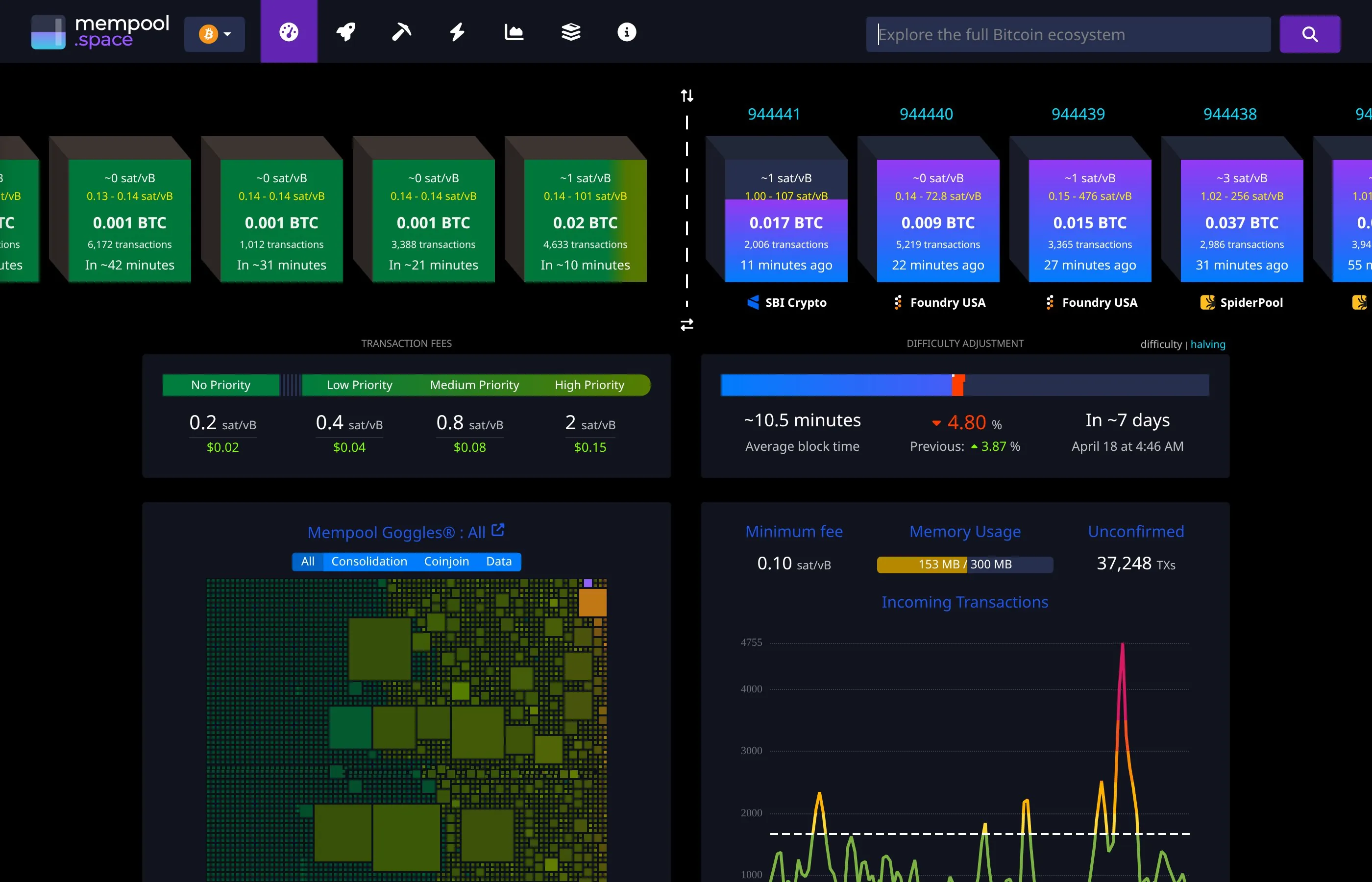
Once someone sends Bitcoin to your address, the transaction enters the mempool (the waiting area for unconfirmed transactions). After a miner includes it in a block, you will see one confirmation. Most wallets show the funds as "pending" until at least one confirmation arrives, which typically takes around 10 minutes.
How to Send Bitcoin
Sending Bitcoin involves entering the recipient's address, specifying the amount, choosing a fee, and confirming the transaction. Here is what you need to know about each step.
Transaction Fees
Bitcoin transaction fees are not based on the amount you send but on the size of your transaction in bytes and the current demand for block space. When the network is busy, fees rise. When it is quiet, fees drop. Most wallets let you choose between low, medium, and high priority fees. A low-priority transaction might cost $0.50 and confirm within a few hours, while a high-priority transaction might cost $3 to $10 and confirm within the next block (roughly 10 minutes). In 2026, with widespread SegWit and Taproot adoption, on-chain fees have become more efficient than in previous years.
🔑 Key Point
The crypto ecosystem moves fast. What matters is understanding the fundamentals - those do not change regardless of market conditions.
Confirmation Times
A Bitcoin block is mined approximately every 10 minutes. For small purchases, one confirmation is usually sufficient. For larger amounts, waiting for three to six confirmations (30 to 60 minutes) is standard practice. Exchanges typically require two to six confirmations before crediting your account.
Replace-by-Fee (RBF)
If you accidentally set a fee that is too low and your transaction is stuck in the mempool, Replace-by-Fee (RBF) lets you rebroadcast the same transaction with a higher fee. Most modern wallets support RBF by default. When sending a transaction, look for an option labeled "Replaceable" or "RBF enabled." If your transaction is stuck, you can bump the fee from within your wallet's transaction history.
🔑 Key Point
The crypto ecosystem moves fast. What matters is understanding the fundamentals - those do not change regardless of market conditions.
For a complete guide on moving your Bitcoin between different wallets and platforms, read our tutorial on how to transfer crypto between wallets.
Paying With Bitcoin
Bitcoin is accepted by a growing number of merchants worldwide. In 2026, there are more ways than ever to spend your Bitcoin on everyday purchases, travel, electronics, gift cards, and more.

Online Merchants
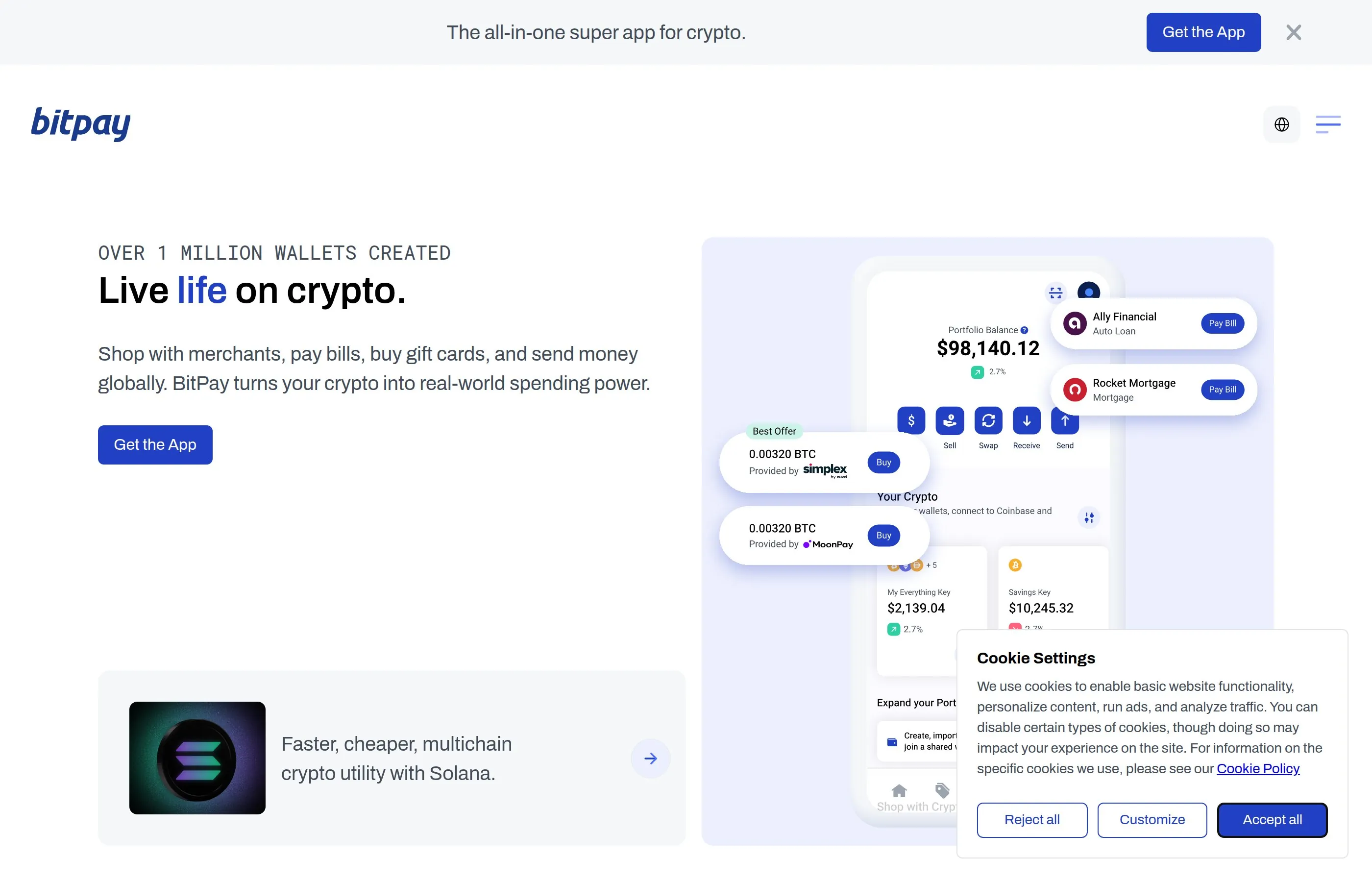
Major retailers and online platforms accept Bitcoin directly or through payment processors. Overstock, Newegg, Shopify stores, and thousands of smaller merchants accept BTC. Payment processors like BitPay and BTCPay Server make it simple for merchants to accept Bitcoin, and for you as a buyer, the experience is similar to any other checkout. You scan a QR code or click a payment link, confirm the amount in your wallet, and the transaction is broadcast to the network.
⚠ Common Mistake
Do NOT chase coins that already pumped 500%. By the time you see it on social media, smart money already took profits. Focus on established projects first.
BitPay and Payment Processors
BitPay is the largest Bitcoin payment processor, used by merchants worldwide. When you pay through BitPay, you are given a 15-minute window to send the exact Bitcoin amount to a specific address. BitPay also offers a prepaid Mastercard that you can load with Bitcoin and spend anywhere Mastercard is accepted. This bridges the gap between Bitcoin and traditional payment systems, letting you use Bitcoin at millions of locations that do not directly accept crypto.
Gift Cards
Another popular way to spend Bitcoin is by purchasing gift cards. Services like Bitrefill and CoinCards let you buy gift cards for Amazon, Uber, Netflix, DoorDash, and hundreds of other brands using Bitcoin. This is often the fastest route to spending Bitcoin at retailers that do not accept crypto directly. For more ideas on what you can purchase, see our guide on the top things you can buy with crypto in 2026.
Lightning Network Explained
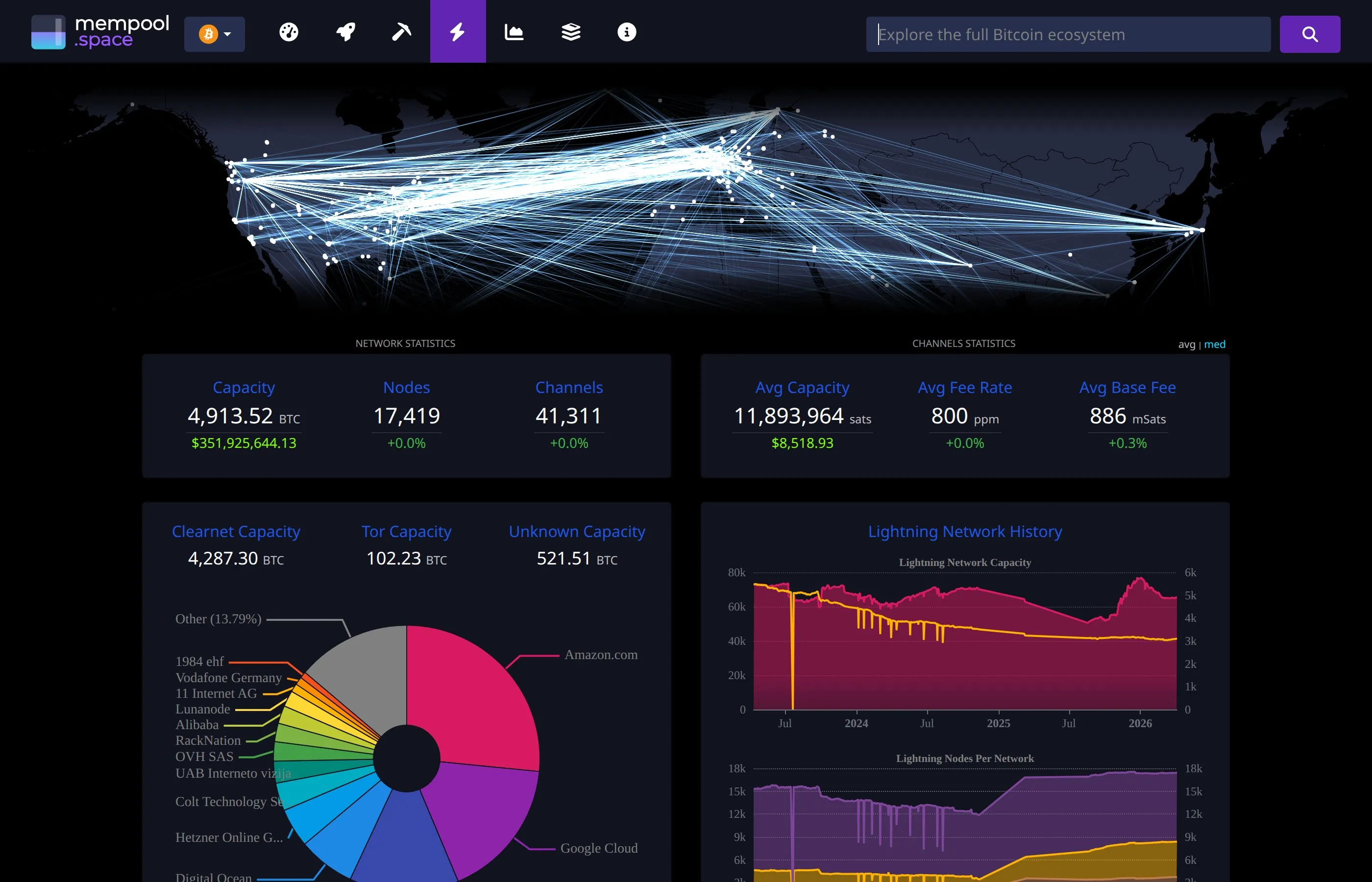
The Lightning Network is a second-layer protocol built on top of Bitcoin that enables instant, near-free transactions. It is one of the most important developments in making Bitcoin practical for everyday payments, and understanding it is essential for anyone learning how to use Bitcoin efficiently in 2026.
How Lightning Works
Lightning works by opening payment channels between users. Think of it like running a tab at a bar. You and the bar open a channel (an on-chain Bitcoin transaction), and then you can make unlimited payments back and forth without touching the main blockchain. When you are done, the channel is closed with a final on-chain transaction that settles the net balance. The genius of Lightning is that channels interconnect, so you do not need a direct channel with everyone you want to pay. Your payment can route through multiple channels to reach the recipient.
⚠ Common Mistake
Do NOT chase coins that already pumped 500%. By the time you see it on social media, smart money already took profits. Focus on established projects first.
Lightning Fees and Speed
Lightning transactions settle in less than a second and typically cost less than one cent. Compare this to on-chain Bitcoin transactions that take 10+ minutes and can cost several dollars. For small, everyday purchases like buying coffee or tipping content creators, Lightning is the way to go.
Using Lightning in Practice
To use Lightning, you need a Lightning-compatible wallet. Phoenix Wallet, Muun, and Breez are excellent choices for beginners. Many of these wallets handle the technical complexity behind the scenes, so you simply scan a Lightning invoice (QR code) and the payment arrives instantly. More and more merchants and platforms support Lightning in 2026, including major tipping platforms, gaming services, and point-of-sale systems in physical stores.
Bitcoin ATMs
Bitcoin ATMs are physical machines where you can buy (and sometimes sell) Bitcoin using cash or debit cards. There are over 30,000 Bitcoin ATMs worldwide in 2026, with the majority located in the United States, Canada, and Europe.
To use a Bitcoin ATM, you typically walk up to the machine, select "Buy Bitcoin," enter the amount of cash you want to convert, scan your wallet's QR code, insert your cash, and confirm the transaction. The Bitcoin is sent directly to your wallet within minutes. Be aware that Bitcoin ATMs charge premiums of 5% to 15% above the market price, making them one of the more expensive ways to acquire Bitcoin. They are best used for convenience or when you need Bitcoin quickly and do not have access to an exchange.
If you need to go the other direction and convert your Bitcoin to cash, our guide on how to sell cryptocurrency and cash out covers all the options, including ATMs, exchanges, and peer-to-peer methods.
Buying Bitcoin
Before you can use Bitcoin, you need to acquire some. The most common method is purchasing through a cryptocurrency exchange like Coinbase, Kraken, or Binance. These platforms let you buy Bitcoin with a bank transfer, debit card, or credit card. Most exchanges require identity verification (KYC) before you can make your first purchase.
For a detailed walkthrough of the entire purchasing process, including how to choose an exchange, verify your identity, and place your first order, read our step-by-step guide on how to buy Bitcoin in 2026.
Trading Bitcoin
Beyond simply buying and holding, many people actively trade Bitcoin to profit from price movements. There are two primary forms of Bitcoin trading: spot and futures.
Spot Trading
Spot trading means buying and selling actual Bitcoin at the current market price. When you buy Bitcoin on the spot market, you own the Bitcoin and can withdraw it to your wallet. This is the simplest form of trading and is suitable for beginners. You can place market orders (buy immediately at the current price) or limit orders (set a price you are willing to buy or sell at and wait for the market to reach it).
Futures Trading
Futures trading involves contracts that let you speculate on Bitcoin's future price without necessarily owning the underlying asset. You can go long (betting the price will rise) or short (betting the price will fall), and you can use leverage to amplify your position. However, futures trading with leverage is extremely risky and not recommended for beginners. A 10x leveraged position means a 10% price move against you results in a 100% loss of your margin. Only trade futures if you have a solid understanding of risk management.
Dollar-Cost Averaging
For most people learning how to use Bitcoin, dollar-cost averaging (DCA) is the smartest approach. DCA means buying a fixed dollar amount of Bitcoin at regular intervals, regardless of the price. For example, buying $50 worth of Bitcoin every week. This strategy removes the stress of trying to time the market and smooths out your average purchase price over time. Most exchanges let you set up automatic recurring purchases.
Earning With Bitcoin
In 2026, there are several ways to put your Bitcoin to work and earn passive income, though each comes with its own risk profile.
Bitcoin Lending
Some platforms allow you to lend your Bitcoin to borrowers in exchange for interest payments. Centralized lending platforms act as intermediaries, matching lenders with borrowers and offering fixed or variable interest rates. However, the collapse of several major lending platforms in previous years serves as a stark reminder that lending your Bitcoin to any platform carries counterparty risk. Only lend what you can afford to lose, and thoroughly research any platform before depositing funds.
Wrapped Bitcoin (WBTC) in DeFi
Wrapped Bitcoin (WBTC) is an ERC-20 token on Ethereum that is backed 1:1 by real Bitcoin held in custody. By wrapping your Bitcoin, you can use it within the Ethereum DeFi ecosystem to provide liquidity, earn yield, or use it as collateral for loans on platforms like Aave and Compound. Keep in mind that using WBTC introduces additional risks: smart contract vulnerabilities, the custodian holding the underlying Bitcoin, and the complexity of DeFi protocols. If you are exploring DeFi, our MetaMask wallet tutorial is essential reading.
Lightning Network Routing
If you run a Lightning Network node, you can earn small fees by routing payments through your channels. This requires technical knowledge and a commitment to keeping your node online, but it is a way to earn Bitcoin while supporting the network's infrastructure.
Storing Bitcoin Securely: Hot vs Cold Wallets
Security is the most critical aspect of using Bitcoin. Unlike a bank, there is no customer support line to call if your Bitcoin is stolen. You are your own bank, and that comes with serious responsibility.
Hot Wallets
Hot wallets are connected to the internet. This includes mobile wallets, desktop wallets, and exchange wallets. They are convenient for everyday use and quick transactions, but they are more vulnerable to hacking, malware, and phishing attacks. Think of a hot wallet like your everyday spending wallet: keep only what you need for near-term transactions.
Cold Wallets
Cold wallets are offline storage solutions. Hardware wallets (Ledger, Trezor, Coldcard) are the most common type of cold wallet. They store your private keys on a dedicated device that never connects to the internet directly. For maximum security, some users create air-gapped setups using devices like the Coldcard Mk4, which can sign transactions via an SD card without ever connecting to a computer via USB. Our Ledger security tutorial and cold wallet comparison guide provide in-depth coverage of these options.
The Best Strategy
The recommended approach is to use both. Keep a small amount in a hot wallet for daily transactions and Lightning payments, and store the majority of your Bitcoin in a cold wallet for long-term holding. This balance between convenience and security is how experienced Bitcoin users manage their funds.
Bitcoin Transactions Explained
Understanding how Bitcoin transactions work under the hood will make you a more confident user. Here are the key concepts.
UTXOs (Unspent Transaction Outputs)
Bitcoin does not work like a bank balance. Instead, your wallet tracks UTXOs, which are individual chunks of Bitcoin that you have received. If someone sends you 0.5 BTC and later someone else sends you 0.3 BTC, your wallet holds two UTXOs: one worth 0.5 BTC and one worth 0.3 BTC. When you want to send 0.7 BTC, your wallet combines both UTXOs as inputs, sends 0.7 BTC to the recipient, and sends the remaining 0.1 BTC (minus the fee) back to you as change. This change creates a new UTXO in your wallet.
The Mempool
When you broadcast a Bitcoin transaction, it enters the mempool, a shared waiting area where unconfirmed transactions sit until miners pick them up. Miners prioritize transactions with higher fees per byte (sat/vB). During periods of high demand, the mempool can become congested, leading to higher fees and longer confirmation times. You can monitor mempool conditions in real time using sites like mempool.space to choose optimal fee rates.
Confirmations
A confirmation occurs each time a new block is mined on top of the block containing your transaction. One confirmation means your transaction is in the latest block. Two confirmations means another block has been mined on top of it, and so on. Each additional confirmation makes it exponentially harder for anyone to reverse the transaction. For most purposes, six confirmations (about one hour) is considered final and irreversible.
Converting Bitcoin to USD and Other Currencies
At some point, you may want to convert your Bitcoin back into your local currency. The most common method is selling on a cryptocurrency exchange and withdrawing funds to your bank account. Exchanges like Coinbase, Kraken, and Gemini support direct bank withdrawals in many countries.
Other options include peer-to-peer platforms (where you sell directly to another person), Bitcoin ATMs (insert your Bitcoin, receive cash), and crypto debit cards (spend your Bitcoin balance anywhere cards are accepted, with automatic conversion at the point of sale). For the complete breakdown, read our guide on how to convert crypto to USD.
Bitcoin and Taxes
In most countries, Bitcoin is treated as property for tax purposes. This means that every time you sell, trade, or spend Bitcoin, you may trigger a taxable event. If you bought Bitcoin at $30,000 and later sold it at $80,000, you owe capital gains tax on the $50,000 profit. Even spending Bitcoin on a cup of coffee can technically create a taxable event if the Bitcoin you spent has appreciated in value since you acquired it.
Keeping detailed records of every transaction, including the date, amount, price at the time of acquisition, and price at the time of disposal, is essential. Tax software like Koinly, CoinTracker, and TaxBit can automatically import your transaction history from exchanges and wallets to generate tax reports. Tax laws vary significantly by country, so be sure to check our comprehensive crypto tax guide for every country in 2026 for rules specific to your jurisdiction.
Common Mistakes to Avoid
Learning how to use Bitcoin also means learning what not to do. Here are the most common mistakes that cost beginners money.
1. Sending Bitcoin to the wrong address. Bitcoin transactions are irreversible. If you send BTC to the wrong address, there is no way to recover it. Always double-check the recipient address before confirming any transaction. Copy and paste rather than typing manually, and verify the first and last several characters.
2. Losing your recovery phrase. Your 12- or 24-word recovery phrase is the master key to your wallet. If you lose it and your device breaks or is lost, your Bitcoin is gone forever. Write it down on paper (or stamp it in metal for fire and water resistance) and store it in a secure location. Never store it digitally.
3. Keeping all your Bitcoin on an exchange. Exchanges can be hacked, go bankrupt, or freeze your account. The saying "not your keys, not your coins" exists for a reason. Withdraw your Bitcoin to a personal wallet where you control the private keys.
4. Falling for scams. If someone promises guaranteed returns, asks you to send Bitcoin so they can send back more, or pressures you to act immediately, it is a scam. No legitimate service will ever ask you to send Bitcoin to "verify" your wallet or "unlock" a reward.
5. Ignoring transaction fees. Sending a transaction with too low a fee can leave it stuck in the mempool for hours or even days. Always check current fee conditions and use RBF-enabled transactions so you can bump the fee if needed.
6. Not understanding tax obligations. Many beginners are surprised to learn that spending or trading Bitcoin creates taxable events. Failing to report crypto transactions can result in penalties and interest from tax authorities.
7. Using public Wi-Fi for transactions. Public networks can be monitored or spoofed. Always use a secure, private connection or a VPN when accessing your Bitcoin wallet or exchange accounts.
Pros and Cons of Using Bitcoin
Pros
Borderless payments. Send Bitcoin to anyone in the world without needing a bank or intermediary. International transfers that take days through traditional banking settle in minutes with Bitcoin.
Financial sovereignty. You are in full control of your money. No bank can freeze your account, deny a transaction, or impose limits on what you can do with your Bitcoin.
Low fees for large transfers. Sending $1 million in Bitcoin costs the same fee as sending $100. On-chain fees are based on transaction size in bytes, not the dollar amount.
Lightning Network for small payments. With Lightning, micropayments of a few cents become practical, enabling use cases like pay-per-article, streaming payments, and instant tipping.
Growing acceptance. More merchants, payment processors, and financial institutions support Bitcoin than ever before, making it increasingly practical for everyday use.
Programmable money. Bitcoin supports multi-signature wallets, time-locked transactions, and other programmable features that add flexibility and security beyond what traditional finance offers.
Cons
Price volatility. Bitcoin's price can swing 5% to 10% in a single day. This makes it risky as a medium of exchange for everyday purchases unless you replenish your Bitcoin immediately after spending.
Irreversible transactions. There is no chargeback or dispute resolution. If you send Bitcoin to the wrong address or fall victim to a scam, the funds are gone.
Learning curve. Understanding wallets, addresses, fees, UTXOs, and security best practices takes time. The user experience has improved dramatically, but it is still more complex than using a credit card.
Regulatory uncertainty. Regulations around Bitcoin vary by country and are constantly evolving. What is legal today may face new restrictions tomorrow.
Tax complexity. Tracking the cost basis of every UTXO and reporting every taxable event can be burdensome without dedicated software.
Energy consumption concerns. Bitcoin mining consumes significant electricity, which remains a point of criticism, though the industry has increasingly shifted toward renewable energy sources.
Video Explainer
Watch this video for a visual walkthrough of the concepts covered above.

Frequently Asked Questions
Is Bitcoin legal?
Bitcoin is legal in most countries, including the United States, Canada, the United Kingdom, the European Union, Japan, and Australia. However, some countries like China have banned Bitcoin trading and mining, while others have imposed restrictions. Always check the regulations in your specific country before using Bitcoin.
How much Bitcoin do I need to get started?
You can start with any amount. Bitcoin is divisible to eight decimal places, so you can buy as little as 0.00000001 BTC (one satoshi). Most exchanges have minimum purchase amounts of $1 to $10. Many beginners start with $50 to $100 to learn the process before committing larger amounts.
Can I send Bitcoin to someone in another country?
Yes. Bitcoin is a global network with no borders. Sending Bitcoin to someone in Japan is exactly the same process as sending it to someone in your own city. The transaction fee and confirmation time are identical regardless of distance.
What happens if I lose my phone with my Bitcoin wallet?
If you have your recovery phrase (also called a seed phrase), you can restore your wallet on a new device. Your Bitcoin is stored on the blockchain, not on your phone. The wallet app is simply a tool to access it. Without your recovery phrase, your Bitcoin may be permanently lost.
How long does a Bitcoin transaction take?
On-chain Bitcoin transactions typically receive their first confirmation within 10 minutes, though this can vary depending on network congestion and the fee you set. Lightning Network transactions settle in under one second. For more on moving Bitcoin efficiently, see our guide to transferring crypto between wallets.
Is it safe to use Bitcoin?
The Bitcoin network itself is extremely secure, protected by the largest computing network in the world. The risks come from user error: losing your recovery phrase, falling for scams, or using insecure platforms. Following the security practices outlined in this guide significantly reduces these risks.
Can Bitcoin be hacked?
The Bitcoin blockchain has never been hacked. However, exchanges, wallets, and individual users can be compromised through phishing, malware, or poor security practices. Using a hardware wallet and enabling two-factor authentication on all exchange accounts are the best defenses.
What is the difference between Bitcoin and Bitcoin Cash?
Bitcoin (BTC) and Bitcoin Cash (BCH) are two separate cryptocurrencies. Bitcoin Cash forked from Bitcoin in 2017 over a disagreement about block size. Bitcoin focuses on being a store of value with Layer 2 solutions like Lightning for payments, while Bitcoin Cash aims to be a peer-to-peer payment system with larger blocks. They have different networks, different prices, and different addresses. Sending BTC to a BCH address (or vice versa) can result in lost funds.
Do I need to buy a whole Bitcoin?
No. You can buy a fraction of a Bitcoin. The smallest unit is called a satoshi (sat), which equals 0.00000001 BTC. At current prices, one satoshi is worth a fraction of a cent. Most people buy and use Bitcoin in smaller denominations.
How do I protect my Bitcoin from theft?
Use a hardware wallet for long-term storage, enable two-factor authentication on exchange accounts, never share your recovery phrase with anyone, be cautious of phishing emails and fake websites, and avoid storing large amounts on exchanges. For detailed security recommendations, our hardware wallet security tutorial covers everything you need.
Can I use Bitcoin anonymously?
Bitcoin is pseudonymous, not anonymous. Transactions are recorded on a public blockchain and linked to wallet addresses. While your real name is not attached to an address, chain analysis companies can often trace transactions back to individuals, especially if you bought Bitcoin on a KYC exchange. For enhanced privacy, some users employ techniques like CoinJoin, but true anonymity with Bitcoin is difficult to achieve.
What should I do if my Bitcoin transaction is stuck?
If your transaction is stuck in the mempool, you have a few options. If you enabled RBF (Replace-by-Fee), you can bump the fee from your wallet. If RBF was not enabled, you may be able to use CPFP (Child-Pays-for-Parent), where you create a new transaction that spends the unconfirmed output with a higher fee, incentivizing miners to confirm both transactions. As a last resort, if the fee is too low, the transaction will eventually be dropped from the mempool (typically after 14 days) and the funds will return to your wallet.
How do Bitcoin fees compare to bank transfer fees?
For domestic transfers, Bitcoin on-chain fees (typically $0.50 to $5) are comparable to bank wire fees, while Lightning fees (under $0.01) are cheaper than almost any traditional payment method. For international transfers, Bitcoin is dramatically cheaper. A bank wire to another country can cost $25 to $50 and take 3 to 5 business days, while a Bitcoin transfer costs the same fee regardless of destination and settles in minutes.
Should I use Bitcoin or a stablecoin for payments?
It depends on your goal. If you want to avoid price volatility, stablecoins like USDC or USDT maintain a 1:1 peg to the US dollar. If you believe in Bitcoin's long-term appreciation and want to spend it directly, use Bitcoin (especially via Lightning for small amounts). Many users hold Bitcoin as a long-term investment and use stablecoins for everyday payments.
Final Thoughts
Knowing how to use Bitcoin opens up a world of financial possibilities that did not exist a decade ago. From instant Lightning payments to long-term wealth preservation, Bitcoin gives you tools that no traditional bank can match. Start small, practice with amounts you are comfortable losing while you learn, and gradually increase your involvement as your confidence grows.
The most important steps are choosing the right wallet for your needs, securing your recovery phrase, understanding transaction fees, and following basic security hygiene. Whether you plan to use Bitcoin for payments, trading, earning yield, or simply holding for the future, the fundamentals covered in this guide will serve you well.
Ready to take the next step? Start by buying your first Bitcoin, setting up a hardware wallet for secure storage, and exploring the Lightning Network for fast, cheap everyday payments. The sooner you start, the sooner Bitcoin becomes second nature.
Related Guides
- What is Stellar (XLM)? Cross-Border Payments on Blockchain
- What Is Crypto Bridge Slippage? Why Cross-Chain Transfers Drift (2026)
- What Is Axelar: Cross-Chain Messaging, Interoperability and Token Transfers (2026)
- Ethereum Transfers & Confirmations Explained (2026)
- How to Withdraw from a CEX to Self-Custody Wallets