Ledger vs Trezor 2026: Hardware Wallet Tested Showdown
— By Whatsertrade in Tutorials
Compare Ledger vs Trezor in 2026, including security model, apps, open-source tradeoffs, supported assets and which wallet fits each user.
Hardware wallets remain the gold standard for securing cryptocurrency in 2026. Two brands have dominated this space for nearly a decade: Ledger and Trezor. Both promise to keep your private keys offline and safe from hackers, but they take fundamentally different approaches to security, design, and philosophy. This guide breaks down every meaningful difference so you can pick the right wallet for your needs.
Table of Contents
Company History
Understanding where each company comes from helps explain their design philosophies today.
Intent split
- This page is the comparison page.
- For the Ledger tutorial, read How to Use Ledger Hardware Wallet.
- For the Trezor tutorial, read How to Use Trezor Hardware Wallet.
Ledger
Ledger was founded in 2014 in Paris, France, by eight co-founders including current CEO Pascal Gauthier and CTO Charles Guillemet. The company grew out of the French tech and cybersecurity scene, and it brought a chip-security mindset to cryptocurrency from day one. Ledger launched the Ledger Nano S in 2016, which quickly became the best-selling hardware wallet in the world. By 2026, Ledger has sold over 7 million devices across more than 200 countries. The company has raised significant venture capital funding, including a $380 million Series C in 2021, and has expanded its offerings to include enterprise custody solutions through Ledger Enterprise.
Trezor
Trezor holds the distinction of creating the first-ever commercial hardware wallet. Developed by SatoshiLabs, a Czech Republic-based company founded by Marek Palatinus (also known as "Slush," creator of the first Bitcoin mining pool) and Pavol Rusnak, the original Trezor One shipped in 2014. SatoshiLabs has championed open-source development from the start, releasing all firmware and hardware schematics publicly. While smaller than Ledger in terms of funding and staff, Trezor has built a fiercely loyal community that values transparency and privacy above all else. By 2026, Trezor has sold millions of devices and remains the top choice for Bitcoin-focused users and open-source advocates.
Product Lineups in 2026
Ledger's Current Lineup
- Ledger Nano S Plus - The entry-level option. USB-C connectivity, a small OLED screen, and support for over 5,500 coins and tokens. Runs on the ST33 secure element chip. No Bluetooth. Ideal for beginners who want proven security at a low price point.
- Ledger Nano X - The mid-range flagship. Adds Bluetooth connectivity for mobile use, a larger battery, and slightly more storage than the Nano S Plus. Same secure element chip. The go-to choice for users who want mobile wallet management through the Ledger Live app on iOS and Android.
- Ledger Stax - Ledger's premium device designed by Tony Fadell (of iPod fame). Features a curved E Ink touchscreen that displays your chosen NFT or image even when powered off. USB-C and Bluetooth. Wireless Qi charging. A luxury device aimed at collectors and power users.
- Ledger Flex - The newest addition to the lineup. A compact touchscreen device that slots between the Nano X and Stax in terms of features and price. E Ink display, USB-C, Bluetooth, and the same secure element architecture. Designed to make touchscreen hardware wallets more accessible.
Trezor's Current Lineup

- Trezor One - The original hardware wallet, still available as a budget option. Two physical buttons, a small monochrome OLED display, and USB connectivity. Supports fewer coins than newer models but covers all the major chains. A solid no-frills option.
- Trezor Model T - The second-generation device with a color touchscreen. USB-C, microSD card slot for encrypted storage, and broader coin support. Runs fully open-source firmware. Supports Shamir Backup (SLIP39) for advanced recovery setups.
- Trezor Safe 3 - Introduced in late 2023, the Safe 3 marked a major shift for Trezor by incorporating a secure element chip (Optiga Trust M from Infineon) alongside the standard microcontroller. Two buttons, compact design, USB-C. Bridges the gap between Trezor's open-source ethos and Ledger's secure-element approach.
- Trezor Safe 5 - Trezor's current flagship. Color touchscreen with haptic feedback, secure element chip, USB-C, and full Shamir Backup support. Represents the most feature-rich Trezor device to date, directly competing with Ledger's premium offerings while maintaining open-source firmware.
Security Architecture: Secure Element vs Open Source
This is the most important and most debated difference between the two brands.
Ledger's Approach: Secure Element First
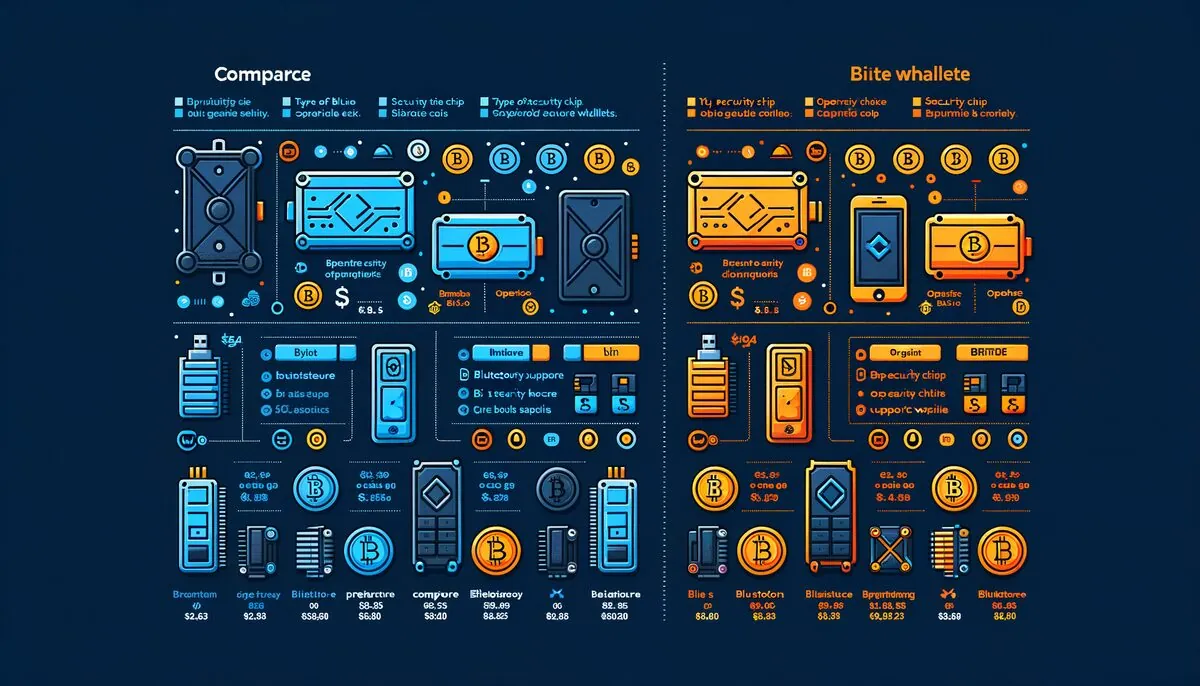
Every Ledger device is built around a certified Secure Element (SE) chip, the same type of chip used in passports, credit cards, and SIM cards. Ledger uses chips that carry CC EAL5+ or CC EAL6+ certifications, meaning they have passed rigorous third-party security audits. The secure element stores your private keys and performs all cryptographic signing operations in an isolated environment. Even if the device's main processor is compromised, the SE protects your keys.
Ledger also runs a custom operating system called BOLOS (Blockchain Open Ledger Operating System) on the secure element. BOLOS isolates each app on the device, so a vulnerability in one app cannot affect another. However, the BOLOS firmware is closed source, which has drawn criticism from security researchers and open-source advocates.
Trezor's Approach: Open Source Transparency
Historically, Trezor devices used only a general-purpose microcontroller (MCU) without a dedicated secure element. The reasoning was straightforward: if all the firmware is open source, anyone can audit it, and security through transparency is more trustworthy than security through obscurity. The Trezor One and Model T follow this philosophy entirely.
However, starting with the Safe 3 and continuing with the Safe 5, Trezor added an Optiga Trust M secure element from Infineon. This was a pragmatic decision to defend against sophisticated physical supply-chain attacks. Critically, Trezor made the secure element's role limited and transparent: it verifies device authenticity and protects against certain physical attacks, but the open-source MCU still handles the core cryptographic operations. The firmware remains fully open source and auditable.
The Bottom Line on Security
Ledger offers hardware-level protection that is extremely difficult to bypass physically, but you must trust their closed-source firmware. Trezor offers full code transparency so you can verify exactly what your device is doing, with newer models adding a secure element as an additional layer. Neither approach is objectively "better" - it depends on your threat model and personal philosophy.
Supported Coins and Tokens
Ledger: 5,500+ Assets
Ledger supports over 5,500 coins and tokens natively through the Ledger Live application. This includes all major Layer 1 blockchains (Bitcoin, Ethereum, Solana, Cardano, Polkadot, Cosmos, and many more), plus the full universe of ERC-20, BEP-20, and other token standards. Ledger also supports a wide range of NFT standards and has built NFT management directly into Ledger Live. For assets not natively supported in Ledger Live, you can often use third-party wallets (like MetaMask, Phantom, or Keplr) with your Ledger device as a signing backend.
Trezor: 9,000+ Assets
Trezor claims support for over 9,000 coins and tokens. This higher number comes largely from the extensive list of ERC-20 and similar standard tokens supported through Trezor Suite and third-party integrations. Trezor Suite natively supports Bitcoin, Ethereum, and a curated list of other chains, while additional assets are accessible through partner wallets. Some chains that Ledger supports natively (like Solana, for instance) may require third-party wallet connections on Trezor. Always check the official supported asset lists for both brands before purchasing if you hold less common altcoins.
Pro Tip: The raw number of "supported coins" can be misleading. Many of those thousands are ERC-20 tokens that any Ethereum-compatible wallet supports automatically. What matters more is native chain support in the companion software. Check the specific coins you hold before deciding.
Companion Software: Ledger Live vs Trezor Suite
Ledger Live
Ledger Live is available on Windows, macOS, Linux, iOS, and Android. It serves as a portfolio tracker, transaction manager, and app store all in one. Key features include:
- Built-in buy, sell, and swap functionality through partner integrations
- Staking support for Ethereum, Solana, Cosmos, Tezos, Polkadot, and others
- NFT gallery and management
- DApp browser (Ledger Discover) for accessing DeFi protocols directly
- Earn programs and DeFi yield aggregation
- Multi-account management with clear portfolio overview
- Firmware update management
Ledger Live has evolved into a full-featured crypto management platform. The mobile app works over Bluetooth with the Nano X, Stax, and Flex, letting you manage your crypto on the go while keeping keys secure on the hardware device.
Trezor Suite
Trezor Suite is available on Windows, macOS, Linux, and as a web application (suite.trezor.io). There is also a Trezor Suite Lite mobile app for portfolio tracking, though it has fewer features than the desktop version. Key features include:
- Built-in Tor support for enhanced privacy (one-click toggle)
- Coin control for Bitcoin (choose specific UTXOs for transactions)
- Buy, sell, and swap through partner integrations
- Coinjoin integration for Bitcoin privacy (powered by the Wasabi Wallet protocol)
- Staking support for select proof-of-stake chains
- Clean, minimalist interface focused on security
- Firmware verification and update management
- Full transaction history with labeling
Trezor Suite leans heavily into privacy and Bitcoin-focused features. The built-in Tor toggle and Coinjoin support make it the clear winner for users who prioritize transaction privacy. The desktop app is fully open source.
Connectivity: Bluetooth vs USB
Ledger: Bluetooth and USB-C
The Nano X, Stax, and Flex all include Bluetooth Low Energy (BLE) connectivity alongside USB-C. This allows you to pair the device with the Ledger Live mobile app on iOS and Android for wireless transaction signing. Ledger insists that Bluetooth is used only for transmitting non-sensitive public data and that private keys never leave the secure element. The Bluetooth connection is encrypted end-to-end between the device and the app.
That said, Bluetooth adds an additional wireless attack surface, and some security purists prefer to avoid it entirely. You can disable Bluetooth in the device settings if you prefer USB-only operation. The Nano S Plus is USB-C only with no Bluetooth, making it the choice for users who want to eliminate that vector completely.
Trezor: USB Only
All Trezor devices connect exclusively via USB (USB-C on newer models, micro-USB on the Trezor One). SatoshiLabs has deliberately avoided adding Bluetooth, citing the principle of minimizing attack surfaces. If a connection is not necessary, it should not exist. This means Trezor devices cannot be used wirelessly with mobile phones (the Trezor Suite Lite mobile app is for monitoring only, not transaction signing). For users who primarily manage their crypto from a desktop or laptop, this is a non-issue. For those who want mobile signing, Ledger is the only option among these two brands.
Recovery and Backup: BIP39 vs Shamir
Standard BIP39 Recovery (Both)
Both Ledger and Trezor use the industry-standard BIP39 protocol for seed phrase generation. When you initialize a new device, it generates a 24-word recovery phrase (12 words on some Trezor models). This phrase is the master backup of all your accounts. If your device is lost, stolen, or damaged, you can restore your entire wallet on a new device (from either brand, or any BIP39-compatible wallet) using these 24 words.
The critical rule: write your seed phrase on paper (or stamp it in metal) and store it securely offline. Never store it digitally. Never photograph it. Never type it into a website.
Trezor's Shamir Backup (SLIP39)
Trezor's Model T, Safe 3, and Safe 5 support Shamir Backup, also known as SLIP39. This is an advanced recovery scheme that splits your seed into multiple shares (for example, 5 shares) with a configurable threshold (for example, any 3 of 5 shares are needed to recover). This means:
- No single share is enough to compromise your wallet
- You can lose some shares and still recover (up to the threshold limit)
- You can store shares in different physical locations for geographic redundancy
- Ideal for inheritance planning - give shares to family members or attorneys
Shamir Backup is a significant advantage for users who want sophisticated, resilient backup strategies. Ledger does not currently offer an equivalent feature natively on-device.
Ledger Recover (Optional, Controversial)
In 2023, Ledger launched Ledger Recover, an optional paid subscription service that backs up your seed phrase by encrypting it, splitting it into three fragments, and distributing those fragments to three separate custodians (Ledger, Coincover, and EscrowTech). You can then recover your wallet using an ID verification process even if you lose your seed phrase and device.
This is entirely optional and must be actively opted into. However, its very existence caused major controversy (more on this in the Controversies section). Users who want their keys to remain exclusively under their own control should simply never activate this feature.
The Open Source Debate
This is one of the most philosophical differences between the two brands, and it matters deeply to a significant portion of the crypto community.
Trezor: Fully Open Source
Every Trezor device has its firmware, bootloader, and hardware schematics published on GitHub under open licenses. Anyone - security researchers, hobbyists, competing companies - can review, audit, fork, and build upon Trezor's code. This radical transparency means:
- Vulnerabilities are more likely to be found and reported by the global security community
- You do not have to trust SatoshiLabs' claims - you can verify them yourself
- The firmware can be reproducibly built, meaning you can compile the code yourself and verify it matches what is on your device
- If SatoshiLabs disappeared tomorrow, the community could continue developing the firmware
Ledger: Partially Open Source
Ledger publishes much of its code as open source, including the app framework, Ledger Live, and some SDK components. However, the core BOLOS operating system that runs on the secure element is closed source. Ledger argues this is necessary because the secure element's CC EAL certification requires non-disclosure agreements with the chip manufacturer. Opening the SE firmware could also reveal details that help attackers craft targeted exploits.
Critics counter that closed-source firmware requires you to trust Ledger completely. You cannot independently verify that the firmware does only what Ledger says it does. This tension became especially sharp during the Ledger Recover controversy, when the community questioned whether the firmware could be modified to extract seed phrases without user consent.
The Practical Reality
For the vast majority of users, both devices are secure enough for everyday use. The open-source debate matters most to people who have the technical skills to actually read and audit firmware code, or who philosophically believe that security should never rely on trust in a single company. If that describes you, Trezor aligns better with your values. If you prioritize the hardware-level tamper resistance of a certified secure element and are comfortable trusting Ledger's track record, their devices are excellent.
Privacy
Privacy-conscious users should consider how each platform handles their data.
Trezor Suite: Privacy Champion
Trezor Suite includes a built-in Tor toggle that routes all traffic through the Tor network with a single click. This hides your IP address from blockchain explorers and Trezor's own servers. The Coinjoin integration (based on the Wasabi Wallet protocol) lets you mix your Bitcoin transactions to break the on-chain link between sending and receiving addresses. Trezor Suite also supports coin control, allowing you to manually select which UTXOs to spend in a Bitcoin transaction, preventing unintentional address clustering.
Trezor Suite connects to its own backend servers (Blockbook) by default, but you can configure it to use your own full node for maximum sovereignty.
Ledger Live: Improving but Behind
Ledger Live does not offer built-in Tor support or Coinjoin functionality. Historically, Ledger Live communicated your extended public keys (xpubs) to Ledger's servers, which could theoretically link your entire transaction history to your device. Ledger has worked to improve this by implementing more privacy-preserving architectures, but it still does not match Trezor Suite's privacy toolset.
The Ledger data breach of 2020, which exposed the personal information (names, addresses, phone numbers) of hundreds of thousands of customers, also remains a concern. While this was a database breach (not a device vulnerability), it demonstrated the risks of a hardware wallet company collecting and storing customer data.
Privacy Verdict: If privacy is your top priority, Trezor wins decisively thanks to built-in Tor, Coinjoin, coin control, and an open-source philosophy that minimizes trust requirements.
DeFi Integration
Both wallets can connect to decentralized finance protocols, but the experience differs.
Ledger
Ledger has invested heavily in DeFi integration. Through Ledger Live's Discover section, you can access DeFi protocols directly within the app, including swaps, lending, and liquidity provision. Ledger also works seamlessly with MetaMask, Rabby, and other browser extension wallets - just connect your Ledger via USB or Bluetooth and sign transactions on the device. Ledger's Clear Signing initiative aims to make DeFi transaction details human-readable on the device screen before you approve them, reducing the risk of signing malicious transactions.
Trezor
Trezor connects to DeFi through third-party wallets like MetaMask and Rabby. You can use your Trezor as a signing device for any EVM-compatible DApp by connecting it through these browser extensions. Trezor Suite itself has more limited DeFi features compared to Ledger Live, focusing primarily on swaps and staking. However, the third-party wallet integration means you can access essentially the same DeFi ecosystem - you just do it through MetaMask or another front end rather than through Trezor's own software.
Price Comparison (2026)
The entry-level options are priced similarly (Nano S Plus at $79, Trezor Safe 3 at $79). Trezor's flagship Safe 5 undercuts the Ledger Nano X slightly at $169 vs $149, but the Safe 5 includes a touchscreen while the Nano X does not. For premium touchscreen devices, Ledger's Flex ($249) and Stax ($399) sit in a higher price bracket with no direct Trezor equivalent at those price points.
Full Comparison Table: Ledger vs Trezor
Controversies and Criticisms
Ledger Recover Controversy (2023)
The most significant controversy in hardware wallet history erupted in May 2023 when Ledger announced Ledger Recover. The service, delivered through a firmware update, added the ability to encrypt your seed phrase and split it among three custodians for cloud-based recovery. The crypto community reacted with outrage for several reasons:
- Trust violation: Ledger had always marketed its devices as keeping keys exclusively on the secure element, never leaving the device. Ledger Recover proved the firmware could extract the seed if updated, shattering assumptions about the device's security model.
- Closed source implications: Since BOLOS is closed source, users could not independently verify what the firmware update actually did. Some worried that a government or malicious actor could compel Ledger to push a similar extraction capability without user consent.
- KYC requirement: Ledger Recover required identity verification, meaning users who opted in would link their wallet to their real-world identity - the antithesis of crypto's privacy ethos.
Ledger responded by emphasizing that the service is entirely opt-in, open-sourcing the Recover protocol code, and committing to making more of their codebase open source over time. The controversy led many privacy-focused users to switch to Trezor, though Ledger's sales remained strong overall.
Ledger Data Breach (2020)
In mid-2020, Ledger's e-commerce database was breached, exposing the names, email addresses, phone numbers, and physical addresses of approximately 270,000 customers. A broader list of over 1 million email addresses was also leaked. This led to targeted phishing campaigns and even physical threats against some users. While the breach did not compromise any devices or funds, it severely damaged trust and highlighted the risks of a hardware wallet company storing customer data.
Trezor Firmware Vulnerabilities
Trezor's open-source nature means vulnerabilities are publicly disclosed and discussed. Security researchers (notably from wallet.fail and Kraken's security team) have demonstrated physical attacks on Trezor devices that could extract seed phrases by accessing the microcontroller's flash memory. These attacks require physical possession of the device, specialized equipment, and technical expertise. Trezor has mitigated these risks by:
- Adding a secure element in the Safe 3 and Safe 5 to protect against supply-chain attacks
- Recommending users set a strong BIP39 passphrase, which acts as an additional layer that is not stored on the device
- Regular firmware updates to address discovered vulnerabilities
These physical attacks are impractical for the vast majority of threat models but are worth noting for users protecting very large holdings.
Trezor Phishing Campaign (2024)
In early 2024, Trezor disclosed that its third-party support ticketing provider was breached, exposing contact details of approximately 66,000 users who had contacted Trezor support. This led to targeted phishing emails impersonating Trezor. While smaller in scale than the Ledger breach, it reinforced that even security-focused companies are vulnerable to supply-chain attacks on third-party services.
Which Should You Buy? Use-Case Recommendations
Best for Bitcoin Maximalists
Trezor Safe 5
Full coin control, Coinjoin for transaction privacy, Tor integration, Shamir Backup, and fully open-source firmware. Everything a Bitcoiner wants.
Best for Multi-Chain DeFi Users
Ledger Nano X
Broad chain support, Bluetooth for mobile use, extensive DeFi integrations in Ledger Live, and seamless MetaMask pairing. Built for the multi-chain world.
Best Budget Option
Trezor One ($59) or Ledger Nano S Plus ($79)
Both provide solid security for basic holding and transacting. The Trezor One is cheaper, the Nano S Plus supports more coins natively and uses USB-C.
Best for Privacy
Trezor Safe 5
Built-in Tor, Coinjoin, coin control, open-source firmware, and no Bluetooth to worry about. The most privacy-respecting hardware wallet setup available.
Best for Mobile Users
Ledger Nano X or Ledger Flex
Bluetooth connectivity paired with the full-featured Ledger Live mobile app. Trezor simply does not offer wireless mobile transaction signing.
Best for NFT Collectors
Ledger Stax
Display your favorite NFT on the E Ink screen even when powered off. Native NFT management in Ledger Live. A device built for the collector experience.
Best for Open-Source Advocates
Trezor (any model)
Fully open firmware, reproducible builds, published hardware schematics. If "don't trust, verify" is your mantra, Trezor is your wallet.
Best for Inheritance Planning
Trezor Safe 5 (with Shamir Backup)
Split your recovery into multiple shares distributed to family or attorneys. No single party can access funds alone. Purpose-built for multi-party recovery scenarios.
Pros and Cons
Ledger Pros
- Certified secure element in every device
- Bluetooth connectivity for mobile management
- Ledger Live is a feature-rich all-in-one platform
- Premium touchscreen devices (Stax, Flex)
- Extensive DeFi and NFT support
- Largest selection of natively supported chains in companion app
- Strong enterprise/institutional offerings
- Clear Signing for human-readable transaction verification
Ledger Cons
- Closed-source BOLOS firmware on the secure element
- Ledger Recover controversy damaged trust
- 2020 customer data breach (personal info leaked)
- Premium devices are expensive ($249-$399)
- Bluetooth adds theoretical attack surface
- Weaker privacy tools compared to Trezor Suite
- Battery degradation on Bluetooth models over time
Trezor Pros
- Fully open-source firmware and hardware schematics
- Shamir Backup for advanced multi-share recovery
- Built-in Tor and Coinjoin for privacy
- Full coin control (UTXO management)
- No Bluetooth (reduced attack surface)
- More affordable flagship pricing
- Newer models include secure element
- Reproducible firmware builds
Trezor Cons
- No Bluetooth means no wireless mobile signing
- Older models (One, Model T) lack secure element
- Known physical attack vectors on non-SE models
- Fewer native chain integrations in Trezor Suite
- Limited DeFi features in companion software
- Mobile app is monitoring-only, not transactional
- Smaller company with fewer resources than Ledger
Frequently Asked Questions
Yes. Both devices use the BIP39 standard for seed phrase generation. A 24-word seed created on a Ledger can be restored on a Trezor, and the other way around. Your accounts and balances will appear identically. The one exception is Trezor's Shamir Backup (SLIP39), which uses a different standard and is not compatible with BIP39 devices. If you set up a Trezor with Shamir Backup, you can only restore it on another Shamir-compatible device.
Is Bluetooth on the Ledger Nano X a security risk?In practice, the risk is extremely low. Ledger's Bluetooth implementation only transmits non-sensitive data (public addresses, unsigned transaction data), and all communication is encrypted. Your private keys never leave the secure element chip. However, any wireless protocol adds a theoretical attack surface. If this concerns you, use the Ledger Nano S Plus (no Bluetooth) or disable Bluetooth on the Nano X/Flex/Stax and connect via USB only. Alternatively, choose a Trezor, which has no Bluetooth at all.
Should I be worried about the Ledger Recover feature?Ledger Recover is entirely optional and requires explicit, multi-step opt-in with identity verification. If you never activate it, it does not affect your device. The deeper concern is philosophical: the firmware has the capability to extract your seed if you consent to it, which means a compromised or coerced firmware update could theoretically do the same. If this worries you, use a Trezor (open-source firmware you can audit) or use a strong BIP39 passphrase on your Ledger, which acts as an additional secret that Ledger Recover does not back up.
What is Shamir Backup and why does it matter?Shamir Backup (SLIP39) splits your wallet recovery into multiple shares with a threshold scheme. For example, you create 5 shares and set a threshold of 3. You then store each share in a different secure location. To recover your wallet, any 3 of the 5 shares are needed. This means no single compromised location exposes your wallet, and you can lose up to 2 shares without losing access. It is especially valuable for inheritance planning, geographically distributed backups, and any situation where a single point of failure is unacceptable. Only Trezor supports this natively.
Can someone steal my crypto if they physically steal my hardware wallet?Not easily. Both Ledger and Trezor devices require a PIN to access. After several incorrect PIN attempts, the device wipes itself. For Ledger, the secure element provides strong physical tamper resistance. For Trezor, the Safe 3 and Safe 5 have secure elements for supply-chain protection, though older models (One, Model T) are theoretically vulnerable to advanced physical attacks with lab equipment. In all cases, setting a BIP39 passphrase (sometimes called the "25th word") adds a layer that is not stored on the device at all, making physical attacks significantly harder. Your seed phrase backup is actually the more critical thing to protect physically.
Which wallet supports more blockchains?By raw number, Trezor claims 9,000+ supported assets versus Ledger's 5,500+. However, these numbers are somewhat misleading because the bulk of supported "assets" are ERC-20 and similar standard tokens. In terms of native Layer 1 blockchain support in the companion software, Ledger Live generally supports more chains directly. Trezor Suite focuses on fewer chains natively but covers the most popular ones. Both can connect to third-party wallets (MetaMask, Phantom, Keplr, etc.) to access additional chains. Always check each brand's official compatibility page for the specific coins you hold.
Do I need to keep my hardware wallet connected to use my crypto?No. Your crypto lives on the blockchain, not on the device. The hardware wallet stores your private keys, which are needed only to sign transactions. You can view your balances and receive crypto without the device connected. You only need to plug in (or connect via Bluetooth for Ledger) when you want to send crypto or interact with a DApp. Your wallet continues to receive funds whether the hardware device is powered on or locked in a safe.
Should I own both a Ledger and a Trezor?Many serious crypto holders do exactly this. Using multiple hardware wallets from different manufacturers provides diversification against brand-specific vulnerabilities, firmware bugs, or company-level failures. You can split your holdings across devices, use one as a "hot" wallet for regular DeFi interactions and another as cold storage for long-term holdings. Having a second device also gives you a ready backup if one device fails or is lost. If budget allows, owning both a Ledger and a Trezor is a sound security strategy.
Where should I buy a hardware wallet?Always buy directly from the manufacturer's official website: ledger.com or trezor.io. Never buy from third-party resellers on Amazon, eBay, or other marketplaces. Tampered devices have been found on secondary markets, pre-loaded with compromised firmware or pre-generated seed phrases. When your device arrives, verify the packaging seals are intact, and always set it up as a new device rather than using any pre-filled recovery phrase. Both brands provide authenticity verification guides on their websites.
What happens if Ledger or Trezor goes out of business?Your crypto remains safe. Because both wallets use standard BIP39 seed phrases, you can restore your accounts on any compatible wallet, whether it is another hardware wallet, a software wallet like Electrum or MetaMask, or even a future wallet brand that does not exist yet. The BIP39 standard is open and universal. For Trezor, the open-source firmware means the community could continue developing software independently. For Ledger, you could simply import your 24-word seed into another BIP39-compatible wallet. This is one of the most important reasons the industry standardized on BIP39.
Related Tutorials
How to Use a Ledger Hardware Wallet
Complete setup and security guide for all Ledger devices in 2026.
How to Use a Trezor Hardware Wallet
Step-by-step tutorial for setting up and using Trezor devices securely.
Best Cold Wallets 2026
Comprehensive hardware wallet comparison guide covering all major brands.
Crypto Wallet Security Tips
Essential security practices for protecting your cryptocurrency holdings.
Final Verdict
Both Ledger and Trezor are excellent hardware wallets trusted by millions. Choose Ledger if you want Bluetooth mobile access, rich DeFi features, and secure-element-first protection. Choose Trezor if you prioritize open-source transparency, privacy tools, and advanced backup options like Shamir. Either way, you are making a massive upgrade over keeping crypto on an exchange or in a software wallet.
Frequently Asked Questions
What are Ledger and Trezor?
Ledger and Trezor are two leading brands of hardware cryptocurrency wallets. They store private keys offline to protect digital assets from online threats.
Which is more secure, Ledger or Trezor?
Both Ledger and Trezor offer robust security features. Ledger uses a Secure Element chip, while Trezor relies on open-source firmware for review.
What cryptocurrencies do Ledger and Trezor support?
Both Ledger and Trezor support a wide range of cryptocurrencies, including Bitcoin, Ethereum, and many altcoins. Specific coin support can vary between models and updates.
How do Ledger and Trezor handle firmware updates?
Firmware updates for both Ledger and Trezor are released periodically to improve security and add new features. Users typically update their devices through official desktop applications.
What is the main difference in their user interfaces?
Ledger devices often use the Ledger Live software for managing assets and transactions, offering a comprehensive ecosystem. Trezor devices primarily use the Trezor Suite, which also provides a user-friendly interface for asset management.
Related Guides
- Ledger vs Trezor: Hardware Wallet Comparison 2026
- Trezor Tutorial 2026: Setup & Use Your Hardware Wallet
- How to Set Up Trezor Hardware Wallet: Safe 3 and Safe 5 Tutorial (2026)
- How to Use Ledger Hardware Wallet: Complete Security Tutorial (2026)
- Keystone Wallet Review: Air-Gapped Hardware Wallet Explained