How to Recover a Crypto Wallet With a Seed Phrase (2026)
— By Tony Rabbit in Tutorials

Lost wallet access? Learn how to safely recover a crypto wallet using your seed phrase step by step, and what to do if your seed phrase is lost.
To recover a crypto wallet, use your seed phrase (recovery phrase or mnemonic phrase), which is a 12 or 24-word sequence that regenerates all private keys. This phrase is essential for accessing funds if you lose wallet access due to device failure, forgotten passwords, or app corruption.
- 12-word seed phrases provide 128 bits of security.
- 24-word seed phrases provide 256 bits of security.
- Both use the BIP39 standard wordlist of 2,048 words.
- Both include a checksum for error detection.
Understanding Seed Phrases and Wallet Recovery
A seed phrase (also called a recovery phrase, backup phrase, or mnemonic phrase) is a sequence of 12 or 24 words that serves as the master key to your cryptocurrency wallet. This phrase mathematically generates all the private keys in your wallet, making it the most critical piece of information for accessing your crypto assets.
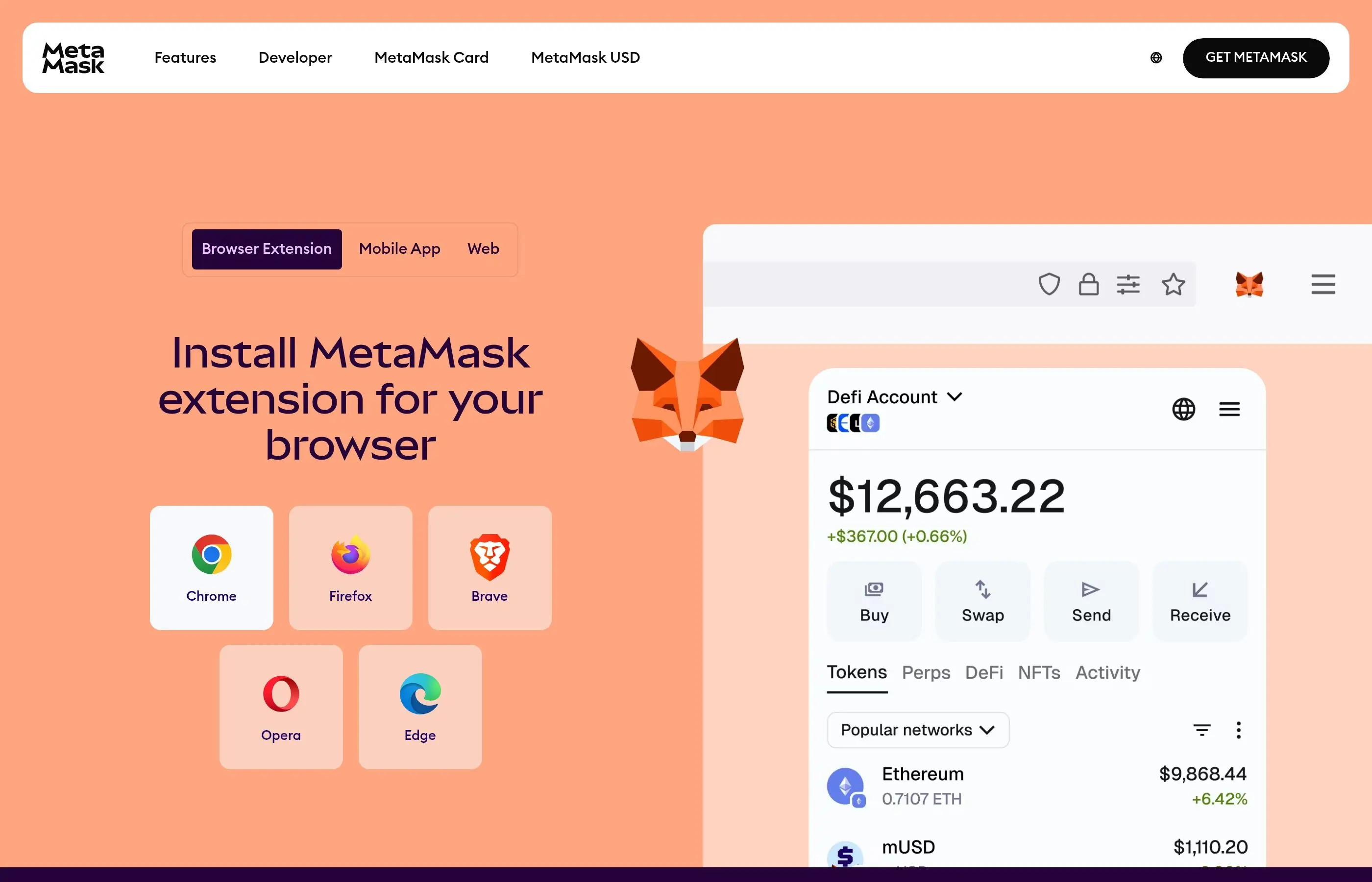
When you lose access to your wallet due to device failure, forgotten passwords, app corruption, or other issues, the seed phrase is your only way to recover your funds. Understanding how to properly use and protect your seed phrase is essential for any crypto user.
Types of Seed Phrases
Understanding the different types of seed phrases helps you choose the right recovery approach and security measures for your specific situation.
1. 12-Word vs 24-Word Seed Phrases
Most cryptocurrency wallets use either 12 or 24-word seed phrases, each with different security characteristics and use cases.
12-Word Seed Phrases:
- Provide 128 bits of entropy and security

- Easier to memorize and physically store
- Used by most mobile wallets and beginner-friendly applications
- Sufficient security for most individual users
- Faster to enter during recovery processes
24-Word Seed Phrases:
- Provide 256 bits of entropy for maximum security
- Preferred by institutional users and high-value accounts
- Used by hardware wallets and advanced security setups
- More difficult to compromise but harder to manage
- Required for certain enterprise-grade wallet solutions
Seed Phrase Security Comparison:
- 12 words: 2^128 possible combinations (sufficient for individual use)
- 24 words: 2^256 possible combinations (enterprise-grade security)
- Both formats: Use BIP39 standard wordlist of 2,048 words
- Both formats: Include checksum for error detection
BIP39 Standard and Word Lists
BIP39 (Bitcoin Improvement Proposal 39) is the technical standard that defines how seed phrases work across different cryptocurrency wallets and applications.
2. Understanding the BIP39 Standard
BIP39 ensures compatibility between different wallet applications and provides standardized security features.
- Standardized wordlist: 2,048 carefully selected English words
- Error detection: Built-in checksum prevents most typing errors
- Cross-compatibility: Works across different wallet brands and platforms
- Multi-language support: Available in Japanese, Chinese, French, and other languages
- Deterministic generation: Same seed always produces same addresses
3. Validating Seed Phrase Integrity
Before attempting recovery, verify that your seed phrase is valid and complete.
- Count the words to ensure you have exactly 12 or 24 words
- Check that each word exists in the official BIP39 wordlist
- Verify the correct spelling and order of all words
- Test the checksum validity using BIP39 validation tools
- Ensure you haven't confused similar words (e.g., "affect" vs "effect")
Recovery on Popular Wallet Platforms
Different wallet applications have varying recovery procedures, but the underlying principles remain consistent across platforms.
4. MetaMask Wallet Recovery
MetaMask is one of the most widely used Ethereum wallets, supporting both browser extensions and mobile applications.
- Download and install MetaMask from the official website or app store
- Choose "Import wallet" or "Restore from seed phrase" during setup
- Enter your 12-word seed phrase in the correct order
- Create a new strong password for the restored wallet
- Verify that your accounts and balances appear correctly
- Re-add any custom tokens or networks you previously used
- Update your security settings and backup procedures
5. Phantom Wallet Recovery (Solana)
Phantom is the leading wallet for the Solana ecosystem, requiring specific steps for proper recovery.
- Install Phantom wallet from the official website or mobile app stores
- Select "I already have a wallet" during the initial setup process
- Choose "Import Secret Recovery Phrase" from the options
- Input your 12 or 24-word seed phrase carefully
- Set up a new wallet password and biometric authentication
- Verify that your Solana and SPL token balances are correct
- Reconnect to any DeFi protocols or NFT marketplaces you used
6. Trust Wallet Recovery Process
Trust Wallet supports multiple blockchains and requires attention to network selection during recovery.
- Download Trust Wallet from official sources and complete installation
- Tap "I already have a wallet" on the welcome screen
- Select "Multi-coin wallet" to restore all supported cryptocurrencies
- Enter your seed phrase words in the exact correct sequence
- Enable the blockchain networks you need (Bitcoin, Ethereum, Binance Smart Chain, etc.)
- Verify that all your cryptocurrency balances appear correctly
- Re-enable any custom tokens you previously added manually
Hardware Wallet Recovery
Hardware wallets provide the highest level of security for cryptocurrency storage and have specific recovery procedures that maintain this security standard.
7. Ledger Device Recovery
Ledger hardware wallets use a secure recovery process that keeps your seed phrase protected throughout the restoration.
- Connect your Ledger device and navigate to the main menu
- Select "Restore from recovery phrase" or similar option
- Choose the length of your seed phrase (12, 18, or 24 words)
- Enter each word using the device's secure input method
- Verify each word on the device screen before confirming
- Set up a new PIN code for device access
- Install the necessary cryptocurrency apps through Ledger Live
- Verify that all your accounts and balances are correctly restored
8. Trezor Wallet Recovery
Trezor devices follow similar security principles with their own specific interface and procedures.
- Connect your Trezor device to a computer with Trezor Suite installed
- Choose "Recover wallet" during the setup process
- Select the appropriate seed phrase length (12 or 24 words)
- Enter your seed phrase using Trezor Suite's secure interface
- Set up device security features including PIN and passphrase options
- Enable the cryptocurrency accounts you need to access
- Verify that all wallets and balances are properly restored
9. Hardware Wallet Advanced Recovery
Advanced hardware wallet users may need additional steps for complex setups or specific security configurations.
- Passphrase protection: Additional security layer beyond the seed phrase
- Hidden wallets: Access wallets created with passphrase extensions
- Multi-signature setups: Restore wallets requiring multiple signatures
- Custom derivation paths: Access non-standard wallet addresses
- Legacy account formats: Recover older account types and address formats
Common Recovery Mistakes and Solutions
Understanding and avoiding common mistakes can save significant time and stress during the recovery process.
10. Word Order and Spelling Errors
Incorrect word order or spelling is the most frequent cause of failed recovery attempts.
Common Issues:
- Words entered in wrong sequence
- Misspelled words or similar-sounding alternatives
- Confusion between similar words in the BIP39 list
- Missing or extra words in the phrase
- Mixing up handwritten characters (like 'a' and 'o')
Solutions:
- Double-check each word against the official BIP39 wordlist
- Try different word orders if you're unsure of the sequence
- Use seed phrase recovery tools that suggest corrections
- Consider if you might have written words in a non-standard order
- Check for common handwriting interpretation errors
11. Derivation Path Problems
Different wallets use different derivation paths, which can cause recovered wallets to show different addresses than expected.
- Understand that the same seed phrase can generate different addresses
- Try different derivation paths if your expected addresses don't appear
- Check if your previous wallet used non-standard derivation paths
- Use wallet software that allows custom derivation path configuration
- Research the specific paths used by your original wallet application
Common Derivation Paths:
- Bitcoin (BIP44): m/44'/0'/0'/0
- Ethereum (BIP44): m/44'/60'/0'/0
- Legacy Bitcoin: m/44'/0'/0'
- Custom paths: May vary by wallet implementation
Dealing with Compromised Wallets
If you suspect your wallet has been compromised or your seed phrase exposed, immediate action is required to protect your assets.
12. Immediate Response Protocol
When you discover or suspect wallet compromise, time is critical for asset protection.
- Immediately stop using the compromised wallet for any transactions
- Create a new, secure wallet with a fresh seed phrase
- Transfer all assets from the compromised wallet to the new secure wallet
- Use the highest priority transaction fees to ensure quick confirmation
- Monitor the compromised wallet for any unauthorized activity
- Change passwords on all related accounts and services
- Review and strengthen your overall security practices
13. Asset Recovery Prioritization
When dealing with a compromised wallet, prioritize asset recovery based on value and transfer complexity.
- High-value tokens first: Move Bitcoin, Ethereum, and valuable altcoins immediately
- NFTs and collectibles: Transfer unique and irreplaceable assets
- DeFi positions: Withdraw from liquidity pools and staking contracts
- Small balances last: Handle dust amounts and low-value tokens afterward
- Gas optimization: Batch transactions when possible to minimize fees
14. Preventing Future Compromises
Implement enhanced security measures to prevent future wallet compromises.
- Never store seed phrases digitally or in cloud services
- Use hardware wallets for significant cryptocurrency holdings
- Implement multi-signature setups for high-value accounts
- Regularly audit and update your security practices
- Use separate wallets for different purposes (trading, long-term storage, DeFi)
- Keep software wallets updated with latest security patches
Advanced Recovery Techniques
Complex wallet setups or unusual circumstances may require advanced recovery approaches beyond standard seed phrase restoration.
15. Partial Seed Phrase Recovery
If you have most but not all of your seed phrase, specialized tools can help recover missing words.
- Identify exactly which words you're missing and their positions
- Use BIP39 recovery tools that can brute-force missing words
- Consider if missing words might be variations of similar-sounding words
- Try systematic approaches to guess missing words based on patterns
- Consult with professional cryptocurrency recovery services if needed
16. Multi-Signature Wallet Recovery
Multi-signature wallets require multiple seed phrases and have more complex recovery procedures.
- Gather all required seed phrases from the multi-signature setup
- Understand the signing threshold (e.g., 2-of-3, 3-of-5) for your wallet
- Use compatible multi-signature wallet software for recovery
- Coordinate with other keyholders if you don't control all signatures
- Test the recovery process with small amounts before moving significant funds
17. Legacy and Non-Standard Wallets
Older wallets or non-standard implementations may require special recovery approaches.
- Research the specific wallet software's recovery documentation
- Check if the wallet used custom seed phrase standards
- Look for community tools or scripts for specific wallet types
- Consider contacting the original wallet developer for guidance
- Use blockchain explorers to verify that addresses contain expected funds
Recovery Security Best Practices
Maintaining security during the recovery process protects you from additional risks and ensures successful restoration of access to your cryptocurrency.
18. Secure Recovery Environment
Create a safe environment for entering sensitive recovery information.
- Use a clean, malware-free computer for the recovery process
- Disconnect from the internet when entering seed phrases if possible
- Use official wallet software downloaded from verified sources
- Avoid public computers or networks for wallet recovery
- Clear browser data and temporary files after completing recovery
- Consider using a dedicated offline computer for high-value recoveries
19. Verification and Testing
Thoroughly verify successful recovery before considering the process complete.
- Check that all expected cryptocurrency balances appear correctly
- Verify that you can send small test transactions from recovered accounts
- Ensure all connected DeFi protocols and services still work properly
- Test that you can access any associated NFTs or special tokens
- Document the successful recovery process for future reference
- Update your backup and security procedures based on lessons learned
Cryptocurrency wallet recovery is a critical skill that every crypto user must understand and practice. The decentralized nature of blockchain technology means that you are ultimately responsible for maintaining access to your assets, making proper seed phrase management and recovery knowledge essential.
Success in wallet recovery depends on preparation, understanding the technical details, and maintaining strict security practices throughout the process. Regular testing of your recovery procedures with small amounts can help identify issues before they become critical problems during actual emergencies.
Remember that wallet recovery is just one aspect of comprehensive cryptocurrency security. Implementing robust backup procedures, using appropriate security tools for your risk level, and staying informed about evolving best practices will help protect your assets over the long term. The investment in learning proper recovery techniques pays dividends in peace of mind and asset security.
Hardware Wallet Recovery Step-by-Step
Ledger Wallet Recovery Process
Hardware wallets like Ledger devices are considered the gold standard for crypto security, but they're not immune to failure, loss, or damage. Understanding the complete recovery process can mean the difference between accessing your funds and losing them forever.
Ledger Nano S/X/S Plus Recovery
- Initial Setup for Recovery
- Connect your new or reset Ledger device to your computer
- Choose "Restore from recovery phrase" on the device screen
- Install Ledger Live application if not already installed
- Entering Your Seed Phrase
- Select the correct seed phrase length (12, 18, or 24 words)
- Use the device buttons to navigate and select each word
- Confirm each word selection by pressing both buttons simultaneously
- Double-check each word before confirming - mistakes require complete restart
- PIN Setup
- Set a new PIN (4-8 digits) for device access
- Confirm your PIN by entering it again
- Write down your PIN securely (separate from seed phrase)
- Account Restoration
- Open Ledger Live and add accounts for each cryptocurrency
- Allow synchronization to complete for accurate balance display
- Verify balances match your records
Trezor Wallet Recovery Process
Trezor devices use a slightly different recovery process that involves interaction with the Trezor Suite software:
Trezor Model T/One Recovery
- Device Initialization
- Connect Trezor to computer and open Trezor Suite
- Select "Recover wallet" option
- Choose standard recovery or advanced recovery (for extra security)
- Seed Phrase Entry
- Standard Recovery: Enter words directly on computer (less secure)
- Advanced Recovery: Enter words on Trezor device using randomized keyboard
- Select number of words in your recovery seed (12, 18, or 24)
- Wallet Configuration
- Set device label for identification
- Create PIN for device access
- Enable/disable passphrase protection
- Account Discovery
- Trezor Suite automatically scans for accounts with funds
- Review discovered accounts and balances
- Add additional accounts if needed
Partial Seed Phrase Recovery
What to Do When You're Missing Words
Losing part of your seed phrase isn't necessarily catastrophic. Depending on how many words are missing and their positions, recovery may still be possible:
Missing 1-2 Words
If you're missing only 1-2 words from your seed phrase, you can potentially recover your wallet through systematic testing:
| Missing Words | Possible Combinations | Recovery Method | Time Required |
|---|---|---|---|
| 1 word | ~2,048 combinations | Manual or software brute force | Minutes to hours |
| 2 words | ~4 million combinations | Software brute force required | Hours to days |
| 3+ words | 8+ billion combinations | Professional service recommended | Weeks to months |
Tools for Partial Recovery
- BTCRecover - Open-source tool for brute-force seed phrase recovery
- Electrum - Can attempt recovery with partial seed phrases
- Ian Coleman's BIP39 Tool - For testing potential combinations (offline use only)
- Crypto Deep Tools - Various recovery utilities for different scenarios
Wrong Word Order Recovery
If you have all the correct words but in the wrong order, recovery is mathematically feasible but computationally intensive:
- 12-word phrase: 479 million possible arrangements
- 24-word phrase: 620 quadrillion possible arrangements
Professional recovery services are typically required for word order recovery beyond 12 words.
Professional Recovery Services
When to Consider Professional Help
Professional crypto recovery services can be worth the cost in certain situations:
- High-Value Wallets - When potential recovery value exceeds service costs
- Complex Scenarios - Multiple missing words, damaged storage, or unusual setups
- Technical Limitations - When you lack the technical skills for DIY recovery
- Time Constraints - When you need results faster than personal attempts allow
Reputable Recovery Service Providers
| Service | Specialization | Fee Structure | Success Rate |
|---|---|---|---|
| Wallet Recovery Services | Seed phrase and password recovery | 20% of recovered funds | High for partial seeds |
| Crypto Asset Recovery | Hardware wallet and file recovery | 15-25% success fee | Medium to high |
| Dave Bitcoin | Password and seed recovery | 20% success fee | High reputation |
| KeychainX | Multi-wallet recovery | Varies by complexity | Good for complex cases |
Vetting Recovery Services
Before engaging a recovery service, verify their legitimacy:
- Reputation Check - Research online reviews and community feedback
- No Upfront Fees - Legitimate services only charge upon successful recovery
- Transparent Process - Clear explanation of methods and timeline
- Security Practices - How they handle sensitive information
- Legal Standing - Registered business with proper credentials
Common Recovery Scams and How to Avoid Them
Red Flags in Recovery Services
The desperation of wallet recovery situations makes them prime targets for scammers. Be extremely cautious of these warning signs:
Common Scam Tactics
| Scam Type | How It Works | Red Flags |
|---|---|---|
| Fake Recovery Software | Malware disguised as recovery tools | Requests seed phrase input, unknown developers |
| Social Media "Experts" | Direct messages offering help | Unsolicited contact, no verifiable credentials |
| Fake Support Sites | Phishing sites mimicking real services | Similar URLs, poor design, upfront payments |
| Advance Fee Scams | Demand payment before starting work | Upfront fees, guaranteed success claims |
Safe Recovery Practices
- Use Open-Source Tools - Tools like BTCRecover can be audited by the community
- Verify Service Legitimacy - Check business registration and reviews
- Never Pay Upfront - Legitimate services only charge upon success
- Keep Seed Phrases Offline - Never enter them into websites or unknown software
- Get Second Opinions - Consult community forums before engaging services
Multi-Signature Wallet Recovery
Understanding Multi-Sig Recovery Challenges
Multi-signature wallets require multiple private keys to authorize transactions, creating unique recovery scenarios:
Common Multi-Sig Configurations
- 2-of-3 Setup - Requires 2 out of 3 keys to spend funds
- 3-of-5 Setup - Requires 3 out of 5 keys for transactions
- Corporate Setups - May require 5-of-7 or higher configurations
Multi-Sig Recovery Strategies
When You Have Enough Keys
If you retain the minimum required number of keys:
- Identify which keys are still accessible
- Use compatible wallet software (Electrum, Bitcoin Core, etc.)
- Import the available private keys or seed phrases
- Create new addresses and sweep funds to single-sig wallets
- Implement new backup strategy to prevent future issues
When You're Missing Required Keys
If you don't have enough keys to meet the signature threshold:
- Recovery is impossible without additional keys
- Focus on finding missing keys through physical search
- Check with co-signers if it's a shared wallet
- Consider professional recovery for high-value wallets
Passphrase (25th Word) Recovery
Understanding BIP39 Passphrases
Many users add an optional passphrase to their seed phrase for additional security. This creates unique recovery challenges:
How Passphrases Work
- Extension of Seed - Passphrase acts as a "25th word"
- Different Wallets - Each passphrase creates a completely different wallet
- Case Sensitive - "Password" and "password" create different wallets
- No Validation - Any passphrase is "valid" but may be empty
Passphrase Recovery Strategies
When You Remember Parts of Your Passphrase
If you recall portions of your passphrase, systematic testing can help:
| Scenario | Recovery Method | Success Likelihood |
|---|---|---|
| Remember most characters | Character substitution testing | High |
| Remember length and pattern | Pattern-based brute force | Medium |
| Remember some words | Word combination testing | Medium-High |
| No memory of passphrase | Check common passwords | Low |
Tools for Passphrase Recovery
- BTCRecover - Supports passphrase brute-forcing with patterns
- Hashcat - Advanced password cracking with GPU acceleration
- John the Ripper - Traditional password cracking tool
- Custom Scripts - Python scripts for specific patterns
Prevention Strategies for Future Recovery
Comprehensive Backup Strategy
The best recovery is the one you never need. Implement these strategies to prevent future wallet access issues:
Multiple Backup Locations
- Geographic Distribution - Store copies in different physical locations
- Fire/Water Resistant Storage - Use metal seed phrase storage devices
- Safe Deposit Boxes - Bank vaults for long-term storage
- Trusted Family Members - Partial information with trusted individuals
Redundant Recovery Methods
- Multiple Hardware Wallets - Same seed on different devices
- Software Wallet Backups - Test recovery on software wallets
- Paper Wallet Verification - Verify addresses match expectations
- Regular Recovery Testing - Periodic tests with small amounts
Documentation and Instructions
Create clear recovery instructions for yourself and heirs:
- Step-by-Step Guides - Written instructions for recovery process
- Software Versions - Note which wallet software versions work
- Derivation Paths - Record non-standard derivation paths used
- Contact Information - Trusted recovery services or experts
- Asset Inventory - List of cryptocurrencies and approximate locations
Wallet recovery can range from straightforward to nearly impossible, depending on the specific circumstances and preparation. By understanding the various recovery methods available and implementing proper backup strategies, you can significantly improve your chances of successful recovery while minimizing the risk of permanent loss. Remember that prevention through proper backup strategies is always preferable to recovery attempts after the fact.
Seed Phrase Recovery: Step by Step
If you still have your seed phrase, recovering access to your crypto wallet is a straightforward process.
Lost Your Seed Phrase? The Hard Truth and Scam Warning
The security of self-custody means you are solely responsible for your seed phrase. If it's lost, your funds are inaccessible. However, before giving up, consider searching for digital backups or handwritten notes.
To prevent such a situation in the future, follow these best practices for seed phrase management:
- Physical Storage. Write your seed phrase on paper or engrave it in metal.
- No Digital Copies. Never store your seed phrase digitally (e.g., on a computer, phone, or cloud service).
- Secure Location. Keep your seed phrase in a secure place, such as a fireproof safe.
- Redundancy. Keep two copies of your seed phrase in separate, secure locations.
Related Guides
- What Is a Seed Phrase: The Ultimate Crypto Security Guide (2026)
- Seed Phrase vs Private Key in Crypto: Guide 2026
- What Is Argent Wallet? Smart Contract Wallet with Social Recovery (2026 Guide)
- Crypto Wallet Recovery 2026: 7-Step Emergency Guide
- Recover Tokens Sent to the Wrong Network (2026 Guide)
Frequently Asked Questions
How do you recover a crypto wallet with a seed phrase?
You recover a wallet by entering its seed phrase into a compatible wallet app during the import or restore process. The seed phrase regenerates the same private keys and restores access to your funds.
What is the difference between a 12 and 24-word seed phrase?
Both 12 and 24-word phrases follow the BIP39 standard, with 24 words providing more entropy and thus more theoretical security. Either length securely backs up a wallet when stored safely.
Can you recover a wallet without the seed phrase?
For a self-custodial wallet, the seed phrase or private key is the only way to recover access, and there is no central authority to reset it. Losing the seed phrase typically means permanent loss of the funds.
Is it safe to store a seed phrase on your phone?
Storing a seed phrase digitally, such as in a photo or note, is risky because malware or hackers could access it. Writing it on paper or metal and storing it offline is generally considered safer.