Recover Tokens Sent to the Wrong Network (2026 Guide)
— By Whatsertrade in Tutorials
Sent crypto to the wrong network? A decision tree, exchange recovery policies, and step-by-step methods to recover tokens safely, plus what is unrecoverable.
Few feelings in crypto compare to the exact moment you realize you just sent tokens on the wrong network. Your stomach drops, the transaction is already confirmed, and the receiving wallet shows nothing. The good news is that most wrong-network transfers are recoverable if you act calmly and follow the right steps. The bad news is that panicked users routinely turn a recoverable mistake into a permanent loss by importing seed phrases into shady tools, paying fake recovery services, or sending more funds on top of the first error.
This guide is a decision tree, a recovery playbook, and a CEX-by-CEX policy reference rolled into one. Whether you sent BEP-20 USDT to an ERC-20 deposit address on Binance, accidentally bridged SOL-format tokens to an EVM wallet, or fired off ETH on Arbitrum to an exchange that only sees mainnet, the steps that follow will tell you exactly what is recoverable, what is not, and the precise sequence of safe actions to get your funds back.
By the end you will know how to identify the exact scenario you are in, which wallets and tools to use safely, what each major exchange will and will not do, how to walk through real recovery examples step by step, and how to build a checklist that prevents this from ever happening again. No fluff, no false hope, just what works in 2026.
What "Wrong Network" Actually Means
A wrong-network transfer is a transaction where the asset, the address, or both ended up on a blockchain that does not match the receiving party's expectations. The asset may exist physically on the chain you used, but the wallet or exchange you sent to is either not listening to that chain, does not credit the token version that arrived, or in the worst case cannot derive a usable private key for that address format.
This is the featured-snippet definition to remember: a wrong-network send is not always lost crypto. It is crypto sitting in a place the receiving system does not look at. Recovery depends entirely on who controls the destination address on the chain that actually received the transfer.
The same ticker can exist as completely different tokens on different chains. USDT exists as an ERC-20 on Ethereum, BEP-20 on BNB Chain, TRC-20 on Tron, SPL on Solana, and many more. ETH exists natively on Ethereum mainnet and as the gas token on Arbitrum, Optimism, Base, and other rollups. USDC exists on more than 15 chains thanks to Circle's CCTP. Sending the "right" ticker to the "right" address on the "wrong" chain is the most common error in decentralized finance today.
The Decision Tree: Identify Your Scenario in 30 Seconds
Before you do anything else, work through this decision tree. The answers determine whether you are looking at a five-minute fix or a recovery-impossible situation. Print it, screenshot it, or read it twice before touching your wallet.
Most wrong-network problems collapse into one of four outcomes based on the answers above. EVM-to-EVM mismatches into self-custody addresses are nearly always recoverable in under ten minutes. EVM-to-CEX mismatches are recoverable about 70% of the time depending on the exchange. Cross-ecosystem mismatches (EVM to Solana, EVM to Bitcoin, etc.) are usually unrecoverable unless both chains happen to share a private key. Sends to someone else's wallet are unrecoverable without their cooperation.
The Six Most Common Wrong-Network Scenarios
Below are the scenarios that fill exchange support queues every single day. Find yours, then jump to the matching walkthrough later in this guide.
You withdrew USDT on BNB Chain to an address shown on Ethereum. The 0x address is identical across both chains. Recoverable if it is your wallet: import seed into MetaMask, switch to BNB Chain, add USDT contract.
Mirror of scenario 1. You sent on Ethereum to a BNB-only wallet. Recoverable in self-custody. The destination address controls both chains because the 0x format is shared.
ETH on Arbitrum sent to an Ethereum mainnet address. Same 0x address controls both. Easiest fix: switch network in your wallet, the balance appears.
You withdrew USDC on Polygon to a Binance deposit address that only credits Ethereum USDC. Sometimes recoverable via support ticket, often with a fee.
An SPL token reached a wallet that never created the Associated Token Account. Recoverable: open the receiving wallet, create the ATA, the balance appears.
You sent native BTC to a wallet that only exposes the ETH derivation path. Usually unrecoverable unless the seed phrase can rebuild the BTC derivation as well.
Step 0: Stop. Breathe. Do These Three Things First
The single most expensive moment in any wrong-network recovery is the first sixty seconds after the user notices. People panic, and panic leads to second sends, signed transactions inside fake recovery dApps, and seed phrases pasted into Telegram chats. Before you do anything else, complete this trio.
Take a screenshot of the original transaction. Include the asset, network, amount, destination address, source address, transaction hash (TXID), timestamp, and fee. This evidence is critical if you have to escalate to exchange support and saves you from misremembering details later.
Open a block explorer for the chain you actually used. Etherscan for Ethereum, BscScan for BNB Chain, Arbiscan for Arbitrum, Solscan for Solana, etc. Paste the destination address. Confirm the transaction is fully confirmed and confirm the funds are sitting at that address on that chain. Use DeFi tracking habits here.
Write down the destination address character by character. Especially the first six and last six characters. Address-poisoning attackers exploit panicked users by spoofing similar-looking addresses. Verifying the real destination protects you from making the recovery situation worse.
Recovery Walkthrough 1: BEP-20 USDT Sent to Binance ERC-20 Deposit
This is the most googled wrong-network query in crypto. You went to withdraw USDT from a wallet to your Binance account, selected BNB Smart Chain by accident, and the funds confirmed on BscScan but never appeared in your Binance balance. Here is exactly how Binance handles it in 2026.
Binance does support cross-chain recovery for major assets including USDT, USDC, BUSD, ETH, BTC, and BNB across most of its listed networks. Recovery is not automatic. You must submit a support ticket and Binance will manually credit the deposit, usually within 3-15 business days, for a fee that ranges from 50 USDT for stablecoins to up to 5% of the asset value for tokens with low liquidity.
If Binance rejects your recovery request, do not despair. The deposit address shown to you is actually controlled by Binance on every chain they support internally for liquidity, but they cannot legally credit assets they do not list. The address sits there. The funds sit there. You have no path to them. This is when the prevention rules matter most for next time.
Recovery Walkthrough 2: Self-Custody EVM-to-EVM Mismatch
This is the easy one. You sent USDC on Arbitrum to your own MetaMask address that you usually use on Ethereum mainnet. The same 0x address derived from your seed phrase exists on every EVM chain, so the funds are sitting at your address on Arbitrum, just invisible because MetaMask was set to mainnet when you checked.
Open MetaMask (or your wallet of choice). Click the network selector at the top. If the chain that actually received the funds is not listed, click "Add Network" and either choose from the popular list or paste the RPC details from chainlist.org. Switch to the chain that received the funds. The native gas balance (ETH on Arbitrum, BNB on BNB Chain, MATIC on Polygon, etc.) should now reflect what you sent or, if you sent a token, you may need to add the token contract manually because MetaMask only auto-detects mainnet ERC-20s by default.
To add a token manually, copy the official contract address from the project's website or from a trusted aggregator like CoinGecko or DexTools. Click "Import tokens" in MetaMask, paste the contract address, the symbol and decimals auto-fill. Confirm. Your tokens appear. From here, you can send them wherever they were supposed to go in the first place. Always test with a small amount first.
The big gotcha: you need the native gas token on the new chain to move the funds out. If you sent USDC to your address on Arbitrum but have zero ETH on Arbitrum, the tokens are visible but stuck. Bridge a small amount of ETH from mainnet or buy directly on a CEX and withdraw to Arbitrum to unlock movement.
Recovery Walkthrough 3: SPL Token Sent to Solana Wallet Without an ATA
Solana uses a unique account model. Every SPL token requires the recipient to have an Associated Token Account (ATA) for that specific token. If the ATA does not exist when funds arrive, the transaction can either fail outright or, in older sender wallet implementations, create the ATA at the sender's expense. In some cases the funds appear at the address but the receiving wallet's UI does not auto-fetch them.
Open Phantom, Solflare, or Backpack and import your wallet. Open the asset list and pull down to refresh. If the token still does not appear, check Solscan for the token account. If the Solscan view shows a balance under your wallet but Phantom does not, switch RPC endpoints in wallet settings (try the official Helius or Triton endpoints if the default lags) and refresh again. As a last resort, manually add the SPL token mint address inside the wallet's token list.
If the transaction actually failed because the ATA did not exist and the sender wallet did not create it, the funds never left the sender. Check your source wallet, the original transaction was reverted, and you keep your tokens. This is one of Solana's few user-friendly safety nets.
Recovery Walkthrough 4: BNB Sent to ETH Address in Self-Custody
You meant to send BNB from Binance to your hardware wallet for staking on BNB Chain, but the destination was a fresh Ledger account you only set up for Ethereum. The transaction confirmed on BscScan. Ledger Live shows nothing.
This recovery requires accessing the same address on BNB Chain. With a Ledger, install the Binance Smart Chain (BSC) or generic Ethereum app, then connect to MetaMask. MetaMask connected to a Ledger using the Ethereum derivation path will show the same 0x address across all EVM chains. Switch MetaMask to BNB Smart Chain. Your BNB balance appears. You can now send it onward to your intended staking destination, or to a proper BNB-aware wallet.
The principle: a hardware wallet is just a key storage device. The "Ethereum app" derives a private key that signs for any EVM chain. The accounting and display happen in the software wallet. Switch the software's network view, and the balance reveals itself.
CEX Recovery Policy Table: 2026 Edition
Each major exchange has different rules, fees, and turnaround times for wrong-network deposits. This table is the most comprehensive comparison I could put together based on official policies as of 2026. Always verify on the exchange's help center before submitting, because policies change.
The pattern is clear: large exchanges with their own treasury management (Binance, OKX, Bitget) recover cross-chain deposits because they hold the same address keys internally for multiple chains. Smaller or more conservative exchanges (Coinbase, Kraken) treat each case manually and may decline if the asset is not on their listing roadmap. Always check before you send by reading the destination exchange's specific deposit page for the token in question.
When Recovery Is Truly Impossible
Sometimes the answer is no, and accepting that quickly is healthier than chasing scams. Here are the situations where the funds are gone for practical purposes, no matter what anyone on the internet tells you.
You sent to someone else's wallet on the wrong chain. If the destination address belongs to another person and they happen to control it on the chain that received the funds, recovery depends entirely on their willingness to send it back. If they do not control that chain or do not respond, you are out of options.
You bridged across address-incompatible ecosystems. Sending native BTC to an EVM 0x address means a Bitcoin transaction landed at a hash that has no corresponding Bitcoin private key derivable from the receiver's seed. Same with native SOL to an EVM address, or ATOM to a Tron address. Cross-ecosystem mismatches almost always lose the funds.
You sent to a smart contract that does not implement token reception. Many smart contracts cannot handle unexpected token transfers. They become a black hole. The classic example is sending tokens directly to the contract address of the token itself, which happens more often than you would expect.
The receiving CEX delisted that asset. Even if the deposit address technically belongs to the exchange, if they no longer list the token they have no internal accounting to credit you. They will not maintain a liquidity pool for a delisted asset.
You signed a malicious transaction inside a fake recovery dApp. This deserves its own category. If after the first wrong-network send you connected to "RecoverMyTokens dot com" and signed a permit or transfer, the funds you still had elsewhere may now be gone too. Permit and Permit2 phishing drains millions every month.
Bridges and Gateways That Can Sometimes Help
In a narrow set of cases, third-party bridges can rescue funds that ended up on the wrong chain. This applies when an exchange or service has a "deposit address" that is actually a gateway contract that listens to multiple chains and can be triggered to credit funds via a bridge message.
Wormhole has gateway functionality that occasionally allows recovery of stuck cross-chain messages. cBridge and Connext have tooling for finalizing partial transfers. If the wrong-network send was actually a bridge transaction that got stuck mid-process, going to the bridge's status page with your TXID is the first step. Many bridges have a "claim" or "refund" button for incomplete transactions.
Be extremely careful here. The bridge ecosystem is also where the most sophisticated phishing pages live. Only navigate to bridges via their official domain, double-check the URL, and never paste your seed phrase. Bridges sign transactions through your connected wallet, never through a typed phrase.
The Recovery Toolkit: Apps and Sites You Will Actually Need
You do not need fifty different tools. Here is the curated list of legitimate, well-maintained software that handles every wrong-network recovery you are likely to encounter. Bookmark these official URLs and ignore anything else.
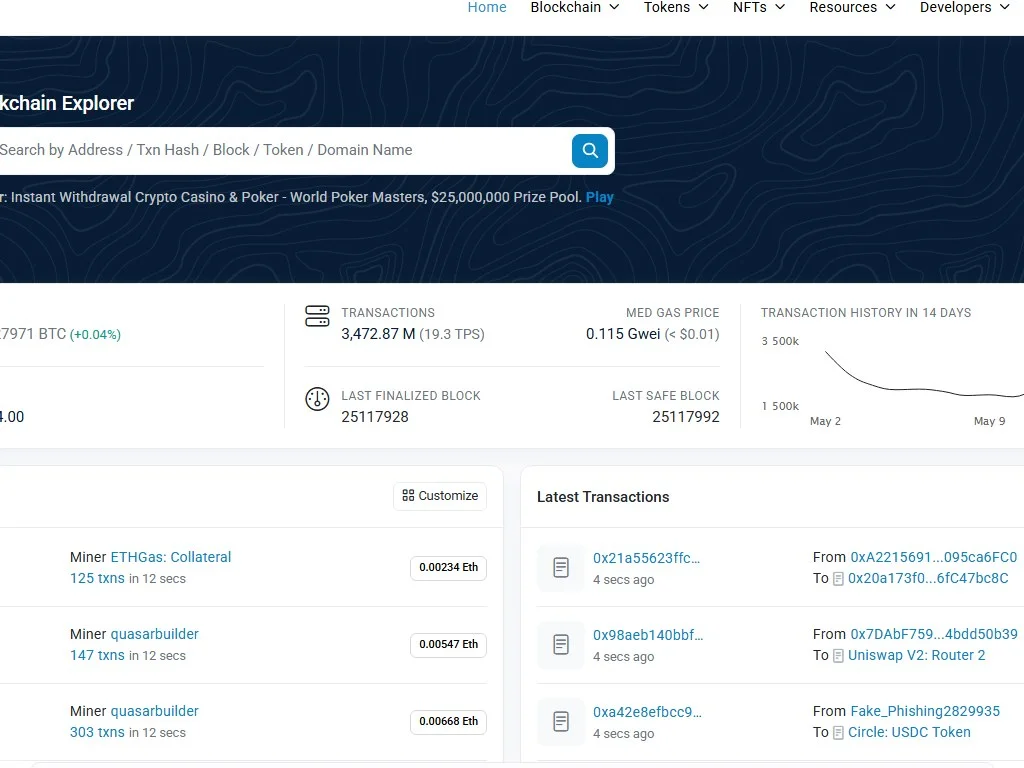
Etherscan, BscScan, Arbiscan, Polygonscan, Snowtrace, Optimistic Etherscan, Basescan, Solscan, Tronscan. Confirm transaction status before any other action.
MetaMask for all EVM chains, Phantom or Backpack for Solana, Trust Wallet for multi-chain mobile, Rabby for advanced EVM signing. Always download from the official site.
Chainlist.org for adding EVM networks safely. Solana RPC endpoints from Helius, Triton, or Jito for Solana recovery. Never use an unknown RPC.
CoinGecko, CoinMarketCap, and DexTools all list the official contract address per chain. Cross-check at least two sources.
What Not to Do: The Scam Detection Checklist
The wrong-network panic is the single most exploited emotion in crypto scams. The instant you post about a lost transaction in a public Telegram, Discord, Twitter reply, or Reddit thread, you become a target. The DMs that follow are nearly all scammers with scripts designed to make you compound the loss.
Never paste your seed phrase or private key into any website, support form, chat message, or app you have not personally verified. No legitimate exchange, wallet, or recovery service ever asks for your seed phrase. None. Ever. Not Binance support, not Ledger support, not MetaMask support, never.
Never pay upfront for "recovery services." The entire "crypto recovery" industry is 99% scam. The 1% that is legitimate (a handful of forensic firms working with law enforcement) does not advertise in your Twitter replies and does not accept random direct messages.
Never click links in DMs from people claiming to be from "MetaMask Support" or "Binance Helpdesk." Official support does not initiate contact via DM. Always navigate to support yourself from the official app or website.
Never connect your wallet to a site you found via a search ad. Google ads for "MetaMask" and "Phantom" routinely show phishing clones at the top of results. Type the URL manually or use a verified bookmark.
Never sign a transaction you do not understand. Use transaction simulation tools to preview what a signature actually does before approving. Wallets like Rabby and Pocket Universe show you the asset movements before the signature lands.
Apply the same rigor you would for burner wallet handling in airdrop hunting. The recovery phase is when your seed is most exposed; harden, do not expose.
The Pre-Send Checklist: Never Repeat This Mistake
Wrong-network sends are 100% preventable with a thirty-second checklist before pressing confirm. Print this, tape it to your monitor, internalize it. Every send, every time.
Of those seven points, the single highest-impact one is point 4: always send a test amount first. Yes, you pay an extra gas fee. Yes, it takes an extra minute. But a $0.50 wasted gas fee is infinitely cheaper than a lost five-figure stablecoin transfer. Make test sends a non-negotiable part of your workflow, especially for new addresses and new networks.
Advanced Prevention: Whitelists, ENS, and Hardware Confirmation
Once you have made the wrong-network mistake once, you understand why these tools exist. The pros use them on every meaningful transfer.
Address whitelisting on CEXs. Every major exchange supports an address whitelist (withdrawal whitelist). You enable it, add the destination addresses you want to send to, and the exchange refuses any withdrawal to an address not on the list. Combined with a 24-hour cooling-off period on new additions, this makes wrong-address sends nearly impossible.
ENS, SNS, and similar name services. Using vitalik.eth instead of a 42-character hex string eliminates typos and address-poisoning risk. Configure your wallet to resolve ENS automatically. For Solana, the equivalent is .sol from Bonfida or SNS.
Hardware wallet confirmation screens. When you sign a transaction on a Ledger or Trezor, the device shows you the destination address and the chain. Read it. Every time. The signing prompt exists specifically to catch the moment when the software said one thing and a malicious app sent another.
Multi-sig or smart wallet for large transfers. For amounts above your personal pain threshold, use a multi-sig like Safe or a smart wallet with transaction policies. Approving in two steps with two devices stops a wrong-network mistake from clearing instantly.
These habits compound with general address-poisoning defense practices and hardening your wallet against hackers. The cumulative effect is a workflow where wrong-network sends become statistically rare instead of inevitable.
Real Recovery Example: Recovering 850 USDT-ERC20 Sent to Binance BSC Deposit
Let me walk through a real reader case I helped triage last quarter. The user withdrew 850 USDT from a DEX wallet, intending to send it to Binance for spot trading. They selected USDT (ERC-20) on the withdrawal screen but entered the BNB Chain deposit address Binance had shown them earlier. The transaction confirmed on Etherscan. Binance balance: zero.
Step one was the screenshot pack. We pulled the Etherscan link showing the TXID, the destination address (which Binance had given as a BSC USDT deposit address but is structurally the same 0x format), the amount, and the timestamp. We confirmed on Etherscan that the funds were sitting at that 0x address on Ethereum mainnet, untouched.
Step two was the Binance self-service deposit recovery portal. We logged in, navigated to Support, Self-Service, Recover Misplaced Deposit. We selected the asset (USDT), the network actually used (Ethereum), and the network intended (BNB Chain). We pasted the TXID and deposit address. Binance's system instantly recognized the address as one of its own internal hot wallets and quoted a recovery fee of 50 USDT.
Step three was waiting. Five business days later, an email confirmed the credit. 800 USDT (850 minus the 50 USDT fee) appeared in the user's Binance spot wallet. Total time investment: 25 minutes of attention, 8 days of patience, 5.9% of the principal as the recovery cost. Compare that to a 100% loss if the user had panicked and signed anything in a fake recovery dApp.
Real Recovery Example: BNB Sent to a Cold Wallet Set Up for ETH Only
Different user, same root cause. They withdrew 12 BNB from Binance to their Ledger, having recently configured the device for staking ETH on mainnet. They never installed the BSC app on the Ledger. Ledger Live, configured for Ethereum, showed zero balance on the destination address despite BscScan confirming the deposit.
The recovery took fifteen minutes. We installed the Binance Smart Chain app on the Ledger via Ledger Live's Manager. We connected the Ledger to MetaMask, selected "Ethereum" as the derivation path (which is what BNB Chain uses too because BNB Chain is EVM). MetaMask, set to BNB Smart Chain network, displayed the full 12 BNB at the same 0x address. The user then sent the BNB onward to a staking platform of their choice. Zero cost beyond a gas fee of about 0.0001 BNB.
The takeaway: the Ledger never had a problem. The keys were always there. The software wallet was just looking at the wrong chain. When in doubt, the chain is the variable, not the address.
Real Recovery Example: USDC on Polygon Sent to Coinbase Mainnet Address
This one had a less happy ending. User withdrew 3,200 USDC from a Polygon-native DeFi position and sent to their Coinbase USDC deposit address, which only accepts USDC on Ethereum (and now also Base, but not Polygon at the time of the incident).
Step one was the same screenshot and Polygonscan verification. Funds confirmed at the address on Polygon. Step two was contacting Coinbase support. The response, after eleven days: Coinbase cannot recover the deposit because Polygon USDC is not a credited asset on the Coinbase platform for that deposit address, and Coinbase does not maintain hot-wallet operations on Polygon for retail user funds.
The user was stuck. The funds existed on Polygon at an address Coinbase technically owns, but Coinbase had no path to make them spendable inside the user's account. Total loss: 3,200 USDC. This case is the canonical reason to always verify on the official deposit page that the asset and network are both supported before sending.
Frequently Asked Questions
Q Q Q Can I recover crypto sent to the wrong network?
Often yes, but it depends on who controls the destination address on the chain that actually received the funds. If you sent to your own EVM wallet and just used the wrong chain, recovery is usually a five-minute fix: switch networks in MetaMask. If you sent to a CEX, most major exchanges offer recovery for a fee. Cross-ecosystem sends (BTC to ETH address, SOL to EVM, etc.) are usually unrecoverable.
Q Q Q What do I do first after sending crypto to the wrong network?
Stop. Do not send anything else. Take a full screenshot of the transaction including the TXID, asset, network, amount, and addresses. Open the block explorer for the chain you actually used and confirm the funds are sitting at the destination address. Only then start working through the decision tree to identify your scenario.
Q Q Q Will Binance recover my wrong-network deposit?
For most major assets across major chains, yes. Binance has a self-service "Recover Misplaced Deposit" portal. You submit the TXID, asset, network used, and intended network. The recovery fee is typically 50 USDT or up to 5% of asset value. Turnaround is 3-15 business days. Less common assets or unsupported networks may be rejected.
Q Q Q Can Coinbase recover tokens sent on the wrong network?
Coinbase handles wrong-network recovery on a case-by-case basis and only for ERC-20-style tokens on chains they actively support. They explicitly state recovery is not guaranteed and warn that some tokens may take weeks of review. Always check the Coinbase Help Center for the specific asset before sending, because they refuse many recovery requests outright.
Q Q Q I sent BEP-20 USDT to an ERC-20 address on Binance. Is it recoverable?
Yes, this is one of the most common scenarios Binance handles. The 0x deposit address Binance gives you is the same across both chains internally. Submit a deposit recovery ticket with your BscScan TXID. Binance will credit your account in USDT after deducting a recovery fee. The reverse (ERC-20 sent to BEP-20 address) works the same way.
Q Q Q I sent tokens to my own wallet on the wrong EVM chain. How do I recover them?
Open MetaMask, click the network dropdown, switch to the chain that actually received the funds. Your native balance should appear. If you sent an ERC-20 style token, you may need to import it manually using its contract address on that chain. Make sure you have a small amount of the chain's native gas token to move the funds afterward.
Q Q Q Why can I see my tokens on the explorer but not in my wallet?
Two common reasons. First, your wallet may be set to the wrong network, just switch it. Second, the wallet may not auto-detect the token and you need to add the token contract manually. Some wallets only auto-detect popular tokens on mainnet and require manual import for L2 or alternative chain versions.
Q Q Q Can I recover BTC sent to an Ethereum address?
Almost never. Native Bitcoin and Ethereum use completely different address formats and key derivation paths. The BTC transaction went to a Bitcoin address that has no corresponding private key in your Ethereum wallet. The only edge case is if the destination wallet's seed phrase can also derive a Bitcoin address that matches, which is extremely rare in practice.
Q Q Q How long do CEX wrong-network recoveries take?
It varies widely. Binance, OKX, and Bitget usually credit within 3-15 business days. Kraken, KuCoin, and Coinbase can take 2-8 weeks. Crypto.com is often the slowest at 4-12 weeks. Submit the ticket the same day you notice the mistake to start the clock. Followups every 10-14 days are appropriate but excessive contact slows you down.
Q Q Q Are crypto recovery services legitimate?
Almost all are scams. Legitimate forensic firms exist (like Chainalysis or TRM Labs) but they work with law enforcement and exchanges, not random users via DM. Any service that asks for your seed phrase, asks for an upfront fee, or contacts you first is a scam. The exception is your CEX's official support team, which is free and reachable through verified in-app channels.
Q Q Q What is the safest way to prevent wrong-network mistakes?
Always send a test transaction of $1-5 first to any new address or new network. Wait for it to credit, then send the full amount. Combine with CEX withdrawal whitelisting, ENS or SNS names instead of raw addresses, hardware wallet signing confirmation, and never sending under stress or distraction. These habits collectively reduce wrong-network risk to nearly zero.
Q Q Q Why does my SPL token not show up in my Solana wallet?
Solana requires an Associated Token Account (ATA) for each SPL token. If the ATA does not exist, the wallet may not auto-fetch the balance. Open the wallet, manually add the token mint address, or check Solscan to confirm the balance exists at your address. Some wallet implementations create the ATA automatically on first receive, others require manual creation.
Q Q Q I see my tokens but cannot move them. What is wrong?
You probably do not have the native gas token for that chain. ERC-20 tokens on Ethereum need ETH for gas, BEP-20 tokens need BNB, Polygon tokens need MATIC or POL, Arbitrum tokens need ETH on Arbitrum, etc. Bridge a small amount of the native token in, or buy on a CEX and withdraw to the chain, to unlock movement of your recovered balance.
Final Thoughts: Calm Wins, Panic Loses
Wrong-network sends feel catastrophic in the moment but are recoverable far more often than the panic suggests. The decision tree at the top of this guide gives you the right answer in under a minute: EVM-to-EVM into your own wallet is almost always a fast self-fix, CEX recovery works for most major exchanges with patience and a fee, and only true cross-ecosystem mismatches into addresses you do not control are genuinely lost.
The recovery process is also the moment when scammers target you hardest. The same emotional state that makes you call the situation a "disaster" makes you click links you would normally ignore, paste seed phrases you would normally guard, and pay upfront fees to people you would normally laugh at. Slow down. Screenshot the transaction. Verify on the explorer. Work the decision tree. Use only official wallets and official exchange support channels. The only person who can compound this mistake is you, and the only mistake left to avoid is the second one.
Then, when the dust settles and your funds are back where they belong, build the prevention habits. Whitelist addresses on every exchange you use. Adopt ENS for the wallets you send to often. Hardware-sign every meaningful transfer. Test-send always. The first wrong-network mistake is forgivable. The second one, after reading this guide, is not.
For ongoing risk management, pair these recovery and prevention practices with broader security reading on crypto wallet security fundamentals and the deeper mechanics of how cryptocurrencies actually work. The more you understand the address and chain model, the less likely you are to ever need this guide again.
Related Guides
- What Is Sentient AI (SENT)? Open Source AGI on The GRID Guide 2026
- How to Recover a Crypto Wallet - Seed Phrase Recovery Guide 2026
- What Is Theta Network (THETA + TFUEL)? Decentralized Video Streaming Guide 2026
- What is the Lightning Network? Bitcoin L2 Scalability Guide
- Sui Network Architecture: Object-Centric Design, Parallel Execution and DeFi Apps (2026)