Transaction Simulation in Crypto: Complete 2026 Safety Guide
— By Whatsertrade in Tutorials
Learn how transaction simulation works, top tools (Tenderly, Blockaid, Wallet Guard, Pocket Universe), MetaMask native preview, and what simulation catches vs misses.
One of the fastest ways to lose money in crypto is to sign a transaction without truly understanding what it will do. A swap can drain far more than expected. A token approval can grant unlimited access to a wallet drainer. A bridge can fail and lock funds for hours. A fake dApp can hide malicious calls behind a button that says "Claim Airdrop". In all of these cases, the root problem is the same: signing first and checking later.
Transaction simulation changes that workflow. It is a security and preview layer that runs your transaction in a sandboxed environment before it touches the blockchain, then tells you in plain English what would happen if you signed it. Which tokens leave your wallet. Which tokens arrive. Which contracts get unlimited approvals. Whether the transaction will revert. Whether a hidden setApprovalForAll is about to hand over your entire NFT collection. By 2026, simulation has gone from a niche developer tool used inside Tenderly dashboards to a default feature in MetaMask, Rabby, Phantom, and most major wallets, plus a thriving ecosystem of third-party extensions like Blockaid, Wallet Guard, and Pocket Universe.
This guide explains exactly how transaction simulation works under the hood, the top tools in 2026, what simulation reliably catches, what it can miss, and the step-by-step workflow that protects your funds. By the end, you will know how to turn every wallet popup into a readable preview instead of a leap of faith.
What Is Transaction Simulation?
Transaction simulation is a process where a piece of software takes the raw transaction data your wallet is about to broadcast, replays it against a recent copy of the blockchain state, and reports the result without actually committing anything on chain. In technical terms, it forks the current state of Ethereum (or whichever chain you are on) at the latest block, executes your transaction inside that fork using the same EVM rules the real network uses, then reads the resulting state changes. The fork is discarded the moment the simulation finishes, so nothing you do during simulation costs gas or has any real effect.
The output of that replay is what you actually see in your wallet popup. A good simulator translates raw state diffs into human readable summaries: "You will send 0.5 ETH and 1,200 USDC. You will receive 3.2 WBTC. You are granting unlimited approval for USDC to contract 0xabc...". A bad simulator just shows you a hex blob and a gas estimate, which is barely better than blind signing.
The key insight is that simulation is deterministic for the block it runs against. If the state of the chain does not change between simulation and execution, the preview is a perfect prediction. The risk is that state can change. Other transactions in the same block, a price oracle update, or an MEV bot front-running you can all shift the result by a small amount. That is why simulators are extremely accurate for approvals and direct transfers (which do not depend on market conditions) and slightly less accurate for swaps where slippage and pool depth move second by second.
Why Simulation Matters in 2026
The threat landscape has changed dramatically since the early DeFi years. In 2021 and 2022, the biggest wallet losses came from outright protocol hacks. By 2024 and 2025, that shifted to address poisoning, wallet drainers as a service (Inferno Drainer, Pink Drainer, Angel Drainer), and signature phishing kits sold on Telegram for a few hundred dollars. Chainalysis reported that drainer kits stole over $494 million from individuals in 2024 alone, and the trend continued through 2025.
What every single one of those attacks has in common is that the victim signed a transaction or message they did not understand. They saw a "Claim" button on a fake site that looked like a legitimate airdrop. They saw a wallet popup that said "Sign in" and approved it. They saw an Opensea offer that turned out to be a setApprovalForAll for their entire NFT collection. In every case, a transaction simulator would have screamed: "This will transfer all your assets to a contract you have never interacted with before".
That is why every major wallet built simulation into the default signing flow during 2025. MetaMask rolled out native simulation for EVM chains in late 2023 and made it the default in 2024. Phantom did the same for Solana. Rabby has had it as a flagship feature since launch. By 2026, signing a transaction without seeing a simulation is the exception, not the rule, and it is the single biggest reason wallet losses from drainers have started to plateau.
How Transaction Simulation Works Under the Hood
To understand why simulation is reliable for some things and not others, it helps to know the actual mechanics. There are three layers involved: the wallet, the simulation engine, and the rendering layer.
At step three, the simulator uses an RPC method called eth_call with a state override, or it uses a hosted service like Tenderly that maintains a constantly updated mirror of mainnet. The simulator gets back a list of state changes: which storage slots in which contracts were modified, which events were emitted, which token balances increased or decreased. This is raw and unreadable on its own.
The rendering layer is where the magic happens. It takes the raw state diff and applies decoders. ERC-20 transfer events become "X tokens moved from A to B". Approval(spender, amount) events become "You granted unlimited spending power for this token". ERC-721 transfers become "Your NFT moved to a new address". The wallet then groups these by your address: net inflows, net outflows, and net permission changes. That triple, "what leaves, what arrives, what powers you give away", is the heart of every good simulation UI.
MetaMask Native Simulation
MetaMask is still the dominant EVM wallet in 2026, with over 100 million users across browser, mobile, and the institutional MetaMask Snaps ecosystem. Its native simulation feature, originally launched as "decoded transaction preview", is now simply called "transaction insights" and runs by default on Ethereum, Arbitrum, Optimism, Base, Polygon, BNB Chain, Avalanche, Linea, and a growing list of EVM chains.
When you trigger a transaction on a supported chain, MetaMask sends the raw calldata to its own simulation service (powered by Infura plus Blockaid for security signals) before it shows you the confirmation popup. The popup displays an "Estimated changes" section with three categories: assets you will send, assets you will receive, and approvals being granted. If MetaMask detects something malicious, such as the destination contract being on a known drainer blocklist, you also get a red banner that says "This site is unsafe" or "This transaction looks suspicious".
The strength of MetaMask simulation is reach. It just works for every user, no installation needed. The limitation is that the default detail level is quite shallow compared to tools like Rabby. MetaMask shows the headline asset changes but does not always surface intermediate contract calls, complex token flows in multi-hop swaps, or the exact role of every contract in a transaction. For deep inspection, power users still pair MetaMask with a specialized extension like Wallet Guard or use Rabby instead.
To check that simulation is enabled in MetaMask, go to Settings, Security and privacy, and confirm that "Transaction simulations" is toggled on. It is on by default. There is also a "Smart transactions" feature that adds MEV protection on top, which is worth enabling for anyone trading on Ethereum mainnet.
The Top Transaction Simulation Tools in 2026
Beyond MetaMask's built-in feature, there are four tools that dominate the dedicated simulation space. Each has a different focus, pricing model, and user base.
The developer-grade simulator. Web dashboard for replaying any historical or pending transaction, gas profiling, debug traces. Free tier for occasional use.
Security-first simulator. Powers MetaMask, OpenSea, Rainbow, Zerion. Focus on detecting drainers and phishing, not just decoding.
Browser extension that intercepts every wallet popup with a clearer preview and risk score. Strong on NFT marketplaces and signature phishing.
Subscription extension with strong NFT focus and an insurance fund. Reimburses verified losses from approved transactions in some cases.
Tenderly
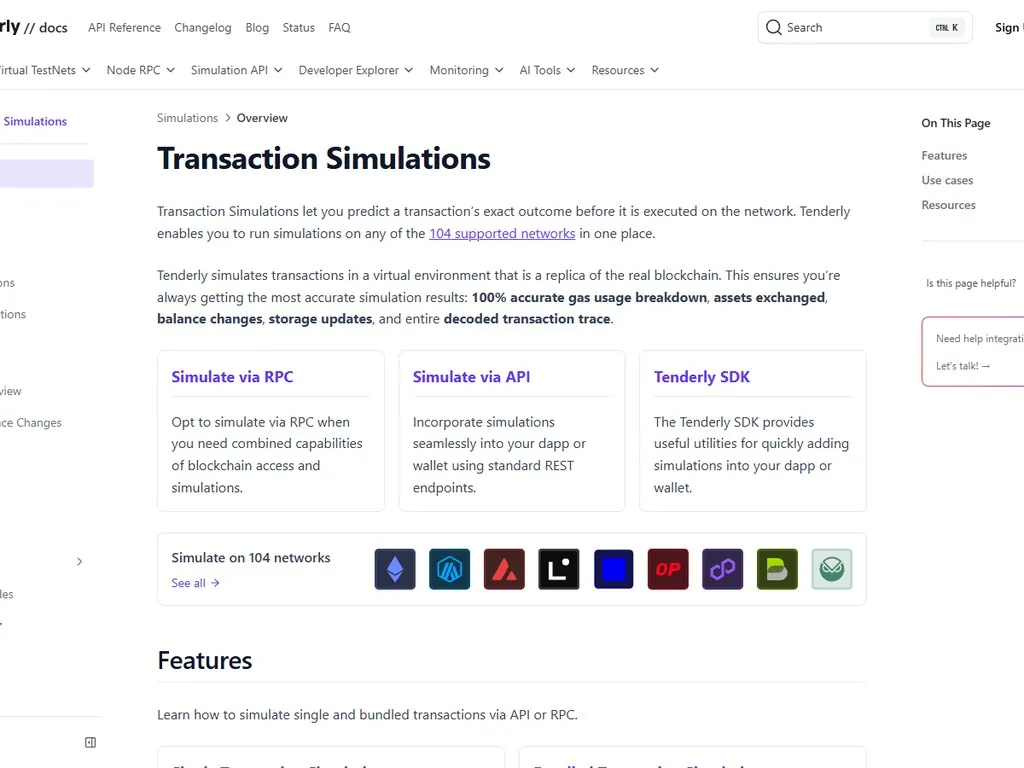
Tenderly was the first serious transaction simulator and is still the gold standard for developers. It runs a constantly updated mainnet mirror for every supported chain (Ethereum, Arbitrum, Optimism, Base, Polygon, BNB Chain, Avalanche, Fantom, and dozens of testnets). You can paste a transaction hash, an unsigned calldata blob, or even a "what if" hypothetical and get back a complete trace: every internal call, every state slot touched, every event emitted, full stack traces if anything reverts.
For end users, Tenderly's most useful feature is the public simulator at tenderly.co/simulator. You can take a pending transaction from your wallet, copy the calldata and parameters, paste them in, and run a free simulation in your browser. The output includes a token transfer diagram, gas profile, and revert reasons if the transaction would fail. This is invaluable when you are about to sign something for a large amount and you want a second opinion that does not depend on your wallet's built-in summary.
Tenderly also offers a Web3 Actions product that lets DeFi protocols simulate every user transaction server-side before sending it for signing. This is increasingly common in 2026: when you hit "Swap" on a modern DEX aggregator, the aggregator has often already simulated your transaction with Tenderly and adjusted the route or warned you about a likely revert before the wallet popup ever appears.
Blockaid
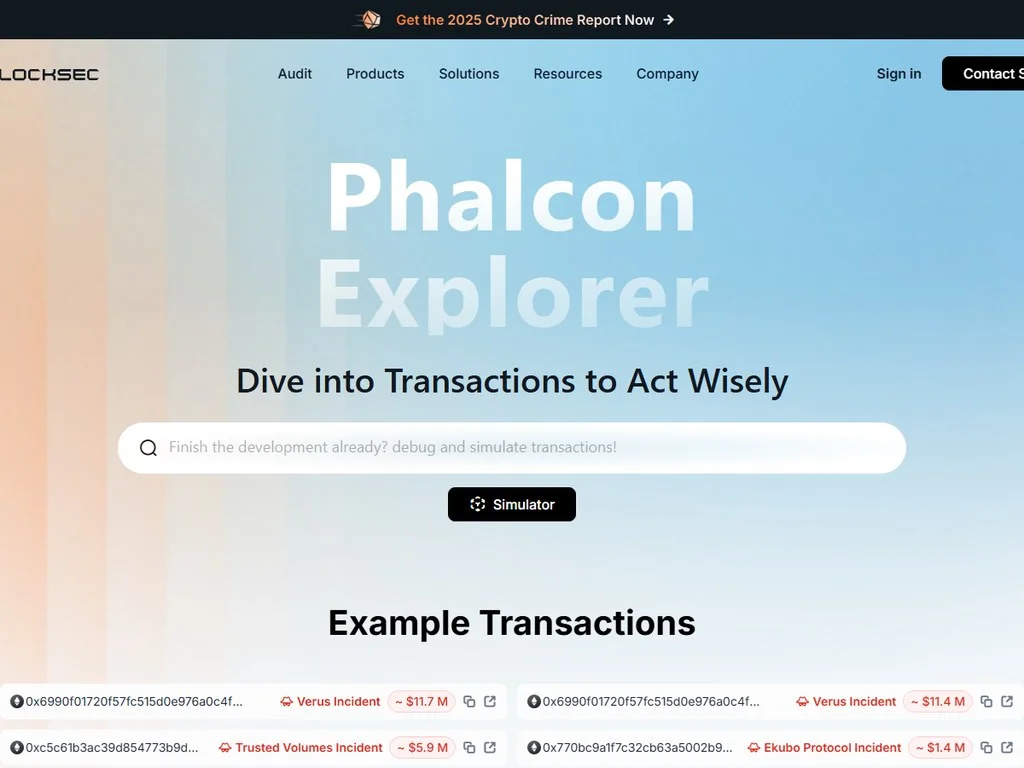
Blockaid is less of a consumer product and more of an infrastructure layer that lives inside other wallets and apps. If you have ever seen a red "This transaction is malicious" banner in MetaMask, OpenSea, Rainbow, or Zerion, that warning was almost certainly generated by Blockaid. The company classifies contracts, domains, and signatures using a combination of on-chain heuristics, threat intelligence feeds, and machine learning trained on confirmed drainer attacks.
Blockaid's main strength is detection rate. It maintains the largest known blocklist of malicious contracts in the industry and updates it within minutes of new attacks being reported. Its weakness is opacity: as a user, you do not see Blockaid directly. You see a wallet that has integrated Blockaid showing you a warning or a clean signal. For an extra layer of security, some users layer Blockaid-powered MetaMask with a non-Blockaid tool like Wallet Guard to catch threats one provider might miss.
Wallet Guard
Wallet Guard is a browser extension that sits between you and any wallet popup, intercepting the transaction before MetaMask or Coinbase Wallet renders it. It then shows its own much more detailed preview: every contract involved, every approval being granted, every asset moving, plus a risk score and a verdict (Safe, Cautious, Dangerous). It works on EVM chains and Solana, and is free for individual users.
The interface is its biggest advantage. Where MetaMask gives you a clean but minimal "you will lose X, gain Y" summary, Wallet Guard breaks down the entire call tree: this swap touches Uniswap V3 here, then a relayer there, then a tokenized fee here. For complex DeFi interactions like leveraged positions on leveraged farming protocols, that detail is the difference between understanding what you are signing and not.
Pocket Universe
Pocket Universe was one of the first dedicated extensions in this space and made its name catching NFT signature phishing on OpenSea and Blur. It runs every transaction through its own simulator and offers a subscription tier that includes an insurance fund: if you sign a transaction that Pocket Universe marked as safe and you lose funds because of that signature, the protocol reimburses verified claims up to a cap. This insurance model is unique in the simulator space and appeals to high-value NFT traders.
The trade-off is cost. Pocket Universe charges around $20 per month for full access to the insurance feature, while Wallet Guard and the Tenderly simulator are free for most personal use. For traders managing six-figure NFT portfolios, the insurance can be worth it. For everyday users, the free options cover most threats.
Tool Comparison at a Glance
What Transaction Simulation Reliably Catches
Simulation has matured to the point where certain attack patterns are caught at near 100% rates. These are the wins, the attacks that simulation has basically solved for users who pay attention to the preview.
Unlimited token approvals to unknown contracts. When a fake site asks you to "Enable" a token before claiming an airdrop, the underlying transaction is an approve(spender, MAX_UINT256) call. Simulation surfaces this loudly: "You are granting unlimited spending of USDC to 0xabc...". Any modern simulator highlights unlimited approvals in red.
NFT setApprovalForAll attacks. The classic OpenSea phishing kit shows you a "Sign in" prompt that is actually setApprovalForAll(operator, true) on your NFT collection. Simulators decode this and warn: "You are giving this contract permission to move every NFT in this collection". This single feature has killed off most of the Opensea-targeted drainer campaigns.
Wrong-recipient transfers in address poisoning. When a poisoner sends you a zero-value transaction from a lookalike address, hoping you will copy it from your history later, simulation cannot stop you from pasting the wrong address. But it does show the exact destination of your transfer in plain text, so a careful user spots the mismatch.
Direct asset transfers. If a transaction will move ETH or tokens out of your wallet to a destination, every simulator shows this. There is no hiding a token transfer from a simulator that uses event decoding.
Reverts and failed transactions. Simulation runs the transaction first, so if it would revert due to slippage, insufficient balance, expired deadline, or a broken contract, the simulator catches it and tells you before you waste gas.
Known drainer contracts. Tools like Blockaid maintain blocklists of confirmed drainer contracts and warn loudly if your transaction interacts with one. Combined with simulation showing the actual call, this catches most off-the-shelf drainer kits.
What Transaction Simulation Can Miss
Simulation is powerful but not infallible. There are specific attack patterns where simulation either fails outright or provides misleading information, and understanding these gaps is what separates a casual user from a careful one.
- Off-chain signatures (EIP-712). Permit signatures and OpenSea offers are signed but not broadcast. They do not change chain state until the attacker submits them, so simulators have less to work with.
- Time-bombed contracts. A contract that behaves normally on the first call and turns malicious after a delay or after a specific block can pass simulation cleanly.
- Oracle manipulation between sim and execution. A simulated swap output of 100 USDC can become 1 USDC if a price oracle is manipulated in the same block by an MEV attacker.
- Brand new drainer addresses. Blocklists update fast but not instantly. A fresh drainer deployed minutes ago may show as "unknown contract" rather than "malicious".
- Multi-step traps requiring follow-up signatures. The first signature looks fine, but it sets the stage for a later malicious one.
- Social engineering and seed phrase theft. Simulation cannot help if the attacker convinces you to enter your seed phrase on a fake wallet site. It only protects signed transactions.
The gap that has cost the most money in 2025 and 2026 is signature-based phishing using EIP-712 permits. These are off-chain messages signed by a wallet that grant token spending power to a third party, valid for a set window. Because they never touch the chain until the attacker submits them, traditional simulators that fork at the current block do not always render the impact clearly. Some advanced tools, notably Wallet Guard and the latest MetaMask versions, now decode EIP-712 permit signatures and warn explicitly: "This signature grants 1000 USDC of spending power to 0xabc... for 30 days". But older wallet versions and many third-party simulators still under-warn on these.
The rule of thumb is: if a popup asks for a signature rather than a transaction, slow down. Signatures cost no gas, leave no on-chain trace, and are the new frontier of wallet drainers. Permit2 and ERC-2612 permits are the protocols you need to understand to read these prompts safely.
Step-by-Step: Using Transaction Simulation Safely
Here is the workflow I recommend for every transaction above a few hundred dollars in value, or any transaction on a site you have not used before.
Step 1: Verify the source before triggering anything
Before you even click a button on a dApp, confirm the URL is the official domain. Bookmark trusted sites. Cross-check with the project's official Twitter or Discord. Do not click links from DMs or Google ads, which are a common drainer distribution channel. Simulation cannot save you from a perfect copy of Uniswap hosted on a phishing domain if you sign the same transaction you would have signed on the real one.
Step 2: Trigger the action and stop at the popup
Click the button (swap, mint, approve, claim) but do not press Confirm when the wallet opens. The moment the popup appears, treat it as a checkpoint. Your goal is to read every line of the simulation before you touch the Confirm button.
Step 3: Read the asset changes section
Look at the "You will lose" and "You will receive" lines. Does the amount match what the dApp's interface said? Does the token symbol match? Is the receive amount within your expected slippage range? For a swap, if the dApp said you would get 1.2 ETH and the simulator says 0.001 ETH, abort immediately. That is a sandwich attack or a price manipulation in progress.
Step 4: Read the approvals section
Every approval being granted should be inspected. If the popup shows "Approving USDC for spender 0xabc..." check that the spender is the protocol contract you expect. Most wallets now show a contract name where available (Uniswap V3 Router, OpenSea Seaport, etc.). An unfamiliar address combined with unlimited amount is the single biggest red flag in crypto. If you can, set the amount to exactly what you need rather than unlimited.
Step 5: Check for warnings
Any red banner, yellow caution, or warning label deserves attention. "This contract is not verified". "This site has been reported as malicious". "This signature grants spending power". These are not decoration. They are the simulator screaming. If you see any of them, pause and investigate before proceeding.
Step 6: Cross-check with a second tool if the stakes are high
For transactions above a few thousand dollars, copy the transaction data and run it through Tenderly's public simulator at tenderly.co/simulator. You will get a second independent opinion with even more detail than your wallet shows. If both agree, your confidence should be high. If they disagree, do not sign until you understand why.
Step 7: Confirm only when everything matches
The simple rule is: if the preview does not match your intent, do not sign. There is no shame in rejecting a transaction and starting over. Gas fees to retry are pennies. A wrong signature can cost everything.
Simulation Across Different Wallet Types
Not every wallet handles simulation the same way. Here is how the major options stack up in 2026.
MetaMask
Native simulation on by default. Good basic preview. Powered by Blockaid for security signals. Best for most users on EVM chains. Limitation: less detail than Rabby for complex DeFi.
Rabby Wallet
The simulation-first wallet. Built from the ground up to show transaction previews as a primary feature. Strongest for power users who do a lot of DeFi. Shows pre and post transaction balance snapshots, contract verification status, and a security score on every transaction.
Phantom (Solana)
Native simulation for Solana since 2023. Shows SOL and SPL token movements before signing. Critical for Solana because Solana transactions can bundle multiple instructions and are harder to read than EVM ones. Phantom decodes them into a clean diff.
Coinbase Wallet
Has simulation but the UI is less prominent than MetaMask or Rabby. Best for users who pair it with Wallet Guard or another extension for clarity.
Hardware Wallets (Ledger, Trezor)
The hardware device shows raw transaction data on its tiny screen, which is hard to read but tamper proof. The simulation typically happens in the connected software wallet (Ledger Live or a third-party interface). This means a sophisticated attacker who controls your browser could in theory show you a misleading simulation while the hardware device signs something different. Always verify the destination and amount on the hardware screen itself for large transactions, regardless of what the simulator on screen shows.
Simulation for Specific Transaction Types
Different actions reveal different things in a simulator. Knowing what to look for in each category saves time.
Swaps
Check the receive amount against the dApp's quote. Check the slippage tolerance is reasonable (0.5% to 1% is normal for liquid pairs). Watch for sandwich attacks if you are about to swap a large amount on a thinly traded pair. Low-volume pairs are sandwich magnets.
Approvals
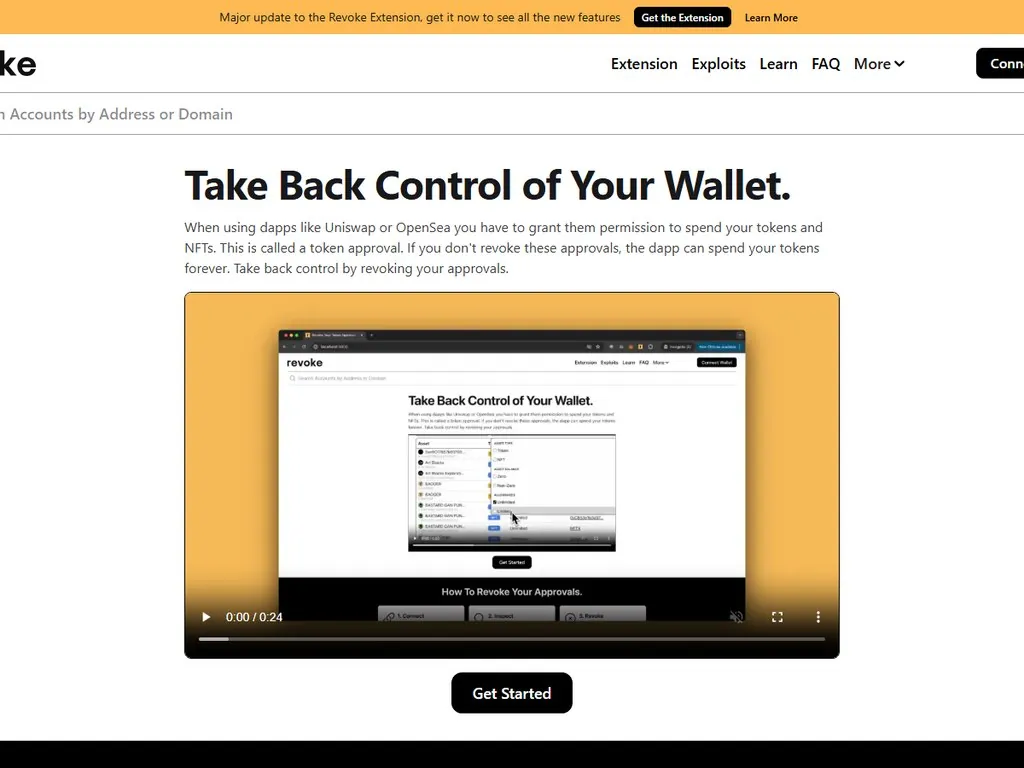
Check the spender address. Confirm it matches the protocol's published contract address. Check the amount. Always prefer exact amount over unlimited. Use Revoke.cash periodically to clean up old approvals you no longer need.
Bridges
Check the destination chain, the destination token, and the destination address. A bridge transaction that ends up on the wrong chain or wrong token can be very hard to recover. Some bridges have insurance funds; most do not.
NFT Listings and Offers
These are usually signatures rather than transactions. Read them carefully. A listing should specify the exact token ID, the exact price, and the marketplace contract. An offer should specify the exact amount being offered.
Airdrop Claims
The highest-risk category in 2026. A legitimate airdrop claim should only require interaction with the project's own verified contract. If a claim asks for an approval first, that is a major red flag. If a claim asks for a signature that grants spending power, that is a drainer.
Staking and Restaking
Check the validator or operator address. Check whether you can unstake immediately or face a lockup period. Check the slashing conditions if applicable. Simulation shows the deposit; it does not show the future risks of staking.
Combining Simulation with Other Wallet Security Layers
Simulation is one layer. The safest setups combine it with several others:
Keys never touch the internet. Required for any long-term storage above pocket money.
A separate wallet with small balances for risky dApps and airdrop claims. If it gets drained, the loss is contained.
Every transaction previewed in MetaMask, Rabby, or via Wallet Guard before signing.
Monthly check on revoke.cash to remove any stale approvals from old dApps.
No single layer is enough. A hardware wallet without simulation can sign a malicious approval just as easily as a hot wallet can. Simulation without a burner wallet means your main bag is one bad signature away. Burner wallets without revoke hygiene leak permissions over time. Together they create a defense-in-depth that has held up well against 2025 and 2026 attack patterns.
Real-World Examples Where Simulation Saved Funds
The clearest way to understand simulation's value is to look at specific cases.
The 2024 Ledger Connect Kit exploit. A malicious package update injected drainer code into many DeFi front ends including Zapper, SushiSwap, and several others. Users connecting wallets through the compromised connect kit were prompted to sign transactions that moved their full balance to the attacker. Users with MetaMask's simulation enabled saw the actual asset movement (their entire token balance leaving) and could reject. Users on older versions or with simulation disabled signed blindly. The exploit window lasted hours; users who relied on simulation lost nothing.
NFT collection phishing waves on X (Twitter). Throughout 2024 and 2025, hacked NFT project accounts pushed fake mint pages that prompted setApprovalForAll on user collections. Wallets with simulation showed "Grant control of all your CryptoPunks to 0xabc...". A clear red flag. Users without simulation often did not read the raw approval data and lost portfolios worth tens of thousands.
Drainer-as-a-service attacks via fake airdrop tokens. An attacker airdrops a fake token to thousands of wallets. The token contract is malicious: any interaction (even checking the balance through certain methods) costs gas and grants approvals. Simulators flag the unfamiliar contract and the unusual approval pattern, prompting the user to ignore the airdrop and stay safe.
Best Practices for 2026 and Beyond
- Default to a wallet with native simulation. MetaMask, Rabby, or Phantom. If your wallet does not simulate by default in 2026, upgrade.
- Layer a second simulator for high-value actions. Wallet Guard or Tenderly's public simulator catches what the wallet might miss.
- Treat signatures with the same care as transactions. Off-chain signatures are the 2026 attack vector. Read every EIP-712 message carefully.
- Never approve unlimited. Set explicit amounts wherever possible. Use Permit2-aware interfaces that scope approvals tightly.
- Use a burner wallet for new dApps and airdrops. Simulation plus burner is the modern equivalent of an air-gapped computer.
- Run revoke.cash monthly. Clean up old approvals. Less surface area means fewer exploit paths.
- Verify hardware wallet output. The little screen on the device is the source of truth, not the browser.
- Slow down on urgency. If a site is pressuring you to sign fast ("limited spots", "act now"), that is an attack pattern. Real opportunities do not require speed-signing.
The Future of Transaction Simulation
The space is evolving fast. Three trends are reshaping simulation in late 2026 and into 2027.
Account abstraction. ERC-4337 smart accounts are growing rapidly, and they allow much richer pre-execution checks. A smart account can run its own simulation as part of the user operation, refuse to execute if any of a user-defined set of conditions are violated, and even split a single user action into a multi-step approval. This pushes simulation logic from the wallet UI into the wallet itself, making it harder to bypass.
AI-assisted threat detection. The current generation of simulators uses rule-based heuristics plus a blocklist. The next generation uses LLMs trained on millions of transaction patterns to flag novel attack signatures that have never been seen before. Blockaid, Forta, and others are building these systems now.
Cross-chain simulation. A growing number of transactions span multiple chains: bridges, cross-chain swaps, intent-based execution networks. Simulating these end to end requires the simulator to understand multiple chain states simultaneously. Tools like LI.FI, Across, and the new generation of intent solvers are integrating simulation across chains so the user sees the full multi-hop result before signing the first hop.
Frequently Asked Questions
What exactly is transaction simulation in crypto?
Transaction simulation is a process that replays your unsigned transaction against a forked copy of the current blockchain state, then reports what would happen if you signed it. It shows asset movements, approvals being granted, contract calls, and whether the transaction would revert. The simulation is discarded immediately, so it costs no gas and has no real effect on chain.
Does MetaMask simulate transactions by default in 2026?
Yes. MetaMask has native transaction simulation enabled by default on all major EVM chains including Ethereum, Arbitrum, Optimism, Base, Polygon, BNB Chain, Avalanche, and Linea. It is powered by Infura plus Blockaid and shows a clear "Estimated changes" section in every transaction popup. You can verify it is on under Settings, Security and privacy.
Which is the best transaction simulation tool: Tenderly, Blockaid, Wallet Guard, or Pocket Universe?
It depends on your use case. Tenderly is the best for developers and for deep dives on individual transactions through its web simulator. Blockaid is the best for drainer detection and powers MetaMask's security warnings. Wallet Guard is the best browser extension for power users who want extra detail beyond MetaMask. Pocket Universe is best for high-value NFT traders who want an insurance fund. For most users, MetaMask plus Wallet Guard gives the best free coverage.
Can transaction simulation catch every wallet drainer?
No. Simulation catches the vast majority of common drainers (unlimited approvals, setApprovalForAll attacks, direct transfers to unknown contracts) but it can miss off-chain signature phishing using EIP-712 permits, brand new drainer contracts not yet on blocklists, and time-bombed contracts that behave maliciously only after a delay. It is one layer of defense and should be combined with burner wallets, hardware wallets, and approval revocation hygiene.
Why are off-chain signatures more dangerous than transactions?
Off-chain signatures (EIP-712 messages) do not touch the blockchain when you sign them. They are pieces of data that grant rights to a third party who can later submit them. Because nothing happens on chain immediately, simpler simulators have less to analyze and may show only the raw message instead of the practical impact. Modern wallets like MetaMask and Rabby now decode permit signatures and show spending power being granted, but older versions and many sites still under-warn on these.
How accurate is transaction simulation for swaps and DeFi?
Very accurate for the underlying mechanics (which contracts are called, which approvals are granted, which assets move). Slightly less accurate for exact swap output amounts because pool prices and slippage can shift between simulation and execution if other transactions hit the same pool in the same block. For large swaps, set explicit slippage limits and consider using MEV-protected RPC endpoints like MEV Blocker or Flashbots Protect.
Should I still use a hardware wallet if I have transaction simulation?
Yes. Simulation protects against malicious or confusing transactions but does not protect against malware that can read your private key from a hot wallet. A hardware wallet keeps the key off the internet entirely. The two layers complement each other: simulation tells you what the transaction does, hardware signing ensures only you can authorize it. For any meaningful balance, both are recommended.
Conclusion
Transaction simulation is the single biggest security upgrade for crypto users in the last three years. It transforms a wallet popup from a leap of faith into a checkable preview, and it has measurably reduced losses from drainer attacks at the population level. By 2026, it is built into every major wallet and supported by a healthy ecosystem of specialized tools.
The skill is not just having simulation on, it is reading it carefully. The users who lose money are the ones who skip past the popup, ignore the "Estimated changes" section, and click Confirm before the preview has even rendered. The users who keep their funds are the ones who treat every popup as a checkpoint and only sign when the preview matches their intent exactly.
Combine simulation with a hardware wallet for long-term storage, a burner wallet for experimental dApps, and a monthly approval cleanup, and you have a setup that has held up against the worst of 2025 and 2026 attack patterns. No simulation tool can save you from social engineering or seed phrase compromise, but for the much larger category of signature-based attacks, the modern stack is finally winning.
The simple rule worth repeating: no clear simulation, no signature. If the preview is confusing, missing, or shows something you did not intend, reject the transaction. A rejected transaction costs nothing. A bad one can cost everything.
Related Guides
- What Is Tenderly: Web3 Simulation, Debugging and Full-Stack Infrastructure (2026)
- What Is Tenderly: Smart Contract Simulation, Debugging and Web3 Monitoring (2026)
- What Is Tenderly: Smart Contract Monitoring, Simulation and Debugging (2026)
- What Is AnySwap? How It Works, Fees, Modes and Safety (2026)
- How to Detect a Honeypot Token in 60 Seconds: Fast Crypto Safety Test (2026)