OKX Web3 Wallet Tutorial 2026: Multi-Chain Setup Guide
— By Tony Rabbit in Tutorials
Learn how to use OKX Web3 Wallet in 2026 as an all-in-one DeFi hub for swaps, bridges, dApps, NFTs, and multi-chain portfolio management.
What Is OKX Web3 Wallet?
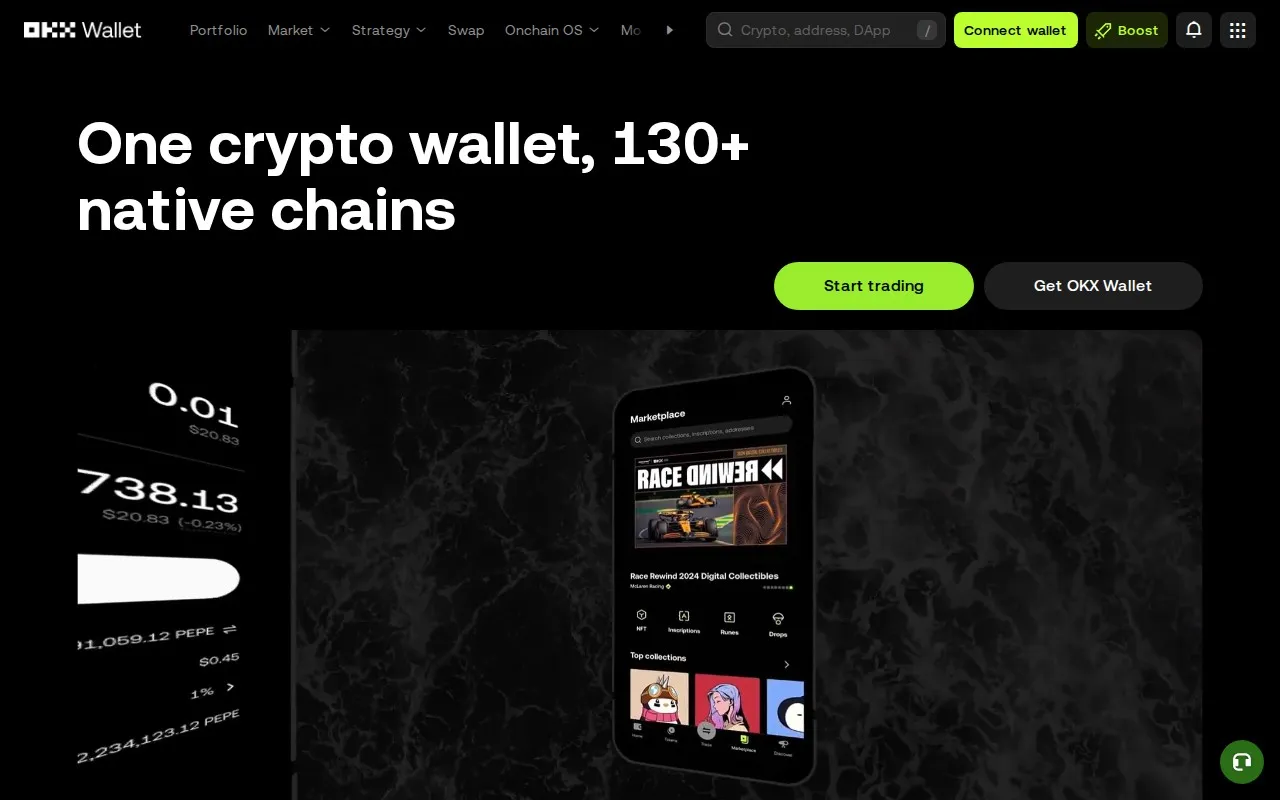
OKX Web3 Wallet is a self-custodial multi-chain wallet built by OKX, one of the largest crypto exchanges. Unlike exchange wallets where OKX holds your keys, the Web3 Wallet gives you full control of your private keys while providing a smooth DeFi experience.
What makes OKX Web3 Wallet stand out is its all-in-one approach: it combines a wallet, DEX aggregator, NFT marketplace, and DApp browser into a single interface. You can swap tokens, bridge between chains, explore DeFi protocols, and manage NFTs without leaving the app.
Key features:
- Supports 80+ blockchains (EVM, Solana, Bitcoin, Cosmos, Tron, and more)
- Built-in DEX aggregator with cross-chain swaps
- Multi-chain portfolio view showing all your assets in one place
- Built-in DApp browser for accessing any DeFi protocol
- MPC (Multi-Party Computation) wallet option for keyless security
- Available as mobile app and browser extension
OKX Web3 Wallet vs Other Wallets
- vs MetaMask: OKX supports more chains natively (80+ vs MetaMask's EVM-only). OKX has built-in DEX aggregator; MetaMask requires external DApps
- vs Phantom: Phantom focuses on Solana + Ethereum. OKX covers Solana AND 80 other chains
- vs Trust Wallet: Both are multi-chain, but OKX has a more powerful DEX aggregator and swap router
Where this page fits Use this page if you want an all-in-one Web3 hub with built-in swaps, bridges, and dApp browsing. If your main priority is broad portfolio management, compare with Exodus. If you mainly live inside EVM DeFi and want stronger transaction simulation, compare with Rabby.
Step 1: Install OKX Web3 Wallet
Mobile App
- Download the OKX app from the App Store or Google Play
- Open the app and tap Web3 Wallet at the bottom
- Choose Create Wallet for a new wallet or Import Wallet if you have an existing seed phrase
Browser Extension
- Go to the OKX Web3 page
- Click Download Extension (available for Chrome, Firefox, Edge)
- Install and pin the extension to your browser toolbar
- Create or import a wallet
Step 2: Secure Your Wallet
After creating your wallet:
- Write down your seed phrase (12 or 24 words) on paper. Never screenshot or store digitally
- Store the paper in a safe location (fireproof safe, safety deposit box)
- Set a strong password for the app/extension
- Enable biometric authentication (Face ID / fingerprint) on mobile
- Never share your seed phrase with anyone, not even OKX support
MPC Wallet Option
OKX also offers an MPC (Multi-Party Computation) wallet that splits your private key into 3 parts:
- One part on your device
- One part on OKX servers
- One part in your cloud backup
This means no single party has your full key. You can recover your wallet even if you lose your device, and OKX cannot access your funds alone.
Step 3: Add Funds to Your Wallet
From an Exchange
- Copy your wallet address for the specific network (e.g., your Ethereum address, Solana address)
- Go to your exchange (OKX, Binance, Coinbase) and withdraw to that address
- Make sure you select the correct network (sending ETH on Arbitrum to an Ethereum address will lose funds)
From Another Wallet
- Open OKX Web3 Wallet and tap Receive
- Select the network and copy the address
- Send from your other wallet to this address
Step 4: Swap Tokens with Built-in DEX
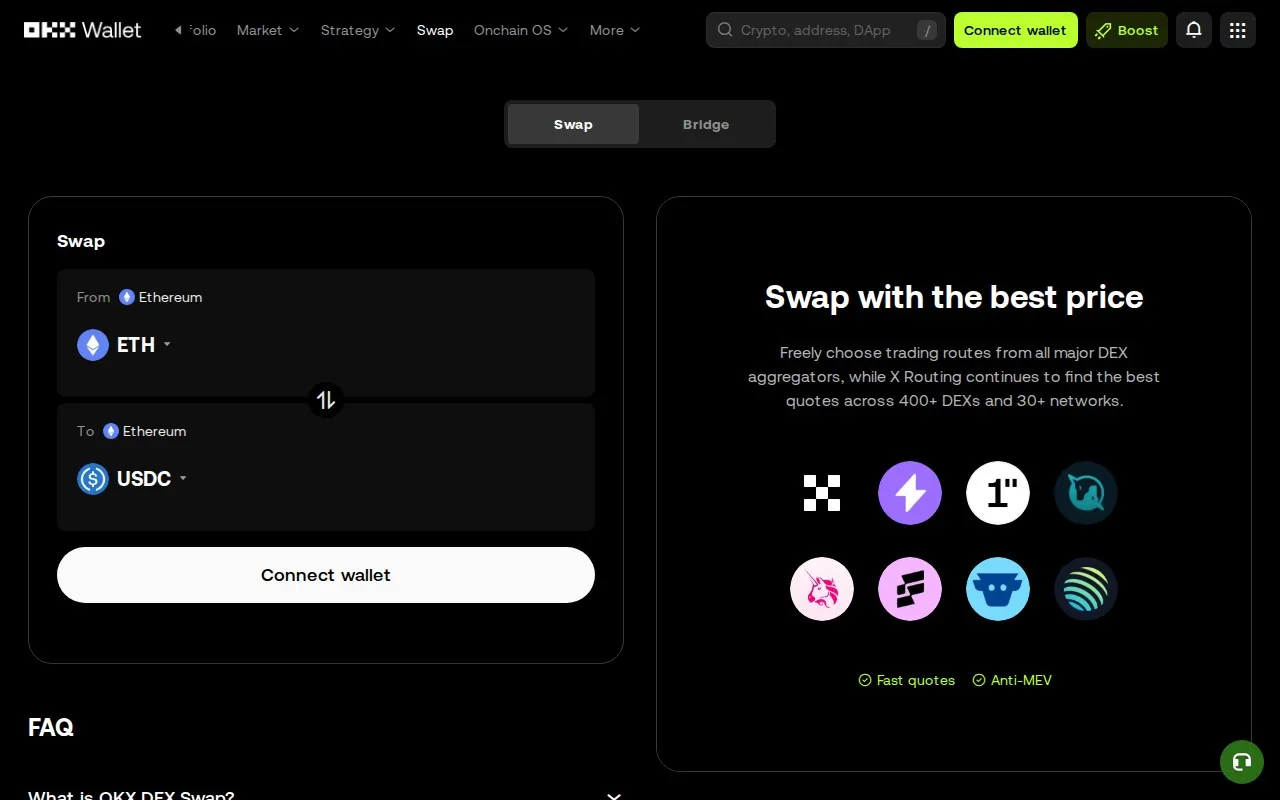
- Tap Swap or go to the DEX section
- Select the source chain and token
- Select the destination token (same chain or cross-chain)
- Enter the amount
- Review the route and estimated output
- Click Swap and confirm
The OKX DEX aggregator works similar to 1inch, checking multiple DEXs for the best rate. It also supports cross-chain swaps, letting you swap ETH on Ethereum for SOL on Solana in a single transaction.
Step 5: Bridge Between Chains
Need to move assets from one blockchain to another?
- Go to the Bridge section
- Select source chain and token
- Select destination chain
- Enter the amount
- Review the bridge route and fees
- Confirm and wait for the transfer (typically 1-15 minutes depending on the chains)
OKX aggregates multiple bridge providers to find the fastest and cheapest route for your transfer.
Step 6: Explore DApps
The built-in DApp browser lets you access any DeFi protocol directly from OKX Web3 Wallet:
- Uniswap for token swaps on Ethereum
- Aave for lending and borrowing
- Hyperliquid for perpetual trading
- Raydium for Solana DEX trading
- Any other DeFi protocol by entering its URL
Step 7: View Your Portfolio
The portfolio view shows all your assets across every chain in one place:
- Total portfolio value in USD
- Assets broken down by chain
- Token balances and current prices
- NFT collections
- DeFi positions (lending, staking, liquidity pools)
- Transaction history across all chains
Security Best Practices
- Always verify URLs: Only use okx.com for the official site. Phishing sites are common
- Check token contracts: Before swapping, verify the token contract on DEXTools or a block explorer
- Revoke unused approvals: Use the wallet's built-in approval manager to revoke permissions for DApps you no longer use
- Use a hardware wallet: For large holdings, connect a Ledger to OKX Web3 Wallet for maximum security
- Be careful with DApp connections: Only connect to trusted protocols. Disconnect after use
Supported Chains Overview
- EVM chains: Ethereum, Arbitrum, Base, Optimism, Polygon, BSC, Avalanche, Fantom, zkSync, Scroll, Linea, Mantle, and 50+ more
- Non-EVM: Solana, Bitcoin (Ordinals/BRC-20), Cosmos ecosystem, Tron, Aptos, Sui, TON
- Each chain has its own address format - OKX manages all of them from one seed phrase
Troubleshooting
Transaction Stuck or Failed
- Check you have enough native tokens for gas on the right network
- Try increasing gas limit or gas price in advanced settings
- For stuck transactions, use the "Speed Up" or "Cancel" option
Tokens Not Showing
- Make sure you are on the correct network
- Tap "Add Token" and paste the contract address manually
- Some new tokens take a few minutes to appear after a swap
Cannot Connect to DApp
- Make sure your wallet is on the same network the DApp requires
- Try disconnecting and reconnecting
- Clear the DApp browser cache
Disclaimer: This tutorial is for educational purposes only. Always secure your seed phrase and never share it with anyone. Crypto wallets carry risks including smart contract vulnerabilities and phishing attacks. DYOR before using any DeFi protocol.
Related Guides
- Wormhole Bridge Tutorial 2026: Multi-Chain Setup Guide
- How to Use Trust Wallet: Multi-Chain Beginner Guide (2026)
- How to Use Rabby Wallet: Complete Multi-Chain EVM Wallet Tutorial (2026)
- How to Use Exodus Wallet: Portfolio and Multi-Chain Guide (2026)
- How to Use Base Chain in 2026: Wallet Setup, Bridge and First Transaction Guide
Keep exploring
Frequently Asked Questions
Is OKX Web3 Wallet safe?
Yes, OKX Web3 Wallet is self-custodial, meaning only you have access to your private keys. OKX also offers MPC wallet technology that splits your key into 3 parts for enhanced security. However, always protect your seed phrase.
Is OKX Web3 Wallet free?
The wallet is completely free to download and use. You only pay standard network gas fees for transactions and a small fee on swaps through the built-in DEX aggregator.
How many chains does OKX Web3 Wallet support?
OKX Web3 Wallet supports 80+ blockchains including Ethereum, Solana, Bitcoin, Arbitrum, Base, Polygon, BSC, Cosmos, Tron, Aptos, Sui, TON, and many more.
Can I use OKX Web3 Wallet without an OKX exchange account?
Yes. The Web3 Wallet is completely separate from the OKX exchange. You do not need an OKX account, email, or KYC to create and use the wallet.