Best Crypto Debit Cards 2026: Top 5 Compared (Fees & Rewards)
— By Tony Rabbit in Tutorials
Compare the best crypto debit cards in 2026 by fees, rewards, supported coins and limits. See which crypto card fits spending, cashback and staking perks.
Crypto debit cards allow users to spend digital assets at any merchant accepting Visa or Mastercard. At the point of sale, crypto is auto-converted to fiat, eliminating the need for manual exchange and bank withdrawals. The market in 2026 offers improved cashback, lower fees, and wider global coverage.
- Crypto.com Visa Card
- Bybit Card (Mastercard)
- Binance Visa Card
- Coinbase Visa Card
- Wirex Mastercard
Table of Contents
- What Are Crypto Debit Cards?
- How Crypto Cards Work Technically
- Crypto.com Visa Card
- Bybit Mastercard
- Binance Visa Card
- Coinbase Visa Card
- Wirex Mastercard
- Full Comparison Table
- Tax Implications of Spending Crypto
- Security Features
- How to Choose the Right Card
- FAQ
- Related Tutorials
Crypto debit cards have transformed the way holders spend digital assets. Instead of selling on an exchange, withdrawing to a bank, and then spending with a traditional card, crypto debit cards let you pay at any merchant that accepts Visa or Mastercard - while your crypto is auto-converted to fiat at the point of sale. In 2026, the market has matured significantly, with better cashback tiers, lower fees, and broader global coverage than ever before.
In this guide we break down the five best crypto debit cards available right now, compare them across more than 15 categories, and cover the technical details you need to know before applying - including tax obligations, security features, and staking requirements. Whether you are a casual holder or a serious trader, there is a card here that fits your spending habits.
What Are Crypto Debit Cards?
A crypto debit card is a payment card - either Visa or Mastercard - linked to a cryptocurrency wallet or exchange account. When you tap or swipe at a terminal, the card provider instantly converts the required amount of crypto into the local fiat currency and settles the transaction with the merchant. The merchant never sees crypto; they receive fiat just like any other card payment.
There are two main models. Prepaid cards require you to top up a fiat balance in advance by selling crypto within the app. Auto-convert cards sell your crypto at the exact moment of purchase, pulling directly from your exchange wallet or a designated funding source. Most modern cards in 2026 use the auto-convert model because it minimizes idle fiat sitting in an account and lets you stay fully invested until the moment you spend.
Crypto debit cards also typically offer cashback rewards paid in cryptocurrency. These rewards range from 1% up to 10% depending on the card tier, staking requirements, and merchant category. Some cards also bundle perks like airport lounge access, streaming service rebates, and zero foreign exchange fees - making them competitive with premium traditional credit cards.
How Crypto Cards Work Technically (Auto-Conversion Explained)
Understanding the technical flow behind a crypto card transaction helps you make smarter spending decisions. Here is what happens step by step when you tap your card at a coffee shop:
- Authorization request: The merchant's payment terminal sends an authorization request to the Visa or Mastercard network, just like any other card.
- Card issuer receives request: The card issuer (for example, Crypto.com or Bybit's banking partner) receives the request with the fiat amount.
- Crypto-to-fiat conversion: The issuer checks your funding source. If you are using auto-convert, it sells the required amount of crypto from your wallet at the current market rate - typically using an internal order book or OTC desk to minimize slippage.
- Fiat settlement: The converted fiat is used to settle the transaction on the Visa/Mastercard rails. The merchant receives their payment in local currency.
- Cashback credited: Your cashback reward (in CRO, BNB, BTC, or another token) is credited to your account, usually within 24 hours.
The entire process takes about the same time as a normal card transaction - a few seconds at most. The exchange rate used is typically the mid-market rate at the moment of authorization, though some issuers add a small spread (0.5-1.5%) on top. This spread is effectively a hidden fee, so it is important to compare across providers.
Most cards let you set a priority order for which crypto gets sold first. For example, you might configure the card to spend stablecoins first (to avoid taxable events on volatile assets), then fall back to BTC or ETH if your stablecoin balance is insufficient. This is a key feature for tax-conscious users.
1. Crypto.com Visa Card
The Crypto.com Visa Card remains one of the most popular crypto debit cards in 2026 and for good reason. It offers a tiered rewards system powered by CRO staking, premium perks that rival traditional metal credit cards, and availability across 40+ countries. For a deeper look at the full Crypto.com ecosystem, check out our Crypto.com exchange and app tutorial.
Card Tiers and Cashback
Crypto.com offers five card tiers, each requiring a different CRO staking amount locked for 180 days:
- Midnight Blue (free): No staking required, 1% cashback in CRO
- Ruby Steel ($400 CRO stake): 2% cashback, Spotify rebate (up to $13.99/month)
- Royal Indigo / Jade Green ($4,000 CRO stake): 3% cashback, Spotify + Netflix rebate, airport lounge access (LoungeKey)
- Icy White / Frosted Rose Gold ($40,000 CRO stake): 5% cashback, all previous perks plus Amazon Prime rebate, extra 2% on CRO Earn deposits
- Obsidian ($400,000 CRO stake): 5% cashback (higher monthly cap), all perks plus private concierge and exclusive events
Fees
- Monthly fee: None across all tiers
- ATM withdrawal: Free up to $200-$1,000/month depending on tier, then 2% fee
- Foreign exchange fee: 0% for interbank rates (perfect for travel)
- Card issuance: Free for first card, $50 replacement fee
Supported Cryptocurrencies
You can top up the card with 20+ cryptocurrencies including BTC, ETH, CRO, USDT, USDC, SOL, ADA, DOT, and more. The card uses a fiat wallet that you preload by selling crypto within the app, rather than auto-converting at point of sale.
Availability
Available in the US, EU/EEA, UK, Canada, Singapore, Australia, Brazil, and 30+ other countries. Some tiers are not available in all jurisdictions. US users get the card issued through Metropolitan Commercial Bank.
How to Apply
- Download the Crypto.com app and complete KYC verification
- Purchase and stake the required amount of CRO for your desired tier
- Navigate to the Card section and select your tier
- Enter your shipping address and wait for delivery (typically 7-14 business days)
- Activate the card in the app and set your PIN
Pros and Cons
Pros
- Up to 5% cashback in CRO
- Zero FX fees - excellent for travelers
- Spotify, Netflix, and Amazon Prime rebates
- Airport lounge access on mid-tier and above
- Metal card design on all paid tiers
- No monthly or annual fees
Cons
- Must stake CRO for 180 days to unlock higher tiers
- CRO price volatility can erode staking value
- Cashback paid in CRO, not fiat
- Top-up model, not true auto-convert
- ATM limits are relatively low on free tier
2. Bybit Card (Mastercard)
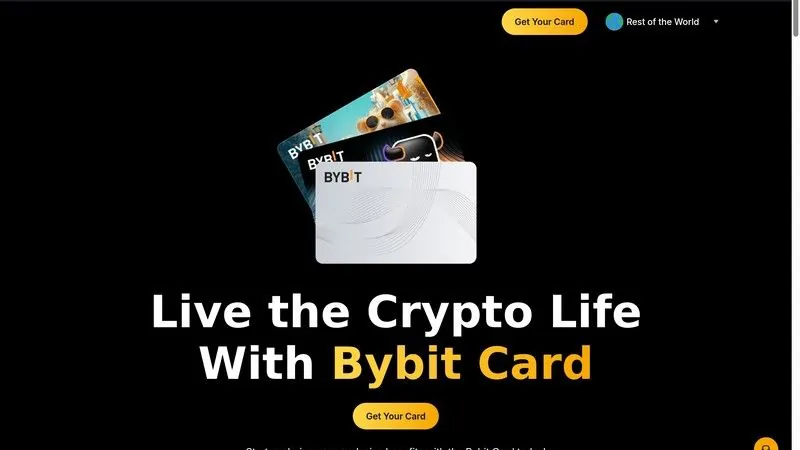
The Bybit Card has been gaining serious traction in 2026 thanks to its zero annual fee, true auto-convert functionality, and up to 10% cashback at select merchant categories. For a full walkthrough of the Bybit platform, see our complete Bybit trading tutorial.
Card Details and Cashback
The Bybit Card is a Mastercard that pulls directly from your Bybit spot wallet. When you make a purchase, the card auto-converts your chosen crypto into fiat at Bybit's internal exchange rate. The standard cashback rate is 2% on all purchases, but Bybit runs rotating promotions that boost cashback to 5-10% at select merchants (restaurants, online subscriptions, travel bookings).
Staking Requirements
Unlike Crypto.com, the Bybit Card does not require staking to access higher cashback tiers. Instead, cashback rates are determined by your 30-day trading volume and account level. Users at VIP 1 and above get enhanced cashback automatically. This makes it attractive for active traders who already have volume on the platform.
Fees
- Annual/monthly fee: $0
- ATM withdrawal: $1.50 per withdrawal domestically, $3.00 internationally
- Foreign exchange fee: 0.5% spread on conversion
- Card issuance: Free (virtual and physical)
- Inactivity fee: $5/month after 12 months of no transactions
Supported Cryptocurrencies
BTC, ETH, USDT, USDC, SOL, XRP, ADA, DOGE, AVAX, MATIC, and 30+ other tokens available in the Bybit spot wallet can be used as funding sources.
Availability
EU/EEA, UK, Turkey, Brazil, Argentina, and select Asian markets (excluding US, Canada, and sanctioned regions). Bybit has been expanding aggressively and new countries are added quarterly.
How to Apply
- Create a Bybit account and complete identity verification (KYC Level 2)
- Navigate to the "Card" section in the app or website
- Order a virtual card instantly or request a physical card
- Add crypto to your spot wallet as a funding source
- Set your spending priority (which crypto gets converted first)
Pros and Cons
Pros
- Zero annual fee
- True auto-convert from spot wallet
- Up to 10% cashback at select merchants
- No staking required for base rewards
- Instant virtual card issuance
- 30+ supported cryptocurrencies
Cons
- Not available in the US or Canada
- 0.5% FX spread is not zero-fee
- Higher cashback rates tied to trading volume
- Inactivity fee after 12 months
- Relatively new card program with less track record
3. Binance Visa Card
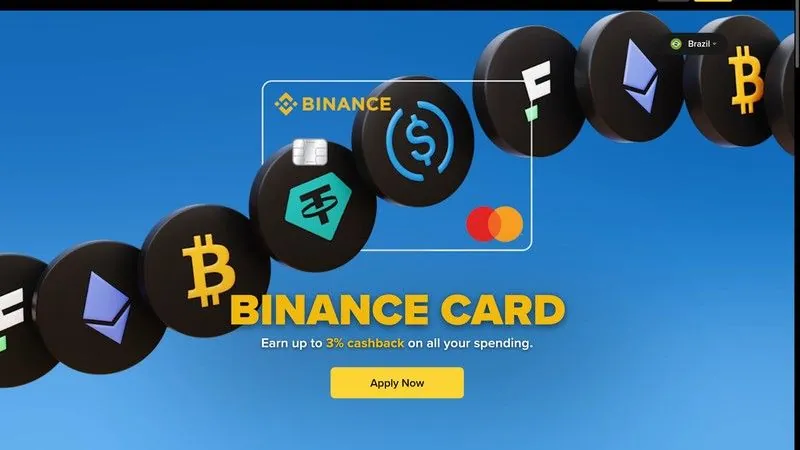
The Binance Card connects directly to your Binance spot wallet and auto-converts crypto to fiat at the point of sale. Its headline feature is up to 8% cashback in BNB for users who hold significant BNB balances. For the full exchange walkthrough, see our Binance exchange tutorial.
Cashback Tiers
Binance uses a BNB-holding tier system rather than staking locks:
- Level 1 (0 BNB): 0.1% cashback
- Level 2 (1 BNB): 2% cashback
- Level 3 (10 BNB): 3% cashback
- Level 4 (40 BNB): 4% cashback
- Level 5 (100 BNB): 5% cashback
- Level 6 (250 BNB): 6% cashback
- Level 7 (600 BNB): 8% cashback
Fees
- Monthly/annual fee: $0
- ATM withdrawal: Free up to 2 withdrawals/month, then $0.50 per withdrawal
- Foreign exchange fee: 0% (no additional markup on Visa rate)
- Card issuance: Free virtual card, free physical card in most regions
- Conversion spread: 0.9% on crypto-to-fiat conversion
Supported Cryptocurrencies
The Binance Card supports 15+ tokens as direct funding sources including BTC, ETH, BNB, USDT, USDC, SOL, XRP, DOGE, BUSD, ADA, AVAX, DOT, LINK, MATIC, and SHIB. You can set a priority order so the card spends stablecoins before volatile assets.
Availability
EU/EEA, UK, Ukraine, Kazakhstan, and select Latin American countries. The card is not available in the US due to regulatory restrictions. Binance has been re-entering markets after regulatory settlements and availability continues to expand.
How to Apply
- Complete Binance identity verification (KYC)
- Go to the Binance Card page in the app or website
- Order your virtual card (instant) or physical card (7-10 days)
- Fund your spot wallet with your preferred cryptocurrencies
- Set your conversion priority list and start spending
Pros and Cons
Pros
- Up to 8% cashback with BNB holdings
- True auto-convert from spot wallet
- Zero FX fee on top of Visa rate
- No monthly or annual fees
- No staking lock - just hold BNB
- 15+ supported cryptocurrencies
Cons
- Not available in the US
- 0.9% conversion spread is above average
- 8% tier requires holding 600 BNB (significant capital)
- Cashback paid only in BNB
- Regulatory uncertainty in some markets
4. Coinbase Visa Card
Coinbase offers one of the simplest crypto card experiences. There are no tiers, no staking, and no complicated reward structures. You connect the card to your Coinbase account and spend any asset you hold. Rewards of up to 4% are paid in crypto of your choice. For help setting up Coinbase, check our complete Coinbase beginner tutorial.
Cashback Structure
Coinbase Card rewards vary by which crypto you choose to receive cashback in:
- 4% back: Earned when receiving rewards in GRT, AMP, RLY, or other promoted tokens
- 2% back: Earned when receiving rewards in Stellar (XLM) or Dogecoin (DOGE)
- 1% back: Earned when receiving rewards in BTC, ETH, or other major tokens
The higher cashback percentages are reserved for smaller-cap tokens that Coinbase is actively promoting. If you want rewards in BTC or ETH, expect 1% back. Still, 1% with zero fees is competitive.
Fees
- Monthly/annual fee: $0
- ATM withdrawal: Free up to $1,000/month (US), then $2.49 per withdrawal
- Foreign exchange fee: 2% international transaction fee
- Conversion spread: Up to 2.49% on crypto-to-fiat, 0% when spending USDC
- Card issuance: Free
Supported Cryptocurrencies
Any crypto held in your Coinbase account can be used - that is 200+ tokens. You select a spending priority, and the card auto-converts at the time of purchase. A key advantage is that spending USDC incurs zero conversion fees, making it effectively a free-to-use fiat-backed spending card.
Availability
US (all 50 states) and EU/EEA. The Coinbase Card is one of the few crypto cards fully available to US residents through a partnership with Marqeta and issued by Sutton Bank. UK availability was added back in 2025.
How to Apply
- Create a Coinbase account and verify your identity
- Navigate to the "Card" tab in the Coinbase app
- Join the waitlist if applicable, or order directly
- Choose your cashback reward token
- Set your crypto spending priority and start using the card
Pros and Cons
Pros
- Available in all 50 US states
- 200+ cryptos as funding sources
- Zero fees when spending USDC
- No staking or holding requirements
- Simple and beginner-friendly setup
- Publicly traded company (regulatory trust)
Cons
- 2.49% spread on non-USDC crypto is high
- 2% international transaction fee
- Highest cashback rates only for obscure tokens
- Only 1% back in BTC/ETH
- No premium tiers or lounge access
5. Wirex Mastercard
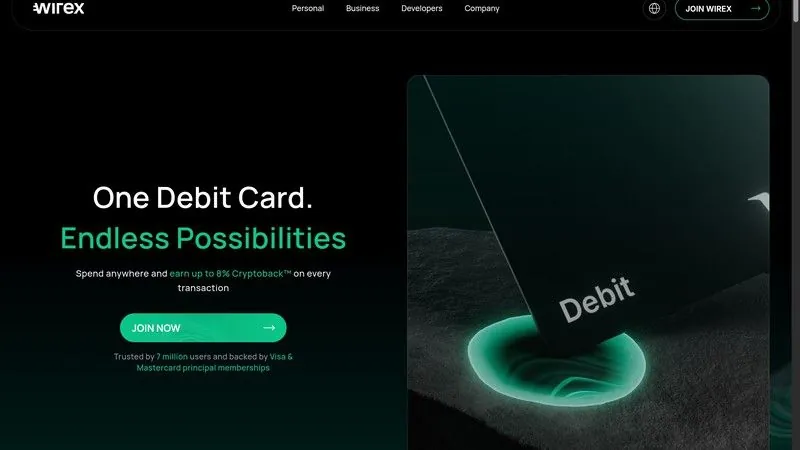
Wirex takes a different approach by combining a multi-currency account, DeFi yield features, and a Mastercard in one app. Their X-Accounts let you earn yield on idle crypto balances, and the card pulls from these accounts when you spend. It is the most "fintech-meets-DeFi" option on this list.
Cashback and X-Accounts
Wirex offers up to 8% cashback in WXT (Wirex Token) for their highest-tier plan subscribers. The free plan gives 0.5% cashback. Paid plans range from $2.99/month (Standard) to $29.99/month (Elite). What makes Wirex unique is X-Accounts - interest-bearing crypto accounts that generate DeFi yield (currently 4-16% APY depending on the token) while your funds remain spendable via the card.
Fees
- Monthly fee: Free plan available, paid plans $2.99-$29.99/month
- ATM withdrawal: Free up to $400/month (free plan), up to $2,000/month (Elite), then 2%
- Foreign exchange fee: 0% on weekdays (free plan), 0% always (paid plans)
- Conversion spread: 0.5-1.0% depending on plan
- Card issuance: Free virtual, $2.00 physical (free on paid plans)
Supported Cryptocurrencies
Wirex supports 50+ fiat and crypto currencies in one account. You can hold BTC, ETH, SOL, XRP, DOGE, USDT, USDC, WXT, MATIC, AVAX, and many more. The multi-currency wallet also supports traditional currencies like USD, EUR, GBP, SGD, and AUD, making it a true hybrid account.
Availability
EU/EEA, UK, Singapore, Australia, Japan, and 130+ countries worldwide. Not available in the US or Canada. Wirex holds an e-money license in the UK and EU, and is one of the most globally accessible crypto card providers.
How to Apply
- Download the Wirex app and sign up
- Complete identity verification
- Choose your plan (free or paid)
- Order your virtual or physical Mastercard
- Fund your account with crypto or fiat and optionally enable X-Accounts for yield
Pros and Cons
Pros
- DeFi yield on idle balances (X-Accounts)
- Multi-currency support (50+ fiat and crypto)
- Available in 130+ countries
- Free plan available with basic features
- Zero FX fees on weekdays (even free plan)
- Hybrid fiat-crypto wallet
Cons
- Higher cashback rates require paid subscription
- Cashback paid in WXT (lower liquidity token)
- DeFi yield carries smart contract risk
- Not available in the US
- Free plan ATM limit is only $400/month
Full Comparison Table
Here is every important metric across all five cards in a single reference table. Bookmark this section for quick comparisons.
Tax Implications of Spending Crypto
This is the part most people overlook. In nearly every jurisdiction, spending cryptocurrency is a taxable event. When your card converts BTC to USD to buy groceries, the tax authority treats that conversion as a sale of BTC. If the BTC appreciated since you bought it, you owe capital gains tax on the difference. For a comprehensive breakdown by country, see our crypto tax guide for every country.
How Taxable Events Work with Crypto Cards
Every time you swipe your card and crypto is converted to fiat, you are technically disposing of a crypto asset. Here is how it works:
- Cost basis: The price you originally paid for the crypto
- Proceeds: The fiat value at the moment the card converts it
- Gain or loss: Proceeds minus cost basis
- Tax rate: Short-term capital gains (held less than 1 year) or long-term (held more than 1 year), depending on jurisdiction
The Stablecoin Loophole
Spending stablecoins like USDC or USDT generally results in zero or near-zero capital gains because their value stays pegged to $1. If you bought USDC at $1.00 and spent it when it was still $1.00, there is no gain. This is why many experienced crypto card users load up on stablecoins as their primary spending source and keep volatile assets for long-term holding.
Coinbase Card is particularly good for this strategy since spending USDC incurs zero conversion fees. You can deposit USD, convert to USDC for free, and spend without worrying about capital gains or conversion spreads.
Record-Keeping
All five cards provide transaction histories that you can export for tax reporting. However, the level of detail varies. Crypto.com and Coinbase offer the most comprehensive tax exports, including cost basis tracking and integration with popular tax software like Koinly, CoinTracker, and TaxBit. Bybit and Binance provide CSV exports that require more manual work. Wirex falls somewhere in between with basic export functionality.
Keep in mind that cashback rewards received in crypto are also potentially taxable as income in some jurisdictions (similar to how credit card rewards are treated). The value of the token at the time you receive it becomes your cost basis for future disposal.
Security Features
When your card is linked to a crypto wallet that could hold significant value, security is critical. Here is how each provider approaches card security and what you should look for.
Standard Security (All Cards)
- Chip and PIN: All physical cards use EMV chip technology
- 3D Secure: Online transactions require verification through the app
- Instant freeze: You can freeze/unfreeze the card instantly from the app
- Transaction notifications: Real-time push notifications for every transaction
- Two-factor authentication: Required for app login and large transactions
Advanced Security by Provider
Crypto.com stores 100% of user funds in cold storage and uses multi-signature wallets. They also offer biometric authentication and whitelisting for withdrawals. Their insurance coverage through Lloyd's of London covers up to $750 million in cold storage assets.
Coinbase is a publicly traded company (NASDAQ: COIN) and is regulated by multiple US agencies. They carry crime insurance that protects digital assets held in hot wallets and maintain FDIC insurance on USD balances up to $250,000 through their banking partner.
Binance operates the SAFU (Secure Asset Fund for Users), a $1 billion emergency insurance fund. They also employ AI-based fraud detection and offer hardware security key support for account access.
Bybit uses a combination of cold wallet storage, multi-signature authorization, and an industry-leading insurance pool. They offer Yubikey support for two-factor authentication.
Wirex holds an e-money license in the UK (FCA-regulated) and EU. They segregate customer funds from company funds and use Fireblocks for institutional-grade custody.
Regardless of which card you choose, you should also secure the underlying exchange account with a hardware security key, use a unique strong password, and consider keeping large crypto holdings in a separate cold wallet rather than on the exchange. Only keep spending amounts in the linked account. You can also manage smaller DeFi holdings through a browser wallet like MetaMask, though these wallets are not directly connected to any of the cards listed here.
How to Choose the Right Crypto Card
With five strong options, picking the right card depends on your specific situation. Here is a decision framework:
Choose Crypto.com if: You travel frequently and want lounge access, zero FX fees, and streaming rebates. You are comfortable staking CRO for 180 days to unlock premium perks. You want the most feature-rich card with a proven track record.
Choose Bybit if: You are an active trader who already uses Bybit and want to spend directly from your spot wallet without staking or locking tokens. The zero annual fee and true auto-convert model make it frictionless.
Choose Binance if: You already hold a significant amount of BNB and want to maximize cashback without staking locks. The 8% cashback tier is the highest flat rate available, though it requires substantial BNB holdings.
Choose Coinbase if: You live in the US and want a simple, regulated option with zero fees when spending USDC. It is the best card for the stablecoin spending strategy to minimize tax events.
Choose Wirex if: You want DeFi yield on your idle balances while still having card access to those funds. The multi-currency support and global availability (130+ countries) also make it ideal for digital nomads.
More 2026 Cards Worth Knowing: Nexo, Gnosis Pay and Fold
While cards like Crypto.com and Coinbase have gained significant traction, the crypto debit card landscape is continuously evolving. As we look towards 2026 and beyond, new and established players are refining their offerings, focusing on different user needs and regional preferences. These innovations often center on how users access their crypto, the fee structures involved, and the underlying custody model.
The trend towards more diverse options suggests that users will have greater flexibility in choosing a card that aligns with their specific financial habits and risk tolerance. From borrowing against assets to earning Bitcoin rewards, the market is expanding beyond simple spend-and-earn models.
- Nexo Card. This card allows users to spend by borrowing against their crypto holdings instead of selling them. It states no monthly or annual fee. For EEA, UK, and CH currencies, the FX fee is about 0.2%. There is a free ATM allowance by tier, after which a 2% fee applies. The card has an EEA and UK focus.
- Gnosis Pay. A self-custodial Visa card, Gnosis Pay does not add an FX markup, meaning the standard Visa rate applies. Users get 5 free ATM withdrawals per month, with a 2% fee thereafter. Its focus is on the EEA and UK.
- Fold Card. The Fold Card pays Bitcoin rewards. The standard card has a $0 annual fee, while Fold Plus costs $100 per year or $10 per month. ATM withdrawals are $3.50 for standard users or free on Fold Plus. This card is focused on the US market and is app-based.
How to Choose: Region, Fees and Custody Beat Headline Rewards
When selecting a crypto debit card, it's easy to be swayed by attractive headline rewards or high cashback percentages. However, a more pragmatic approach considers factors that directly impact your actual spending and financial control: your region, the card's fee structure, and its custody model. These elements often have a greater long-term effect on the card's value to you than initial reward promises.
For instance, a card with high cashback might be less appealing if it charges substantial ATM withdrawal fees, high foreign exchange fees, or requires significant staking of a native token to unlock its best features. Similarly, the difference between a custodial card, where a third party holds your crypto, and a self-custodial card like Gnosis Pay, where you retain direct control, can be a critical decision point for many users.
The best card for you will ultimately depend on where you live, how often you travel, your typical spending habits, and your comfort level with different custody models. Always review the full terms and conditions before committing to a card.
Are There No-KYC Crypto Cards? The 2026 Reality
Finding crypto cards with minimal or no KYC is challenging due to regulatory demands. However, some options offer limited access without full verification to start.
These limited options come with trade-offs: higher fees, lower limits, and the ongoing risk of sudden shutdowns.
Frequently Asked Questions
1. Can I use a crypto debit card anywhere?
Yes, anywhere that accepts Visa or Mastercard. Since the merchant receives fiat, they never need to know you are paying with crypto. This includes online merchants, physical stores, restaurants, gas stations, and ATMs. The only exception is merchants that specifically block prepaid or debit cards, which is rare.
2. What happens if my crypto drops in value while a transaction is processing?
The exchange rate is locked at the moment of authorization (when you tap or swipe). Even if the market moves during the settlement period (which can take 1-3 business days), you pay the rate from the moment of purchase. This protects you from volatility between authorization and settlement.
3. Is there a minimum balance required to use a crypto card?
There is no minimum balance to hold a card, but you need enough crypto in your wallet to cover the purchase amount plus the conversion spread. If your balance is insufficient, the transaction will be declined. Most cards let you set up a funding priority so the card automatically tries multiple assets.
4. Can I get cashback on all purchases?
Most purchases qualify for cashback, but there are common exclusions. Financial transactions (buying other crypto, money orders, wire transfers), quasi-cash transactions, gambling, and government payments are typically excluded from cashback rewards across all providers.
5. Are crypto debit cards safe?
Major providers use bank-grade security including EMV chips, 3D Secure for online payments, instant freeze controls, and two-factor authentication. The underlying crypto is held in custody by the exchange, which means you should only use cards from reputable, well-funded companies. Keep large holdings in a separate cold wallet and only load spending amounts on the exchange.
6. Do I need to report crypto card spending on my taxes?
Yes, in most countries. Every time you spend crypto (meaning the card converts it to fiat), it is a taxable disposal event. You need to track the cost basis of each crypto spent and report capital gains or losses. Spending stablecoins minimizes this issue since there is typically no gain. See our crypto tax guide for country-specific details.
7. Can I have more than one crypto debit card?
Absolutely. There is no rule against holding multiple crypto cards from different providers. In fact, many users carry a Coinbase Card for USDC spending in the US and a Crypto.com Card for international travel with zero FX fees. Just be aware of the tax tracking complexity that comes with using multiple cards.
8. What is the difference between a crypto debit card and a crypto credit card?
A crypto debit card spends existing funds from your crypto wallet - you can only spend what you have. A crypto credit card extends a line of credit (often backed by crypto collateral). Credit cards carry interest on unpaid balances and often have higher fees. The cards in this guide are all debit cards, which are simpler and carry no debt risk.
9. Do crypto cards work with Apple Pay and Google Pay?
Most crypto debit cards now support Apple Pay and Google Pay. Crypto.com, Coinbase, and Wirex all offer mobile wallet integration. Bybit and Binance have been rolling out support in select regions. Once added to your phone's wallet, you can tap to pay without carrying the physical card.
10. What is the spending limit on crypto debit cards?
Limits vary by provider and card tier. Typical daily spending limits range from $5,000 to $25,000 for standard tiers, with premium tiers offering $50,000+ daily limits. Monthly limits are usually 5-10x the daily limit. ATM withdrawal limits are separate and generally lower. Check each provider's current limits in their app, as these change periodically.
Related Tutorials
- How to Use Crypto.com Exchange and App - Full Tutorial 2026
- How to Use Bybit Exchange - Complete Trading Tutorial 2026
- How to Use Binance Exchange - Complete Trading Tutorial 2026
- How to Use Coinbase - Complete Beginner Tutorial 2026
- Crypto Tax Guide for Every Country 2026
- How to Stake Ethereum (ETH) - Complete Guide 2026
- What Is DeFi? Complete Guide to Decentralized Finance 2026
- Best Cold Wallets 2026 - Hardware Wallet Comparison Guide
- How to Use MetaMask Wallet - Complete Tutorial 2026
- Best Stablecoins 2026 - Comparison Guide