How to Use CoinMarketCap: Crypto Research Tutorial (2026)
— By Tony Rabbit in Tutorials

Master CoinMarketCap with this complete tutorial covering market data, watchlists, portfolio tracking, screeners, tokenomics, and API access.
CoinMarketCap (CMC) is the world's most widely used cryptocurrency data platform, tracking over 10,000 digital assets with real-time prices, market caps, and trading volumes. Founded in 2013 and acquired by Binance in 2020, CMC aggregates pricing and trading data from hundreds of exchanges, helping users research cryptocurrencies, build watchlists, and track portfolios.
Whether you just bought your first Bitcoin or you are exploring altcoins, understanding how to research cryptocurrencies is essential before putting money at risk. CoinMarketCap (CMC) is the most widely used crypto data platform in the world, tracking over 10,000 digital assets with real-time prices, market caps, trading volumes, and much more. This CoinMarketCap tutorial will teach you how to navigate every feature the platform offers - from reading market data to building watchlists, tracking your portfolio, and using advanced screeners to find your next investment.
What Is CoinMarketCap?
CoinMarketCap is a cryptocurrency data aggregation platform founded in 2013 and acquired by Binance in 2020. It collects pricing and trading data from hundreds of exchanges worldwide and presents it in a clean, accessible format. Think of it as the Bloomberg Terminal of crypto - but free for most features.
The platform serves everyone from complete beginners checking the price of Bitcoin to institutional analysts running deep tokenomics research. As of 2026, CoinMarketCap tracks:
- 10,000+ cryptocurrencies and tokens
- 700+ exchanges (centralized and decentralized)
- 40,000+ trading pairs
- Real-time and historical market data
- On-chain metrics and tokenomics data
Navigating the CoinMarketCap Dashboard
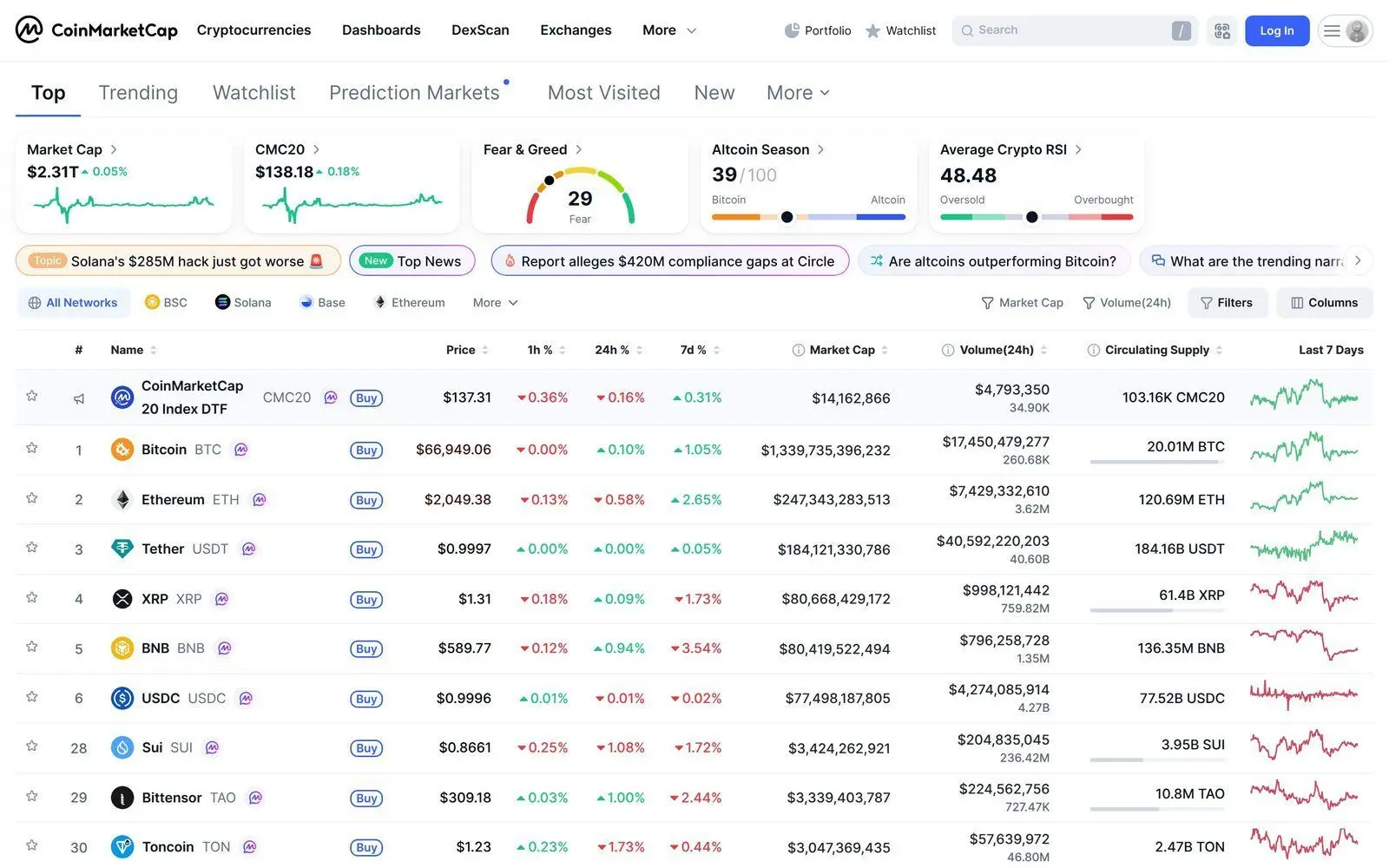
When you first visit coinmarketcap.com, you will see the main cryptocurrency rankings page. This is the heart of the platform. Let us break down every element you see on this page in this CoinMarketCap tutorial.
The Main Rankings Table
The default view shows all cryptocurrencies ranked by market capitalization (largest first). Each row contains several data points:
- Rank (#): Position by market cap. Bitcoin is always #1, Ethereum #2
- Name and Symbol: The cryptocurrency name (e.g., Bitcoin) and ticker (BTC)
- Price: Current USD price (or your selected currency)
- 1h / 24h / 7d Change: Percentage price change over different time periods. Green means the price went up, red means it went down
- Market Cap: Total value of all coins in circulation (Price x Circulating Supply)
- 24h Volume: Total trading volume in the last 24 hours - a key indicator of liquidity and interest
- Circulating Supply: How many coins are currently available in the market
- 7-Day Chart: A mini sparkline showing the price trend for the past week
Global Market Data Bar
At the very top of the page, you will see a data bar with global market statistics:
- Total Market Cap: Combined value of all cryptocurrencies
- 24h Volume: Total trading volume across all markets
- BTC Dominance: Bitcoin's percentage of the total market cap - an important indicator of market sentiment
- ETH Dominance: Ethereum's share of the total market
- Fear & Greed Index: A sentiment gauge from 0 (Extreme Fear) to 100 (Extreme Greed)
Pro tip: When BTC dominance is rising, it usually means money is flowing from altcoins into Bitcoin (a "risk-off" move). When BTC dominance drops, altcoins tend to outperform (altseason). This single metric can help you time your portfolio allocation.
How to Read a Cryptocurrency's Detail Page
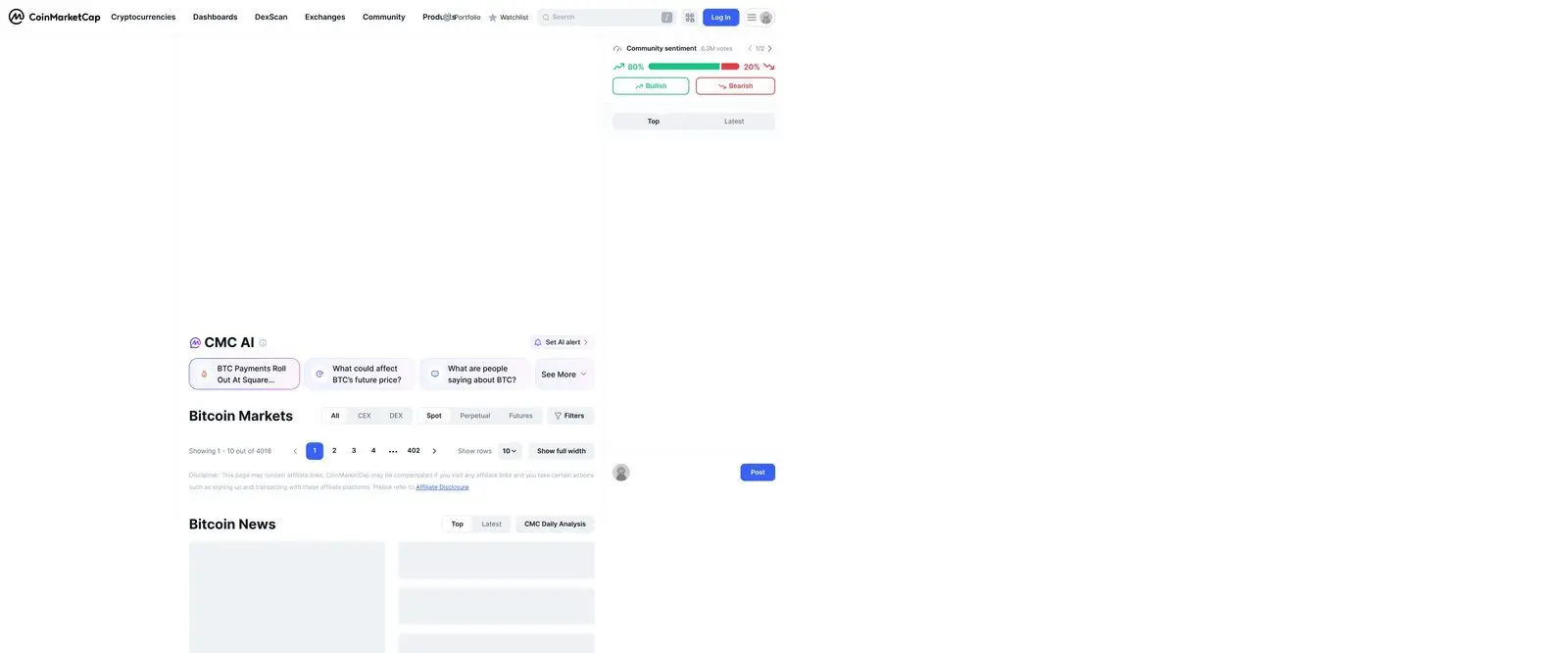
Clicking on any cryptocurrency takes you to its detail page, which contains a wealth of information for research. Here is how to read each section.
Price Chart
The interactive chart shows price history over customizable timeframes (1D, 7D, 1M, 3M, 1Y, All). You can toggle between line chart and candlestick views. The chart also shows trading volume bars at the bottom.
Market Data Summary
Below the chart, you will find key statistics:
- Market Cap: Current total market value
- Fully Diluted Market Cap: What the market cap would be if all tokens were in circulation. Compare this with the current market cap - a big gap means significant future dilution
- 24h Volume / Market Cap Ratio: A high ratio indicates active trading relative to the asset's size
- Circulating Supply vs Max Supply: Shows how many tokens exist now vs the maximum that will ever exist
Reading Tokenomics Data
Tokenomics is one of the most important research areas, and CoinMarketCap provides excellent data here. Scroll to the "Tokenomics" or "Supply" section of any coin's page to find:
- Total Supply: All tokens that have been created (including locked or burned ones)
- Max Supply: The hard cap - the maximum number of tokens that will ever exist. Bitcoin's max supply is 21 million
- Circulating Supply: Tokens currently available for trading
- Supply Distribution: Shows how tokens are allocated (team, investors, community, treasury)
- Vesting Schedule: When locked tokens will be released. Large upcoming unlocks can create selling pressure
Research tip: If a token has a low circulating supply relative to its total supply, be cautious. Future token unlocks can flood the market and suppress the price. Always check the vesting schedule before investing.
Creating and Managing Watchlists
Watchlists are one of the most practical features covered in this CoinMarketCap tutorial. They let you track a curated list of cryptocurrencies without the noise of the full rankings page.
How to Create a Watchlist
- Create a free CoinMarketCap account (or sign in if you already have one)
- Navigate to any cryptocurrency
- Click the star icon next to the coin's name
- The coin is now added to your default watchlist
- Access your watchlists from the "Watchlist" tab in the top navigation
Organizing Multiple Watchlists
Power users can create multiple watchlists for different purposes:
- "DeFi Blue Chips" - Track established DeFi protocols like Aave, Uniswap, MakerDAO
- "Layer 1s" - Monitor competing smart contract platforms like Ethereum, Solana, Avalanche
- "High Risk / High Reward" - Track smaller cap tokens you are researching
- "Stablecoin Pegs" - Monitor if stablecoins like USDT, USDC, DAI maintain their $1 peg
When researching tokens on your watchlist, combine CoinMarketCap's fundamental data with real-time DEX trading data from DEXTools. While CMC shows you the big picture (market cap, supply, rankings), DEXTools shows you what is happening on-chain right now - liquidity movements, real-time trades, and holder analysis.
Using the Portfolio Tracker
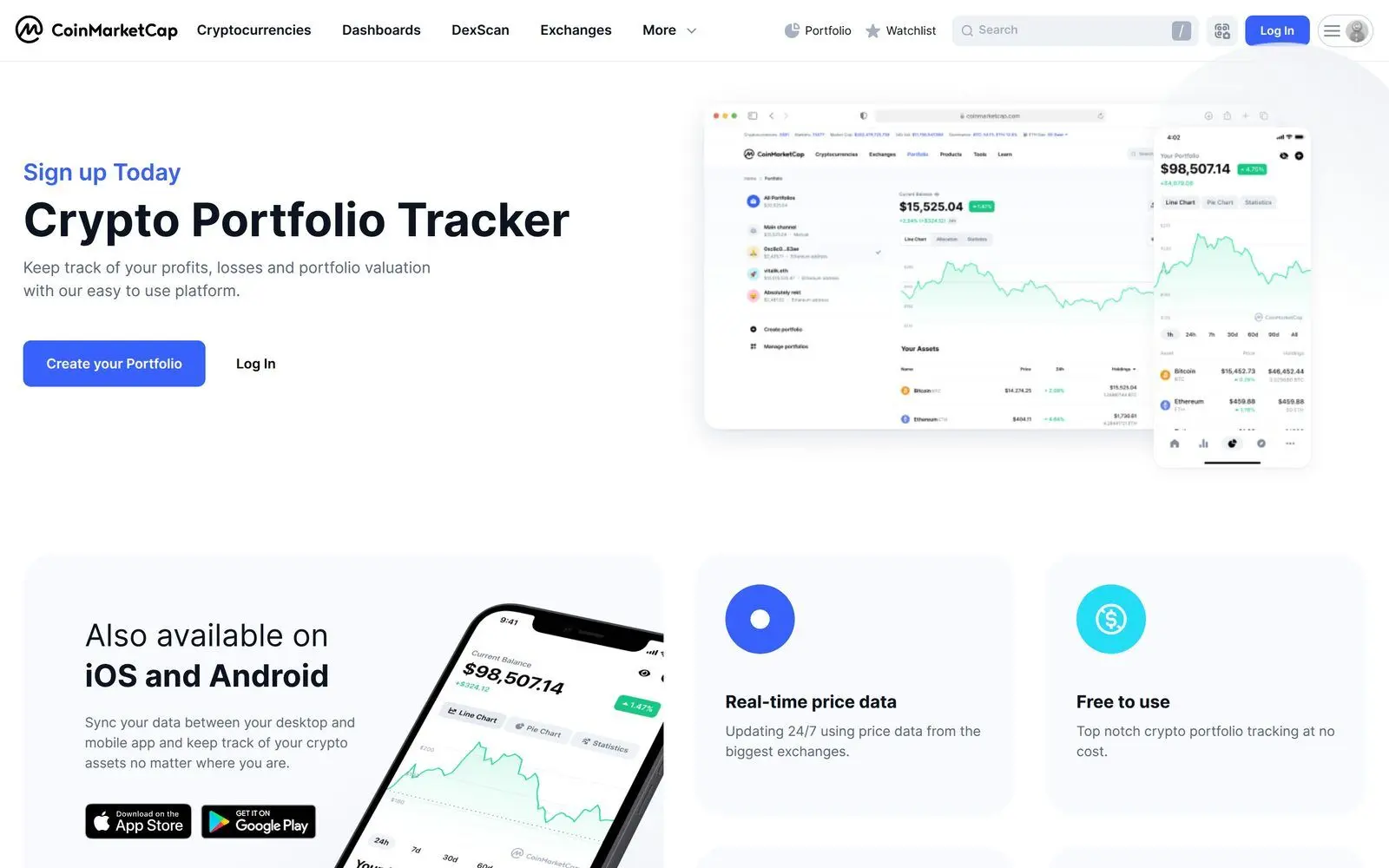
CoinMarketCap's built-in portfolio tracker lets you monitor your crypto holdings and track profit/loss over time - all for free.
Setting Up Your Portfolio
- Click "Portfolio" in the top navigation (requires a free account)
- Click "Add New" or "Add Transaction"
- Search for the cryptocurrency you bought
- Enter the amount and your purchase price
- Select "Buy" as the transaction type
- Optionally add the date, exchange, and notes
- Click "Add Transaction"
Repeat for each cryptocurrency in your portfolio. The tracker will automatically calculate your total portfolio value, profit/loss per asset, and overall performance.
Portfolio Insights
Once your portfolio is set up, you gain access to:
- Total portfolio value in real-time
- Profit/Loss for each holding and overall
- Portfolio allocation breakdown (pie chart showing what percentage each asset represents)
- Historical performance chart
- Best and worst performers at a glance
Note: The CoinMarketCap portfolio tracker is manual - you enter transactions yourself. It does not connect to your wallets or exchanges automatically. For automatic tracking, consider dedicated portfolio apps, but CMC's free tracker is excellent for most users.
Comparing Cryptocurrencies
CoinMarketCap offers a comparison tool that lets you evaluate two or more cryptocurrencies side by side.
How to Compare Coins
- Navigate to any coin's detail page
- Click the "Compare" button
- Search for the second cryptocurrency
- View side-by-side price charts, market data, and key metrics
This feature is especially useful when deciding between competing projects. For example, compare Solana vs Avalanche to see how their market caps, trading volumes, and price performances stack up against each other.
Using Filters and Screeners
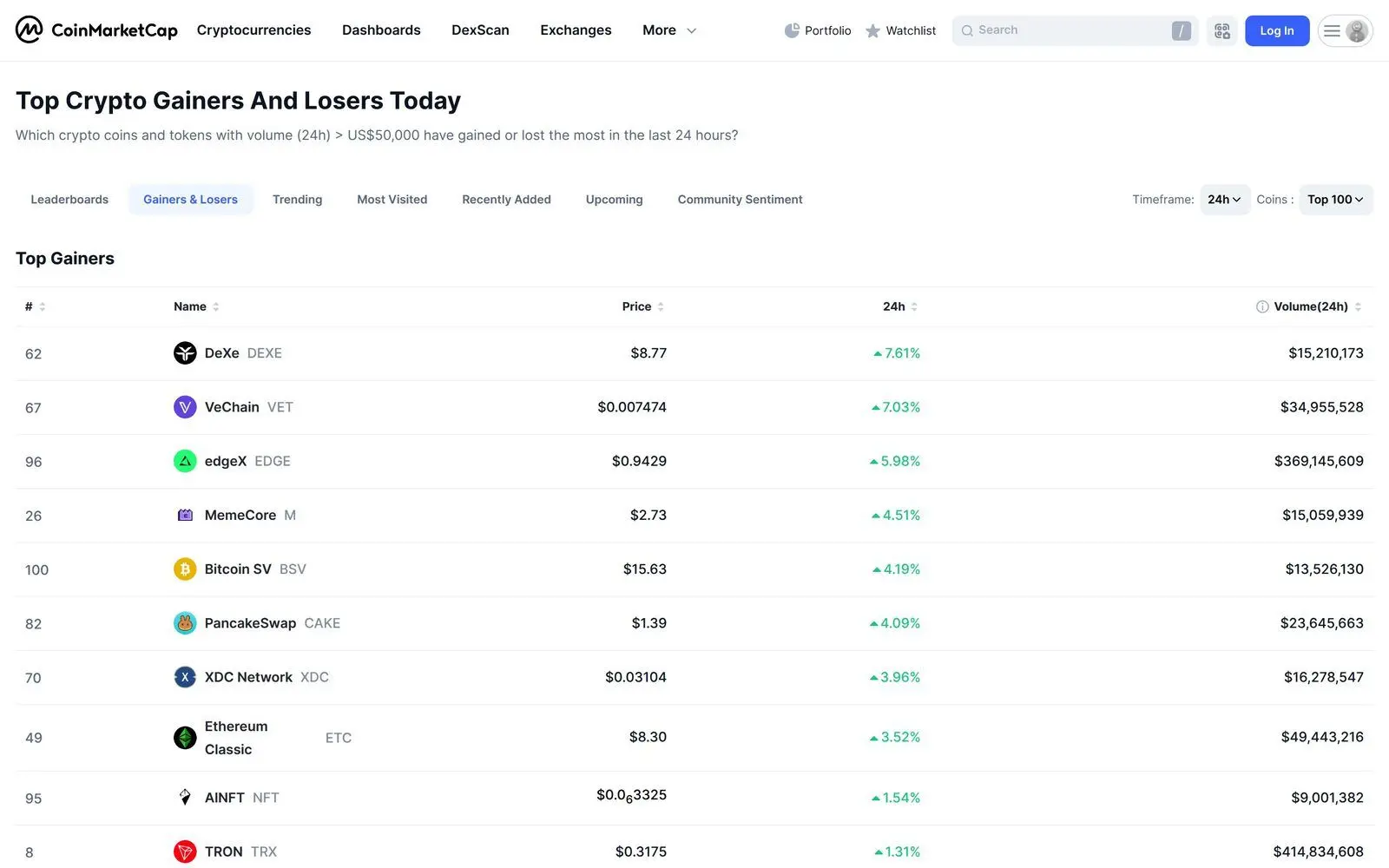
The screener functionality helps you discover new cryptocurrencies based on specific criteria. This is one of the more powerful features for active researchers.
Available Filters
- Market Cap Range: Filter by micro-cap, small-cap, mid-cap, or large-cap
- Price Change: Find top gainers or biggest losers over various timeframes
- Volume: Filter by 24h trading volume to find liquid assets
- Category: Filter by sector - DeFi, NFTs, Gaming, Layer 1, Layer 2, Meme Coins, AI, RWA
- Platform: Filter by blockchain (Ethereum tokens, Solana tokens, BNB Chain, etc.)
- Price Range: Find coins within a specific price bracket
Trending and Recently Added
Two additional discovery sections worth checking regularly:
- Trending: Shows the most searched and viewed coins on CMC - useful for spotting momentum
- Recently Added: Lists newly listed tokens. This is where you find early-stage projects, but exercise extreme caution as new listings carry higher risk
CMC Earn - Learn and Earn Free Crypto
CoinMarketCap Earn is an educational program where you can earn small amounts of cryptocurrency by watching videos and completing quizzes about blockchain projects.
How CMC Earn Works
- Navigate to the "Earn" section from the top menu
- Browse available campaigns
- Watch the educational video about the featured project
- Complete a short quiz to test your understanding
- If you pass, you are eligible to receive free tokens
- Tokens are distributed to your Binance account (Binance account required)
Note: Rewards are distributed on a first-come, first-served basis and quantities are limited. Not all campaigns may be available in your region. While the amounts are small, CMC Earn is a great way to learn about new projects while earning a few dollars in crypto.
Using the CoinMarketCap API
For developers and data analysts, CoinMarketCap offers a robust API with both free and paid tiers.
Free API Tier Includes
- Latest cryptocurrency listings and quotes
- Global market metrics
- Cryptocurrency metadata (logos, descriptions, links)
- Up to 10,000 API calls per month
Getting Started with the API
- Visit pro.coinmarketcap.com
- Create a developer account
- Choose the free "Basic" plan
- Copy your API key from the dashboard
- Use the key in your API requests via the
X-CMC_PRO_API_KEYheader
The API is widely used to build custom dashboards, trading bots, portfolio trackers, and research tools. Combined with on-chain data from platforms like DEXTools, you can build comprehensive crypto intelligence systems.
CoinMarketCap for Exchange Research
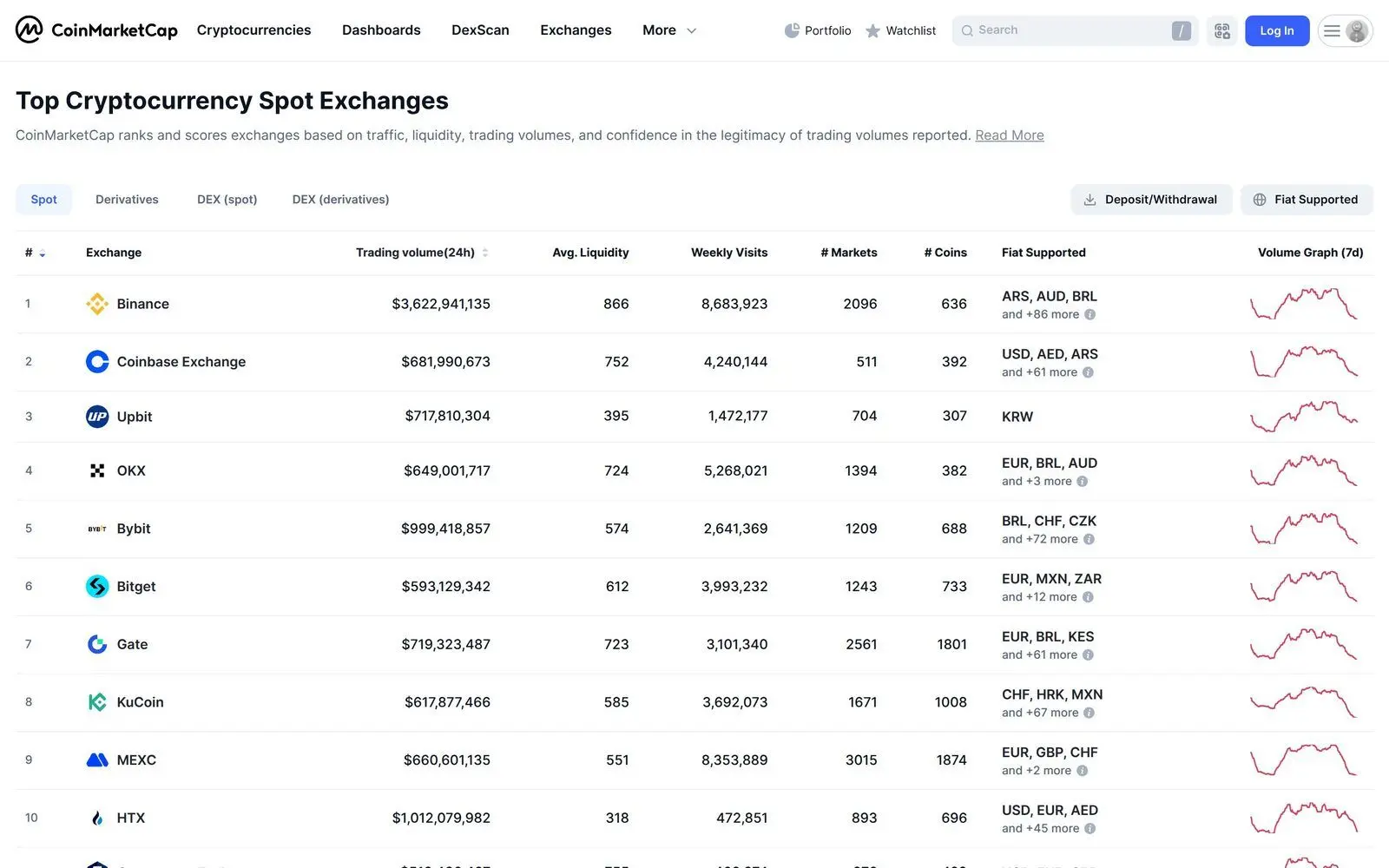
Beyond cryptocurrency data, CMC also ranks and provides data on crypto exchanges.
How to Evaluate an Exchange on CMC
- Trust Score: CMC's proprietary rating based on traffic, liquidity, volume, and regulatory compliance
- 24h Volume: Total trading volume - higher is generally better for liquidity
- Markets: Number of trading pairs available
- Exchange Type: Centralized (CEX) or Decentralized (DEX)
- Supported Countries: Check if the exchange operates in your jurisdiction
Tips for Effective Crypto Research on CoinMarketCap
Now that you understand the features, here are research strategies to make the most of this CoinMarketCap tutorial:
Red Flags to Watch For
- Low volume relative to market cap: Could indicate wash trading or low real interest
- Large gap between market cap and fully diluted valuation: Heavy future dilution ahead
- No links to team, whitepaper, or code repositories: Potential scam or low-effort project
- Circulating supply is a tiny fraction of total supply: Massive token unlocks incoming
- Price spiking without volume increase: Could be manipulation
Green Flags to Look For
- Consistent trading volume: Real demand from real users
- Transparent tokenomics: Clear supply schedule and allocation
- Active development: Links to GitHub with regular commits
- Multiple exchange listings: Available on reputable exchanges
- Growing community: Active social channels with genuine engagement
Video Tutorial: CoinMarketCap for Beginners

Frequently Asked Questions
Is CoinMarketCap free to use?
Yes, the vast majority of CoinMarketCap's features are completely free, including cryptocurrency rankings, price data, watchlists, the portfolio tracker, and educational content. The API has a generous free tier with 10,000 monthly calls. Premium API plans are available for developers who need higher rate limits and additional endpoints.
How accurate is CoinMarketCap's pricing data?
CoinMarketCap aggregates pricing data from hundreds of exchanges and uses volume-weighted averages to calculate prices. While generally reliable, prices can vary slightly from what you see on your specific exchange. For real-time DEX pricing with more granularity, combine CMC with tools like DEXTools that track individual liquidity pool prices.
What is the difference between Market Cap and Fully Diluted Valuation?
Market Cap is calculated as the current price multiplied by the circulating supply (tokens currently available). Fully Diluted Valuation (FDV) is the current price multiplied by the maximum supply (all tokens that will ever exist). If FDV is much higher than market cap, it means many tokens have not yet entered circulation, which could dilute the price over time.
Can I connect my wallet to CoinMarketCap?
CoinMarketCap's portfolio tracker is primarily manual - you enter transactions yourself. However, CMC has been adding wallet integration features and you may be able to connect certain wallets for automatic balance tracking. For the most up-to-date wallet connectivity options, check the Portfolio section after creating an account.
How do I spot a potential scam using CoinMarketCap?
Look for these warning signs: no verified contract address, extremely low trading volume, no links to a team or whitepaper, the token only trades on one obscure exchange, and the price chart shows suspicious pump patterns. Always verify token contract addresses on CoinMarketCap before interacting with any token, and cross-reference with DEXTools for on-chain liquidity and holder data.
Take Your Research Further with DEXTools
CoinMarketCap is an essential starting point for crypto research, giving you the big-picture view of market data, tokenomics, and trends. But smart investing requires going deeper. Visit DEXTools to complement your CMC research with real-time on-chain analytics - monitor live trades, analyze liquidity pools, track wallet movements, and discover new tokens before they trend. Together, CoinMarketCap and DEXTools give you a complete research toolkit for navigating the crypto market in 2026.
Related Guides
- CoinGecko vs CoinMarketCap: Crypto Data Sites Compared (2026)
- Top 5 Crypto Research Platforms in 2026
- How to Use Dune Analytics: Build Better Crypto Dashboards and On-Chain Research (2026)
- How to Use DeFi Llama: Complete TVL and DeFi Research Tutorial (2026)
- How to DYOR on Any Crypto Token: The Complete Research Guide (2026)