Birdeye Tutorial 2026: Solana DeFi Analytics Master Guide
— By Tony Rabbit in Tutorials

Complete Birdeye tutorial for Solana DeFi analytics. Learn to use token research, Find Gems screener, wallet analysis, portfolio tracking, and security auditing for Solana tokens in 2026.
Birdeye is the premier Solana-native DeFi analytics platform, aggregating real-time data from major Solana DEXs like Jupiter, Raydium, and Orca. It offers comprehensive tools for portfolio tracking, token discovery, wallet analysis, and real-time trading data, making it essential for serious Solana traders and developers. Both free and Pro tiered plans are available.
Birdeye is the leading analytics platform built specifically for Solana DeFi. While tools like DexScreener cover multiple chains, Birdeye goes deep on Solana - offering portfolio tracking, token discovery, wallet analytics, and real-time trading data that no other platform matches for the Solana ecosystem.
This tutorial covers everything from basic token research to advanced features like the Find Gems screener, wallet analysis, and portfolio tracking that make Birdeye essential for serious Solana traders.
What Is Birdeye?
Birdeye is a Solana-native DeFi analytics platform that aggregates data from every major Solana DEX including Jupiter, Raydium, Orca, and Meteora. It provides real-time price feeds, token analytics, wallet tracking, and a powerful token screener called "Find Gems."
What makes Birdeye different from general-purpose screeners is its depth of Solana data. It tracks token metadata, social links, developer activity, and holder distribution - information that's harder to find on multi-chain platforms.
Step 1 - Get Started with Birdeye
Visit birdeye.so and connect your Solana wallet. While many features work without an account, connecting your wallet unlocks portfolio tracking and personalized watchlists.
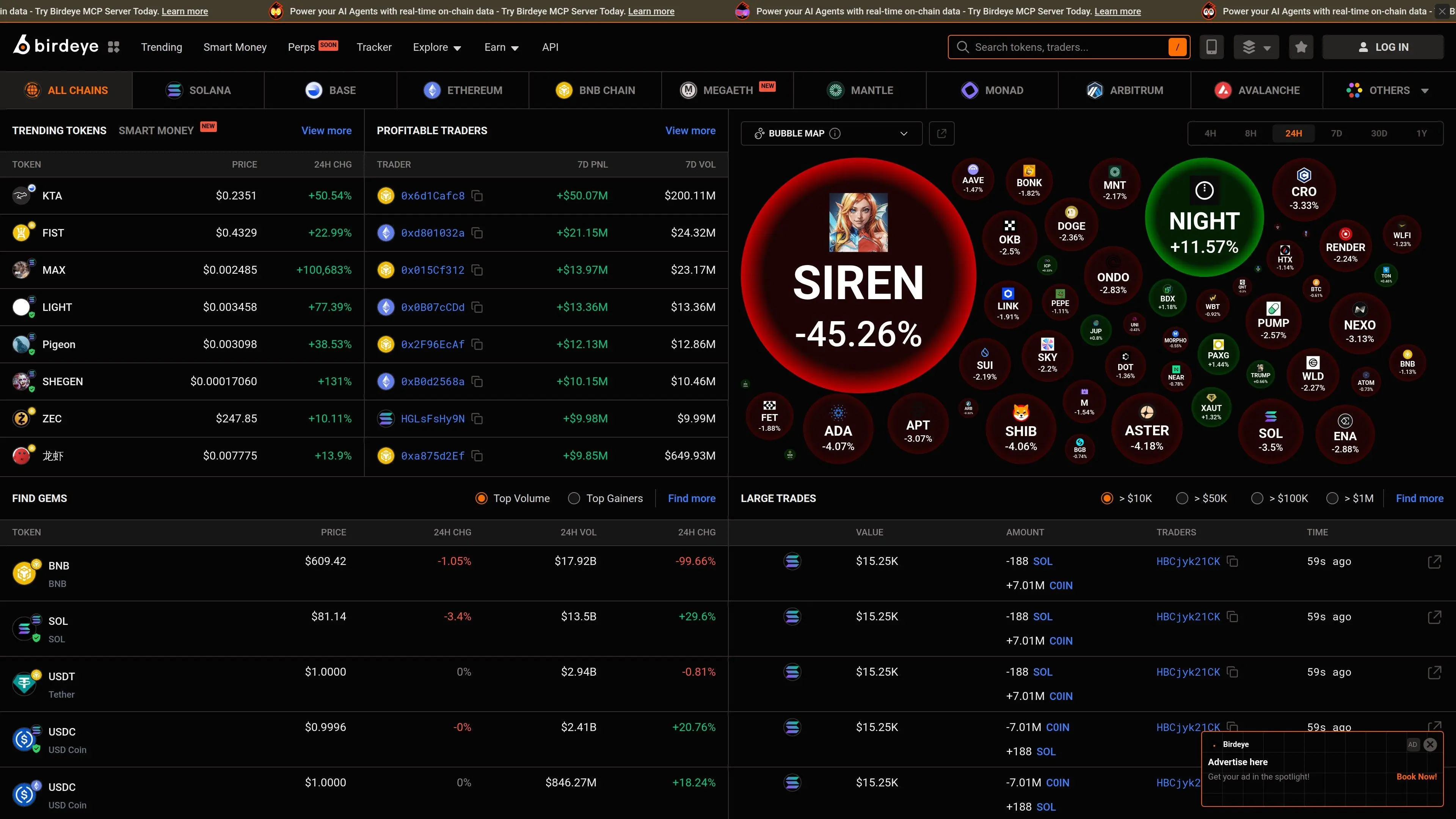
The main dashboard shows:
- Trending tokens - What's hot on Solana right now
- Top gainers/losers - Biggest movers by price change
- New listings - Recently created tokens
- Market overview - Solana ecosystem TVL, volume, and metrics
Step 2 - Token Research and Analysis
Search any Solana token by name or contract address. Birdeye's token page provides:
- Price chart with multiple timeframes and drawing tools
- Trade history - Every buy and sell transaction in real-time
- Holder analysis - Top holders, distribution, and concentration metrics
- Liquidity data - Pool sizes across all DEXes
- Token overview - Supply, market cap, FDV, social links, and contract info
- Security audit - Mint authority status, freeze authority, and other risk flags
- • Mint authority enabled: Developer can create unlimited tokens (dilution risk)
- • Freeze authority enabled: Developer can freeze your tokens
- • Mint revoked + Freeze revoked: Safer - no developer override possible
- • Top holder concentration: If top 10 wallets hold >50%, proceed with caution
Step 3 - Find Gems Screener
Birdeye's Find Gems is one of the most powerful token screeners for Solana. It lets you filter the entire Solana token universe with granular criteria:
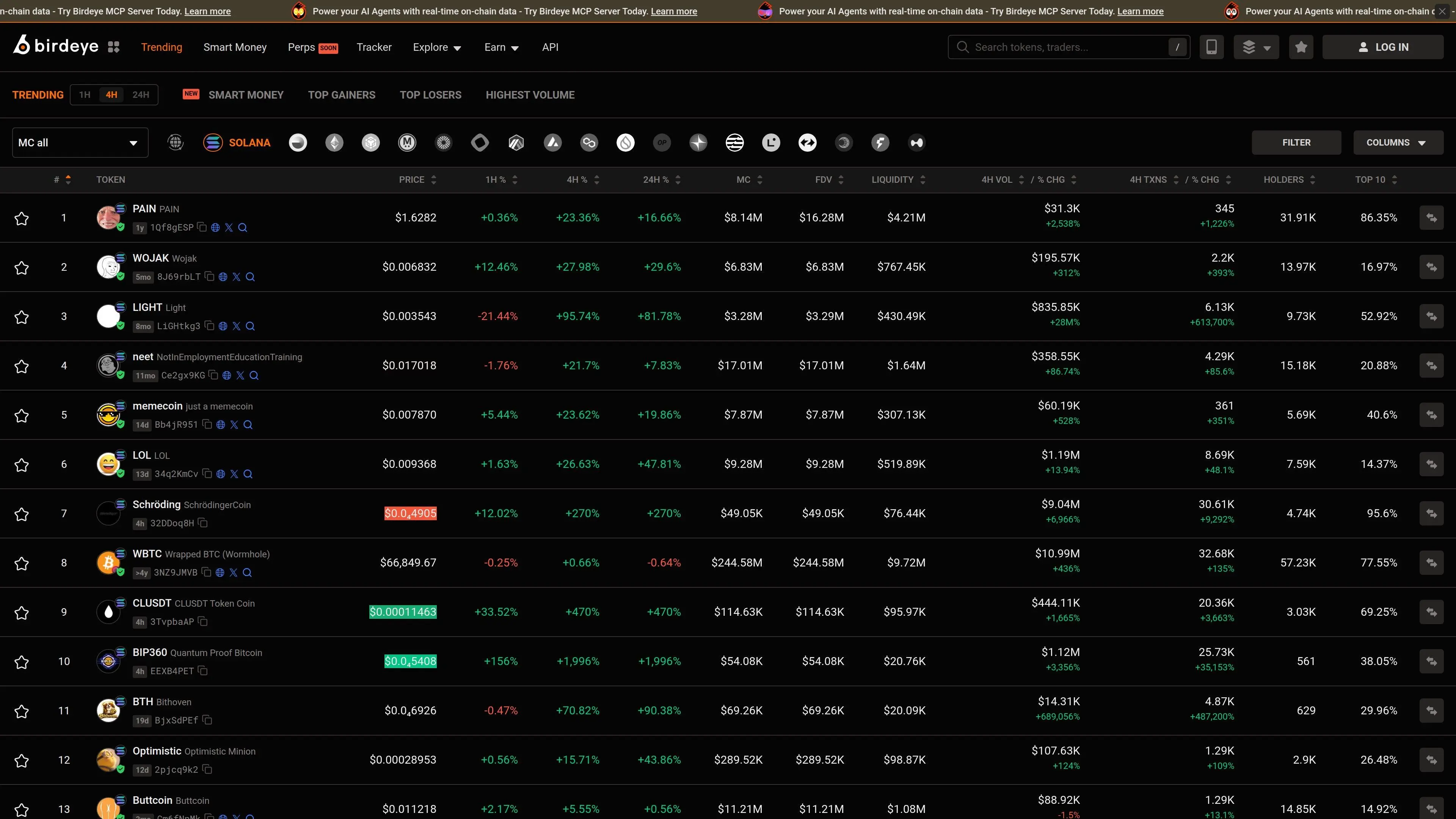
Available Filters
- Market cap range - Target micro-caps ($10K-$100K) or mid-caps ($1M+)
- Volume - 24h trading volume minimum/maximum
- Price change - Filter by performance across timeframes
- Liquidity - Ensure sufficient liquidity for safe trading
- Holders - Minimum holder count (more holders = more organic)
- Age - How long the token has been trading
- Security - Filter by mint/freeze authority status
Example: Finding Emerging Solana Gems
Set market cap between $50K and $500K, minimum 200 holders, liquidity above $10K, mint authority revoked, and 24h volume above $20K. This surfaces tokens that have organic traction, basic security, and enough liquidity to trade.
Combine Birdeye research with DEXTools chart analysis and rug pull detection for a complete research workflow.
Step 4 - Wallet Analysis
Birdeye lets you analyze any Solana wallet address. This is invaluable for:
- Tracking smart money - Follow profitable wallets and see what they're buying. See also our guide on tracking smart wallets on Solana
- Whale watching - Monitor large holders of tokens you own
- Due diligence - Check if a token's top holders are accumulating or dumping
Enter any wallet address to see its complete portfolio, transaction history, P&L across tokens, and trading patterns.
Step 5 - Portfolio Tracking
Connect your wallet to unlock Birdeye's portfolio dashboard. It shows:
- Total portfolio value with historical chart
- Individual token positions with unrealized P&L
- Transaction history across all Solana DEXes
- DeFi positions (staking, lending, LP tokens)
For multi-chain portfolio tracking, you might also want to check Zerion, but for Solana-only portfolios, Birdeye's data is more granular.
Step 6 - Price Alerts and Watchlists
Set price alerts for any Solana token to get notified when prices cross your thresholds. Create organized watchlists to track tokens you're researching or monitoring for entry points.
Birdeye Pro Features
- ✔ Basic token search and charts
- ✔ Trending tokens feed
- ✔ Limited Find Gems filters
- ✔ Basic portfolio tracking
- ✔ Token holder data
- ✔ Advanced screener filters
- ✔ Unlimited watchlists and alerts
- ✔ Detailed wallet analytics
- ✔ API access for developers
- ✔ Priority data refresh rates
Frequently Asked Questions
Related Guides
- What Is DefiLlama: Complete DeFi Analytics Platform Guide (2026)
- DEXTools Beginner Tutorial: Setup, Navigation and First Trade Checks (2026)
- How to Use Kamino Finance: Solana DeFi Tutorial (2026)
- Set Up a Solana Wallet for DeFi Trading 2026
- What Is Nansen: Complete Onchain Analytics Platform Guide (2026)