What Is TON Connect and How Do You Use It Safely? Guide (2026)
— By Tony Rabbit in Tutorials
Learn what TON Connect is, how TON wallets connect to dApps and Mini Apps, what each approval type really means, how to revoke sessions, and how to avoid spoofed or phishy wallet prompts.
TON Connect is one of those tools that works best when the user barely notices it, which is exactly why it deserves a clear explanation. When the wallet pops up, the app asks to connect, and the approval feels routine, people can forget that they are managing trust and permissions, not just tapping through a login screen.
Intent check: This page explains the wallet-connection standard and approval flow. If you need the wallet itself, read How to Use Tonkeeper Wallet on TON Safely. If you want the Telegram app layer, read How to Use TON Telegram Bots and Mini Apps Safely
Quick answer: TON Connect is the connection standard that lets TON wallets such as Tonkeeper link to dApps and Mini Apps without exposing the recovery phrase. It handles wallet sessions, signatures, and transaction handoff. The safe way to use it is to connect only from official apps, read each approval carefully, understand that connecting is different from sending funds, and revoke old sessions when you no longer need them.
- TON Connect is a wallet-connection layer. It is how TON apps ask a wallet to identify itself and approve later actions.
- Connecting and transacting are different steps. A session request is not the same thing as a swap or transfer approval.
- Sessions can persist. If you forget old connections, your wallet surface becomes harder to reason about.
- Phishing often hides inside familiar UX. A copied domain or cloned Mini App can make a risky approval feel normal.
- DEXTools still matters after connection. A clean wallet session does not make a bad token or thin market safe.
What TON Connect is in plain English
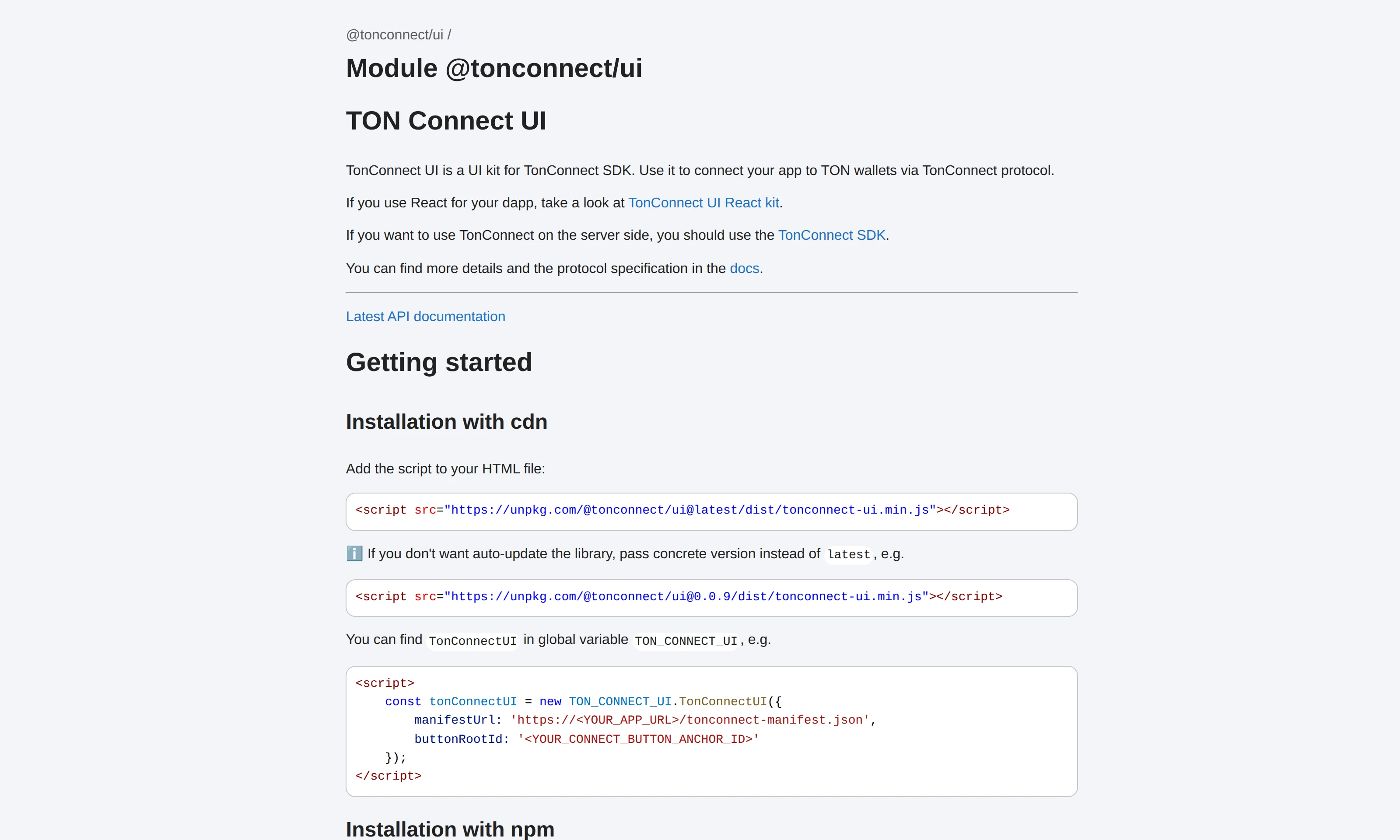
TON Connect is the standard that lets a TON app talk to a TON wallet. In plain English, it is the handshake layer between the app you want to use and the wallet that controls your assets. Instead of typing a recovery phrase into a site or letting the app hold the keys, you connect the wallet and let future actions be reviewed inside the wallet itself.
Trade TON with Not.Trade, the fastest terminal on TON
Not.Trade is purpose built for TON traders: real-time on-chain charts for every jetton, insider safety scoring (Top 10 wallets, snipers, dev movement, bundlers, LP lock), MCAP-trigger limit orders, multi-wallet sniping, MEV protection and one-click swaps routed across STON.fi and DeDust. It runs natively inside Telegram and as a fast web terminal, with TON Connect non-custodial wallet support.
Read the full Not.Trade guide ->That is the good news. The other side of the story is that users can mistake a clean wallet connection for safety by default. TON Connect makes the flow more secure than seed-phrase nonsense, but it does not remove the need to judge whether the app itself is trustworthy.
If you are still setting up the wallet side of this picture, pair this page with the Tonkeeper guide. If you need the broader TON onboarding context, use the umbrella TON tutorial. This page owns the connection and approval workflow.
Why TON apps and Mini Apps use TON Connect
Apps use TON Connect because they need a clean way to ask the wallet for identity, signatures, and transactions without taking custody. A DEX needs to know which wallet is interacting. A game or Mini App may need to know which wallet is connected so it can show balances or prepare an action. A staking or DeFi product needs a secure path for the final approval.
This is why TON Connect is more than a login button but less than a permission to spend everything. It creates a relationship between the app and the wallet. What happens next depends on the requests that follow.
The experience can happen through QR codes, deep links, mobile handoffs, or Telegram Mini App flows. The surfaces change, but the safe logic does not. The user should always know what app is asking, why it is asking, and what the wallet is actually being asked to approve.
The step-by-step connection flow from wallet to dApp or Mini App
The clean TON Connect flow is simple once you know what each stage means.
- Open the official dApp or Mini App. Do not start from a random forwarded link or ad result.
- Tap the connect-wallet option. The app will offer Tonkeeper or another supported wallet route.
- Review the wallet prompt. The wallet should show what app or domain wants the connection.
- Approve the session only if the app is the one you intended to use.
- Expect later approvals for signatures or transactions. A session alone should not be confused with final execution.
- Re-check every future prompt. The wallet is where the final trust decision keeps happening.
This sounds basic, but it fixes the most common misunderstanding immediately. TON Connect is not one approval that blesses every later action. It is a framework for structured approvals over time.
What a user is really approving
This is where the article earns its keep. Many users know how to tap approve. Fewer know what category of approval they are looking at. That distinction is the difference between calm wallet use and blind habit.
| Prompt type | What it usually means | Why to slow down |
|---|---|---|
| Connection request | The app wants to create a wallet session. | You should confirm the app identity and whether the connection itself makes sense. |
| Signature request | The wallet is being asked to sign data or a message. | Users should not sign vague or unexplained prompts just because they are not direct transfers. |
| Transaction request | The app wants the wallet to send or interact on-chain. | This is where value usually moves, so the destination and purpose must be clear. |
A connection request is not a transfer. That part is good news. The danger is that users sometimes treat non-transfer prompts as harmless by default. They are not always harmless. A signature can still authorize something meaningful in an app flow, and a transaction request can be disastrous if the user never checked what the app was actually trying to do.
One practical trick helps a lot: if you cannot explain the request in plain language before approving it, do not approve it. "I think it is probably normal" is not a security standard.
How to review, revoke, and manage TON Connect sessions
Wallet hygiene does not stop after the first successful connection. TON Connect sessions can persist, which is useful when you revisit the same app and dangerous when you forget what is still linked.
Review connected apps regularly in your wallet's session or connected-apps area. If an app is old, experimental, or no longer used, revoke it. If you connected from a device you no longer trust, revoke it. If you tried a Mini App once during a launch frenzy and never touched it again, revoke it.
Some users also keep a smaller exploration wallet for new apps and a cleaner main wallet for long-term holdings. That is not paranoia. It is a practical way to prevent curiosity from sharing blast radius with your biggest balance.
If anything about a connected session feels wrong, there is no prize for leaving it active. Disconnect and reconnect later from the official source if needed. Wallet sessions are supposed to be easy to recreate. Your security posture should not depend on perfect memory.
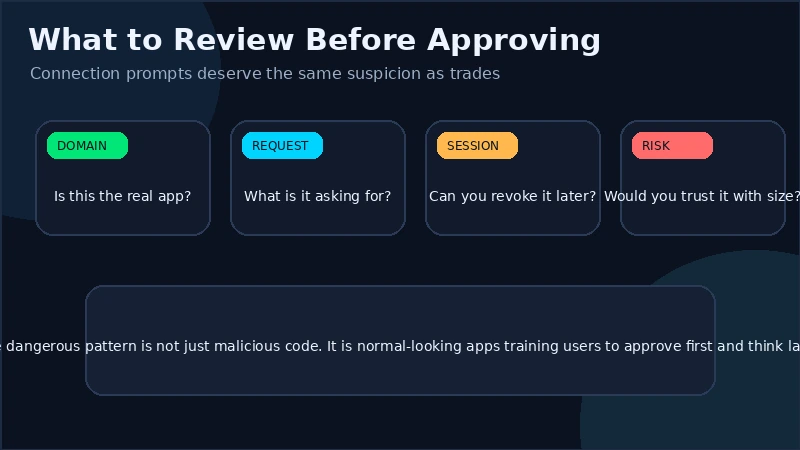
Common phishing and spoofing patterns around TON Connect
The most effective TON Connect scams usually do not feel like classic scams. They feel like a normal wallet pop-up attached to a fake app, a copied domain, or a cloned Telegram Mini App. That is why users need a domain-and-source habit, not just a wallet-popup habit.
- Copied domains and app names: the interface looks right, but the source is slightly wrong.
- Forwarded links from groups or DMs: urgency replaces verification.
- Cloned Mini App interfaces inside Telegram: the chat context makes them feel more trusted than they are.
- Unexpected signature prompts: users click through because no tokens seem to be moving immediately.
- Wallet prompts that appear out of sequence: if the app did not clearly explain why the wallet is asking, stop.
For the bigger defensive mindset, use the DEXTools crypto security guide. If your fear is address copy risk after connecting, pair it with the wallet poisoning guide. TON Connect reduces one category of risk. It does not end the security job.
When not to approve a connection or follow-up request
Do not approve when you cannot verify the app source, when the wallet prompt is vague, when the request is unrelated to the action you were trying to perform, or when the app is asking your main wallet to explore something unproven. Those are all good reasons to pause.
The same applies when the app is trying to rush you. A fake airdrop timer, a "claim now or lose access" message, or a Mini App that feels more focused on urgency than on clarity is telling you something about the environment. Believe it.
Another strong reason to stop is token confusion. If the app is pushing you toward a token you have not verified, the clean move is to leave the app, open DEXTools, and research the asset before you sign anything involving it.
A practical DEXTools workflow after you connect a wallet
A clean TON Connect session only proves that your wallet can talk to the app. It does not prove the token, swap, liquidity venue, or opportunity is good. That second layer belongs to DEXTools.
- Verify the token or pool the app is showing you. Do not assume the in-app label is enough.
- Check liquidity and recent transactions. A polished dApp can still route you into a weak market.
- Review slippage and trade quality. Pair TON Connect with the slippage guide when swaps are involved.
- Keep the connection and the market judgment separate in your head. One can be legitimate while the other is poor.
- Disconnect later if the app is no longer needed. Wallet hygiene is part of safe trading hygiene.
Used correctly, TON Connect gives you a safer approval framework. Used lazily, it becomes just another place where a clean interface talks you into skipping due diligence.
Frequently asked questions
What is TON Connect in simple terms?
It is the standard that lets a TON wallet connect to a dApp or Mini App so the wallet can handle identity, signatures, and transaction approvals without exposing the recovery phrase.
Does connecting a wallet with TON Connect let an app spend my funds automatically?
Not by itself. A connection request is different from a later signature or transaction request, which should still require review and approval.
Can I disconnect TON Connect sessions later?
Yes. Wallets usually provide a connected-apps or session-management area where old sessions can be reviewed and revoked.
Why does my wallet ask for another approval after I already connected?
Because connection, signature requests, and transaction requests are separate actions. The wallet is supposed to ask again when a new action needs permission.
Should I use the same wallet for every TON app?
Not necessarily. Many users keep a smaller exploration wallet for newer apps and a cleaner main wallet for more important balances.
Final takeaway: TON Connect is useful because it keeps the wallet in control of approvals, but it only works well when the user understands what each prompt means. Connect only from official sources, review every session and every follow-up request, revoke old links, and use DEXTools to judge the market side of any token or trade the app puts in front of you.
Disclaimer: This draft is for educational purposes only and does not constitute investment, financial, legal, or trading advice. Wallet interfaces and app flows can change over time.
Related Guides
- Telegram Stars and TON: How They Connect (Complete Guide 2026)
- How to Use Uniswap: Wallet Connect, Swap, Slippage and LP Basics (2026)
- What Is Toncoin (TON)? Beginner Guide Explained 2026
- Toncoin in 2026: Telegram Economy, Catchain 2.0 and USDT on TON
- What Is the TON Virtual Machine (TVM)? Complete Guide (2026)
Frequently Asked Questions
What is TON Connect?
TON Connect is a standard protocol that lets TON wallets connect securely to dApps and Telegram Mini Apps. It handles the link between your wallet and an application so you can approve actions.
How do I connect my TON wallet to a dApp?
You usually scan a QR code or approve a connection request in your wallet, which then establishes a session with the app. Always confirm you are connecting to the genuine app before approving.
How do I revoke a TON Connect session?
You can disconnect or revoke active sessions from within your wallet's connections or sessions settings. Removing sessions you no longer use reduces the chance of unwanted access.
How can I avoid phishing with TON Connect?
Carefully read every approval request, verify the app's identity, and never approve a transaction you do not understand. Be wary of unexpected prompts or links that pressure you to connect quickly.