How to Use Safe Wallet: Beginner Guide 2026
— By Tony Rabbit in Tutorials
How to use Safe Wallet safely in 2026: signer wallets, Safe creation, confirmation thresholds, funding, and the main setup mistakes to avoid.
Safe Wallet is not just another beginner wallet with a seed phrase and a send button. It is a smart account system built for stronger operational control, which is why it is widely used by power users, teams, treasuries, and organizations that want more structure than a basic single-key wallet can provide.
This guide is built around the exact search intent behind how to use Safe Wallet. The real goal is not only opening the interface. It is understanding the difference between a Safe account and a signer wallet, setting the owner structure correctly, choosing a threshold you can actually operate, and funding the Safe without making the kind of setup mistake that becomes painful later.
Quick answer
- Use Safe only from official sources and understand that the Safe interface itself is not the private key holder.
- Connect a signer wallet first, then choose your owners and confirmation threshold deliberately.
- Before funding the Safe, confirm the network, deployment status, and destination address, then start with a small test amount.
What Is Safe Wallet?
Safe Wallet is a smart account interface used to manage digital assets with stronger control over how transactions are approved. In plain language, it is designed for setups where one signer, or several signers, may need to approve actions before funds move.
That difference matters. A typical wallet often revolves around one private key controlling everything directly. Safe changes the operating model. The Safe account is the smart account, while signer wallets are what create, approve, and execute actions through it. That is why Safe feels more operational and policy-driven than a normal browser wallet.
Safe Wallet vs standard single-key wallet
Step 1: Understand the Difference Between a Safe Account and a Signer Wallet
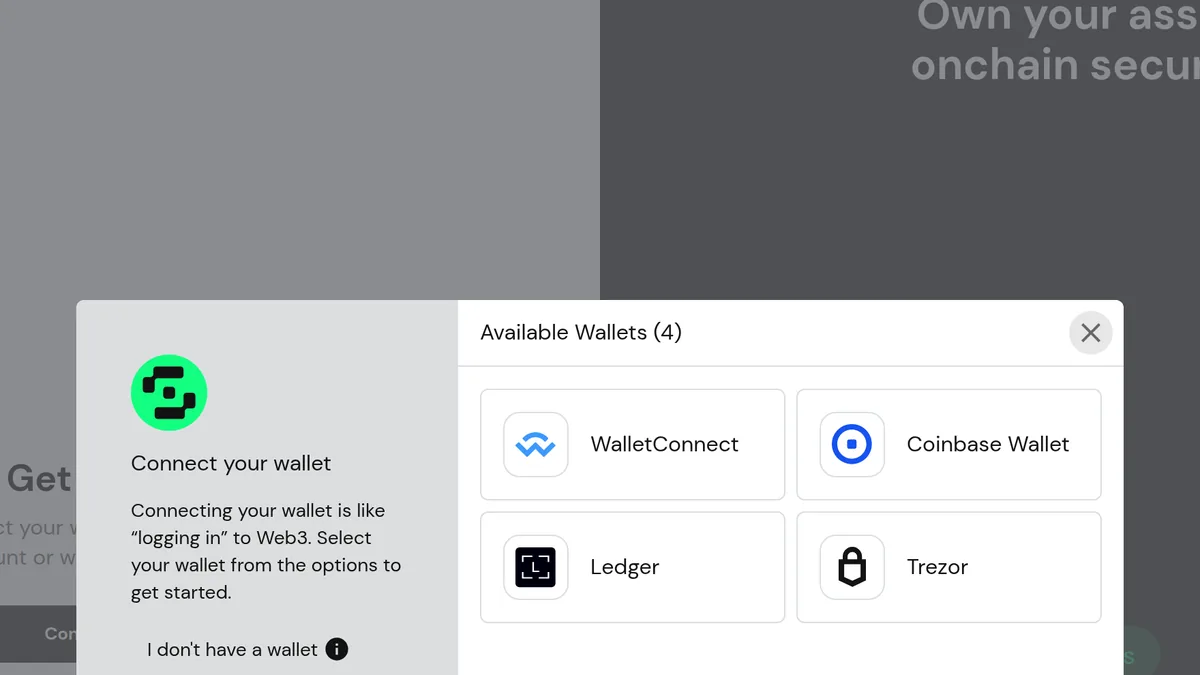
This is the concept beginners must get right early. Safe Wallet does not behave like a normal app where the interface simply stores the private key and signs everything locally. According to the official Safe help flow, you need a signer wallet because that signer is what creates the Safe, approves transactions, and executes them.
That means your signer wallet and your Safe account are not the same address by default. If you skip that distinction, the whole product feels confusing. If you understand it, the rest becomes much more logical. Safe is the account structure. The signer wallet is one of the things that controls it.
What the signer wallet is doing
Step 2: Decide Whether You Are Creating a New Safe or Watching an Existing One
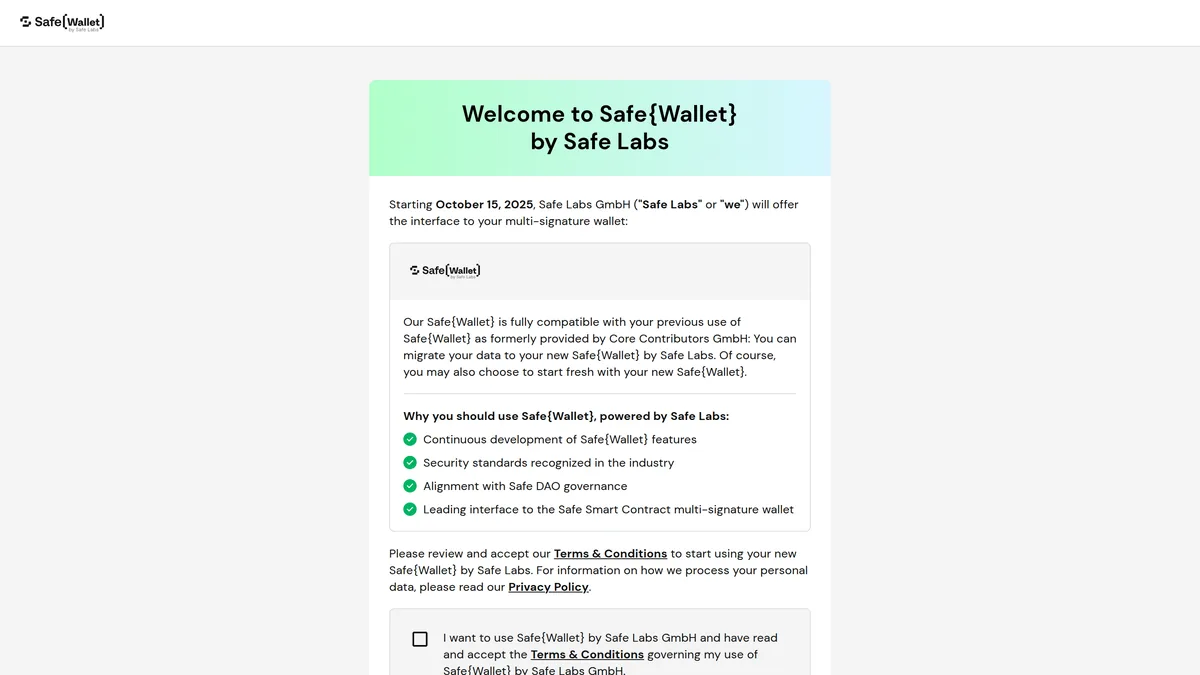
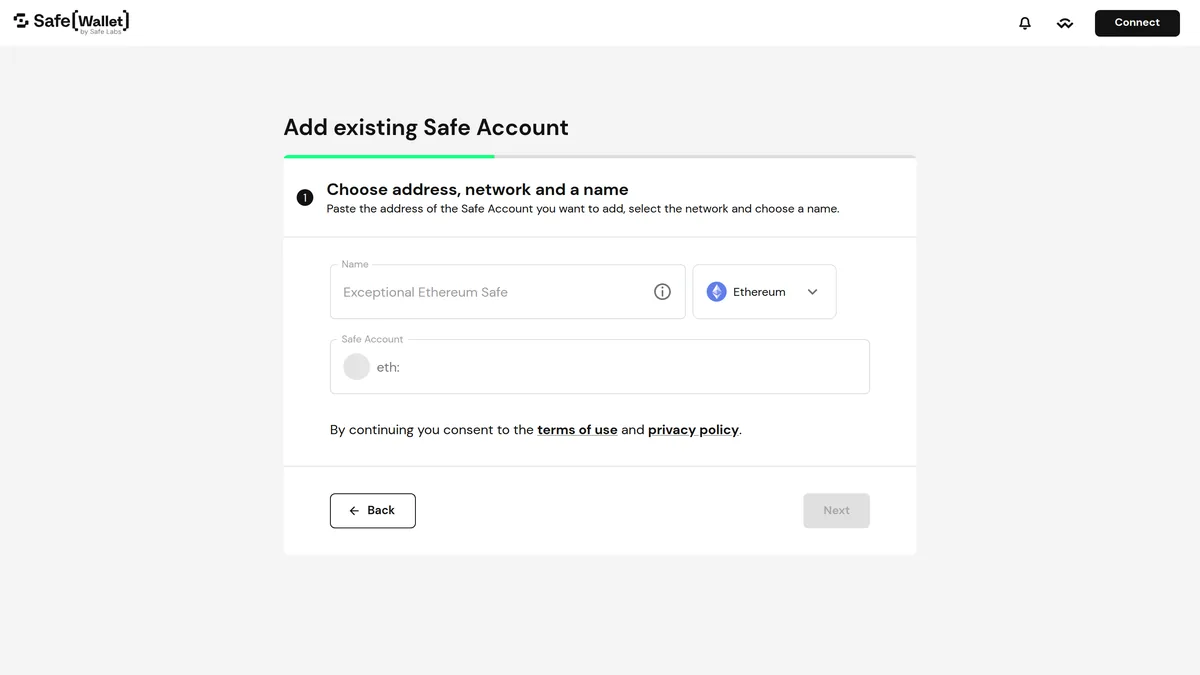
When you first enter Safe, the product makes an important split. You can connect a wallet and create a new Safe account, or you can watch an existing Safe by loading its address and network. That is useful because many users do not always start from zero. Sometimes they are joining an existing treasury workflow, auditing an account, or adding a Safe that already exists on-chain.
If you are new, creating from scratch is usually the clearest path. If the Safe already exists, use the watch or load flow carefully and make sure the address, network, and naming are correct before you treat the account as properly added.
Step 3: Create the Safe and Choose Owners and Threshold Carefully
Creating a Safe on the web app is conceptually simple, but the setup decision is where the real risk sits. The official Safe guide explains that you need to choose owners and then define the confirmation threshold, which is the number of approvals required before a transaction or settings change can go through.
This is where a lot of users make a subtle but serious mistake. They choose a threshold that sounds secure on paper but becomes awkward in practice. If your Safe needs more approvals than you can realistically gather when you need them, daily use becomes painful. In the worst case, you create an account structure that is technically secure but operationally broken for your situation.
Owner and threshold logic
Step 4: Fund Safe Wallet Carefully
Safe can receive cryptocurrencies, tokens, and NFTs, but the funding process still follows the same discipline as any serious wallet transfer. Copy the Safe address directly from the interface, confirm the target network, and make sure the Safe is actually deployed on the network you plan to receive assets on.
The official Safe help guidance is especially clear on network risk. If you try to receive assets on the wrong network, or into a context where the Safe is not properly deployed, you can turn a simple deposit into a recovery problem. This is not a product to use lazily. It rewards users who slow down and verify the route before they move size.
Safe funding flow
Step 5: Use Transaction Approvals and Owner Management Carefully
Safe is powerful because it turns approvals into part of the workflow instead of an afterthought. Sending funds, changing settings, adding owners, or modifying the threshold can all require confirmations depending on how the Safe is configured. That is useful, but it also means users should stop thinking in terms of one-click wallet behavior.
The same principle applies to owner management. According to the official help docs, changes to owners and signature policies appear in the transaction queue and may require additional confirmations. In other words, governance around the Safe is not separate from wallet operations. It is part of them.
Before you approve anything in Safe
Common Safe Wallet Mistakes to Avoid
Keep exploring
Frequently Asked Questions
Is Safe Wallet a self-custody wallet?
Yes, but it works differently from a typical single-key wallet. Safe is a smart account setup, and the signer wallet or owners you configure are what approve and execute actions.
Do I need a signer wallet to use Safe Wallet?
Yes. Safe Wallet does not hold a private key by itself, so you need a signer wallet to create a Safe, approve transactions, and execute them.
Can one person use Safe Wallet or is it only for teams?
Both are possible. Some users set up a single-owner Safe, while teams and DAOs often use multiple owners with a confirmation threshold.
What is the safest way to fund Safe Wallet?
Usually by copying the Safe address directly from the interface, confirming the correct network, making sure the Safe is deployed there, and sending a small test amount first.
What is the main mistake to avoid when setting up Safe Wallet?
Choosing an owner and threshold setup you cannot realistically operate later. If you cannot reach the required confirmations, you can lock yourself out of normal wallet activity.
Related reading
Disclaimer: This article is for educational purposes only and does not constitute investment, tax, or legal advice. Wallet interfaces, supported networks, signer wallet options, and Safe features can change over time. Always verify the live interface and your exact owner setup before making important transactions.