How to Send Crypto from Coinbase to MetaMask Safely in 2026
— By Tony Rabbit in Tutorials
Learn to safely send crypto from Coinbase to MetaMask in 2026. A comprehensive guide covering networks, addresses, and best practices.
How to Send Crypto from Coinbase to MetaMask Safely in 2026
Sending crypto from Coinbase to MetaMask is a foundational skill for anyone entering the decentralized web. While seemingly straightforward, the process requires careful attention to detail, particularly regarding network compatibility. This comprehensive guide will walk you through every step, ensuring your assets arrive safely in your MetaMask wallet, avoiding common pitfalls and recovery headaches.
Quick Answer: The Core Principle
To send crypto from Coinbase to MetaMask, you must copy your MetaMask wallet address, then select the exact matching network on Coinbase for the asset you wish to send. Ensure the asset is supported on that specific network within MetaMask. For any meaningful amount, always perform a small test transaction first. A successful transfer hinges on correctly matching the asset, wallet address, and blockchain network.
Understanding the 'Network' Imperative
The most common error in crypto transfers between exchanges and self-custody wallets like MetaMask isn't a wrong address; it's a mismatched network. MetaMask is primarily an EVM (Ethereum Virtual Machine) compatible wallet, meaning it natively supports Ethereum and a vast array of Layer 2 solutions and sidechains that mimic Ethereum's architecture (e.g., Polygon, Arbitrum, Optimism, Base). Coinbase, being a centralized exchange, often offers withdrawal options for the same asset across multiple blockchain networks, including non-EVM chains. Selecting the wrong network can lead to funds being sent to an inaccessible address on a chain MetaMask doesn't support, or to an address on a supported chain but one where MetaMask isn't configured to display it, requiring manual recovery steps.
What You Need Before You Begin
Before initiating any transfer, ensure you have:
- A funded Coinbase account: With the crypto asset you intend to send.
- An installed and configured MetaMask wallet: With your seed phrase securely backed up and the desired network added (if not Ethereum Mainnet).
- Internet access: A stable connection is crucial.
- A clear understanding of the asset and network: Know exactly what you're sending and where it's going.
Step-by-Step Guide: Sending Crypto from Coinbase to MetaMask
Follow these steps meticulously to ensure a safe and successful transfer:
- Step 1: Identify Your Asset and Desired Network on MetaMask.
First, decide which cryptocurrency you want to send (e.g., ETH, USDC, MATIC). Then, open your MetaMask wallet. Select the specific network where you want to receive the funds. For example, if you're sending ETH, you might choose 'Ethereum Mainnet'. If you're sending MATIC, you'd switch to the 'Polygon Mainnet' within MetaMask. This pre-selection is critical as it dictates the address you'll copy and the network you'll select on Coinbase.
- Step 2: Copy Your MetaMask Wallet Address.
Once you've selected the correct network in MetaMask, locate and copy your public wallet address. This is usually found at the top of the MetaMask interface, often starting with '0x'. Click on it to copy it to your clipboard. Double-check that the address is copied correctly.
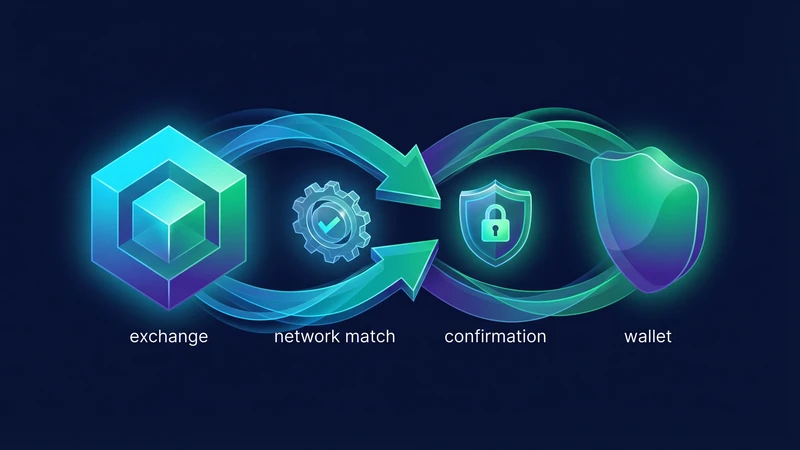
A successful Coinbase to MetaMask transfer is really just address plus chain plus asset matched correctly. - Step 3: Initiate Withdrawal on Coinbase.
Log in to your Coinbase account. Navigate to the 'Send/Receive' or 'Withdraw' section. Select the cryptocurrency you wish to send. This must be the same asset you identified in Step 1.
- Step 4: Paste Wallet Address and Select the Matching Network.
In the recipient address field on Coinbase, paste the MetaMask address you copied in Step 2. This is the most crucial part: Coinbase will then prompt you to select the network for your withdrawal. This network MUST exactly match the network you selected in MetaMask in Step 1. For example, if you chose 'Polygon Mainnet' in MetaMask, you must select 'Polygon' on Coinbase. If you chose 'Ethereum Mainnet' in MetaMask, select 'Ethereum' on Coinbase.
The safest transfers are boring because the user checks every variable before clicking send. - Step 5: Enter the Amount and Review Details.
Enter the amount of crypto you wish to send. Carefully review all the transaction details: the asset, the recipient address, the network, and the amount. Ensure everything is correct. Pay close attention to any network fees displayed by Coinbase.
- Step 6: Send a Small Test Transaction (Highly Recommended).
For any significant amount or if it's your first time sending a particular asset or using a new network, send a minimal amount first (e.g., $5-10 worth). Wait for this small transaction to confirm in your MetaMask wallet before sending the full amount. This acts as a safety net, confirming that your network and address selections are correct.
- Step 7: Confirm and Complete the Transfer.
After a successful test transaction (if applicable), proceed with sending the full amount. Confirm the transaction on Coinbase, which may require 2FA verification. The funds will then be processed by Coinbase and sent to your MetaMask wallet on the chosen network.
- Step 8: Verify Receipt in MetaMask.
Open your MetaMask wallet and ensure you are on the correct network. Your transferred funds should appear in your wallet balance. If they don't appear immediately, wait a few minutes and refresh. You can also check the transaction status on a block explorer for the respective network (e.g., Etherscan for Ethereum, Polygonscan for Polygon) using your MetaMask address.
Coinbase to MetaMask Compatibility Checklist (2026)
This table summarizes common Coinbase withdrawal options and their MetaMask compatibility:
Adding New Networks to MetaMask
If you plan to use a network other than Ethereum Mainnet (e.g., Base, Arbitrum, Polygon), you'll need to add it to your MetaMask wallet first. This is a one-time setup per network:
- Open MetaMask.
- Click the network dropdown at the top (usually says 'Ethereum Mainnet').
- Select 'Add network'.
- Choose from popular networks or click 'Add a network manually' for custom RPC details.
- Enter the network details (Network Name, New RPC URL, Chain ID, Currency Symbol, Block Explorer URL). You can find these details on official documentation pages for each respective blockchain (e.g., Chainlist.org is a reliable resource).
- Save the network. You can then switch to it from the network dropdown.
Understanding Transaction Fees and Speeds
Transaction fees (gas fees) and speeds vary significantly across different networks. Ethereum Mainnet typically has the highest fees and can experience congestion, leading to slower confirmation times. Layer 2 solutions like Arbitrum, Optimism, and Base, along with sidechains like Polygon, offer significantly lower fees and faster transaction finality, making them ideal for frequent or smaller transactions. Always factor in these costs when choosing your network.
Common Pitfalls and How to Avoid Them
- Mismatched Networks: As emphasized, this is the biggest risk. Always verify the network on both ends.
- Sending to a Non-EVM Wallet: MetaMask is for EVM-compatible chains. Do not send assets from non-EVM chains (like Solana, Cardano, Ripple) directly to your MetaMask address, even if Coinbase offers those withdrawal options.
- Incorrect Token Contract: While less common when sending from an exchange, ensure you're sending the correct token. If you're sending a wrapped token (e.g., wETH), ensure MetaMask is configured to display it.
- Typo in Address: Always copy-paste. Manually typing an address is an open invitation for errors.
- Ignoring Test Transactions: Skipping the small test transaction for significant amounts is a gamble. It's a cheap insurance policy.
Security Best Practices for MetaMask and Coinbase
- Secure Your Seed Phrase: Your MetaMask seed phrase is your ultimate backup. Store it offline, securely, and never share it.
- Enable 2FA on Coinbase: Use strong two-factor authentication (2FA) on your Coinbase account.
- Phishing Awareness: Be wary of fake websites or malicious links. Always verify URLs.
- Regular Software Updates: Keep your browser, operating system, and MetaMask extension updated.
- Use Strong Passwords: For both Coinbase and your MetaMask wallet.
- Review Permissions: Be cautious about which DApps you connect your MetaMask to and what permissions you grant.
Troubleshooting Common Transfer Issues
- Funds Not Showing in MetaMask:
- Check Network: Ensure MetaMask is set to the correct network you sent funds to.
- Add Token Manually: If it's an ERC-20 token and not ETH, you might need to add the token's contract address to MetaMask for it to display.
- Check Transaction Status: Use the transaction ID from Coinbase on the respective block explorer to confirm it was successful.
- Transaction Pending for Too Long: This usually indicates network congestion or insufficient gas fees. On Coinbase, this is handled internally, but on MetaMask, you might need to speed up or cancel transactions (advanced feature).
- Sent to Wrong Network: If you've sent funds to a network MetaMask doesn't support, recovery is often impossible. If sent to an EVM-compatible chain that MetaMask *could* support but isn't configured for, you might be able to add that network to MetaMask and access the funds. Consult Coinbase support for assistance, but be prepared for potential loss.
How DEXTools Helps with Your DeFi Journey
Once your crypto assets are safely in your MetaMask wallet, you're ready to explore the vast world of decentralized finance (DeFi). DEXTools becomes an invaluable companion here. With DEXTools, you can track real-time prices, analyze liquidity, and discover new tokens across various EVM-compatible chains. It provides the essential data and tools you need to make informed decisions about your assets, whether you're trading, yield farming, or simply monitoring your portfolio, all directly from your MetaMask-connected browser.
Conclusion
Sending crypto from Coinbase to MetaMask is a fundamental skill for navigating the Web3 ecosystem. By diligently following the steps, paying close attention to network compatibility, and employing best practices like test transactions, you can ensure your assets are transferred safely and efficiently. Embrace the power of self-custody and the opportunities of decentralized finance with confidence.
Frequently Asked Questions
Why is matching the network so important when sending crypto from Coinbase to MetaMask?
Matching the network is crucial because crypto assets exist on specific blockchains. If you send an asset from Coinbase on one network (e.g., Ethereum) to a MetaMask wallet expecting it on a different network (e.g., Polygon), your funds will likely be lost or inaccessible, as MetaMask won't be looking for them on the correct chain.
Can I send any cryptocurrency from Coinbase to MetaMask?
You can send most EVM-compatible cryptocurrencies (like ETH, USDC, MATIC, etc.) that Coinbase supports for withdrawal on an EVM network. However, MetaMask does not natively support non-EVM chains like Solana or Cardano. Always verify that both the asset and the network are compatible with MetaMask before sending.
What happens if I send crypto to the wrong network?
If you send crypto to the wrong network, the funds are usually lost and unrecoverable, especially if it's a non-EVM chain. If it's an EVM-compatible chain that MetaMask *could* support but isn't configured for, you might be able to add that network to MetaMask and access the funds. Always contact Coinbase support as a last resort, but be prepared for potential loss.
How long does it take for crypto to arrive in MetaMask from Coinbase?
Transfer times vary depending on the network congestion and the specific blockchain used. Ethereum Mainnet transfers can take several minutes to an hour or more during peak times. Layer 2 solutions like Base, Arbitrum, or Polygon are typically much faster, often completing within seconds to a few minutes.
Do I need to pay fees to send crypto from Coinbase to MetaMask?
Yes, Coinbase charges a network fee (also known as a gas fee) for withdrawals, which covers the cost of processing the transaction on the blockchain. These fees vary by network and current network activity. Coinbase will display the fee before you confirm the transaction.
How do I add a new network to MetaMask?
To add a new network, open MetaMask, click the network dropdown at the top, select 'Add network', and then either choose from popular networks or manually enter the network details (Network Name, RPC URL, Chain ID, Currency Symbol, Block Explorer URL) which can be found on official blockchain documentation or sites like Chainlist.org.
Is it safe to send a large amount of crypto directly?
It is highly recommended to always send a small 'test' amount first, especially for large transfers or if it's your first time using a specific asset or network. This confirms that your address and network selections are correct before risking a significant sum.
My funds haven't appeared in MetaMask, what should I do?
First, ensure your MetaMask is set to the correct network. If it's an ERC-20 token, you might need to manually add the token's contract address to MetaMask. Check the transaction status on the relevant blockchain explorer using the transaction ID from Coinbase. If issues persist, contact Coinbase support.
Can I use the same MetaMask address for different EVM networks?
Yes, your MetaMask wallet generates the same public address (starting with '0x') across all EVM-compatible networks (Ethereum, Polygon, Arbitrum, Base, etc.). However, the funds sent to that address will only be accessible when your MetaMask is switched to the specific network on which those funds were sent.