What Is a Crypto Wallet: Complete Guide to Wallet Types (2026)
— By Tony Rabbit in Tutorials
Complete crypto wallet guide for 2026. Understand hot vs cold, custodial vs self-custody, and choose the right wallet setup for your security needs.
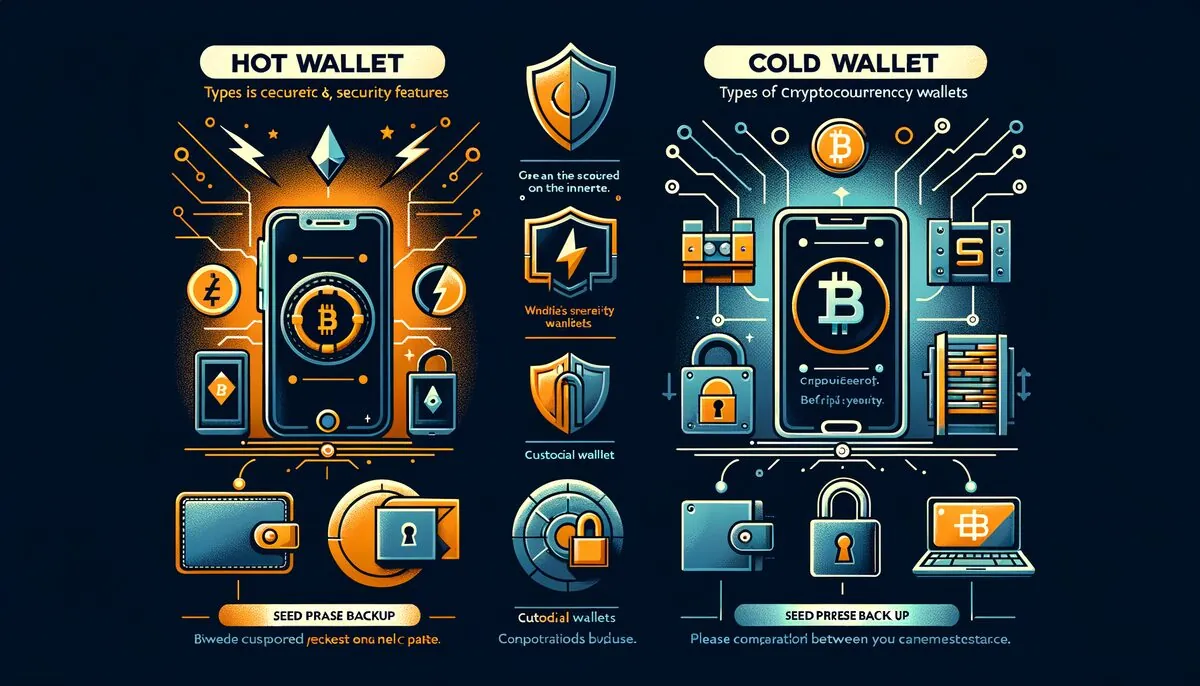
A crypto wallet is the single most important tool you will use in the blockchain ecosystem. Whether you are buying your first Bitcoin, swapping tokens on a decentralized exchange, or minting an NFT, every action starts and ends with your wallet. This guide covers every wallet type available in 2026, explains how they work under the hood, compares the top options side by side, and walks you through setup and security best practices so you can manage your digital assets with confidence.
By the end of this article you will understand the difference between custodial and non-custodial wallets, know exactly when to use a hot wallet versus a cold wallet, and have a clear action plan for protecting your funds against the most common threats in the crypto space today.
What Is a Crypto Wallet
A crypto wallet is a software application or hardware device that allows you to store, send, and receive cryptocurrencies. Despite the name, a wallet does not actually hold your coins. Instead, it stores the cryptographic keys that prove ownership of assets recorded on a blockchain. Think of it as a keychain rather than a physical wallet: the coins live on the blockchain, and your keys unlock access to them.
Every wallet contains at least two components. The public key (often represented as a wallet address) is the identifier you share with others so they can send you funds. The private key is the secret that authorizes outgoing transactions. Whoever controls the private key controls the funds, which is why key management is the foundation of crypto security.
Wallets exist in many forms. Some are browser extensions you install in Chrome or Firefox. Others are mobile apps on your phone. Some are physical USB-like devices you keep in a safe. And some are hosted by centralized exchanges that manage the keys on your behalf. Each form factor comes with its own trade-offs between convenience and security, and choosing the right one depends on how you plan to interact with the blockchain.
In 2026, the wallet landscape has matured significantly. Modern wallets support dozens of blockchains simultaneously, integrate directly with decentralized applications (dApps), offer built-in token swaps, and even include portfolio tracking dashboards. Understanding what a wallet is and how it works is the first step toward taking full control of your financial future in the decentralized economy.
How Crypto Wallets Work: Keys, Addresses, and Seed Phrases
To truly understand wallets, you need to understand three core concepts: private keys, public keys (addresses), and seed phrases. These three elements form the cryptographic backbone of every wallet interaction.
Private Keys
A private key is a randomly generated 256-bit number. In hexadecimal format, it looks like a long string of letters and numbers. This key is used to sign transactions, proving to the network that you are the rightful owner of the funds being spent. Anyone who obtains your private key can move your funds, which is why it must never be shared, stored in plain text, or transmitted over insecure channels.
Public Keys and Addresses
Your public key is mathematically derived from your private key using elliptic curve cryptography. The wallet address is a hashed and encoded version of the public key. This is what you share when you want to receive crypto. It is computationally infeasible to reverse-engineer a private key from a public key or address, so sharing your address is safe.
Seed Phrases (Recovery Phrases)
A seed phrase, also called a recovery phrase or mnemonic phrase, is a human-readable representation of your master private key. It consists of 12 or 24 words generated from a standardized word list (BIP-39). From this single seed phrase, your wallet can derive an unlimited number of private keys and addresses across multiple blockchains using a hierarchical deterministic (HD) key derivation process (BIP-32/BIP-44).
Your seed phrase is the ultimate backup. If your phone breaks, your computer crashes, or your hardware wallet is lost, you can restore every account and every token by entering your seed phrase into a compatible wallet. Conversely, if someone else obtains your seed phrase, they gain complete access to every asset associated with it. Write it down on paper, store it in a fireproof safe, and never save it digitally unless using an encrypted, offline medium.
The relationship between these elements is straightforward: seed phrase generates private key, private key generates public key, public key generates address. Understanding this chain of derivation helps you appreciate why seed phrase security is so critical.
Custodial vs Non-Custodial Wallets
The most fundamental distinction in crypto wallets is whether you control your own keys. This divides all wallets into two categories: custodial and non-custodial.
Custodial Wallets
A custodial wallet is one where a third party (typically a centralized exchange like Coinbase, Binance, or Kraken) holds your private keys on your behalf. You access your funds through a username and password, similar to a traditional bank account. The exchange manages key storage, transaction signing, and security infrastructure.
Advantages: Custodial wallets are beginner-friendly, offer password recovery if you forget your credentials, and often include customer support. Many also provide insurance on held assets and integrate seamlessly with fiat on-ramps and off-ramps.
Disadvantages: You do not truly own your crypto. The famous phrase "not your keys, not your coins" applies here. If the exchange is hacked, goes bankrupt, or freezes your account, you may lose access to your funds. The collapses of FTX and Celsius demonstrated this risk in devastating fashion.
Non-Custodial Wallets
A non-custodial wallet gives you full control of your private keys. You are solely responsible for securing your seed phrase and managing your keys. No company can freeze your assets or deny you access. Popular non-custodial wallets include MetaMask, Phantom, Trust Wallet, and hardware wallets like Ledger and Trezor.
Advantages: Complete ownership, censorship resistance, privacy, and direct interaction with DeFi protocols, NFT marketplaces, and dApps.
Disadvantages: Full responsibility. If you lose your seed phrase and your device fails, your funds are gone forever. There is no customer support to call and no password reset option.
Hot Wallets: MetaMask, Phantom, Trust Wallet, and Rabby
Hot wallets are software wallets that remain connected to the internet. They run as browser extensions, desktop applications, or mobile apps. Their always-online nature makes them extremely convenient for daily transactions, dApp interactions, and token swaps, but also more vulnerable to malware, phishing, and remote exploits compared to offline alternatives.
MetaMask
MetaMask remains the most widely used non-custodial hot wallet in 2026. Originally built for Ethereum, it now supports any EVM-compatible network including Polygon, Arbitrum, Optimism, Base, BNB Chain, Avalanche, and many others. MetaMask is available as a browser extension for Chrome, Firefox, Brave, and Edge, as well as a mobile app for iOS and Android.
Key features include built-in token swaps powered by aggregated DEX liquidity, NFT detection and display, a portfolio dashboard, and Snaps (third-party plugins that extend wallet functionality to non-EVM chains). MetaMask also supports hardware wallet integration, allowing you to use a Ledger or Trezor device as a signing backend while using MetaMask as the interface.
Phantom
Phantom launched as the leading Solana wallet and has since expanded to support Ethereum, Polygon, Bitcoin, Base, and additional networks. It is known for its clean, intuitive interface and fast performance. Phantom includes built-in swap functionality, staking support for Solana, NFT galleries with collection floor price data, and a transaction simulation feature that previews exactly what a transaction will do before you sign it.
The transaction simulation feature is particularly valuable for security. Before you approve any transaction, Phantom shows you exactly which tokens will leave your wallet and which will arrive, helping you detect malicious contract interactions before they execute.
Trust Wallet
Trust Wallet is a mobile-first multi-chain wallet that supports over 100 blockchains natively. Backed by Binance, it offers a built-in dApp browser, staking for multiple proof-of-stake networks, and a simple interface designed for users who want broad chain coverage without managing multiple wallet apps. Trust Wallet also has a browser extension for desktop users.
Rabby
Rabby is a newer entrant that has gained significant traction among DeFi power users. Built by the DeBank team, Rabby offers pre-transaction risk scanning, multi-chain balance aggregation, and an exceptionally smooth experience when switching between EVM networks. Its security-first approach includes automatic detection of risky contract approvals and clear warnings when interacting with unverified contracts.
Cold Wallets: Ledger and Trezor
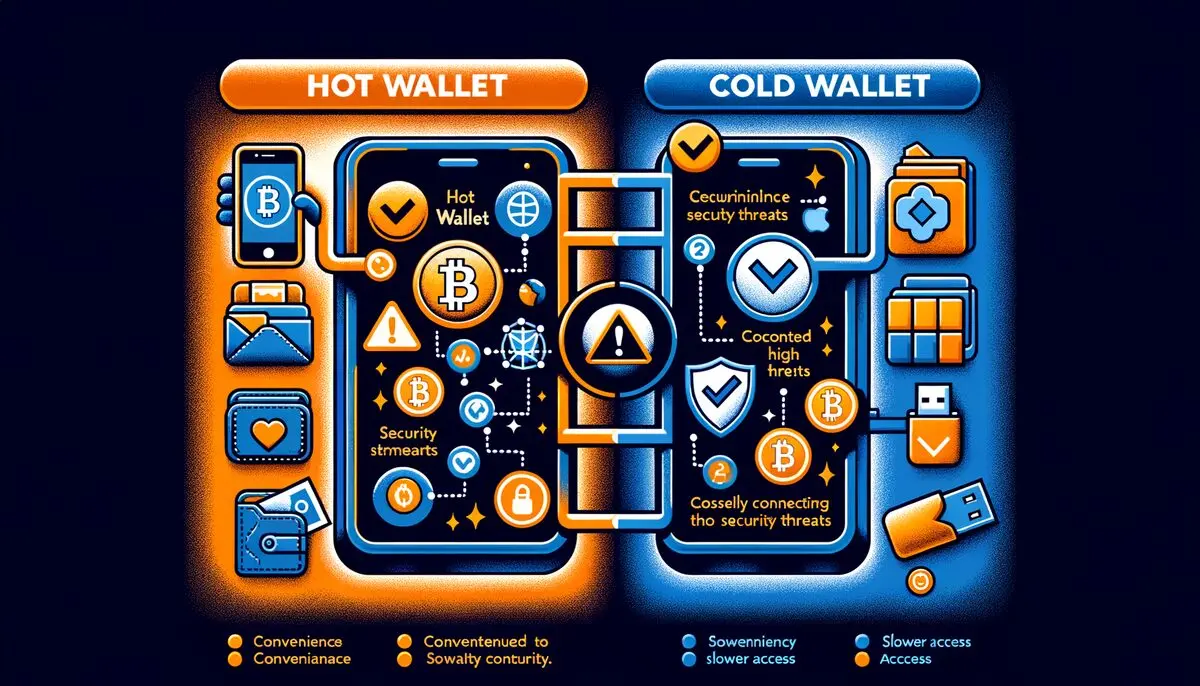
Cold wallets, also called hardware wallets, store your private keys on a dedicated offline device. Because the keys never touch an internet-connected computer, they are immune to remote hacking, malware, and phishing attacks that target software wallets. Cold wallets are considered the gold standard for securing significant crypto holdings.
Ledger
Ledger is the most popular hardware wallet brand globally. The Ledger Nano S Plus and Ledger Nano X are the flagship models, while the Ledger Stax and Ledger Flex represent the premium touchscreen line. All Ledger devices use a certified Secure Element chip (the same type of chip found in credit cards and passports) to protect your private keys.
Ledger devices work with the Ledger Live companion app, which provides portfolio management, staking, token swaps, and access to a curated dApp catalog. You can also connect a Ledger to MetaMask, Phantom, and other software wallets for the best of both worlds: the convenience of a software interface with the security of hardware key storage.
Trezor
Trezor, made by SatoshiLabs, was the first commercially available hardware wallet. The Trezor Model One and Trezor Model T are the established products, while the Trezor Safe 3 and Trezor Safe 5 are the latest generation. Trezor differentiates itself with fully open-source firmware, allowing the security community to audit every line of code running on the device.
Trezor devices connect via USB and work with the Trezor Suite desktop and web application. They support Bitcoin, Ethereum, and thousands of ERC-20 tokens, along with a growing list of other blockchains. For Bitcoin maximalists, Trezor also supports advanced features like Shamir Backup (splitting your seed phrase into multiple shares for distributed storage) and coinjoin for enhanced transaction privacy.
For a detailed comparison of hot and cold wallets, see our Hot Wallet vs Cold Wallet Comparison Guide.
Top Crypto Wallets 2026: Comparison Table
The following table compares the most popular wallets across key criteria to help you make an informed decision.
How to Choose the Right Crypto Wallet
Choosing the right wallet depends on your specific needs, experience level, and how you plan to use crypto. Here are the key factors to evaluate.
1. Security Requirements
If you are holding significant value (generally anything you would be devastated to lose), a hardware wallet is essential. For smaller amounts used in daily DeFi activity, a hot wallet is acceptable as long as you follow security best practices. Many experienced users maintain both: a cold wallet for long-term storage and a hot wallet for active trading and dApp interaction.
2. Blockchain Compatibility
Consider which blockchains you need to interact with. If you primarily use Ethereum and EVM-compatible chains, MetaMask or Rabby are excellent choices. If you are active on Solana, Phantom is the natural fit. If you need support across many different ecosystems, Trust Wallet offers the broadest coverage.
3. Use Case
Are you a passive investor who buys and holds, or an active DeFi user who swaps, stakes, and farms daily? Passive investors benefit most from cold storage simplicity. Active DeFi users need a hot wallet with seamless dApp connectivity. Traders who use centralized exchanges may find custodial wallets convenient for quick order execution.
4. User Experience
If you are new to crypto, start with a wallet that has a clean interface, good documentation, and a large community for support. Phantom and Trust Wallet are often recommended for beginners. More advanced users may prefer Rabby for its risk analysis features or MetaMask for its extensibility through Snaps.
5. Budget
Hot wallets are free. Hardware wallets range from $59 for entry-level models to $279 for premium devices. Consider the cost relative to the value of assets you plan to protect. A $149 Ledger Nano X is a small price to pay to secure $10,000 or more in crypto.
How to Set Up a Crypto Wallet: Step by Step
The setup process varies slightly by wallet, but the core steps are consistent across all non-custodial wallets. Below is a general guide that applies to most popular wallets.
Step 1: Download from Official Sources Only
Always download your wallet from the official website or the official app store listing. Phishing sites that mimic wallet download pages are one of the most common attack vectors. For browser extensions, verify the publisher name and the number of users. For mobile apps, check that the developer matches the official company. Bookmark the official site after your first visit.
Step 2: Create a New Wallet
Open the application and select "Create a new wallet" (not "Import wallet" unless you are restoring from a backup). The wallet will generate a new seed phrase for you. Some wallets require you to set a local password first, which encrypts the wallet data on your device.
Step 3: Back Up Your Seed Phrase
The wallet will display your 12-word or 24-word seed phrase. Write it down on paper immediately. Do not take a screenshot, do not copy it to your clipboard, and do not save it in a notes app or cloud storage. Write each word clearly and in the correct order. Many users write the seed phrase on two separate pieces of paper and store them in different secure locations (for example, a home safe and a bank safety deposit box).
Step 4: Verify Your Seed Phrase
Most wallets will ask you to confirm your seed phrase by selecting the words in the correct order. This step ensures you wrote it down correctly. Take it seriously. If you skip this step or make an error, you may not be able to recover your wallet if your device is lost.
Step 5: Add Networks and Tokens
By default, your wallet may only show one or two networks. Add the blockchains you plan to use. In MetaMask, you can add networks through the network selector or through Chainlist.org. In Phantom, multi-chain support is built in. In Trust Wallet, most networks are already pre-configured.
Step 6: Fund Your Wallet
To start using your wallet, you need to transfer crypto to it. You can do this by sending from a centralized exchange, receiving from another wallet, or using a fiat on-ramp service built into many wallets. Always send a small test transaction first to confirm the address is correct before transferring larger amounts.
Step 7: Enable Additional Security
Enable any additional security features your wallet offers. This may include biometric authentication (fingerprint or face ID) on mobile, auto-lock timers, and transaction simulation. If your wallet supports hardware wallet pairing, consider connecting a Ledger or Trezor for high-value transactions.
Security Best Practices for Crypto Wallets
Security is not a one-time setup. It is an ongoing practice. The following best practices will significantly reduce your risk of losing funds.
Seed Phrase Security
Never store your seed phrase digitally unless it is on an encrypted, air-gapped device. Never share it with anyone, including people claiming to be from wallet support. No legitimate wallet service will ever ask for your seed phrase. Consider using a metal seed phrase backup (stainless steel plates) for protection against fire and water damage.
Revoke Unused Token Approvals
When you interact with DeFi protocols, you often grant smart contracts permission to spend your tokens. These approvals persist even after you are done using the protocol. Use tools like Revoke.cash or the built-in approval manager in Rabby to regularly audit and revoke unnecessary approvals. An old, forgotten approval on a compromised protocol can drain your wallet months later.
Use a Dedicated DeFi Wallet
Do not keep all your assets in the wallet you use for daily DeFi interactions. Maintain a "vault" wallet (preferably a hardware wallet) for long-term holdings and a separate "hot" wallet with limited funds for active use. If the hot wallet is compromised, your main holdings remain safe.
Verify Every Transaction
Always review what you are signing before approving a transaction. Check the recipient address, the amount, and the contract you are interacting with. Wallets like Phantom and Rabby show transaction simulations that preview the outcome. If something looks wrong, reject the transaction. Be especially cautious with transactions that request "unlimited" token approvals.
Keep Software Updated
Update your wallet software promptly when new versions are released. Updates often include critical security patches. However, wait a few hours after a major update to ensure no issues are reported by early adopters. Never update through links in emails or social media. Always update through the official app store or website.
Use Strong Device Security
Your wallet is only as secure as the device it runs on. Keep your operating system updated, use antivirus software, avoid installing software from untrusted sources, and never use a jailbroken or rooted phone for crypto activities. Enable full-disk encryption on your computer and use a strong lock screen password on your phone.
Common Crypto Wallet Mistakes to Avoid
Even experienced users make mistakes that can lead to fund loss. Here are the most common pitfalls and how to avoid them.
1. Storing Seed Phrases Digitally
Saving your seed phrase in a note on your phone, in a cloud document, in an email draft, or in a password manager connected to the internet is a critical error. Cloud services get breached, phones get stolen, and malware can scan for seed phrase patterns. Always use offline, physical storage.
2. Falling for Phishing Attacks
Phishing remains the number one cause of crypto theft. Attackers create fake wallet websites, impersonate support staff on Twitter and Discord, and send fake transaction notifications. Never click links in DMs. Never enter your seed phrase on a website. Always navigate to wallet sites by typing the URL directly or using a verified bookmark.
3. Sending to the Wrong Network
Sending tokens on the wrong network is a common and sometimes irreversible mistake. For example, sending ETH to a Solana address, or sending BNB Chain tokens to an Ethereum address. Always double-check that the sending and receiving networks match. When in doubt, send a small test transaction first.
4. Ignoring Token Approvals
Many users approve unlimited token spending for DeFi protocols and then forget about it. If that protocol is exploited, the attacker can drain the approved tokens from your wallet. Regularly audit and revoke approvals you no longer need.
5. Using Public Wi-Fi for Transactions
Public Wi-Fi networks can be monitored or spoofed. Never sign important transactions on public Wi-Fi. Use your mobile data connection or a trusted VPN if you must transact while away from home.
6. Not Testing Recovery
Many users write down their seed phrase but never test the recovery process. If you made an error writing down a word, you may not discover it until it is too late. After setting up a new wallet and before depositing significant funds, practice restoring the wallet from the seed phrase on a separate device to confirm the backup works.
Multi-Chain Wallets: Managing Assets Across Blockchains
As the blockchain ecosystem has expanded, the need for multi-chain wallets has become critical. In 2026, most active crypto users interact with at least three or four different blockchains regularly. Multi-chain wallets simplify this by providing a single interface to manage assets across multiple networks.
How Multi-Chain Wallets Work
Multi-chain wallets use your single seed phrase to derive separate key pairs for each supported blockchain. Each chain has its own address format and derivation path, but they all trace back to the same master seed. This means one backup protects all your accounts across all chains.
EVM vs Non-EVM Chains
Ethereum Virtual Machine (EVM) compatible chains (Ethereum, Polygon, Arbitrum, Base, BNB Chain, Avalanche, etc.) all use the same address format and key derivation, so your MetaMask address is the same across all of them. Non-EVM chains like Solana, Bitcoin, Cosmos, and Sui use completely different address formats and require specific wallet support.
Best Multi-Chain Wallet Options
Trust Wallet offers the broadest multi-chain support with over 100 blockchains. Phantom covers Solana, Ethereum, Polygon, Bitcoin, and Base with a streamlined experience. Ledger devices support over 5,500 assets across many blockchains through the Ledger Live app. For EVM-only multi-chain management, Rabby provides an excellent experience with automatic chain detection and switching.
Cross-Chain Bridges and Swaps
Many modern wallets include built-in cross-chain swap functionality that lets you move assets between blockchains without leaving the wallet interface. Phantom, Trust Wallet, and Ledger Live all offer some form of cross-chain swap integration. These features use bridge protocols behind the scenes and typically offer competitive rates by aggregating multiple liquidity sources.
Advanced Wallet Features in 2026
The wallet space has evolved far beyond basic send-and-receive functionality. Here are the advanced features that define modern wallets in 2026.
Account Abstraction (ERC-4337)
Account abstraction allows wallets to implement smart contract logic at the account level. This enables features like social recovery (recovering your wallet through trusted contacts instead of a seed phrase), gas sponsorship (dApps paying your transaction fees), batched transactions (executing multiple actions in a single click), and session keys (granting time-limited permissions to dApps without signing every transaction).
Multi-Signature (Multisig) Wallets
Multisig wallets require multiple private keys to authorize a transaction. For example, a 2-of-3 multisig requires any two of three designated key holders to sign before funds can be moved. This is essential for DAOs, teams managing shared treasuries, and individuals who want an extra layer of security. Safe (formerly Gnosis Safe) is the most widely used multisig wallet on EVM chains.
Transaction Simulation and Security Scanning
Leading wallets now simulate transactions before execution, showing you exactly what will happen if you sign. This includes token transfers, approval changes, and potential risks. Some wallets integrate with security services like Blockaid and Blowfish to flag known malicious contracts, phishing sites, and suspicious transaction patterns in real time.
Built-In Staking and Yield
Many wallets now allow you to stake proof-of-stake tokens directly from the wallet interface without visiting an external dApp. Phantom offers native SOL staking, Ledger Live supports staking for ETH, SOL, DOT, ATOM, and others, and Trust Wallet provides staking across multiple chains. This makes earning yield on your holdings as simple as a few taps.
NFT Management
Modern wallets include dedicated NFT galleries that display your collectibles with images, metadata, and collection information. Phantom shows estimated values based on floor prices. MetaMask detects NFTs automatically. Some wallets allow you to hide spam NFTs (which are often used as phishing vectors) with a single swipe.
WalletConnect and Deep Linking
WalletConnect is a protocol that allows you to connect your mobile wallet to desktop dApps by scanning a QR code. In 2026, WalletConnect v2 supports multi-chain sessions, meaning a single connection can authorize transactions across multiple networks. Most major wallets support WalletConnect, making it a universal bridge between wallet apps and decentralized applications.
Frequently Asked Questions
What is the safest type of crypto wallet?
Hardware wallets (cold wallets) like Ledger and Trezor are the safest because they store private keys offline, making them immune to remote hacking, malware, and phishing attacks. For maximum security, pair a hardware wallet with strong seed phrase storage practices.
Can I use multiple crypto wallets at the same time?
Yes, and it is actually recommended. Many experienced users maintain a hardware wallet for long-term storage, a hot wallet for daily DeFi activity, and possibly a third wallet for testing new protocols or minting NFTs. Using separate wallets limits your exposure if one is compromised.
What happens if I lose my seed phrase?
If you lose your seed phrase and your wallet device also fails or is lost, your funds are gone permanently. There is no recovery service, no customer support, and no way to regenerate a lost seed phrase. This is why backing up your seed phrase securely is the single most important thing you can do in crypto.
Are crypto wallets free?
All software (hot) wallets are free to download and use. Hardware (cold) wallets cost between $59 and $279 depending on the model and brand. While the wallet itself may be free, you will pay network transaction fees (gas fees) when sending crypto or interacting with smart contracts.
Can someone hack my crypto wallet?
A properly secured wallet is extremely difficult to hack through brute force. The vast majority of wallet compromises happen through social engineering (phishing), malware that captures seed phrases or private keys, or malicious smart contract approvals. Following security best practices virtually eliminates these risks.
What is the difference between a wallet address and a private key?
A wallet address is your public identifier that others use to send you crypto. It is safe to share. A private key is the secret that authorizes transactions from your wallet. It must never be shared. Think of the address as your email address and the private key as your email password.
Do I need a separate wallet for each cryptocurrency?
No. Modern multi-chain wallets support hundreds or even thousands of different cryptocurrencies within a single application. However, not all wallets support all blockchains. Check your wallet of choice to ensure it supports the specific tokens and networks you need.
Can I recover a wallet if my phone or computer is stolen?
Yes, as long as you have your seed phrase. Install the wallet app on a new device, select "Import wallet" or "Restore wallet," and enter your seed phrase. All your accounts and tokens will be restored. It is also critical to act quickly: if your old device did not have a strong lock screen, the thief may access your wallet before you can move your funds to a new one.
What is a gas fee and why do I need to pay it?
Gas fees are the transaction processing fees paid to blockchain validators (or miners) for including your transaction in a block. Every blockchain charges gas fees, though the amounts vary dramatically. Ethereum gas fees can spike during high demand, while Layer 2 networks like Arbitrum and Base, or alternative chains like Solana, offer much lower fees. You need the native token of the chain (ETH for Ethereum, SOL for Solana, etc.) in your wallet to pay gas fees.
Is it safe to connect my wallet to DeFi websites?
Connecting your wallet to a DeFi site (by clicking "Connect Wallet") is generally safe on its own, as it only shares your public address. The risk comes when you sign transactions or token approvals. Always verify you are on the correct website URL, use wallets with transaction simulation features, and revoke approvals after you are done using a protocol. Avoid connecting to unknown or unaudited projects.
What is the best wallet for beginners in 2026?
For beginners, Phantom and Trust Wallet offer the most user-friendly experiences. Phantom has a clean interface with built-in transaction simulation for safety. Trust Wallet supports the widest range of blockchains with a simple mobile-first design. Once you have assets worth protecting, add a Ledger hardware wallet for long-term storage.
How do I transfer crypto between wallets?
To transfer crypto between wallets, open the sending wallet, select "Send," paste the receiving wallet address, choose the correct network, enter the amount, and confirm the transaction. Always verify the network matches on both sides (for example, if sending USDC on Polygon, the receiving wallet must also be set to the Polygon network). Send a small test amount first to confirm everything works correctly before transferring larger sums.
Frequently Asked Questions
What is a crypto wallet?
A crypto wallet is a software application or a physical device that stores the public and private keys used to send and receive cryptocurrencies. It allows users to interact with blockchain networks.
How does a crypto wallet work?
A crypto wallet generates and stores cryptographic keys. These keys are essential for proving ownership of cryptocurrency and authorizing transactions on a blockchain.
What are the different types of crypto wallets?
Crypto wallets are broadly categorized into hot wallets (online, connected to the internet) and cold wallets (offline, physical devices). Examples include software wallets, hardware wallets, and paper wallets.
Are crypto wallets secure?
The security of a crypto wallet depends on its type and how it is managed. Hardware wallets are generally considered more secure than software wallets due to their offline nature.
What is the difference between a hot wallet and a cold wallet?
A hot wallet is connected to the internet and offers convenience for frequent transactions, but carries higher risk of online attacks. A cold wallet is offline, providing enhanced security for long-term storage of cryptocurrencies.
Related Guides
- zkEVM Types Compared: Polygon vs zkSync vs Scroll 2026
- What Are Real World Assets (RWA) in Crypto? Asset Types, Yield and Risks (2026)
- Crypto Order Types: The Complete 2026 Guide to Every Order Type in Trading
- How to Withdraw from a CEX to Self-Custody Wallets
- What Is Wallet Poisoning? Crypto Security Guide 2026