How to Use OpenSea: Complete NFT Marketplace Tutorial (2026)
— By Tony Rabbit in Tutorials

Master OpenSea in 2026: a comprehensive guide to buying, selling, and creating NFTs, from wallet connection to advanced trading strategies.
OpenSea stands as the undisputed global leader in NFT marketplaces, providing a robust, multi-chain platform for discovering, trading, and minting digital assets. To effectively use OpenSea in 2026, users must connect a compatible Web3 wallet, navigate its intuitive interface to browse diverse NFT collections, execute purchases via 'Buy Now' or 'Make Offer' options, and manage their own listings for sale or creation. This comprehensive guide will walk you through every essential step, from initial setup and secure transactions to advanced features and crucial safety protocols, ensuring you can confidently engage with the dynamic world of NFTs.
Understanding OpenSea: The NFT Ecosystem in 2026
OpenSea has solidified its position as the premier destination for NFTs, evolving significantly since its inception. By 2026, it supports a vast array of blockchains including Ethereum, Polygon, Solana, Base, Arbitrum, Optimism, Avalanche, and more, making it a truly multi-chain hub. It caters to every facet of the NFT market, from high-value digital art and iconic profile picture (PFP) collections to dynamic gaming assets, music NFTs, and photography.
Getting Started: Connecting Your Web3 Wallet
Your Web3 wallet is your gateway to OpenSea. It's where your NFTs are stored and how you authorize transactions. Ensuring your wallet is funded with the correct cryptocurrency for the blockchain you intend to use is crucial.
- Visit OpenSea. Navigate to the official website: opensea.io. Always double-check the URL to avoid phishing sites.
- Click the Wallet Icon. This is usually located in the top right corner of the homepage.
- Choose Your Wallet. OpenSea supports a wide range of popular wallets.
- MetaMask: Dominant for Ethereum, Polygon, Base, Arbitrum, etc.
- Coinbase Wallet: Another popular choice with broad support.
- WalletConnect: Allows connection with many mobile wallets by scanning a QR code.
- Phantom: Essential for Solana-based NFTs.
- Other Wallets: Brave Wallet, Trust Wallet, and various hardware wallets are often compatible via WalletConnect or direct integration.
- Authorize Connection. Your chosen wallet will prompt you to connect to OpenSea. Review the requested permissions and confirm.
- Fund Your Wallet. Ensure your wallet has the necessary cryptocurrency for transactions on your chosen chain:
- Ethereum NFTs: Requires ETH for purchases and gas fees.
- Polygon NFTs: Requires MATIC for purchases (often minimal gas fees).
- Solana NFTs: Requires SOL for purchases and transaction fees.
Navigating the OpenSea Interface and Discovery Tools
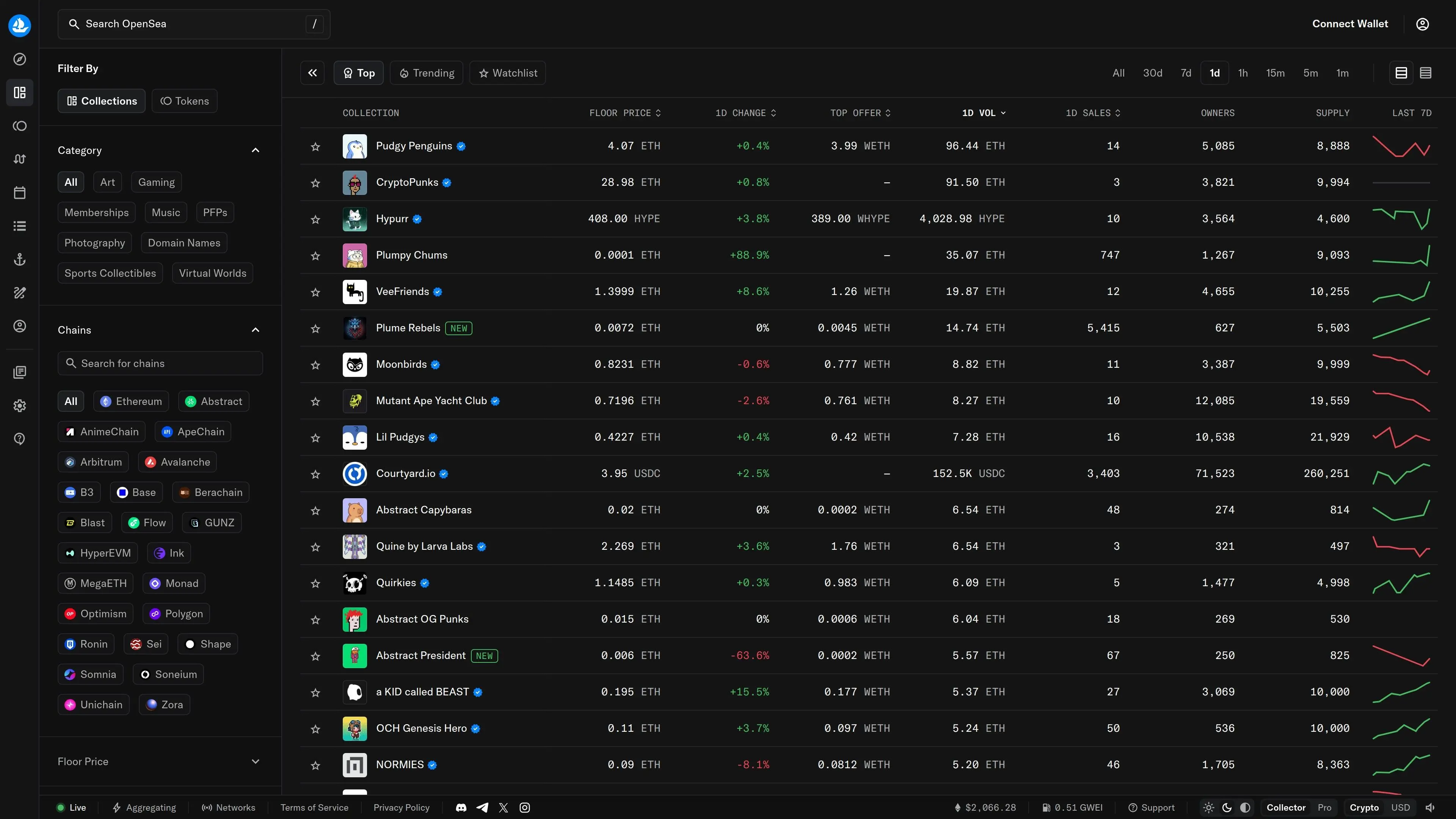
OpenSea's interface is designed for intuitive discovery, allowing users to find specific NFTs or explore new trends.
- Homepage Overview. Features trending collections, new drops, and curated selections.
- Search Bar. Use this to find specific collections, artists, or individual NFTs by name or contract address.
- Category Filters. Browse NFTs by categories like Art, Gaming, Music, Photography, PFPs, Utility, and more.
- Chain Filters. Refine your search to specific blockchains (e.g., Ethereum, Polygon, Solana).
- Trending Collections. Located under the 'Stats' or 'Explore' section, this shows real-time rankings by volume, floor price changes, and unique owners, helping you identify popular and liquid collections.
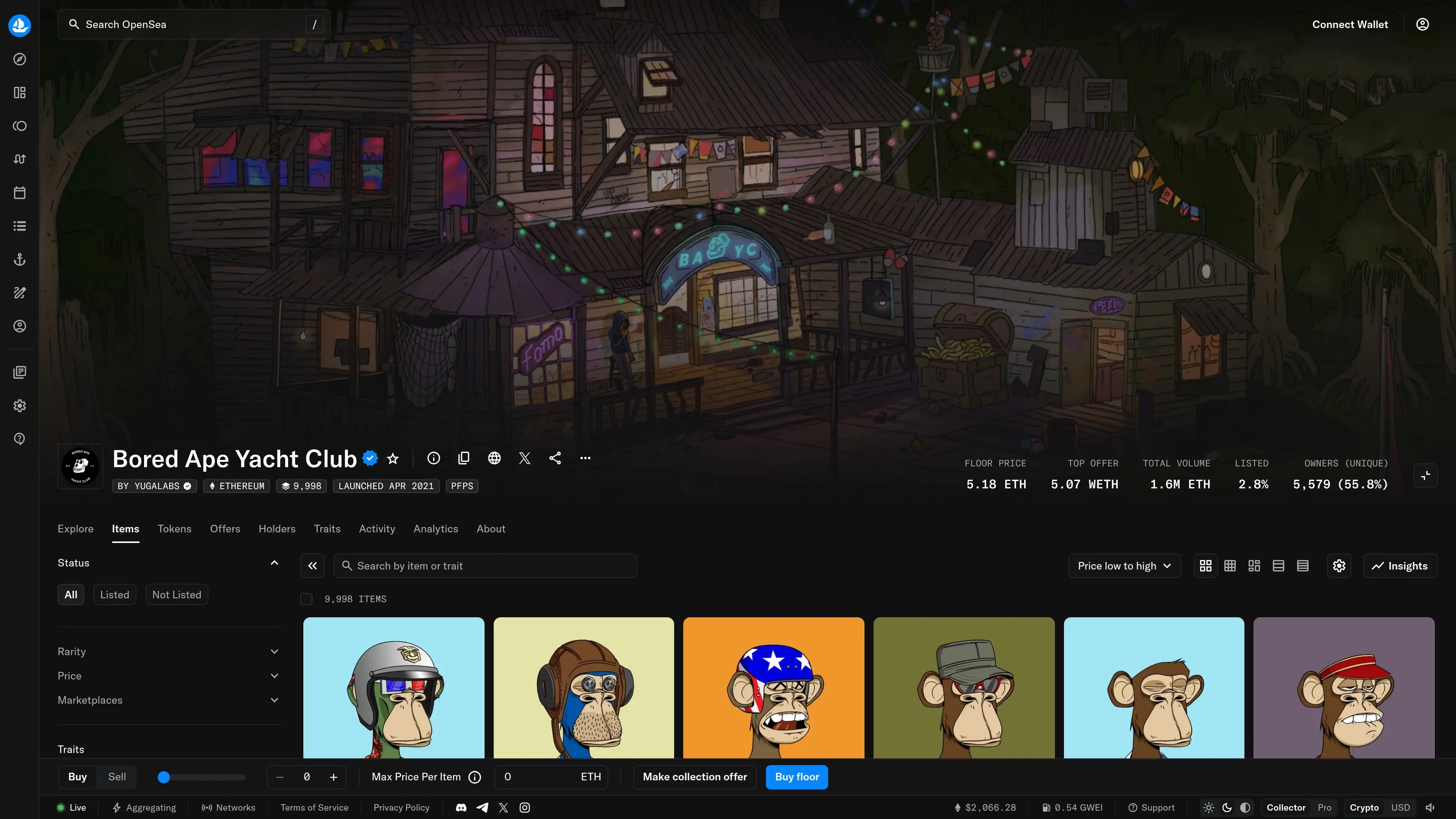
- Advanced Search & Trait Filtering. Once in a collection, use detailed filters to narrow down NFTs by specific traits (e.g., background color, rarity, accessories).
Buying Your First NFT on OpenSea
Once you've found an NFT you're interested in, OpenSea offers two primary methods for acquisition.
- Select the NFT. Click on the NFT to view its dedicated page, which displays details like price, owner, traits, and transaction history.
- Choose Your Purchase Method:
- Buy Now: This is an instant purchase at the listed price. You will pay the listed price plus any associated gas fees (on Ethereum) or network fees (on other chains). Confirm the transaction in your wallet. The NFT will appear in your wallet and OpenSea profile almost immediately after the transaction confirms on the blockchain.
- Make Offer: If you're not ready to pay the 'Buy Now' price, you can submit an offer below it.
- Offer Currency: Offers are typically made in WETH (Wrapped ETH) on Ethereum, or the native currency of the chain (e.g., SOL on Solana).
- Set Price & Expiration: Enter your desired offer price and choose how long the offer remains valid (e.g., 1 day, 3 days, 7 days).
- Submit Offer: Confirm the transaction in your wallet. The seller can then accept, counter, or ignore your offer. If accepted, the NFT is transferred to your wallet and the WETH is sent to the seller.
Buying Tips for 2026
- Analyze Floor Price: Before buying, check the collection's floor price (the lowest price for any NFT in that collection) to gauge fair market value.
- Review Recent Sales: Look at the 'Activity' tab to see recent sales data, not just current listings. This provides a more accurate picture of what buyers are actually paying.
- Verify Collection Authenticity: Reiterate checking the blue verification badge and official links.
- Assess Liquidity: A collection with a high number of unique owners and substantial trading volume often indicates a healthy, liquid market.
- Consider Gas Fees: On Ethereum, gas fees can fluctuate significantly. Factor these into your total purchase cost, especially for 'Buy Now' transactions.
Selling and Listing Your NFTs
Listing your NFTs for sale on OpenSea is straightforward, allowing you to reach a global audience of potential buyers.
- Navigate to Your Profile. Click your profile icon and select 'Profile'.
- Select the NFT. Find the NFT you wish to sell and click on it.
- Click 'List for Sale'. This button is usually prominent on the NFT's individual page.
- Choose Listing Format:
- Fixed Price: Set a specific price for your NFT. Buyers can then 'Buy Now'.
- Auction:
- English Auction: Buyers bid against each other, with the highest bidder winning.
- Dutch Auction: The price starts high and gradually decreases until a buyer purchases it or the auction ends.
- Set Price and Duration. For fixed price, enter your desired selling price. For auctions, set a starting price, reserve price (optional), and duration.
- Configure Royalties (if applicable). Creator royalties, typically ranging from 0-10%, are automatically deducted from the sale price and sent to the original creator. OpenSea itself charges 0% marketplace fee (a significant change implemented in 2024, down from 2.5%).
- Review and Confirm. OpenSea will display a summary of your listing, including potential earnings after royalties.
- Approve and Sign. For initial listings, especially on Ethereum, you might need to pay a one-time gas fee to authorize OpenSea to interact with your NFT contract. Subsequent listings or sales of NFTs from the same collection are often gasless. Confirm the transaction in your wallet.
Creating Your Own NFTs (Minting)
OpenSea's 'Create' feature allows anyone to mint their own NFTs without needing to write code, making it accessible for artists, creators, and brands.
- Click 'Create'. This button is typically found in the top right corner of the OpenSea homepage.
- Upload Your Media. OpenSea supports various file types: images (JPG, PNG, GIF, SVG), videos (MP4, WEBM), audio (MP3, WAV, OGG), and 3D models (GLB, GLTF). Max file size is usually 100MB.
- Add NFT Details:
- Name: A unique identifier for your NFT.
- External Link: A URL to your website or project page.
- Description: Provide details about your creation, its story, or utility.
- Collection: Choose an existing collection or create a new one to house your NFT.
- Properties, Levels, Stats: Add metadata to define traits, rarity, or game-specific attributes.
- Unlockable Content: Offer exclusive content (e.g., high-res files, Discord roles) visible only to the NFT owner.
- Explicit & Sensitive Content: Mark if your NFT falls into this category.
- Choose Your Blockchain. This is a critical decision:
- Polygon: Often chosen for 'gasless' or free minting, making it ideal for beginners or lower-value items.
- Ethereum: Offers higher security and prestige, but requires gas fees for minting. Suitable for premium or high-value art.
- Configure Royalties. Set the percentage you wish to earn on every secondary sale of your NFT (e.g., 5-10%). This is a powerful feature for creators.
- Click 'Create'. Review all details and then finalize the minting process. You will likely need to sign a transaction in your wallet.
Understanding Fees and Royalties in 2026
The fee structure on OpenSea has become highly competitive, benefiting both buyers and sellers.
Advanced Features: Collection Offers and Trait-Based Offers
OpenSea offers sophisticated tools for buyers to engage with collections more strategically:
- Collection Offers: Instead of making an offer on a single NFT, you can make an offer on *any* NFT within a specific collection. This is useful if you want to acquire any item from a collection at a certain price point.
- Trait-Based Offers: This allows you to make an offer on any NFT within a collection that possesses a specific trait or combination of traits (e.g., 'any Bored Ape with a gold fur trait'). This is powerful for targeting rare or desirable attributes.
Staying Safe on OpenSea: Essential Security Practices
The NFT space, while innovative, is not without risks. Vigilance is paramount to protect your assets.
NFT Safety Rules for 2026
- Verify All Links: Always manually type opensea.io. Be extremely wary of links in DMs, emails, or unofficial social media posts, especially those promising free mints, airdrops, or exclusive access.
- Check Verification Badges: For any collection, confirm the blue verification badge. Unverified collections, even if popular, carry higher risk of being scams or fakes.
- Scrutinize Suspiciously Cheap NFTs: If a popular collection NFT is listed significantly below floor price, it's often a counterfeit or part of a phishing attempt.
- Understand Transactions: Before signing any transaction in your wallet, carefully read what it's asking you to approve. If it's asking for approval to spend your entire ETH balance or transfer all your NFTs, and you're just trying to buy one item, STOP.
- Use a Burner Wallet: For interacting with new or unproven projects, consider using a secondary 'burner' wallet with minimal funds and no valuable NFTs.
- Revoke Permissions: Regularly check and revoke unnecessary token approvals from dApps you no longer use via tools like revoke.cash.
- Hardware Wallets: For storing valuable NFTs, a hardware wallet (e.g., Ledger, Trezor) provides the highest level of security.
OpenSea Pros and Cons in 2026
How DEXTools Enhances Your NFT Journey
While OpenSea is the marketplace, tools like DEXTools provide invaluable supplementary data for informed decision-making. DEXTools offers advanced analytics and real-time data across various blockchains, which can be leveraged to:
- Identify Emerging Trends: Track token performance and liquidity to potentially spot early movements in related NFT projects.
- Cross-Reference Data: Use DEXTools' insights to validate volume, liquidity, and community sentiment around projects that might also have NFT collections on OpenSea.
- Market Timing: Understand broader market conditions and sentiment before making significant NFT purchases or sales.
Conclusion
OpenSea remains the cornerstone of the NFT ecosystem in 2026, offering unparalleled access to digital assets across multiple blockchains. By following this comprehensive guide, from securely connecting your wallet and navigating its rich discovery tools to confidently buying, selling, and even creating your own NFTs, you are well-equipped to participate in this exciting and evolving digital economy. Always prioritize security, conduct thorough research, and stay informed to maximize your experience on OpenSea.
Frequently Asked Questions
What is OpenSea?
OpenSea is the world's largest NFT marketplace, supporting the discovery, buying, selling, and creation of NFTs across multiple blockchains like Ethereum, Polygon, Solana, Base, and more.
What blockchains does OpenSea support?
As of 2026, OpenSea supports Ethereum, Polygon, Solana, Base, Arbitrum, Optimism, Avalanche, and several other popular EVM-compatible chains.
How do I connect my wallet to OpenSea?
Visit opensea.io, click the wallet icon, and choose your preferred Web3 wallet (e.g., MetaMask, Coinbase Wallet, Phantom). Authorize the connection when prompted.
What are the fees for using OpenSea in 2026?
OpenSea charges a 0% marketplace fee on sales (since 2024). Creator royalties (0-10%) are collected, and blockchain gas/network fees apply for certain transactions, especially on Ethereum.
How can I buy an NFT on OpenSea?
You can 'Buy Now' at a fixed price for an instant purchase, or 'Make Offer' below the listed price, typically using WETH or the native chain currency. Always check floor price and recent sales.
Can I sell my own NFTs on OpenSea?
Yes, navigate to your profile, select the NFT, and click 'List for Sale'. You can choose a fixed price or auction format, set your price, and configure duration and creator royalties.
Is it possible to create NFTs on OpenSea without coding?
Yes, OpenSea offers a 'Create' feature allowing you to upload media, add details, set properties, choose a blockchain (Polygon for free minting), and configure royalties without any coding.
How do I stay safe from scams on OpenSea?
Always verify collection URLs and blue verification badges, be wary of suspiciously cheap NFTs, never click suspicious links in DMs, and carefully review all wallet transaction prompts before signing.
What is WETH and why is it used for offers?
WETH (Wrapped ETH) is an ERC-20 token version of Ethereum (ETH). It's used for offers on OpenSea because it allows for more complex smart contract interactions, like escrowing funds for offers, that native ETH does not directly support.