Send Crypto From Kraken to Trezor Safely (2026)
— By Whatsertrade in Tutorials

Learn how to send crypto from Kraken to Trezor safely: verify supported assets and networks, confirm the hardware wallet address, and test the withdrawal.
Sending crypto from Kraken to a Trezor is one of the cleanest self-custody upgrades a user can make, but only if the transfer is treated with respect. Most losses in this workflow do not come from advanced hacks. They come from sloppy routine mistakes: wrong network, unsupported asset assumptions, copied addresses never verified on-device, or users skipping the test transfer because they are in a hurry.
The good version of this workflow is calm and boring. You check that Trezor supports the asset, generate the receive address in Trezor Suite, verify that address on the device itself, choose the correct network in Kraken, and send a small test first if the amount matters to you. That routine is not overkill. It is what makes self-custody feel normal instead of stressful.
Quick answer
- Generate the receive address in Trezor Suite and verify it on the hardware device before you copy it.
- On Kraken, choose the same network your Trezor wallet expects, not just the cheapest-looking option.
- If the amount matters, send a small test withdrawal first and confirm it arrives before moving the rest.
Why Kraken to Trezor Is Worth Doing Carefully
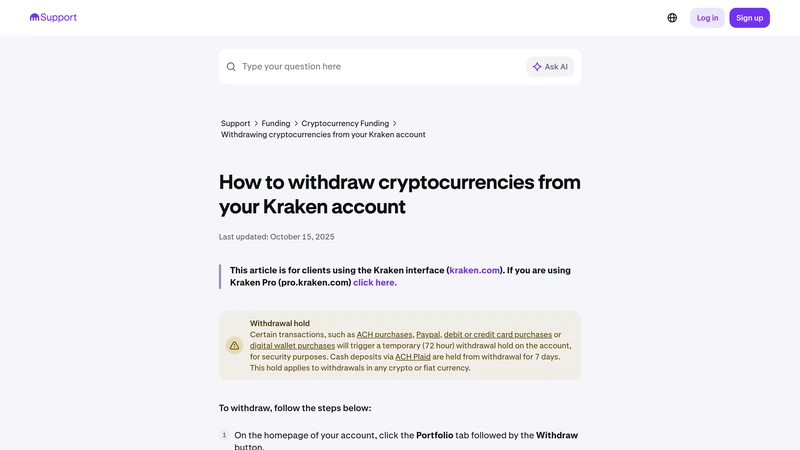
Moving funds from Kraken to Trezor is not just a withdrawal. It is a change in custody model. You are taking responsibility for the receiving wallet, the network match, and the final verification. Kraken's support flow makes the exchange side clear: choose the asset, choose the correct network, enter the amount, and confirm the address carefully. Trezor's own guidance adds the part many users skip: verify the receive address on the device before trusting what you see on the screen.
Those two halves matter together. The exchange withdrawal is only one side of the job. The hardware wallet verification is the other. If you do both properly, the workflow becomes one of the safest habits in crypto. If you rush either side, the fact that the interface felt familiar will not help you recover from a mismatch later.
Why this workflow matters
What to Prepare Before You Withdraw
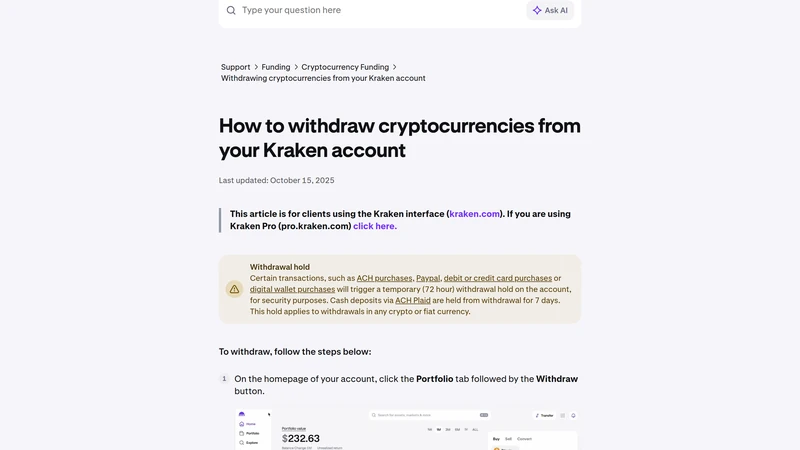
Before opening Kraken, confirm that the specific asset you want to withdraw is supported in Trezor and that you are using the correct account inside Trezor Suite. Then generate a receive address and compare the address shown in Suite with the one displayed on the Trezor device. Only after that should you go back to Kraken and start the withdrawal flow. If the transfer is meaningful in size, decide in advance that you will test with a smaller amount first. Making that decision before the withdrawal screen appears makes it much easier to stick to it.
The four checks that matter before sending from Kraken to Trezor
How to Send Crypto From Kraken to Trezor Step by Step
Start in Trezor Suite, not in Kraken. Open the account that should receive the funds, click receive, and verify the full address on the hardware wallet itself. Copy that exact address only after the device confirms it. Then go to Kraken, choose the asset, choose the correct network, paste the address, and review every field slowly. If anything feels inconsistent, stop there and re-check the Trezor side before confirming the withdrawal.
If the transfer matters, send a small test first. Wait until the asset appears where it should in Trezor Suite. Only then repeat the process for the full amount. After the final withdrawal is submitted, track the transaction through Kraken and the relevant explorer if needed, but keep your standard simple: the transfer is only finished when the asset is visible and usable in the correct Trezor account.
A safer Kraken to Trezor workflow
Common Kraken to Trezor Mistakes to Avoid
Most problems in this workflow come from trying to save a minute and losing peace of mind instead. Users assume the asset is supported without checking, pick the wrong network because it looks familiar or cheaper, paste the address without verifying it on the device, or skip the test transfer because they want to finish in one shot. None of those shortcuts are worth taking.
Mistakes that create avoidable withdrawal risk
How to Troubleshoot a Missing or Delayed Transfer
First, verify the basics calmly. Was the Kraken withdrawal confirmed? Did you choose the expected network? Are you checking the correct account inside Trezor Suite? Is the asset supported exactly as configured? Many missing-fund scares turn out to be visibility or account-selection problems rather than true loss events.
If the exchange shows the withdrawal as complete but the wallet seems empty, use the transaction details and explorer before assuming disaster. Compare the destination address, the network, and the exact Trezor account you are checking. Structured verification is faster and safer than panicked clicking.
Frequently Asked Questions
Is it safe to send crypto from Kraken directly to Trezor?
Yes, if you verify asset support, network selection, and the receive address on the Trezor device before confirming the withdrawal.
What is the most important step in the Kraken to Trezor process?
Verifying the receiving address on the hardware wallet itself. That is the strongest defense against address mistakes.
Should I always send a test transfer first?
If the amount matters or if this is your first time using the route, yes. A test transfer is one of the cheapest safety steps in crypto.
Why might a Kraken withdrawal not appear immediately in Trezor?
The transaction may still be confirming, you may be checking the wrong account, or the network and asset view may not match what you sent.
When is the transfer truly complete?
Only when the asset is visible and usable in the correct Trezor account, not just when Kraken marks the withdrawal as sent.
Related reading
Disclaimer: This article is for educational purposes only and not financial, legal, or tax advice. Supported assets, networks, and exchange workflows can change. Always verify live withdrawal details before sending funds.