How to Add Solana to MetaMask: What Works in 2026
— By AliceOnChain in Tutorials

Adding Solana to MetaMask: learn why it is not native, what Snaps can and cannot do, when to use Phantom, and the safest Solana workflow in 2026.
How to Add Solana to MetaMask (and Does MetaMask Support Solana?)
As the digital asset landscape evolves in 2026, the demand for seamless cross-chain interaction has reached an all-time high. The Solana network, renowned for its sub-cent transaction fees and unparalleled speed, has become a primary destination for decentralized finance (DeFi) traders, NFT collectors, and developers. However, a significant percentage of crypto users originate from the Ethereum Ecosystem, where MetaMask reigns as the undisputed king of non-custodial wallets. This leads to one of the most persistent and crucial questions in crypto: How to add Solana to MetaMask, and more fundamentally, does MetaMask support Solana natively?
The short answer is: No, MetaMask does not natively support Solana in the same way it supports Ethereum Virtual Machine (EVM) chains like Polygon, Avalanche, or Arbitrum. You cannot simply select "Solana" from a dropdown menu of networks or use a custom RPC to add it directly. This incompatibility stems from a fundamental difference in architecture: Ethereum is built on the EVM standard, while Solana utilizes its own unique virtual machine (SVM) designed for parallel transaction execution.
However, the longer, more useful answer is: Yes, you can bridge the gap. While you cannot "add the Solana network" itself to MetaMask, you can view, manage, and interact with Solana tokens (wrapped versions) on EVM chains, and, crucially, use MetaMask to access Solana-based dApps through an advanced feature called "Snaps."
This definitive guide will dissect the complex relationship between MetaMask and the Solana network, providing actionable steps on how to use Solana with MetaMask in 2026.
The Core Technical Conflict: EVM vs. SVM
To understand how to add Solana to MetaMask, you must first appreciate the technical wall that separates them.
MetaMask was designed specifically as an EVM-compatible wallet. An EVM-compatible chain utilizes the same address format (starting with 0x...) and cryptography as Ethereum. When you add a network to MetaMask, you are simply directing the wallet to look at a different Ethereum-like ledger.
The Solana network is radically different. It does not use the 0x address format; instead, it uses Base58 encoding for its addresses (e.g., 4k3Dy9...). Furthermore, Solana uses different consensus mechanisms (Proof of History) and cryptographic standards. They speak entirely different languages. Therefore, you cannot simply add Solana as a new network in the traditional MetaMask settings.
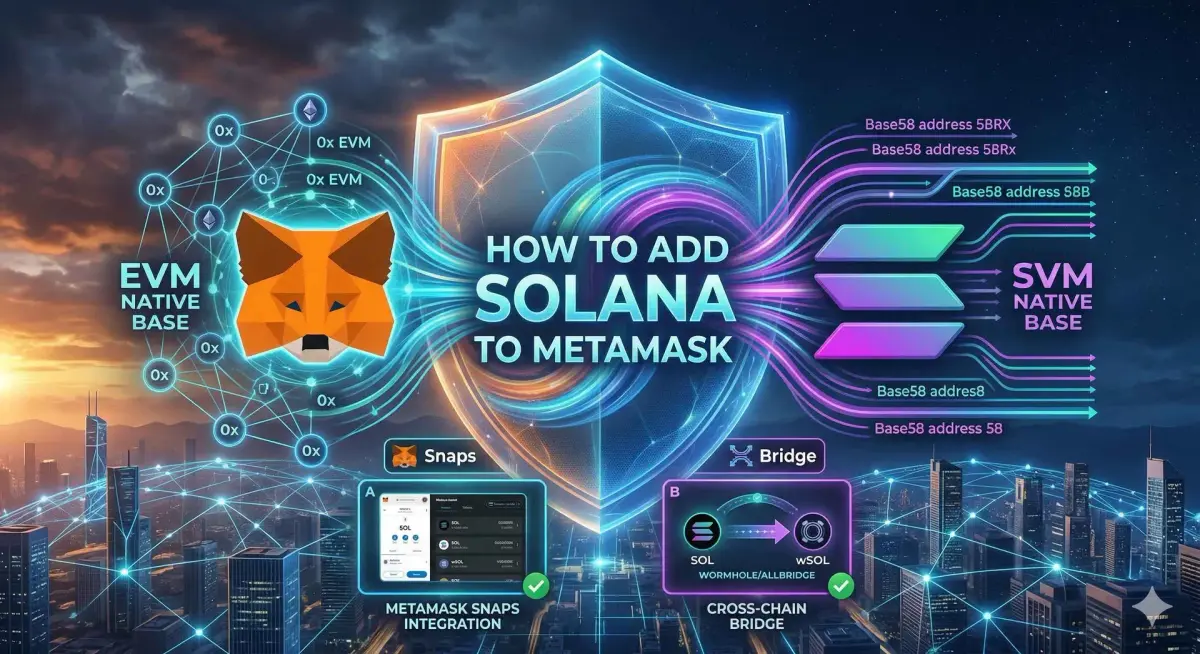
Method 1: The Native Solution-Using MetaMask Snaps for Solana (Recommended)
In 2026, the recommended method for interaction is using MetaMask Snaps.
A "Snap" is an advanced extension feature that allows developers to expand the functionality of MetaMask beyond its native EVM core. It permits MetaMask to "learn" how to interact with non-EVM blockchains. Several reputable Solana development teams have built Snaps that allow MetaMask to handle Solana native assets (SOL) and interact with dApps (like decentralized exchanges) directly from the MetaMask interface.
How to Install and Use a Solana Snap in MetaMask:
Verify Your MetaMask is Updated: Ensure you are using the latest version of MetaMask (extension or mobile).
Navigate to the Official MetaMask Snaps Directory: Go to the "Snaps" section within MetaMask settings or the official directory website.
Search for "Solana": Look for a reputable Snap, such as "Solana Wallet" (often developed by community partners like Solflare or other trusted builders).
Install the Snap: Click "Add to MetaMask." You will be presented with a detailed permissions request. Review these carefully (they may allow the Snap to view your public key or suggest transactions), then confirm.
Access Your Solana Wallet: Once installed, your MetaMask will now generate a native Solana address. You can send
SOLdirectly to this Base58 address.Interact with Solana dApps: When you visit a Solana-based dApp, select "MetaMask" as your wallet option. The dApp will communicate with your MetaMask via the Snap.
Method 2: The Multi-Chain Approach-Bridge and Monitor on DEXTools
If you prefer to keep your main assets within the native MetaMask EVM environment, you can use a cross-chain bridge.
This method does not "add Solana," but it allows you to hold the value of Solana assets (SOL or other Solana tokens) within the EVM ecosystem. This is critical for users who want to use native EVM DeFi protocols (like Uniswap or Aave) while maintaining exposure to Solana.
Step-by-Step Cross-Chain Bridging:
Hold Solana Assets (
SOL) in a Native Wallet: You will need a dedicated Solana wallet (e.g., Solflare or Phantom) containing nativeSOL.Select a Cross-Chain Bridge: Use a reputable, secure bridge like Wormhole or Allbridge. (Ensure you verify the bridge contract on a block explorer before proceeding).
Initiate the Transfer: On the bridge interface, select "Solana" as the source network and your desired EVM chain (e.g., Ethereum or Binance Smart Chain) as the destination.
Specify the Token: Select the Solana token you wish to bridge (e.g., native
SOLto wrappedSOLon Ethereum,wSOL).Execute and Receive: You will sign the transaction with your Solana wallet and receive the wrapped token in your MetaMask wallet on the destination EVM chain.
Monitoring Your Bridged Assets on DEXTools
Once your assets are on an EVM chain, they are no longer interacting with the SVM. To monitor their value and trading activity, you must switch your focus to the EVM pools.
Pair Explorer: Copy the contract address of the wrapped
SOLtoken you received in MetaMask.Paste into DEXTools: Search for this contract on DEXTools. You will see the active liquidity pairs (e.g.,
wSOL/ETHorwSOL/USDC) on decentralized exchanges like Uniswap.Technical Analysis: Use DEXTools' real-time charts and indicators to manage your position, just as you would with any native EVM asset. DEXTools is indispensable here, as wrapped versions of Solana tokens can have different liquidity and price dynamics than their native counterparts.
Conclusion: The Final Verdict on MetaMask and Solana
While the answer to "does MetaMask support Solana" natively is a definitive no, the answer to how to add Solana to MetaMask is now "Yes, with enhancements." In 2026, the technology has caught up with user demand.
MetaMask Snaps provide the best "native-like" experience for users who require zero-friction access to the Solana ecosystem directly from their existing wallet. For users who prioritize deep integration within the EVM DeFi layer, cross-chain bridging provides exposure to Solana assets while leveraging the security of MetaMask.
Whichever method you choose, remember that moving assets across different execution environments introduces unique risks. Use platforms like Solscan for native verification and DEXTools to analyze the liquidity and volume of any wrapped assets before committing significant capital. The boundary between EVM and SVM is dissolving, but vigilance remains mandatory.
Complete Beginner Tutorial for MetaMask---
Disclaimer: This article is for informational purposes only and does not constitute investment advice, financial advice, trading advice, or any other kind of advice. DEXTools does not recommend buying, selling, or holding any cryptocurrency or token. Users should conduct their own research and consult with a qualified financial advisor before making any investment decisions. Cryptocurrency investments are volatile and high-risk. DEXTools is not responsible for any losses incurred.
Related Guides
- Solana Blockchain: How it works and real-world impact.
- Can You Stake XRP? What Investors Actually Mean by that
- What Is Infura: Web3 APIs, IPFS Access and MetaMask Infrastructure (2026)
- Nonce Error in Crypto: Complete Fix Guide for MetaMask & Bitcoin (2026)
- Phantom vs MetaMask: Which Crypto Wallet Should You Use in 2026?
- How to Add a Custom Token to MetaMask
Keep exploring
Frequently Asked Questions
Can you add Solana to MetaMask?
MetaMask was built for EVM-compatible networks, so Solana is not supported natively the way Ethereum-based chains are. Some functionality may be possible through extensions or Snaps, but it is not the same as native support.
Why is Solana not native to MetaMask?
Solana uses a different account model and address format than EVM chains, so a standard EVM wallet cannot directly manage Solana accounts. The networks are technically distinct, which is why a dedicated Solana wallet is often used instead.
What wallet should I use for Solana?
A Solana-native wallet such as a dedicated Solana browser extension is designed to handle Solana accounts, tokens, and applications directly. Using a wallet built for Solana avoids the limitations of trying to force support into an EVM wallet.
Is it safe to use Snaps to add Solana support?
Snaps can extend wallet functionality, but you should only install ones from sources you trust and understand the permissions they request. As with any wallet extension, never share your seed phrase and verify what each addition can access.