How to Use Unibot: Telegram Trading 2026
— By Tony Rabbit in Tutorials
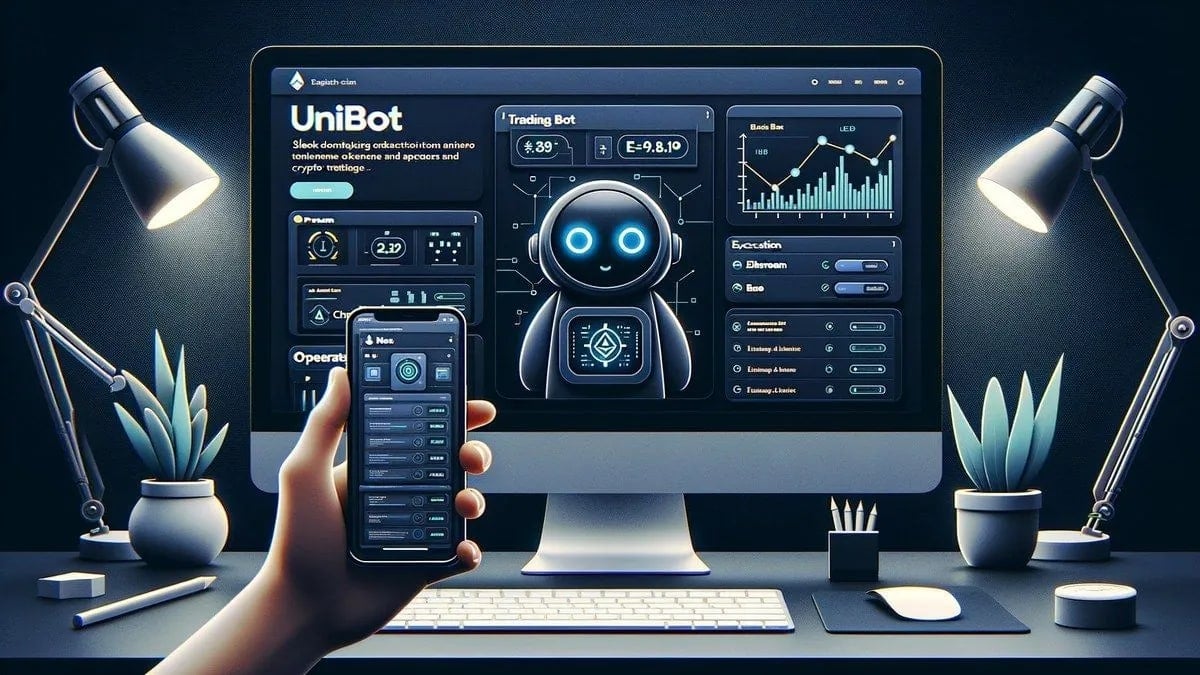
Master Unibot: Your definitive guide to setting up, funding, configuring, and safely trading on Telegram's premier EVM bot for 2026.
How to Use Unibot: Telegram Trading 2026
To effectively use Unibot, a leading Telegram trading bot for EVM chains, traders must prioritize a disciplined workflow: set up a dedicated burner wallet, fund it with only active trading capital, meticulously configure slippage, gas, and order sizing settings beforehand, and always perform independent token due diligence on platforms like DEXTools before executing any trade. This approach ensures rapid execution without sacrificing security or informed decision-making, transforming Unibot into a powerful edge rather than a shortcut to common pitfalls.
Unibot in One Sentence: The EVM Telegram Generalist
Unibot is best for traders who want a familiar Telegram execution flow on supported EVM chains, especially when they care more about fast workflow than about using a full desktop interface. It remains one of the best-known Telegram trading bots in crypto because it gives traders a fast way to execute without sitting inside a full browser trading stack all day. In 2026, that still matters, but using Unibot well is less about speed alone and more about workflow discipline. The traders who get the most from it are usually the ones who already know what they want to buy, what they will pay, and when they will exit before they tap the first command.
Why Unibot Still Matters in 2026: Beyond Just Speed
While speed was the primary differentiator for Telegram bots in earlier years, 2026 sees Unibot's value proposition evolve. Its continued relevance stems from its ability to integrate seamlessly into a trader's existing mobile-first or on-the-go workflow. The market has matured, and so have its users. Unibot caters to those who demand efficiency and a low-friction trading experience without compromising on essential features. It's about optimizing the trading journey, not just the transaction speed.
Official Unibot Links and Resources
- Telegram bot: @unibotsniper_bot
- Docs: docs.unibot.app/links
- Portal: @unibotportal
Step-by-Step Guide: How to Use Unibot Properly
This guide explains how to use Unibot properly: how to set it up, fund the wallet safely, prepare settings, place trades with less friction, and avoid the usual beginner mistakes that make Telegram bots feel more dangerous than they need to.
- Step 1: Start with a Burner Wallet Mindset. The first rule of Telegram bots is simple: do not fund them like a vault. Use a dedicated wallet with only the capital you are willing to actively trade. That one decision removes a huge amount of avoidable risk. Telegram bots are execution tools, not long-term storage systems. Create or connect the wallet flow that Unibot recommends. Fund it with only active trading capital. Keep your main holdings somewhere separate. Write down recovery details before real size touches the bot.
- Step 2: Launch Unibot and Create Your Trading Wallet. Open the official Unibot Telegram bot (@unibotsniper_bot). Upon first interaction, Unibot will prompt you to create a new wallet or import an existing one. For maximum security and adherence to the burner wallet principle, always choose to create a new wallet within the bot. This generates a fresh seed phrase unique to your Unibot activity.
- Step 3: Secure Your Seed Phrase Immediately. After wallet creation, Unibot will display your seed phrase. This is the single most critical step. Write it down physically, store it offline in multiple secure locations, and never share it or store it digitally where it could be compromised. Losing this phrase means losing access to your funds.
- Step 4: Fund Your Unibot Wallet Safely. With your seed phrase secured, you can now fund your Unibot wallet. Send only the amount of cryptocurrency you intend to actively trade from your main wallet to the Unibot-generated address. Start with a small, manageable amount to get comfortable with the process.
- Step 5: Configure Essential Settings Before Your First Trade. Most bad bot experiences start because traders rush. Before placing a buy, go through the settings and decide how you want slippage, gas behavior, and order sizing to work. You do not want to figure that out while the market is moving fast. Access the settings menu within the bot (usually via a 'Settings' or 'Config' button). Adjust parameters like:
- Slippage: Start with a conservative percentage (e.g., 1-3%) to avoid excessive price impact.
- Gas Settings: Choose between standard, fast, or custom gas. For new tokens, higher gas can be crucial for front-running, but understand the costs.
- Default Buy/Sell Amounts: Set predefined amounts for quick trades.
- Anti-MEV/Front-run Protection: Enable any available features to protect against malicious bots.
- Auto-Sell/Take Profit/Stop Loss: Configure these for automated risk management.
- Step 6: Validate the Token Before You Use the Bot. This is where many users get the order wrong. Unibot helps you execute faster, but it does not replace due diligence. Check the token contract, liquidity, taxes, holders, and chart structure on DEXTools before you fire the trade. That is how you turn a bot into an edge instead of a shortcut to bad decisions. Copy the token contract address you intend to trade.
- Step 7: Place Your First Trade. Paste the token contract address into the Unibot chat. The bot will display token information. Select your desired buy amount (either a preset or custom). Review the transaction details (price, gas, slippage) and confirm the trade.
- Step 8: Monitor and Manage Your Positions. Unibot provides commands to view your open positions, PnL, and wallet balance. Use these regularly. For selling, select the token from your positions and choose your sell amount.
- Step 9: Practice Good Exit Discipline. Just as important as entry is exit. Utilize Unibot's auto-sell, take profit, and stop-loss features to manage your exits systematically, rather than emotionally.
Default Beginner Setup Recommendations
For those just starting with Unibot, a cautious approach is key:
- Smaller initial size than you think you need.
- Conservative slippage at first (e.g., 1-3%).
- No blind sniping before testing the workflow.
- Manual review of liquidity on DEXTools before every first entry.
Understanding Unibot's Key Features (2026 Perspective)
Unibot's feature set has evolved to meet the demands of a more sophisticated market. Beyond basic buys and sells, traders now leverage:
- Limit Orders: Essential for precise entries and exits, allowing traders to set specific price points for execution.
- Copy Trading: Follow the moves of successful wallets, though this carries its own risks and requires careful selection of targets.
- Anti-MEV/Front-run Protection: Critical in 2026's competitive landscape, these features aim to shield trades from malicious bot activity.
- Multi-Wallet Support: Manage several burner wallets from a single Unibot interface, enhancing organization and risk segregation.
- Sniper Functionality: For new token launches, though this should be used with extreme caution and only after thorough research.
- Auto-Sell/Take Profit/Stop Loss: Automated risk management tools that execute trades when predefined price targets or loss thresholds are met.
The Burner Wallet Mindset: Your Primary Defense
The concept of a burner wallet is non-negotiable for Telegram bot trading. It's not just about security; it's about compartmentalizing risk. By isolating your trading capital, you ensure that even if the bot's security is somehow compromised (e.g., a sophisticated phishing attack on your Telegram account), your main holdings remain untouched. This psychological barrier also encourages more disciplined trading, as you're only risking funds explicitly allocated for active speculation.
Unibot vs. Other Telegram Bots: A Comparison
While Unibot excels as an EVM generalist, the Telegram bot ecosystem is diverse. Here's a quick comparison:
How DEXTools Helps Unibot Traders
Unibot helps you execute faster, but it does not replace due diligence. This is where DEXTools becomes an indispensable companion. Before you ever paste a contract address into Unibot, you should:
- Verify Contract Address: Ensure the token contract is legitimate and not a scam.
- Analyze Liquidity: Check the liquidity pool size and lock status to assess rug pull risk.
- Review Taxes: Understand buy/sell taxes to avoid unexpected costs.
- Examine Holders: Look for concentrated holdings that could indicate manipulation.
- Study Chart Structure: Use DEXTools' advanced charting tools to identify trends, support, and resistance levels.
- Check Safety Score: DEXTools provides a comprehensive safety score for many tokens, offering a quick risk assessment.
By performing this pre-trade analysis on DEXTools, you turn Unibot into an edge instead of a shortcut to bad decisions. It's the critical layer of intelligence that empowers your rapid execution.
Advanced Strategies and Common Pitfalls to Avoid
As you become more proficient with Unibot, consider these advanced strategies and pitfalls:
Conclusion: Mastering Unibot for 2026 and Beyond
In 2026, Unibot remains a powerful tool for Telegram-based crypto trading on EVM chains, but its effectiveness is directly proportional to the discipline and diligence of its user. By adopting a burner wallet mindset, meticulously configuring settings, and integrating robust pre-trade analysis with DEXTools, traders can leverage Unibot's speed and convenience to their advantage. Remember, the bot is an execution layer; the intelligence and risk management ultimately rest with you. Master these principles, and Unibot transforms from a simple tool into a significant edge in the fast-paced world of decentralized finance.
Frequently Asked Questions
What is Unibot and what does it do?
Unibot is a leading Telegram trading bot designed for fast execution of cryptocurrency trades on various EVM (Ethereum Virtual Machine) compatible blockchains like Ethereum, Base, and Arbitrum. It allows traders to buy, sell, and manage positions directly from the Telegram interface.
Is Unibot safe to use for trading crypto?
Unibot itself is a legitimate tool, but its safety largely depends on user practices. It is crucial to use a dedicated 'burner wallet' with only active trading capital, secure your seed phrase offline, and perform thorough due diligence on tokens before trading to mitigate risks.
Which blockchains does Unibot support?
Unibot primarily supports EVM-compatible blockchains, including Ethereum, Base, Arbitrum, and other networks that adhere to the EVM standard. This makes it a versatile tool for traders operating across multiple decentralized ecosystems.
How do I fund my Unibot wallet?
After creating a new wallet within the Unibot Telegram bot and securely backing up your seed phrase, you can fund it by sending cryptocurrency from your main wallet to the Unibot-generated wallet address. Only send the amount you intend to actively trade.
What are the essential settings to configure in Unibot?
Before trading, configure slippage (start conservative), gas settings (standard, fast, or custom), default buy/sell amounts, and enable any anti-MEV/front-run protection features. Also, consider setting up auto-sell, take profit, and stop loss orders.
How can DEXTools help me when using Unibot?
DEXTools is vital for pre-trade due diligence. Use it to verify token contract addresses, analyze liquidity, check taxes, examine holder distribution, study chart structure, and assess the overall safety score of a token before executing a trade on Unibot.
What is a 'burner wallet' and why is it important for Unibot?
A burner wallet is a dedicated cryptocurrency wallet funded with only the capital you are willing to actively trade, separate from your main holdings. It's crucial for Unibot to compartmentalize risk; if the bot or your Telegram account is compromised, your primary assets remain secure.
Can I set limit orders and stop losses with Unibot?
Yes, Unibot offers advanced trading features including limit orders for precise entries and exits, as well as auto-sell, take profit, and stop loss functionalities to automate risk management and secure gains.
How does Unibot compare to other Telegram trading bots like BonkBot or Not.Trade?
Unibot is an EVM generalist, excelling on chains like Ethereum, Base, and Arbitrum with features like multi-wallet support and anti-MEV. BonkBot specializes in Solana, while Not.Trade is a TON-native terminal with unique features like MCAP-trigger limit orders and an insider safety panel.