How to Check a Solana Contract Address
— By AliceOnChain in Tutorials
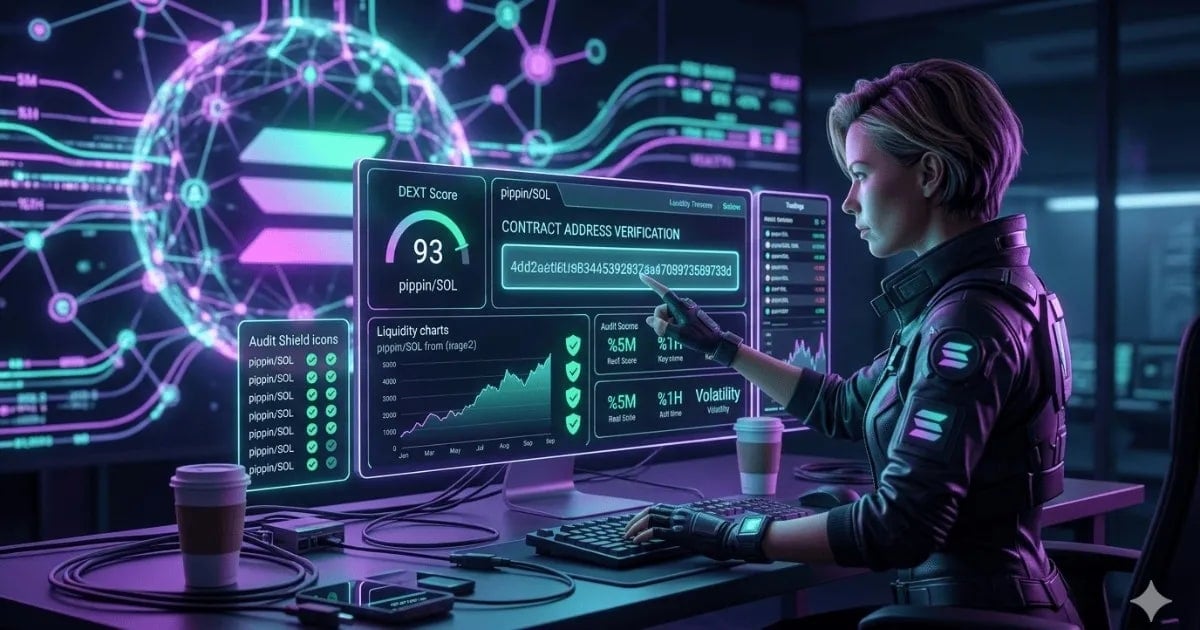
Learn how to check a Solana contract address safely using DEXTools. Verify SPL tokens, avoid scams, and make informed trading decisions.
To check a Solana contract address safely, locate the official 'Mint' address on platforms like DEXTools, typically found in the Pairs list under the 'CONTRACT' column. Verify this address by cross-referencing it with official project sources and analyzing DEXTools' safety indicators such as the DEXT Score, audit badges, liquidity, and creation timeline. This multi-step verification process is crucial for confirming the authenticity of an SPL token and avoiding deceptive scams before engaging in any trades.
The Criticality of Verifying Solana Contract Addresses
In the fast-paced Solana ecosystem, where new tokens emerge daily, the risk of encountering fraudulent projects is significant. Scammers often deploy tokens with names and tickers identical or very similar to legitimate projects, aiming to trick unsuspecting traders. A Solana contract address, also known as a 'Mint' address for SPL tokens, is the unique identifier on the blockchain that represents a specific token. Verifying this address is the single most important step to ensure you are interacting with the authentic asset and not a malicious imitation.
This guide will equip you with the knowledge and tools to meticulously check Solana contract addresses, transforming you from a reactive trader into a proactive, secure participant in the Solana DeFi space. By 2026, with the anticipated growth of memecoins and innovative dApps on Solana, these verification skills will be indispensable.
Understanding Solana Contract Addresses (Mint Addresses)
A Solana contract address is a 44-character base58 encoded string that uniquely identifies an SPL (Solana Program Library) token on the Solana blockchain. Unlike Ethereum's ERC-20 tokens, which use a contract address for the token's logic, Solana's SPL tokens are managed by a generic token program, and the 'Mint' address specifically identifies the token's mint authority and supply. This address is immutable once created and serves as the definitive on-chain identity of the token.
Mistaking a fake contract address for a real one can lead to significant financial losses, as you would be buying an illiquid or malicious token. Always prioritize verifying the contract address over relying solely on token names or logos.
How to Check a Solana Contract Address Safely: A Step-by-Step Guide
- Locate the Official Contract Address. Begin by finding the token's contract address on a reputable analytics platform like DEXTools. Navigate to the Pairs list for the token you are interested in, and locate the 'CONTRACT' column. This will display the token's unique Mint address.
- Copy the Address with Precision. Always use the copy icon provided by the platform (e.g., DEXTools) to copy the 44-character base58 address. Manually typing or transcribing the address significantly increases the risk of errors, which can lead to interacting with the wrong contract.
- Cross-Reference with Official Sources. This is a critical verification step. Compare the copied address with the one published on the project's official website, verified social media accounts (e.g., X, formerly Twitter), or official documentation. Be wary of links from unofficial channels or direct messages.
- Analyze DEXT Score and Safety Badges. On DEXTools, after locating the contract, examine the 'SCORE' and 'AUDIT' columns. The DEXT Score (1-99) assesses various metrics like liquidity, volume, and contract stability. A higher score (e.g., 90+) generally indicates a more trustworthy token. Look for green audit shields, which signify that the contract has passed multiple automated security checks. Yellow or red shields indicate potential risks such as high sell taxes, modifiable supply, or account freezes.
- Evaluate Liquidity and Trading Volume. A legitimate token requires sufficient liquidity for healthy trading. Check the 'LIQUID.' and 'VOL.24H' metrics. Aim for tokens with at least $100,000 in liquidity to ensure you can enter and exit positions without significant slippage. High trading volume relative to market cap is also a positive sign, indicating genuine market interest rather than wash trading.
- Review the Token Creation Timeline. The 'CREATED' column on DEXTools provides insight into the age of the contract. While newer tokens can be legitimate, many rug pulls occur within the first few hours or days of a token's launch. Tokens that have existed for several days, weeks, or even years (e.g., 15 hours or 4 years ago for PI/USDT and XAUT/USDC respectively) often indicate greater stability and reliability.
- Check for Renounced Authority or Locked Liquidity. Advanced users can delve deeper by checking if the token's mint authority has been renounced and if liquidity has been locked. Renouncing mint authority means no new tokens can be minted, preventing inflationary rug pulls. Locked liquidity ensures that the liquidity pool cannot be drained by the project developers. These details are often available through blockchain explorers or DEXTools' detailed pair information.
- Utilize Solana Blockchain Explorers. For the most granular details, paste the contract address into a Solana blockchain explorer like Solscan or Solana Explorer. Here, you can verify token supply, holders, transactions, and program details. Look for consistent transaction activity and a reasonable distribution of holders.
Leveraging DEXTools for Solana Contract Address Verification
DEXTools offers a suite of features specifically designed to streamline the process of checking Solana contract addresses. Its intuitive interface centralizes critical data points, allowing traders to make informed decisions rapidly.
- Pair Explorer: The primary hub for finding tokens and their associated contract addresses.
- DEXT Score: A proprietary metric that aggregates various on-chain and off-chain data points to provide a quick safety assessment.
- Audit Badges: Visual indicators that highlight potential contract risks or verified security checks.
- Liquidity & Volume Data: Real-time metrics crucial for assessing market health and exit potential.
- Creation Timestamp: Helps identify newly launched tokens that might carry higher risk.
- Custom Filters: Allows users to set specific criteria (e.g., minimum liquidity, DEXT Score, audit status) to filter out high-risk tokens.
Key Indicators for a Safe Solana Contract Address
When you check a Solana contract address, several indicators collectively paint a picture of its safety and legitimacy. No single metric guarantees safety, but a combination of positive signals drastically reduces risk.
Common Scams and How to Avoid Them
Understanding how to check a Solana contract address is your primary defense against various scams:
- Fake Token Scams: Scammers create tokens with identical names and logos to popular projects. Always verify the contract address.
- Rug Pulls: Developers drain liquidity from a token's pool, leaving investors with worthless assets. Look for locked liquidity and renounced mint authority.
- Honeypots: Contracts designed to allow buying but prevent selling. DEXTools' audit badges can often flag these.
- Pump and Dumps: Artificial inflation of a token's price followed by a sudden sell-off. While not directly contract-related, checking volume and liquidity can indicate manipulation.
Advanced Contract Analysis Techniques
For those seeking deeper insights, several advanced techniques can be employed:
- Token Mint Authority Check: Use a Solana explorer to see if the mint authority for the token has been revoked. If it hasn't, the developers can still mint new tokens, potentially devaluing existing ones.
- Freeze Authority Check: Similarly, check if the freeze authority has been revoked. If not, developers could freeze your tokens, preventing transfers.
- Liquidity Pool Analysis: Examine the top holders of the liquidity pool. If a single address holds a disproportionately large amount of LP tokens, it poses a centralization risk and potential for a rug pull.
- Transaction History Review: Look for large, suspicious transactions by developers or early investors that might indicate an impending dump.
The Importance of Continuous Vigilance
The Solana ecosystem is dynamic, and new threats constantly emerge. Even after initial verification, it's crucial to remain vigilant. Regularly check for updates from the project's official channels, monitor DEXTools for any changes in the DEXT Score or audit status, and be aware of broader market sentiment.
A contract address that appears safe today could have underlying risks that manifest later. Continuous monitoring and a healthy dose of skepticism are your best allies in navigating the complex world of decentralized finance.
Conclusion
Mastering how to check a Solana contract address is not just a best practice; it's a fundamental skill for anyone participating in the Solana DeFi space. By diligently verifying the official 'Mint' address, cross-referencing with official sources, and leveraging the comprehensive safety indicators provided by platforms like DEXTools-including the DEXT Score, audit badges, liquidity, and creation timeline-you can significantly mitigate your exposure to scams and fraudulent tokens.
Embrace a professional, data-driven approach to your Solana trading. Stop trading blindly and start making informed decisions. Visit the DEXTools Pair Explorer today and integrate these essential verification steps into your trading routine to navigate Solana's vibrant, yet sometimes treacherous, waters with confidence.
___ Disclaimer: This article is for informational purposes only and does not constitute investment advice, financial advice, trading advice, or any other kind of advice. DEXTools does not recommend buying, selling, or holding any cryptocurrency or token. Users should conduct their own research and consult with a qualified financial advisor before making any investment decisions.
Frequently Asked Questions
What is a Solana contract address?
A Solana contract address, often called a 'Mint' address for SPL tokens, is a unique 44-character base58 identifier on the Solana blockchain that represents a specific token. It's crucial for distinguishing authentic tokens from fakes.
Why is it important to check a Solana contract address?
Checking a Solana contract address is vital to ensure you are interacting with the legitimate SPL token and not a scam or imitation. It prevents financial losses from buying fake tokens, rug pulls, or honeypots.
Where can I find a Solana contract address?
You can find a Solana contract address on reputable crypto analytics platforms like DEXTools, typically in the 'Pairs' list under the 'CONTRACT' column. Always copy it using the provided icon.
How do I cross-reference a Solana contract address?
Cross-reference the copied address with the one published on the project's official website, verified social media accounts (e.g., X), or official documentation. Avoid unofficial sources.
What is the DEXT Score and how does it help?
The DEXT Score on DEXTools is a proprietary metric (1-99) that assesses a token's safety based on liquidity, volume, and contract stability. A higher score generally indicates a more trustworthy token.
What do DEXTools audit badges mean?
DEXTools audit badges visually indicate security checks. A green shield means the contract passed automated checks, while yellow or red shields signal potential risks like high taxes or modifiable supply.
What is sufficient liquidity for a Solana token?
For safer trading, a Solana token should ideally have at least $100,000 in liquidity. This helps ensure you can buy and sell without significant price impact or slippage.
How can the token creation timeline indicate risk?
The 'CREATED' column shows when a token was launched. Many rug pulls occur within the first few hours or days. Tokens that have existed for a longer period (weeks or months) often imply greater stability.
What are common Solana contract address scams?
Common scams include fake tokens (mimicking legitimate ones), rug pulls (liquidity drained by developers), and honeypots (allowing buys but preventing sells). Verifying the address and checking contract details helps avoid these.